
Product Cost Price Tracking
This module allow to track cost price of product
Product Cost Price Tracking
Easily access and review the complete history of product cost changes. Monitor pricing trends, maintain a detailed audit trail, and make informed purchasing decisions with confidence.
App Overview

Introduction
The Cost Price Tracking module helps businesses monitor and track product cost price changes directly inside Odoo. It provides a centralized history of all product cost updates, allowing users to analyze pricing fluctuations, maintain transparency, and improve purchasing and inventory decisions.
The module automatically records cost changes whenever product cost prices are updated and provides easy access through dedicated tracking menus and smart buttons.

Purpose
Precise costing is the foundation of profitability. The purpose of this module is to provide full financial transparency between purchasing, inventory, and accounting departments. By maintaining a permanent historical record, organizations can detect supplier price gouging, calculate accurate product landed costs over time, and provide auditors with a reliable record of pricing changes for compliance.
Business Use Cases

Purchase Monitoring
Track supplier price fluctuations and monitor procurement cost changes over time to negotiate better deals.

Inventory Valuation
Analyze inventory valuation changes and maintain product costing history for precise asset reporting.

Financial Compliance
Maintain accurate, tamper-evident historical records for annual auditing and internal compliance reviews.

Profitability Management
Review historical product costs alongside sales data to support dynamic pricing and margin protection strategies.

Cross-Dept Visibility
Bridge the gap between purchasing, warehouse, and finance teams with a single, centralized truth for product costs.
Key Features
Cost Price History Tracking
Automatically records every product cost price update with historical tracking.
Smart Cost Tracking Button
Access product cost history directly from the product form using the dedicated “Cost Tracking” button.
Centralized Tracking Menu
View all product cost tracking records from a single menu for easier monitoring and analysis.
Automatic Change Detection
Cost changes are captured automatically whenever the product cost is modified.
Product-Level Tracking
Maintains cost history individually for each product securely.
Historical Cost Analysis
Helps businesses review past cost changes over time for better purchasing decisions.
Minimal Configuration
Ready to use immediately after installation without complex setup steps.
Native Odoo Integration
Fully integrated with Odoo’s standard Product and Inventory workflows.
Universal Compatibility
Works seamlessly with Sales, Inventory and Purchase modules for operations.
Configuration & Workflow
Product Form View Integration
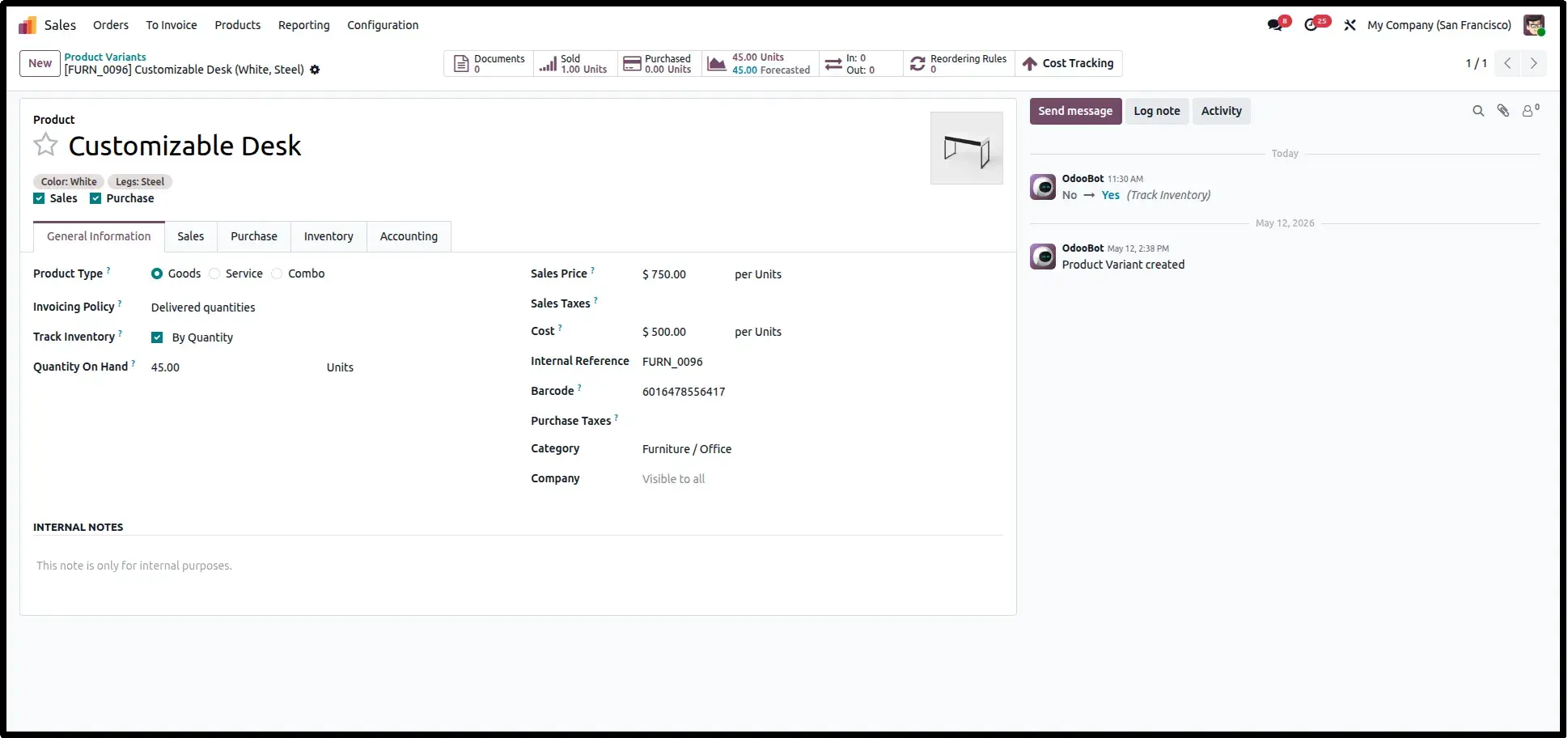
The workflow begins at the Product Template level. A high-visibility Cost Tracking smart button is integrated into the header, serving as the gateway to all historical cost data for that specific item.
Detailed Variant History
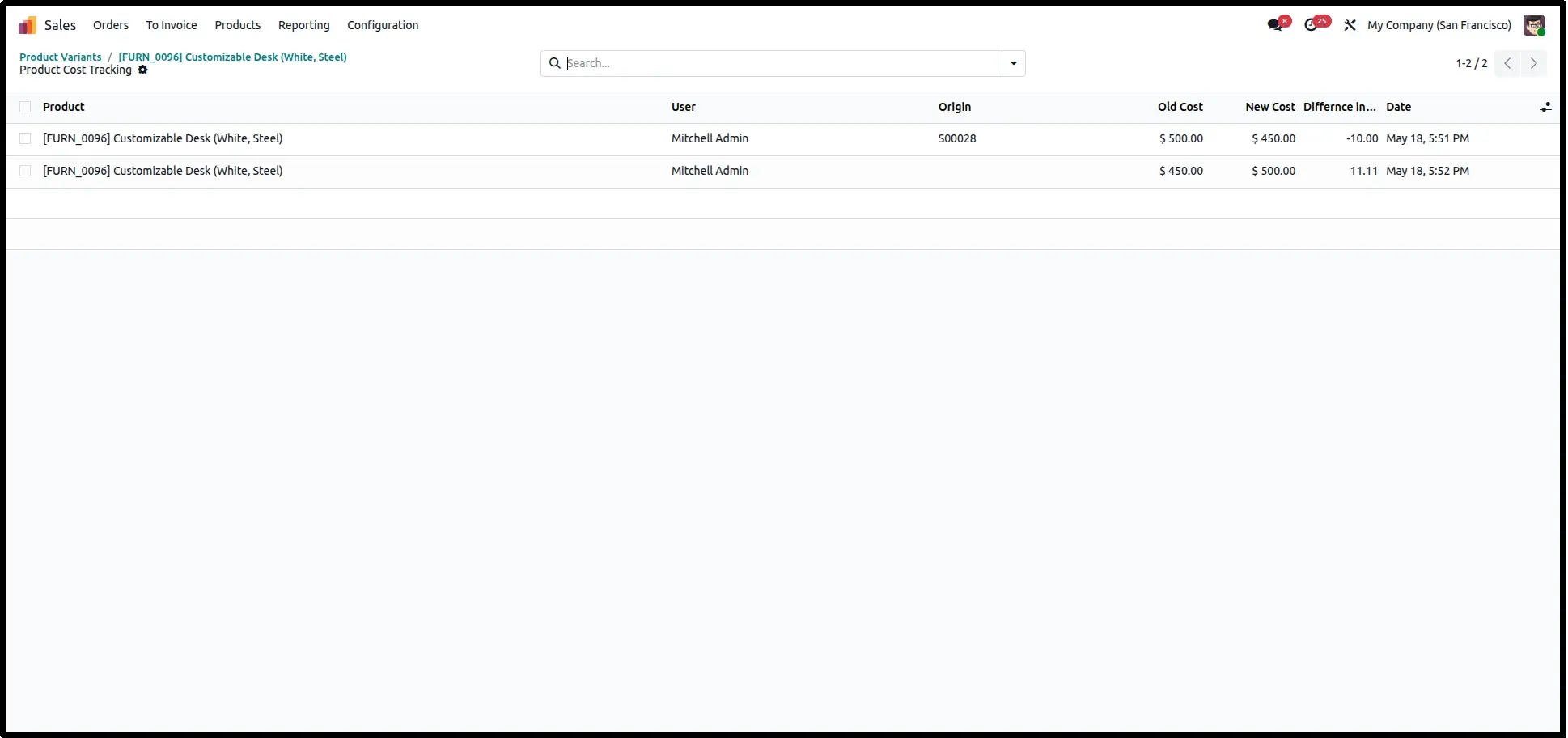
Clicking the smart button reveals a refined list view showing every cost adjustment for that Product Variant. This granular view helps identify when and why specific costs were updated.
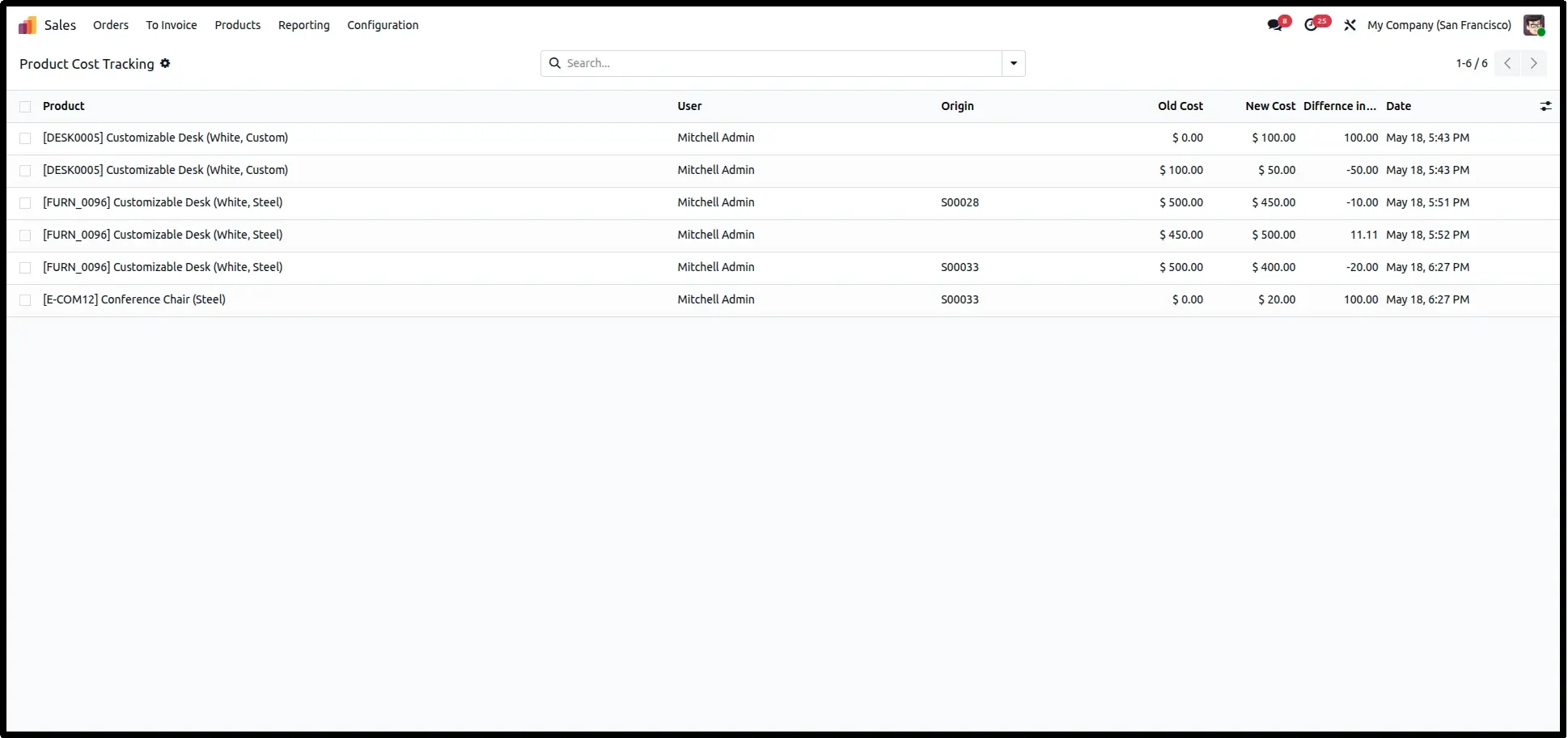
Sales Module Oversight
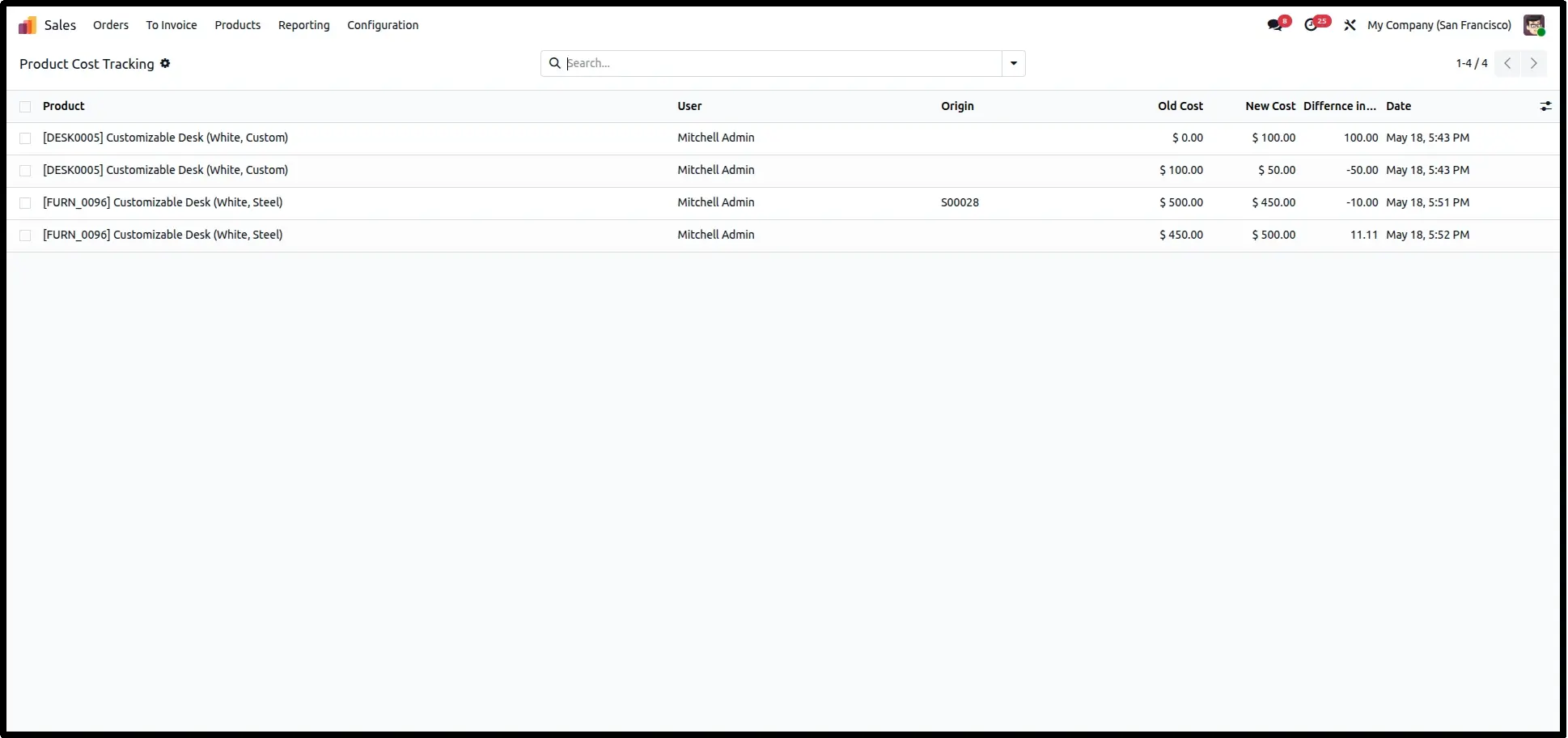
Sales managers can access the Product Cost Tracking menu directly from the Sales application, enabling them to monitor how cost fluctuations are impacting overall sales performance.
Live Margin Check in Orders
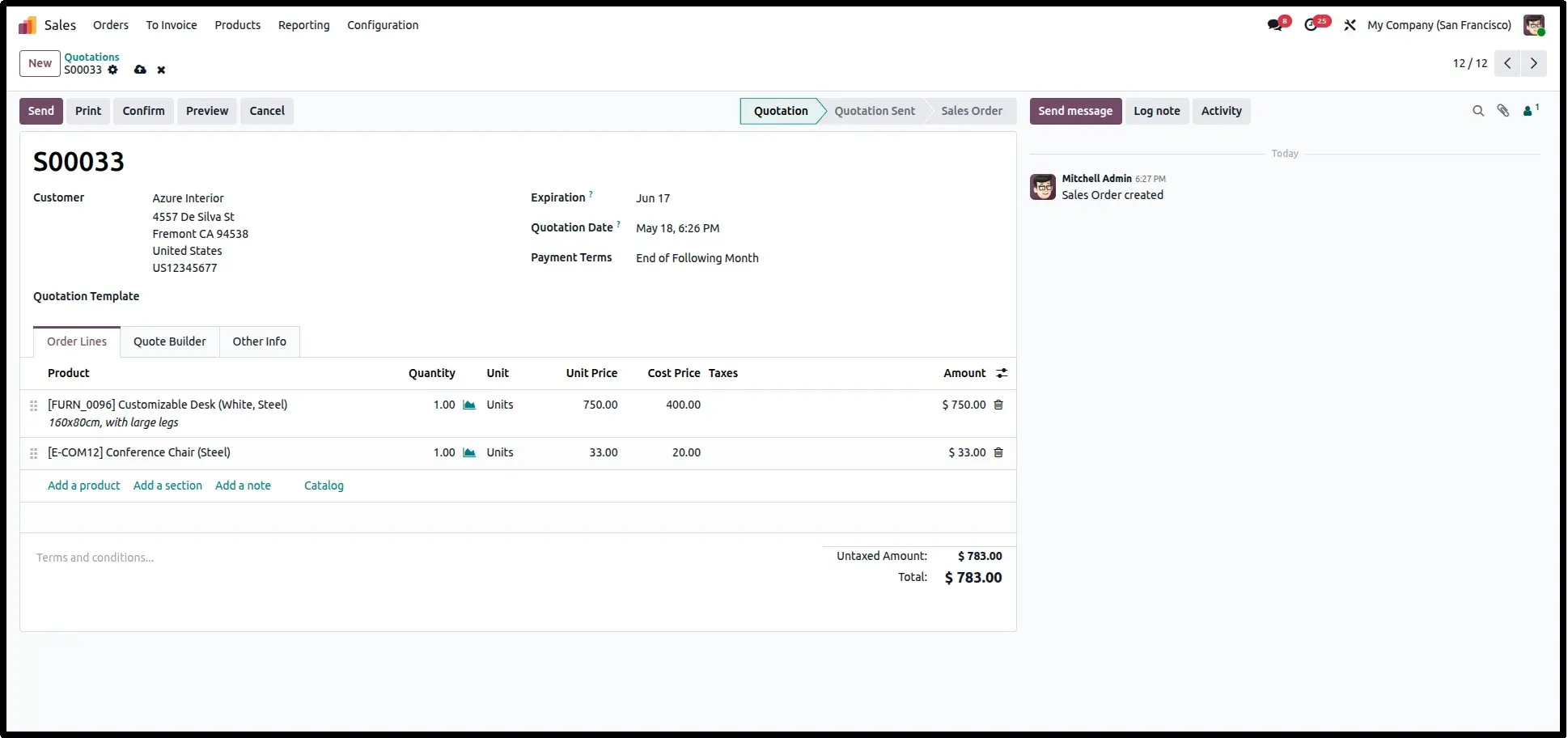
Every Sales Order line features an integrated Cost Price column. This allows your team to see the live cost of the product at the time of quotation, ensuring every deal is profitable.
Global System Wide Analytics
The Global Dashboard consolidates every change, showing the User, the Origin document, and the exact Difference in cost. This is the master audit trail for the entire organization.
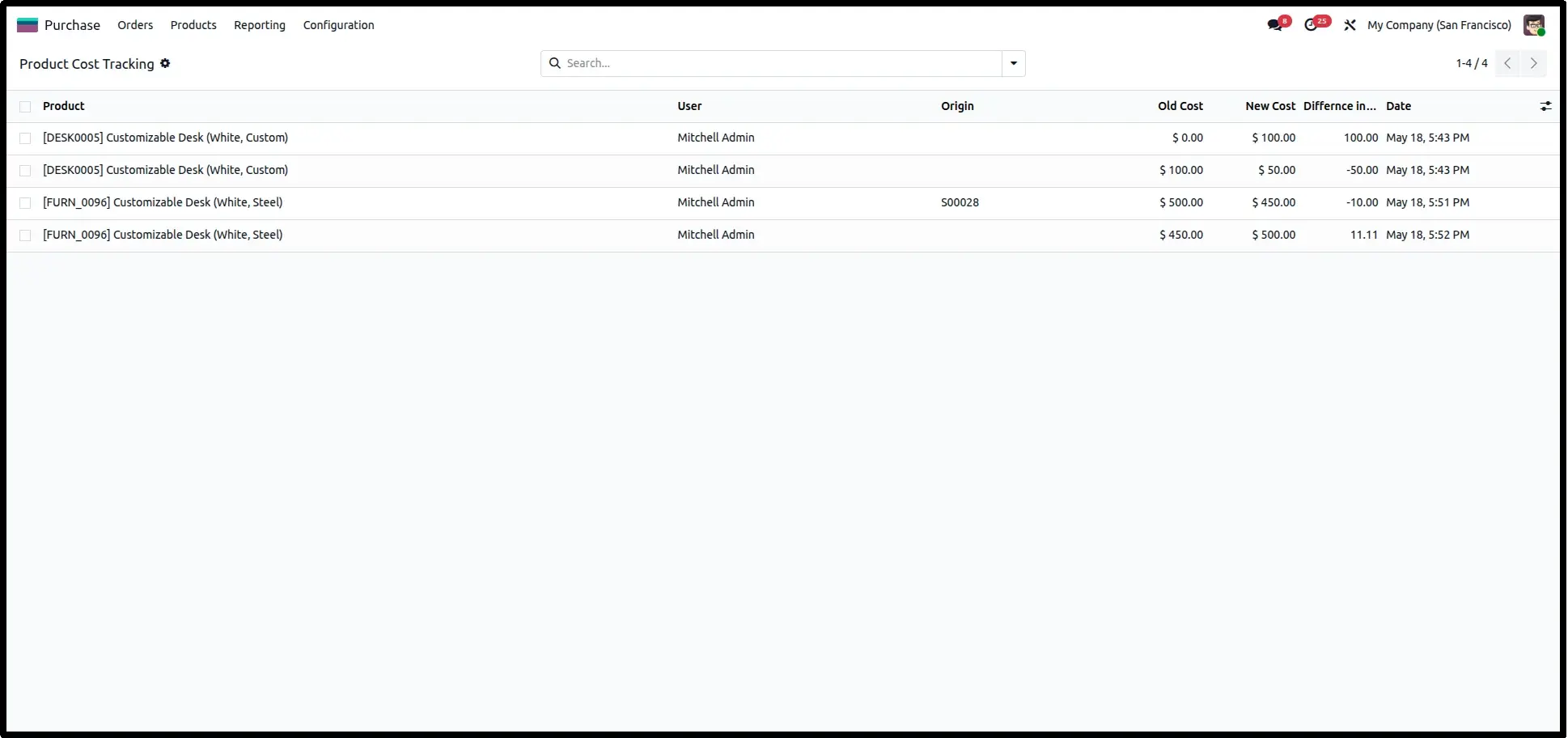
Procurement Cost Oversight
Finally, the Purchase Module integration allows procurement officers to monitor vendor price spikes, helping them negotiate better terms based on historical cost data.
Frequently Asked Questions
Technical Details
Dependencies
• Purchase (purchase)
• Sales (sale_management)
• Invoicing (account)
• Discuss (mail)
License
OPL-1
Need Assistance?
Email Support
contact@gritxi-tech.comAny Questions?
Have questions about this app?
Fill out the form below and our team will get back to you with more information.
Customer Reviews
Share your experience with this module.
Write a Review
Latest Reviews
No reviews yet. Be the first to share your thoughts!