
Payment Provider: Openpay
Integrate Openpay payment gateway in Odoo with secure online payment processing, hosted checkout redirection, webhook support, and seamless eCommerce and invoice payment management.
Payment Provider: Openpay
A production-ready integration connecting Odoo with Openpay (powered by BBVA) for secure card payments across Mexico and Latin America.
App Overview

Introduction
The Openpay Payment Provider for Odoo is a complete integration designed for merchants in Mexico and Latin America. It allows you to accept online card payments via Openpay's secure infrastructure, powered by BBVA.
Customers experience a smooth checkout journey with redirection to a hosted payment page, returning to Odoo with confirmed orders automatically. The module also supports real-time synchronization with the Openpay Merchant Dashboard and full/partial refund management directly from the Odoo backend.

Purpose
The purpose of this module is to provide a complete, production-ready payment solution that
bridges your Odoo eCommerce store with the trusted Openpay (BBVA) infrastructure.
By enabling secure, hosted-page transactions and automating the entire order processing
lifecycle, the module aims to maximize conversion rates in the Mexican and Latin American
markets. It simplifies financial reconciliation through real-time dashboard synchronization
and centralized refund management, allowing businesses to handle high-volume sales with
absolute data integrity and zero manual effort.
Business Use Cases
Mexican eCommerce Retailer
Offer trusted local BBVA backed card payments to Mexican customers. Automate reconciliation and stock updates instantly upon payment confirmation.
Subscription & Refunds
Manage recurring billing and handle customer refund requests without leaving Odoo. Smart restriction alerts keep your support team informed.
Multi-Channel Sync
Keep your Odoo records and Openpay Merchant Dashboard perfectly aligned in real time, eliminating manual data exports and reconciliation.
Key Features
Quick Configuration
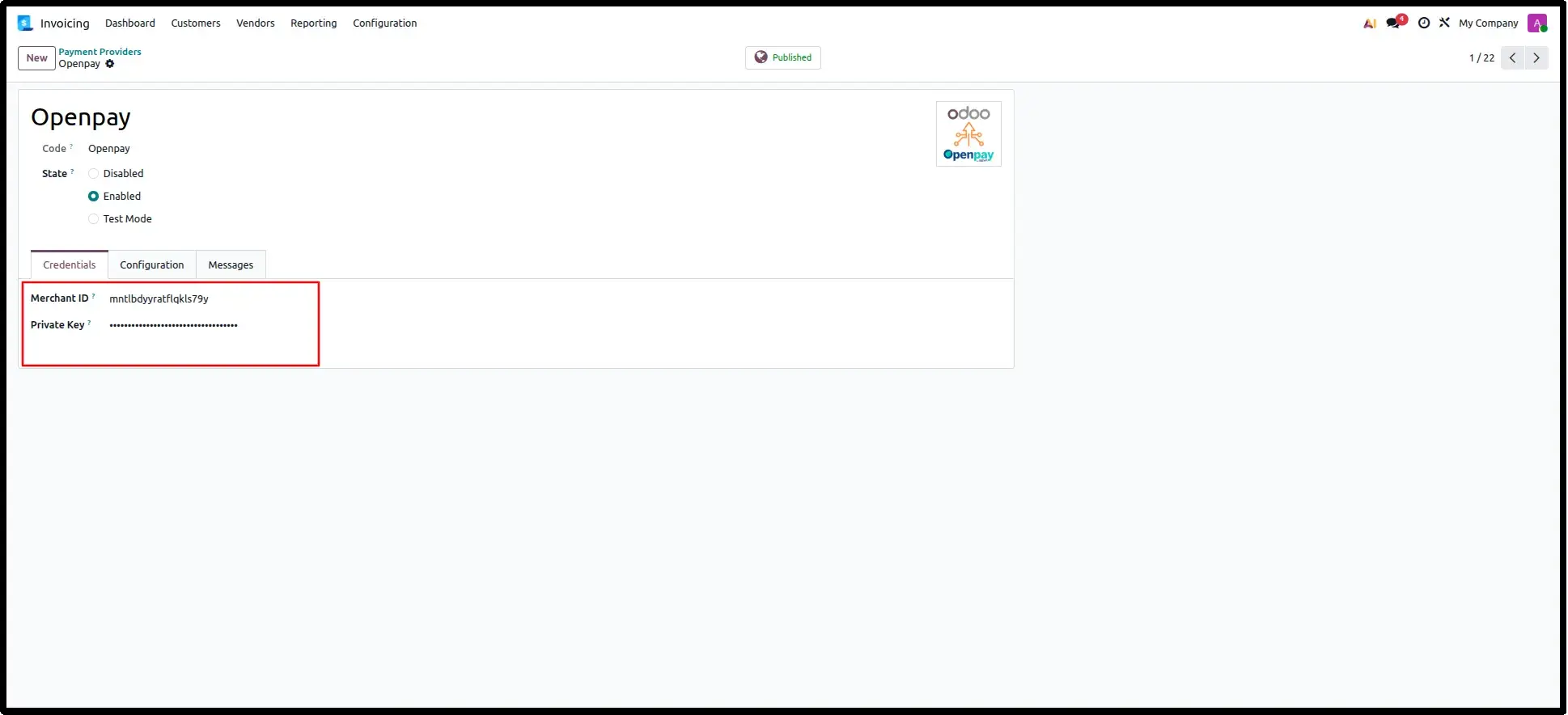
Set up in minutes by entering your Merchant ID and Private Key directly in Odoo.
eCommerce Integration
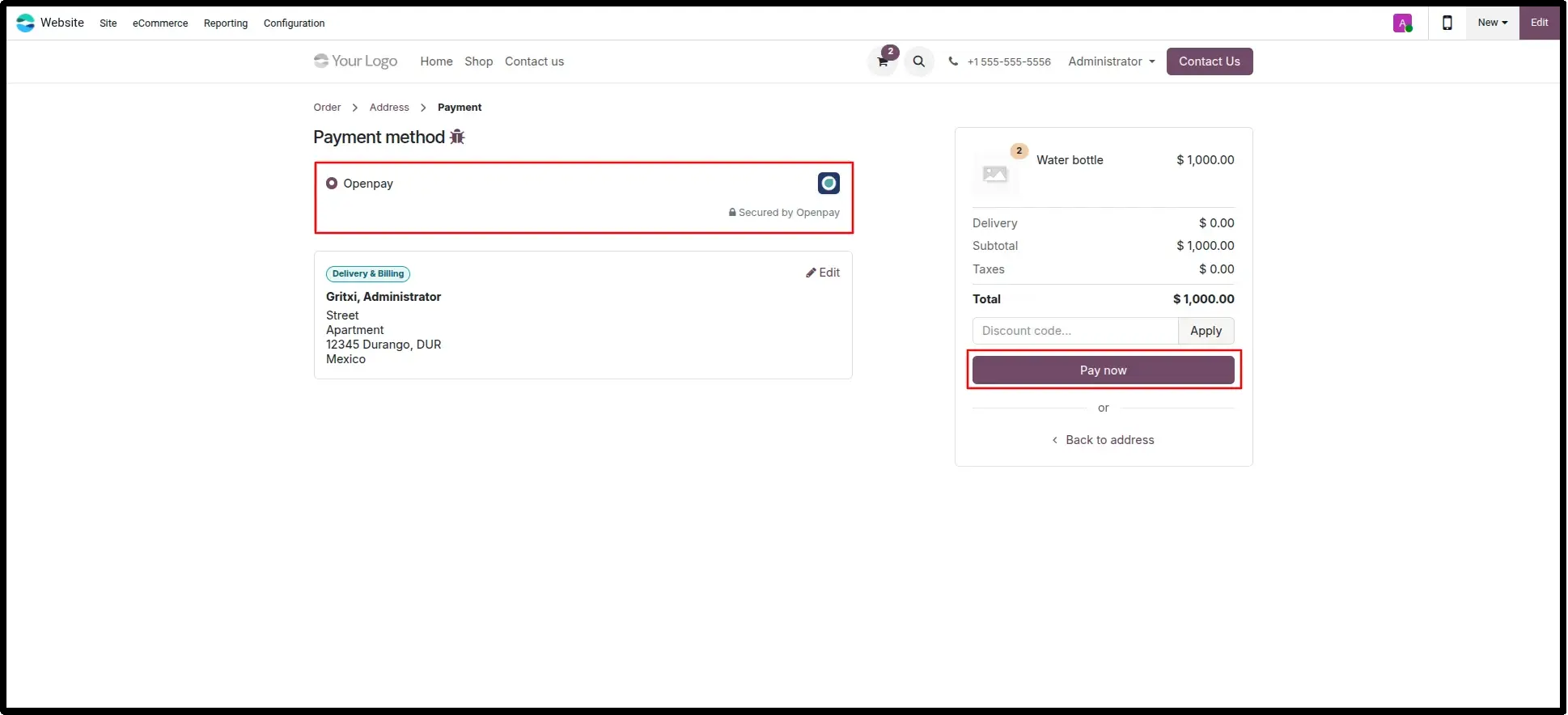
Openpay appears as a native, trusted payment option within your Odoo checkout flow.
Secure Hosted Page
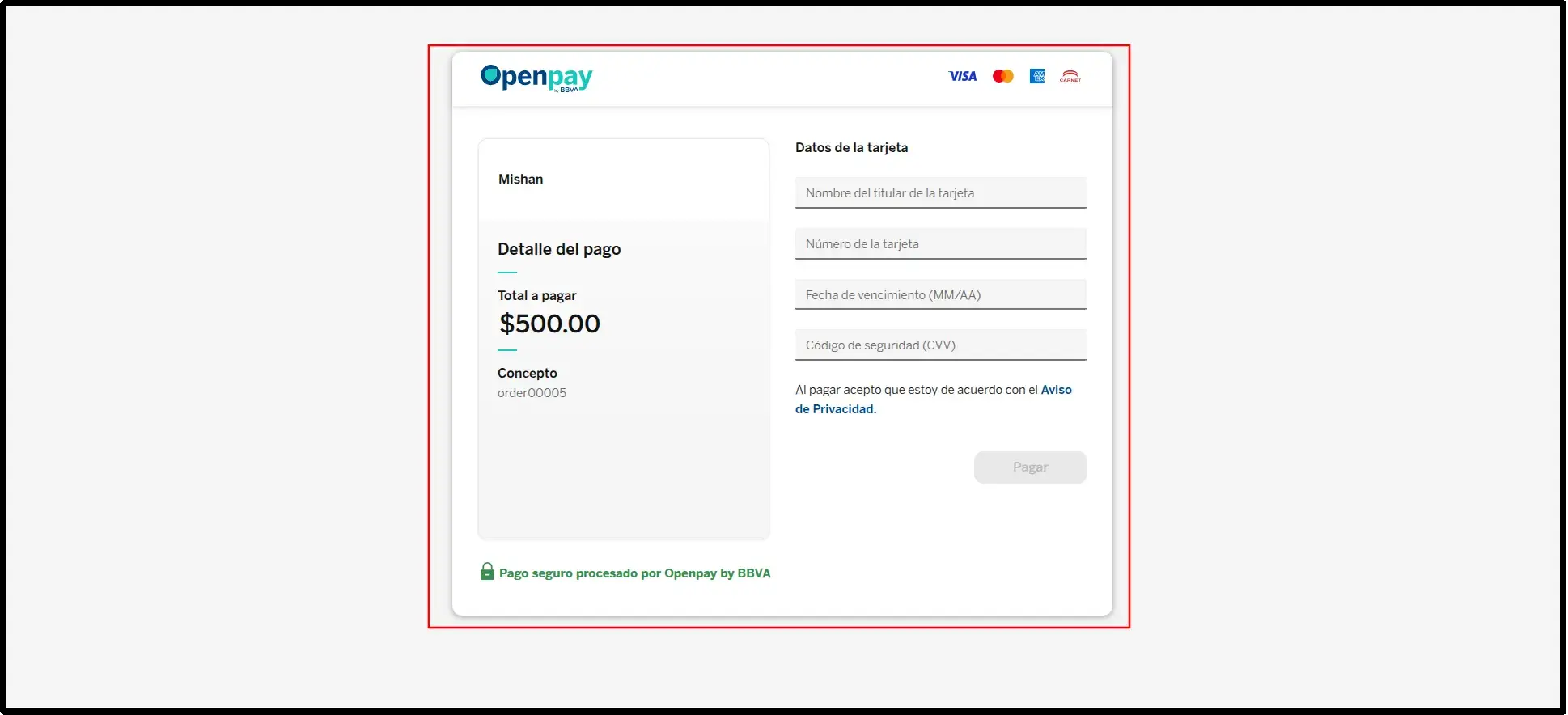
PCI-DSS compliant payments via BBVA-powered hosted pages to protect sensitive data.
Automated Confirmation
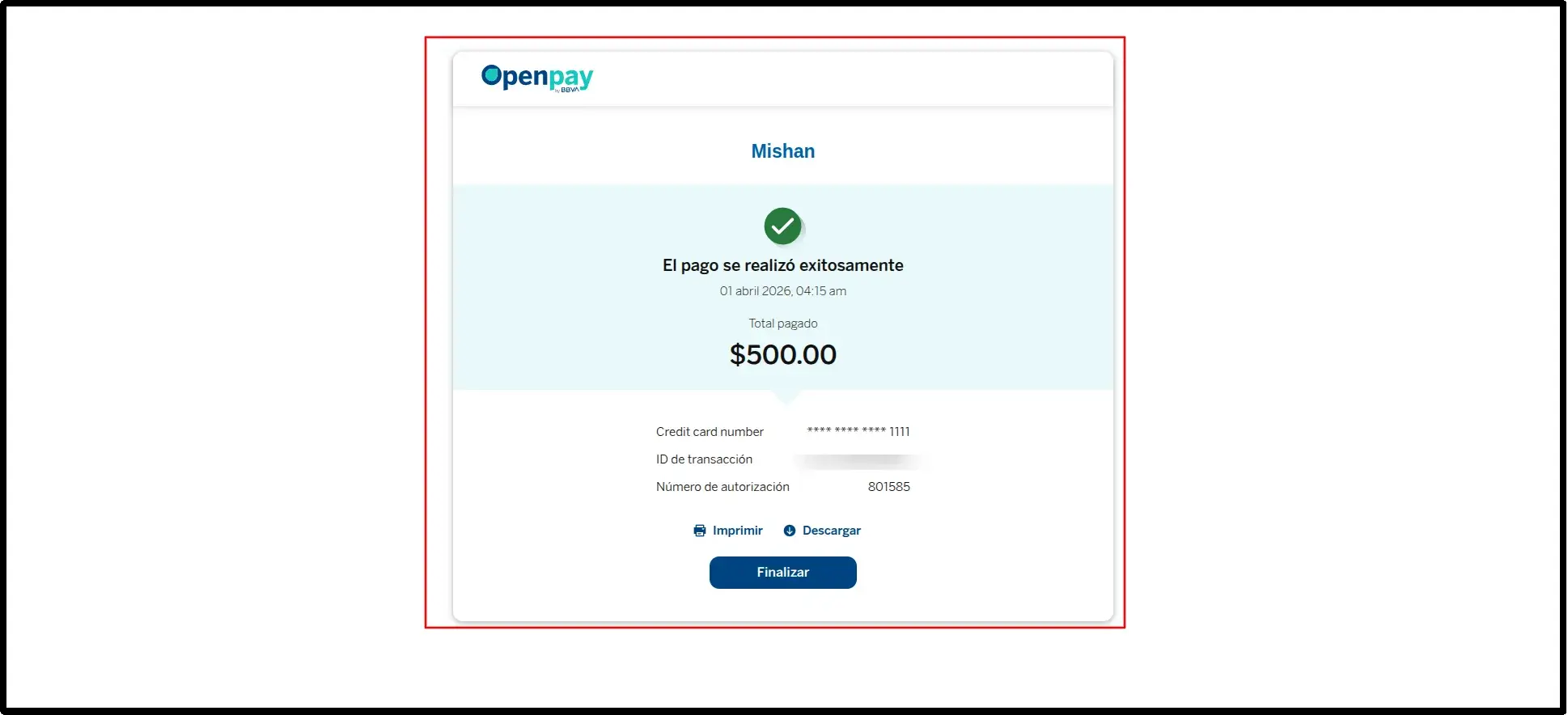
Odoo automatically marks orders as paid and generates thank-you pages upon success.
Transaction Monitoring
Centralized list view in Odoo for real-time status updates and official provider references.
Refund Management
Initiate full or partial refunds directly from Odoo with perfect financial traceability.
Intelligent Handling
Smart chatter alerts for time-based refund restrictions keep your operations team informed.
Configuration & Workflow
The following workflow illustrates the complete Openpay payment lifecycle as experienced within Odoo, from initial provider configuration to real-time dashboard synchronization.
Quick Configuration Panel
The Odoo Payment Providers configuration screen where merchants enter their Openpay Merchant ID, Private Key, and select the operating environment (Test or Live) to activate the integration.
eCommerce Checkout with Openpay
The standard Odoo eCommerce checkout page displays Openpay as an available payment method, allowing customers to select it alongside other configured payment options for a seamless purchase experience.
Openpay Hosted Payment Page
The secure, BBVA-hosted Openpay payment form where customers enter their card details. This page is fully managed by Openpay, ensuring PCI-DSS compliance and protecting sensitive financial data from your server.
Payment Success Confirmation on Openpay
The confirmation screen displayed within the Openpay environment immediately after a successful transaction, giving customers immediate assurance that their payment has been accepted.
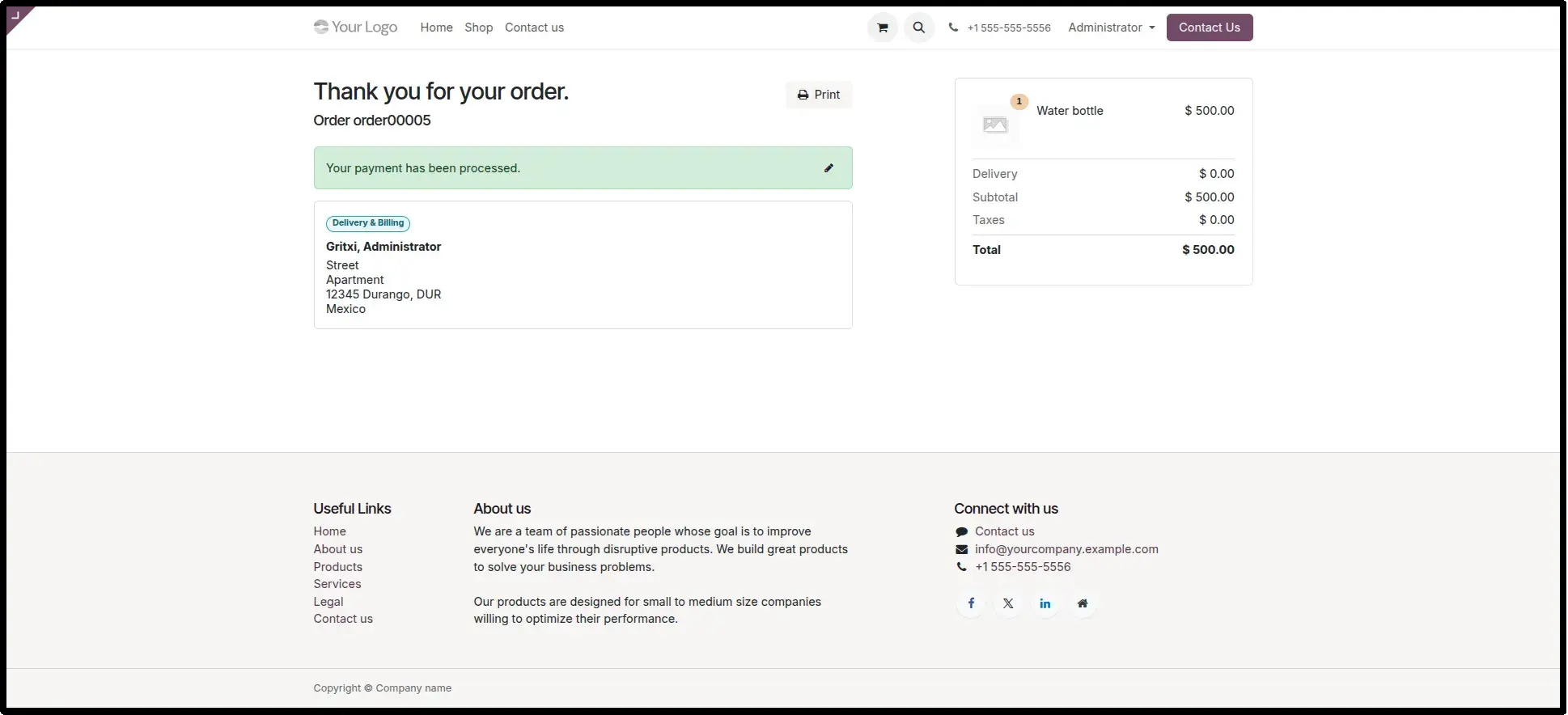
Odoo Order Confirmation Page
The post-payment landing page within your Odoo store, confirming the order has been placed and the payment successfully processed automatically triggered without any manual intervention from the merchant.
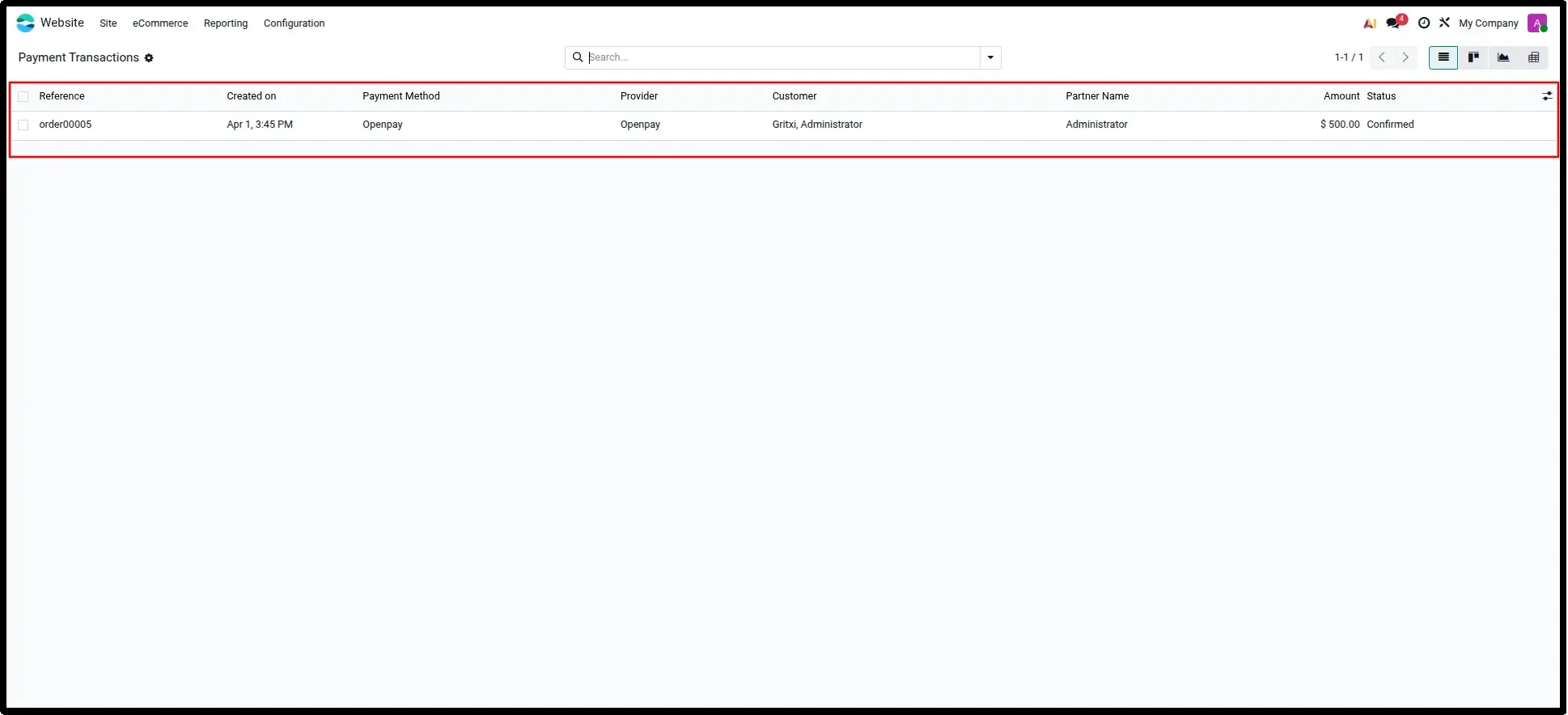
Transaction List View in Odoo
A centralized list of all Openpay payment transactions recorded in Odoo, showing transaction status, provider reference numbers, and amounts at a glance for quick financial monitoring.
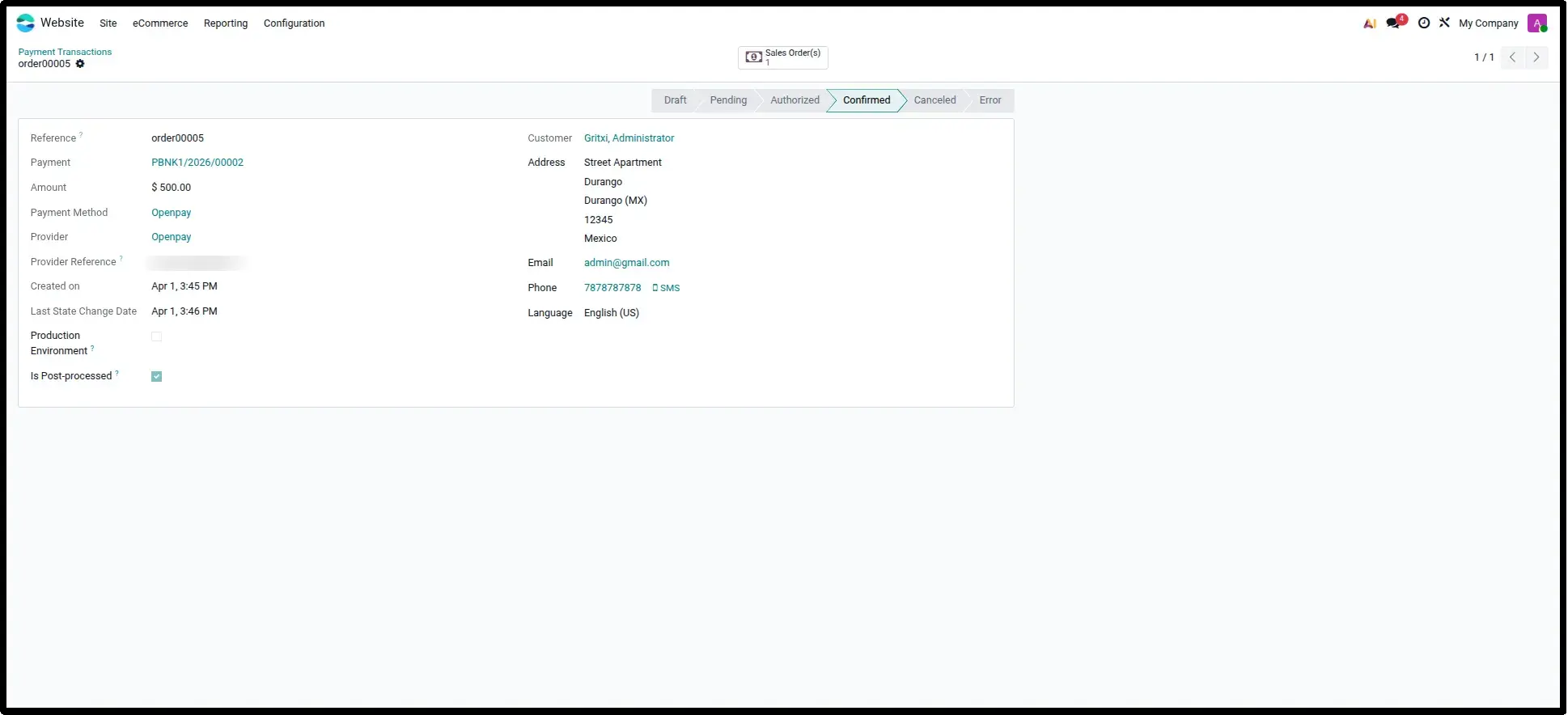
Detailed Transaction Record
The individual transaction detail view displaying the full audit trail, including provider references, linked sale orders, payment status, and post-processing verification data for complete financial oversight.
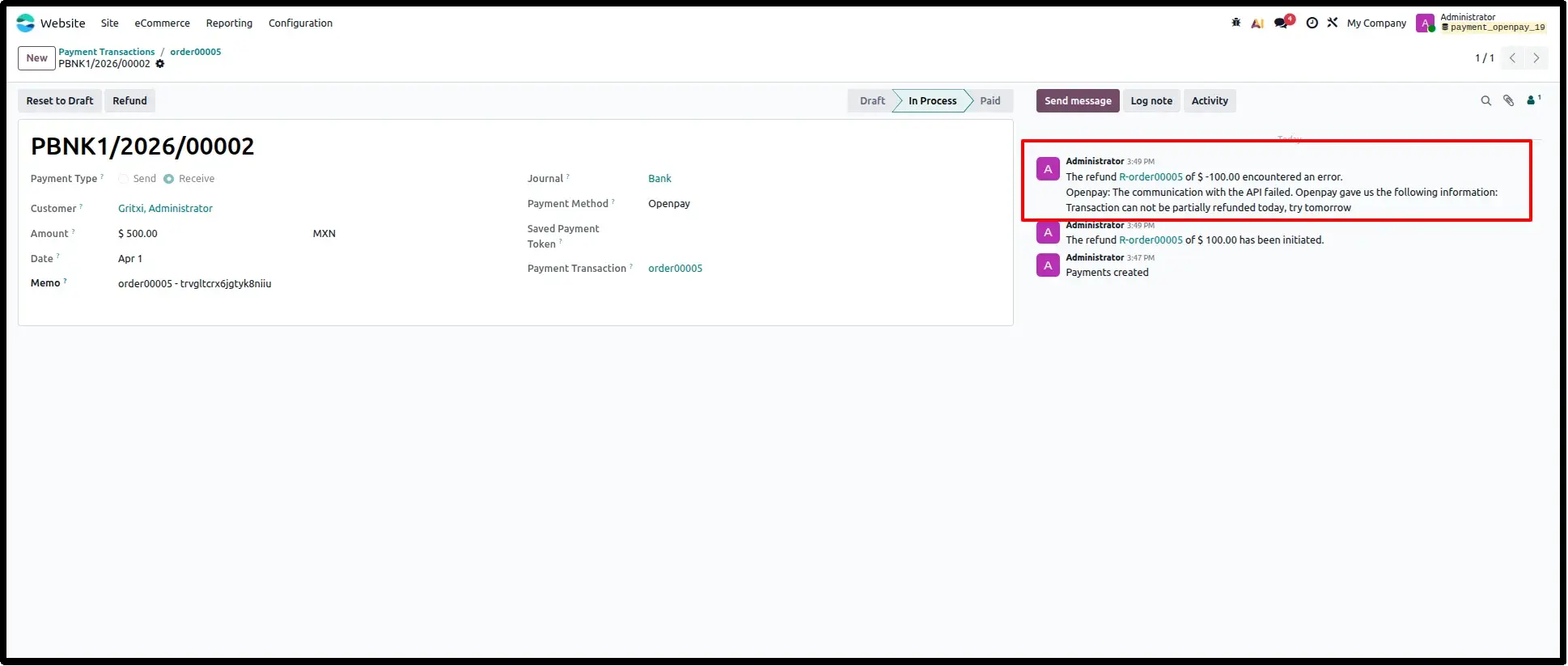
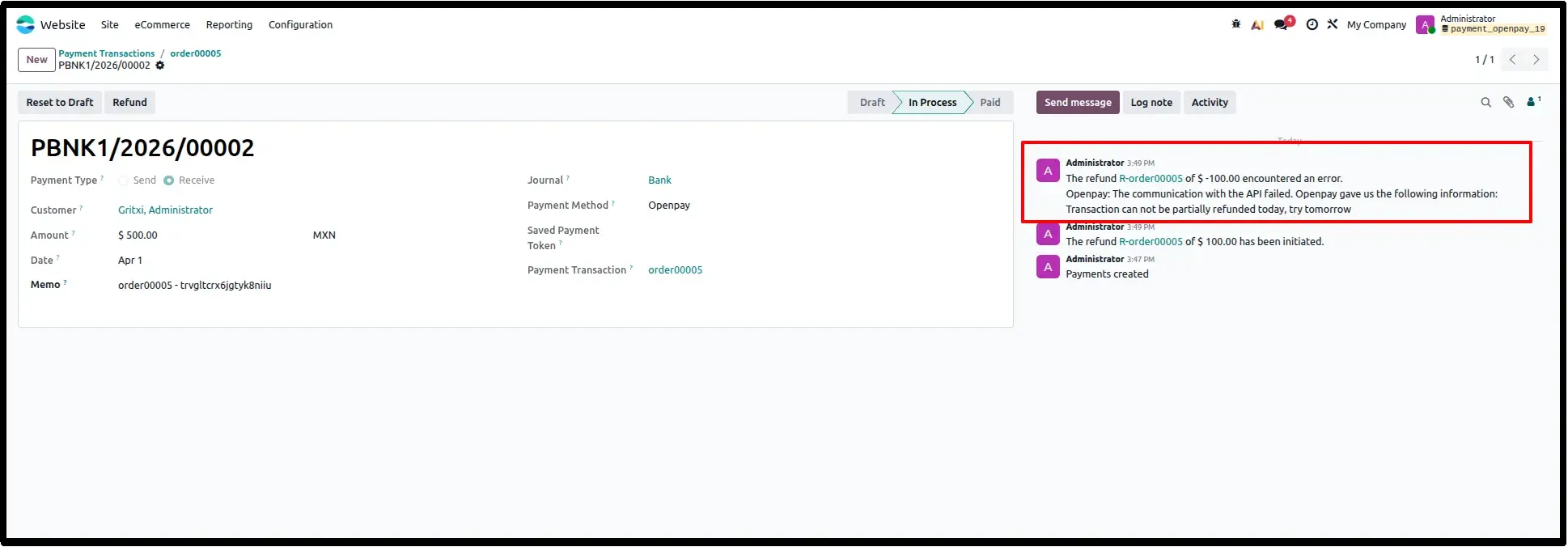
Partial Refund Restriction Warning
An automated chatter message in the order record that appears when Openpay's time based rules prevent an immediate partial refund, clearly communicating the provider's restriction guidance to the merchant team.
Refund Initiation from Payment Record
The refund management interface within Odoo where merchants initiate full or partial refunds directly from the payment record, with each refund linked as a child transaction for traceability.
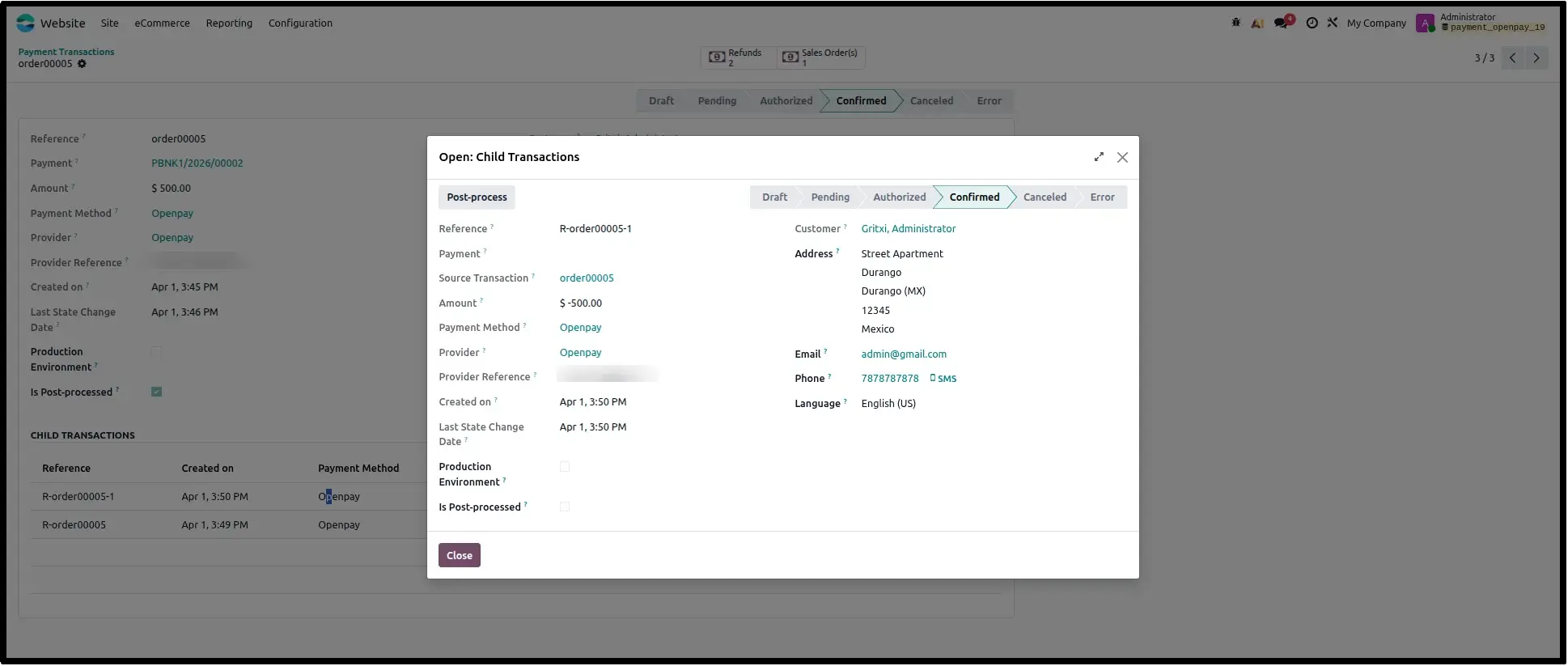
Refund Status Tracking
The individual refund record showing the specific status of the refund operation whether confirmed, pending, or restricted keeping Odoo records accurate and up to date.
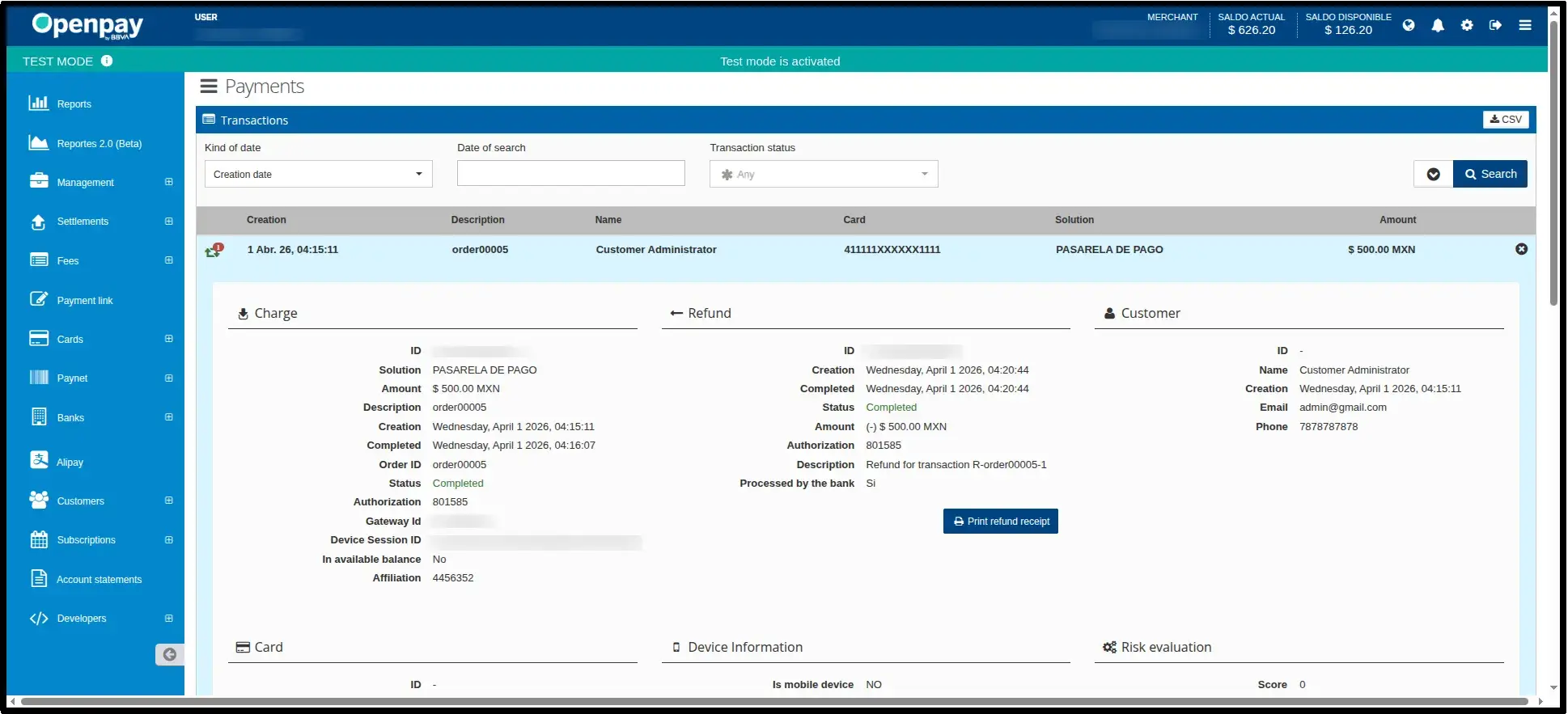
Openpay Dashboard Synchronisation
A side by side view demonstrating real time synchronisation between Odoo transaction records and the Openpay Merchant Dashboard, confirming that all charges, refunds, and customer data are consistently aligned across both platforms.
Frequently Asked Questions
Technical Details
Dependencies
• Invoicing (account)
• Discuss (mail)
• Website (website)
License
OPL-1
Need Assistance?
Email Support
contact@gritxi-tech.comAny Questions?
Have questions about this app?
Fill out the form below and our team will get back to you with more information.
Customer Reviews
Share your experience with this module.
Write a Review
Latest Reviews
No reviews yet. Be the first to share your thoughts!