
Payment Provider: GoCardless
Odoo GoCardless payment gateway integration for Direct Debit, supporting secure bank transactions, mandates, recurring payments, webhooks, and automated billing workflows.
Payment Provider: GoCardless
Accept secure Direct Debit payments directly from your Odoo eCommerce and invoicing platform using GoCardless. Automate recurring collections, simplify reconciliation, and deliver a seamless payment experience for your customers.
App Overview

Introduction
The GoCardless Payment Provider for Odoo is a powerful integration module that connects your Odoo eCommerce and invoicing system with GoCardless, a globally trusted platform for Direct Debit payments. Designed for businesses that require a reliable, automated, and recurring payment solution, this module enables you to securely collect one-off and recurring payments directly from your customers' bank accounts without the complexity of manual payment handling.
The integration works seamlessly within Odoo's native checkout and accounting workflows, automatically confirming orders, recording transactions, and simplifying reconciliation from within your existing Odoo environment.
Whether you are managing subscriptions, collecting recurring invoices, or processing one-time customer payments, GoCardless for Odoo provides a frictionless payment experience while improving operational efficiency, cash flow management, and financial visibility.

Purpose
The purpose of this module is to provide businesses with a secure,
reliable, and fully automated Direct Debit payment solution inside
Odoo. By integrating GoCardless into Odoo's payment framework,
merchants can collect one-time and recurring payments directly from
customer bank accounts while reducing manual payment processing and
administrative work.
The module automates payment collection, transaction recording,
order confirmation, webhook synchronization, refund processing, and
accounting updates. It helps organizations improve cash flow,
reduce payment failures caused by expired cards, and streamline
subscription billing.
Businesses benefit from a seamless payment experience, complete
payment visibility, and efficient financial management without
leaving the Odoo environment.
Business Use Cases
Subscription Based Businesses & SaaS Providers
Businesses offering subscription services such as SaaS platforms, membership organizations, online learning portals, or digital media services can automate recurring payment collection using GoCardless Direct Debit. Customers authorize a payment mandate once, allowing future subscription payments to be collected automatically without repeated customer interaction. This significantly reduces failed payments, minimizes subscription cancellations due to expired cards, and improves recurring revenue management.
Professional Services & Consulting Firms
Accounting firms, legal consultants, IT service providers, marketing agencies, and other professional businesses that invoice customers regularly can automate payment collection directly from customer bank accounts. Instead of waiting for manual invoice payments, GoCardless initiates payment under an approved Direct Debit mandate, improving cash flow, reducing overdue invoices, and automatically updating payment records inside Odoo.
eCommerce Stores with Repeat Customers
Online retailers with returning customers can offer GoCardless as an alternative checkout payment option. Customers pay securely through Direct Debit without entering card information every time, creating a faster checkout experience and encouraging repeat purchases.
B2B Invoice Collection
Businesses dealing with wholesalers, distributors, manufacturers, and long term corporate clients can collect invoice payments automatically through bank accounts, reducing payment delays while simplifying financial reconciliation inside Odoo.
Automated Direct Debit Payments
Organizations looking to replace manual bank transfers or traditional card payments can automate one off and recurring collections using secure Direct Debit mandates, reducing payment administration and improving operational efficiency.
Key Features
Secure Direct Debit Payment Collection
Collect secure Direct Debit payments directly from customer bank accounts while reducing dependency on card payments and minimizing failed transactions caused by expired or replaced cards.
Native eCommerce Checkout Flow
Display GoCardless as a native payment method during Odoo checkout, allowing customers to complete payment securely without disrupting their shopping experience.
Real-Time Payment Status Updates
Automatically receive webhook notifications from GoCardless and instantly update Odoo payment transactions, sales orders, and invoice status after successful payment authorization.
Built In Refund Processing
Process full or partial refunds directly from Odoo using the integrated refund wizard without logging into the GoCardless dashboard separately.
End to End Payment Visibility
Monitor payment transactions, Direct Debit mandates, refunds, payment history, and webhook status directly inside Odoo for complete financial transparency and simplified auditing.
Sandbox & Production Support
Configure separate Sandbox and Live environments to test mandate creation, payments, refunds, and webhook events safely before switching to production.
Configuration & Workflow
The following workflow demonstrates how to configure the GoCardless Payment Provider in Odoo, complete the customer payment journey, and manage payment transactions efficiently.
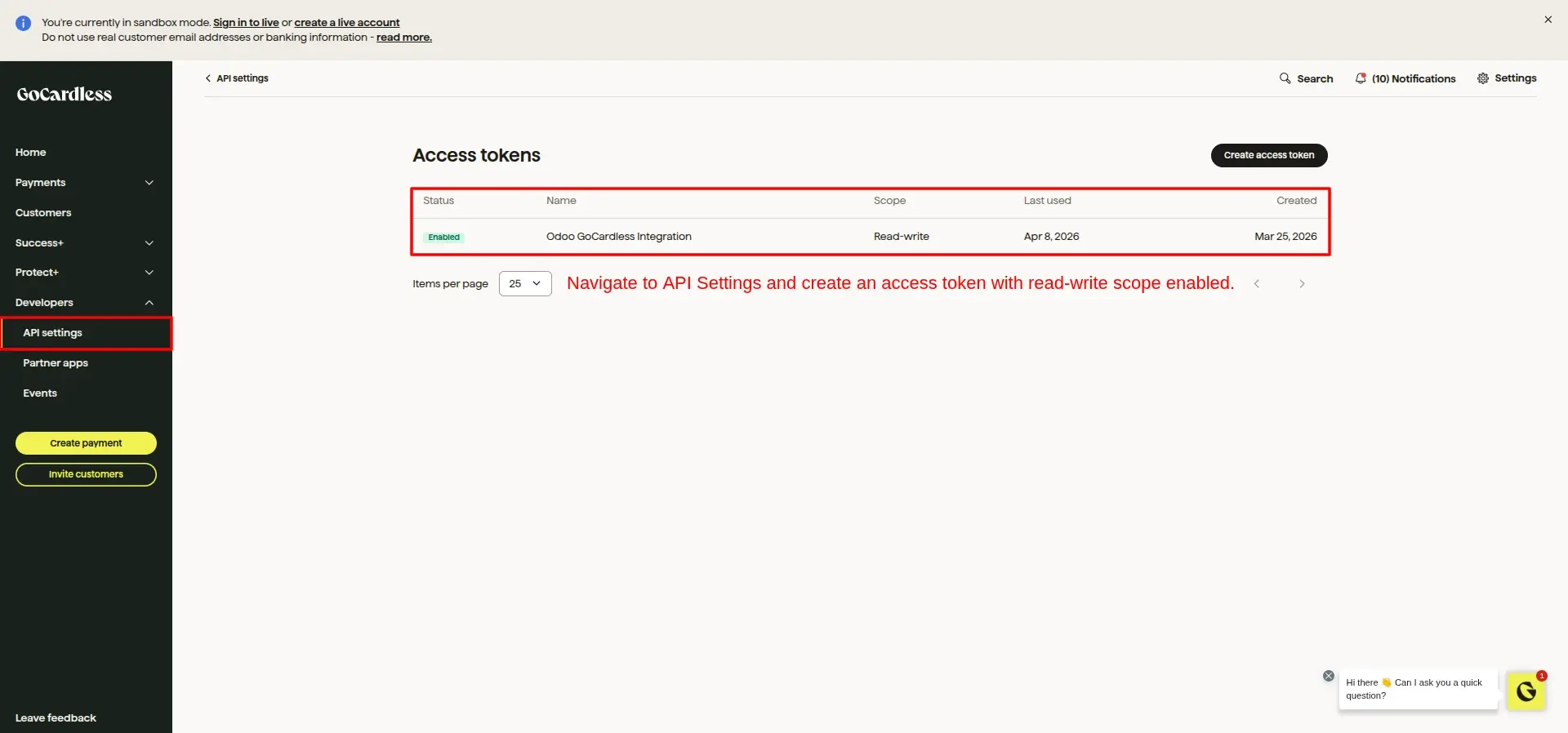
Generate Access Token
Navigate to the API Settings inside your GoCardless Dashboard and generate a new Access Token with Read write permission. This token allows Odoo to securely communicate with the GoCardless API.
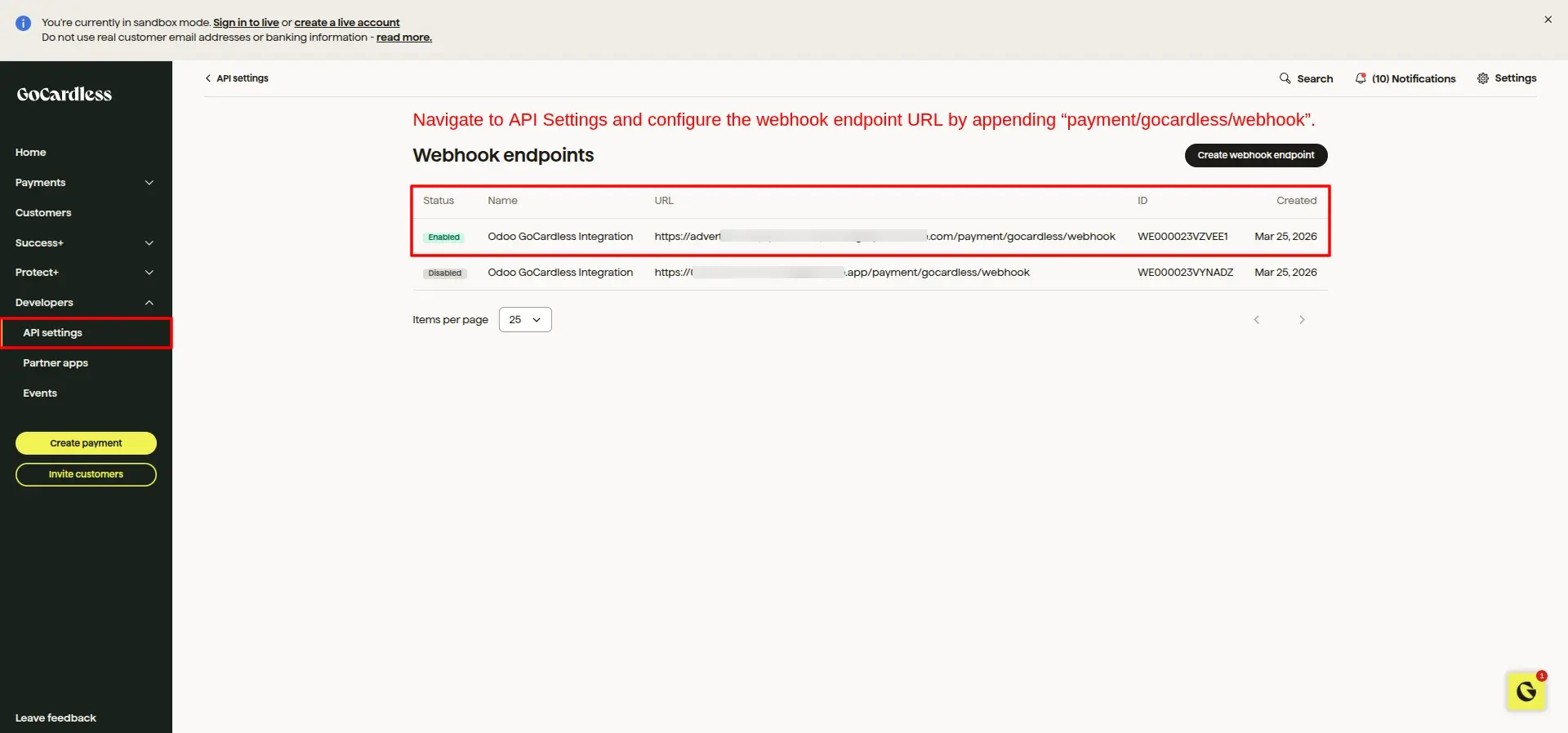
Configure Webhook Endpoint
Create a new Webhook Endpoint in the GoCardless Dashboard and configure the notification URL ending with /payment/gocardless/webhook. This enables GoCardless to send real-time payment events back to Odoo.
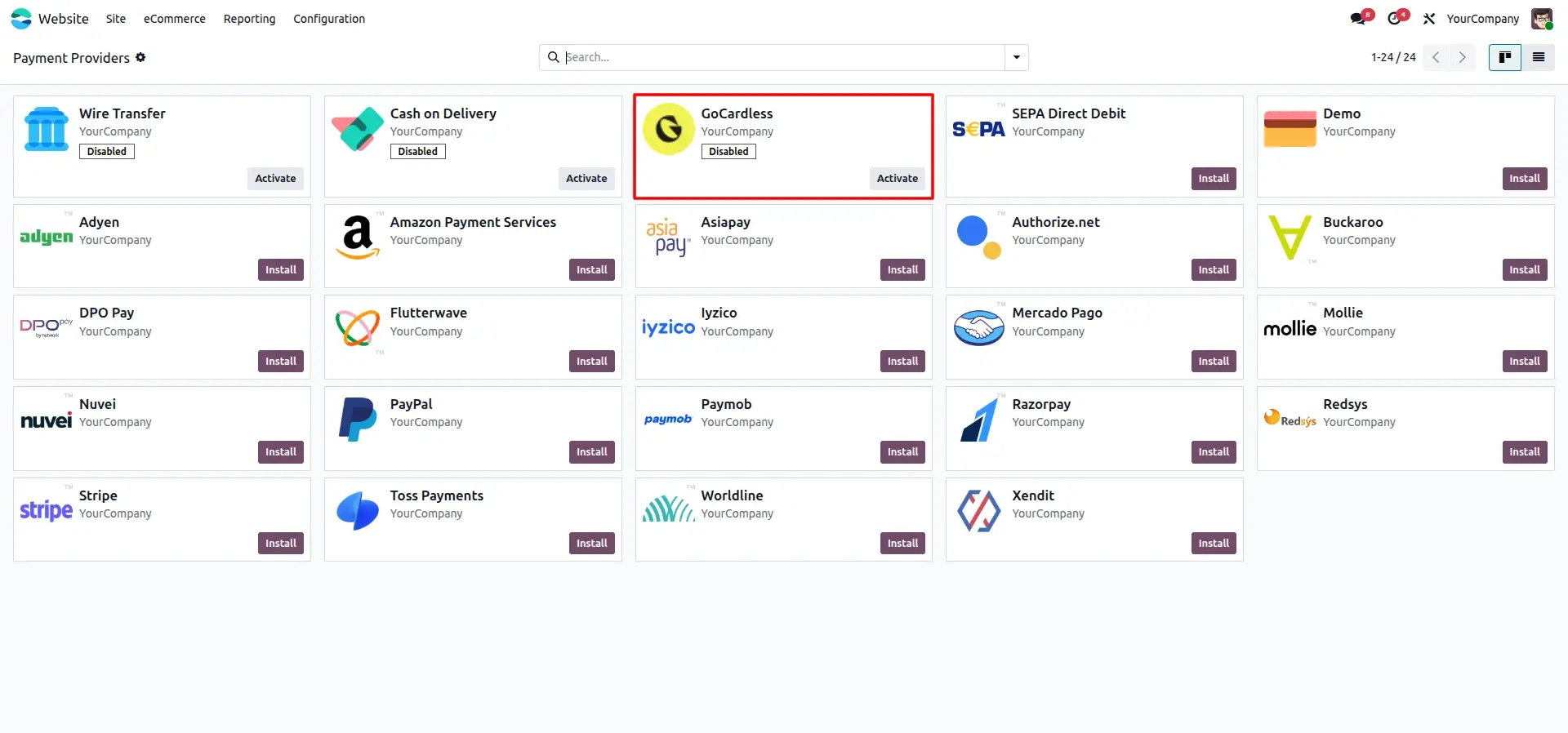
Activate GoCardless Provider
Open the Payment Providers menu in Odoo and activate the GoCardless payment provider to begin configuring your payment gateway.
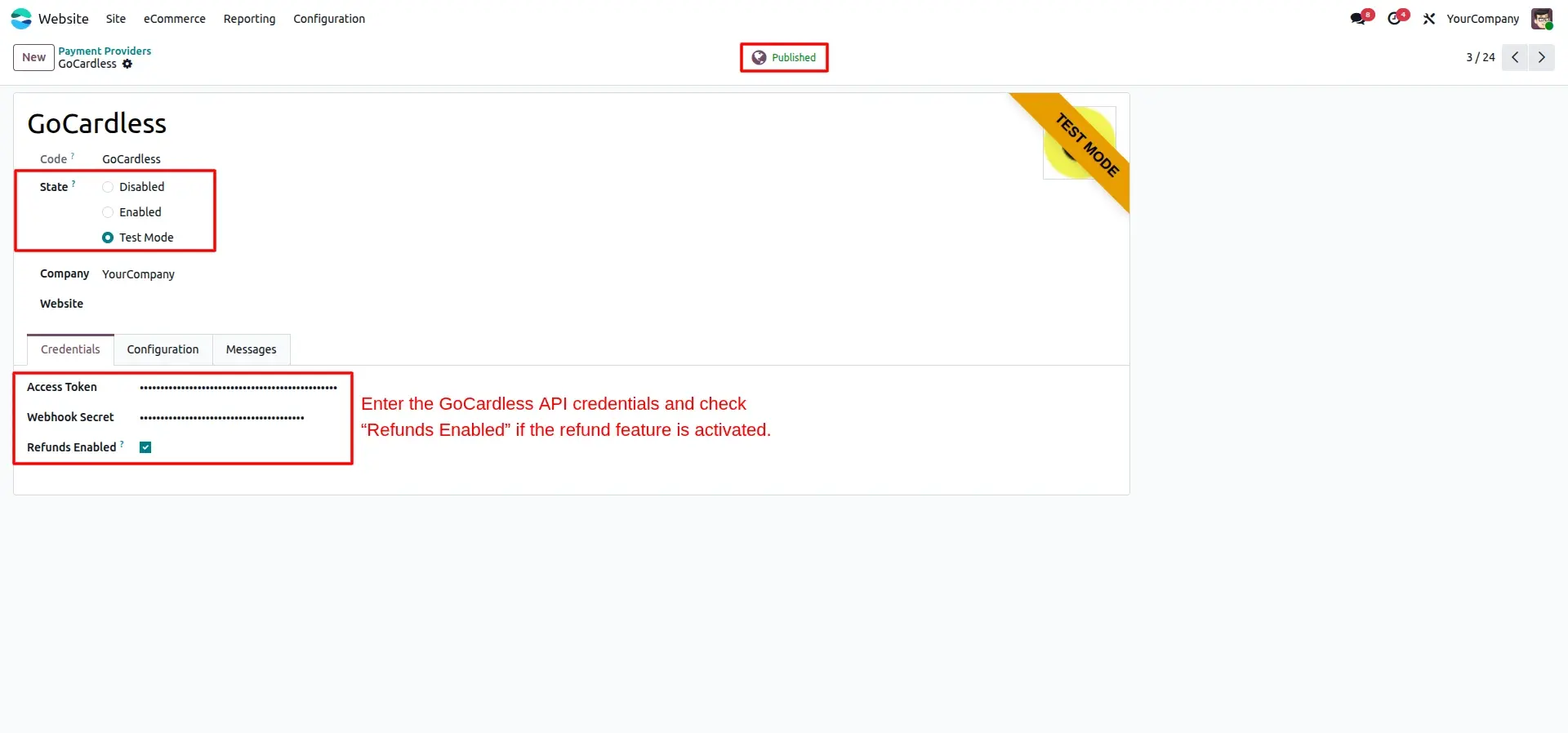
Configure API Credentials
Enter the Access Token and Webhook Secret obtained from GoCardless. You can also enable the refund option to process refunds directly from Odoo.
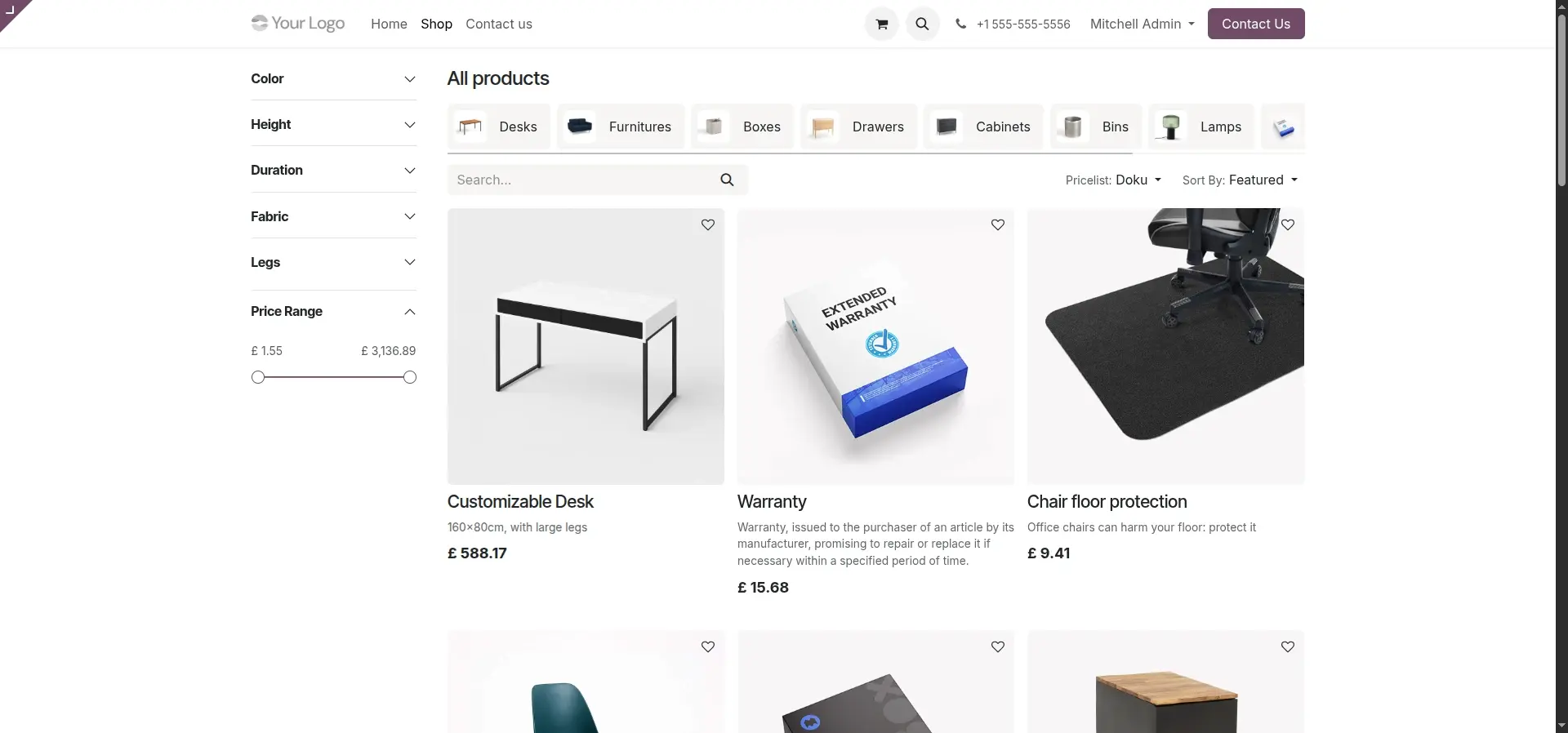
Shop for Products
Customers browse your Odoo eCommerce website, explore available products, and choose the items they want to purchase.
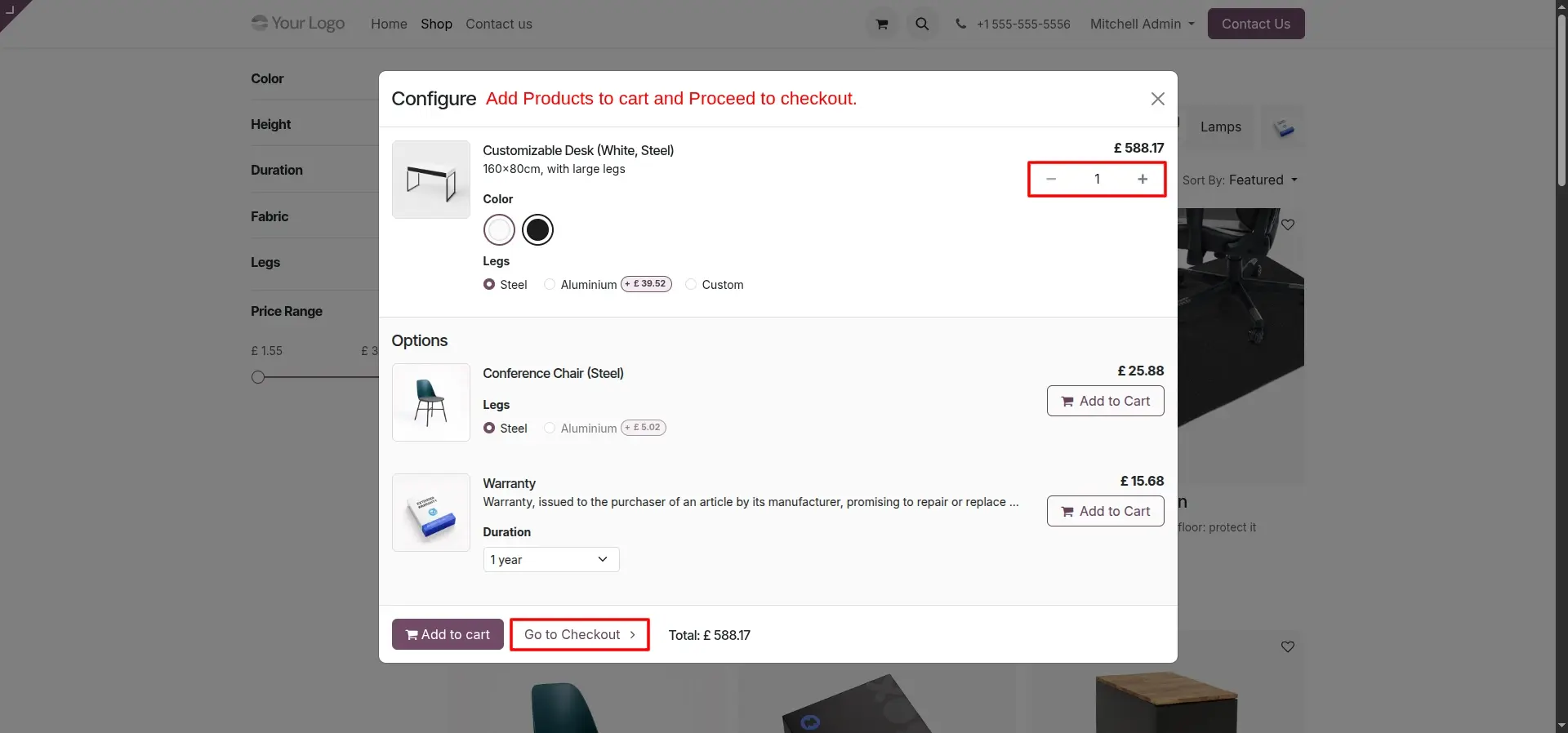
Add to Cart & Checkout
After selecting products, customers add them to the shopping cart and continue to the checkout page to complete their purchase.
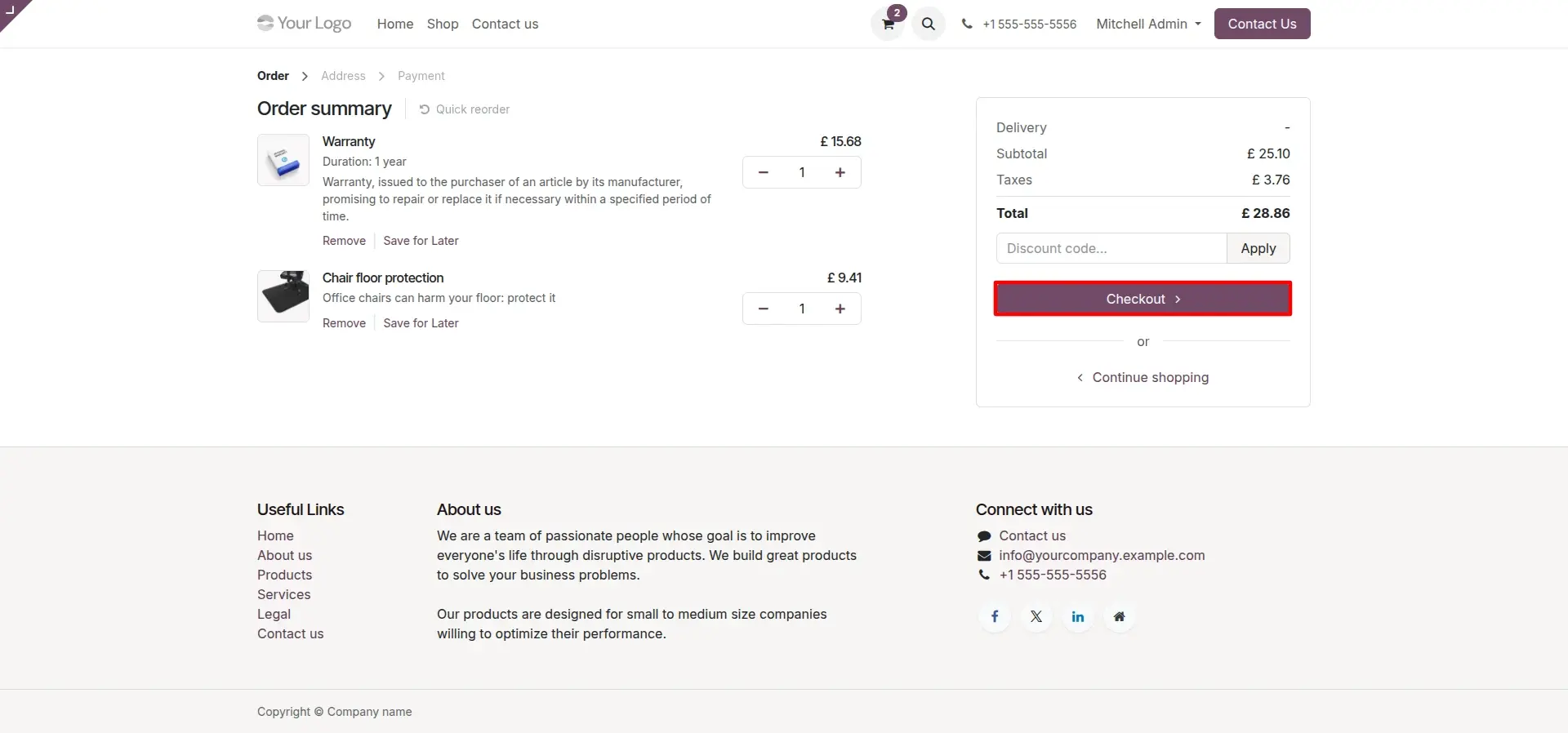
Review Order Summary
Before proceeding with payment, customers review the order summary, product quantities, pricing, taxes, shipping charges, and order total to ensure everything is correct.
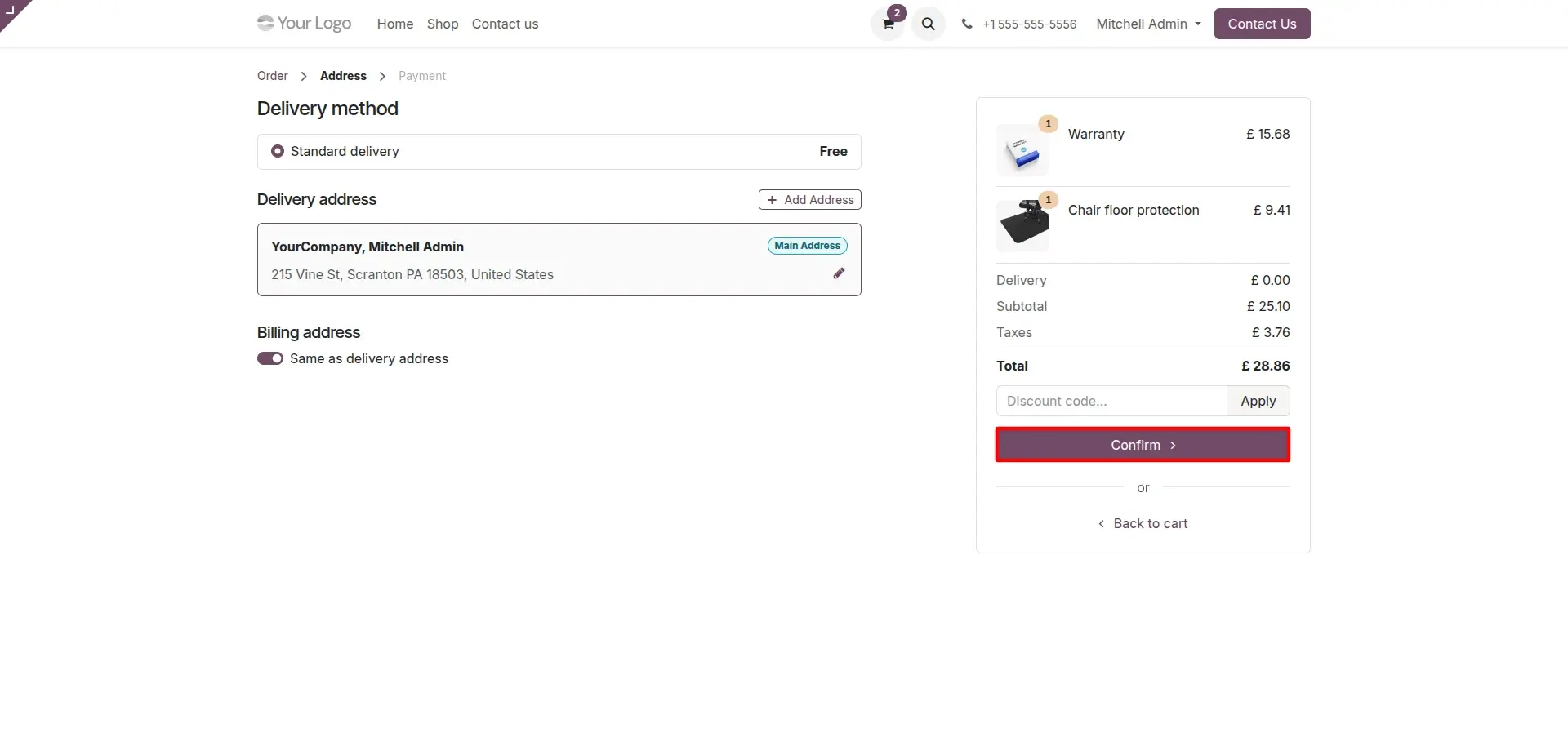
Shipping & Billing Address
Customers enter their shipping and billing information. Accurate customer details ensure successful Direct Debit mandate creation, correct invoice generation, and smooth order fulfillment.
Select GoCardless Payment
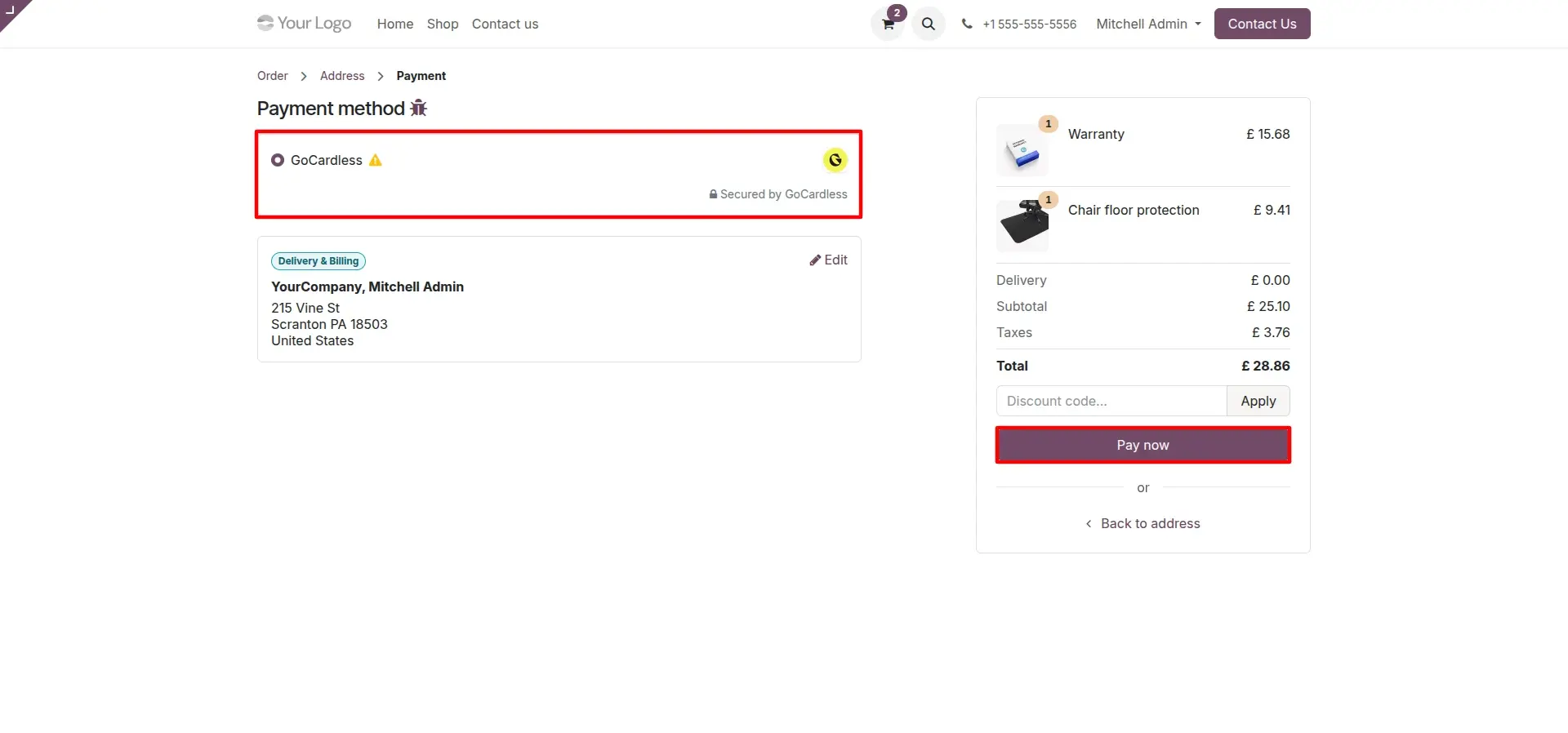
Select GoCardless as the preferred payment method during checkout and click Pay Now to continue to the secure GoCardless payment portal.
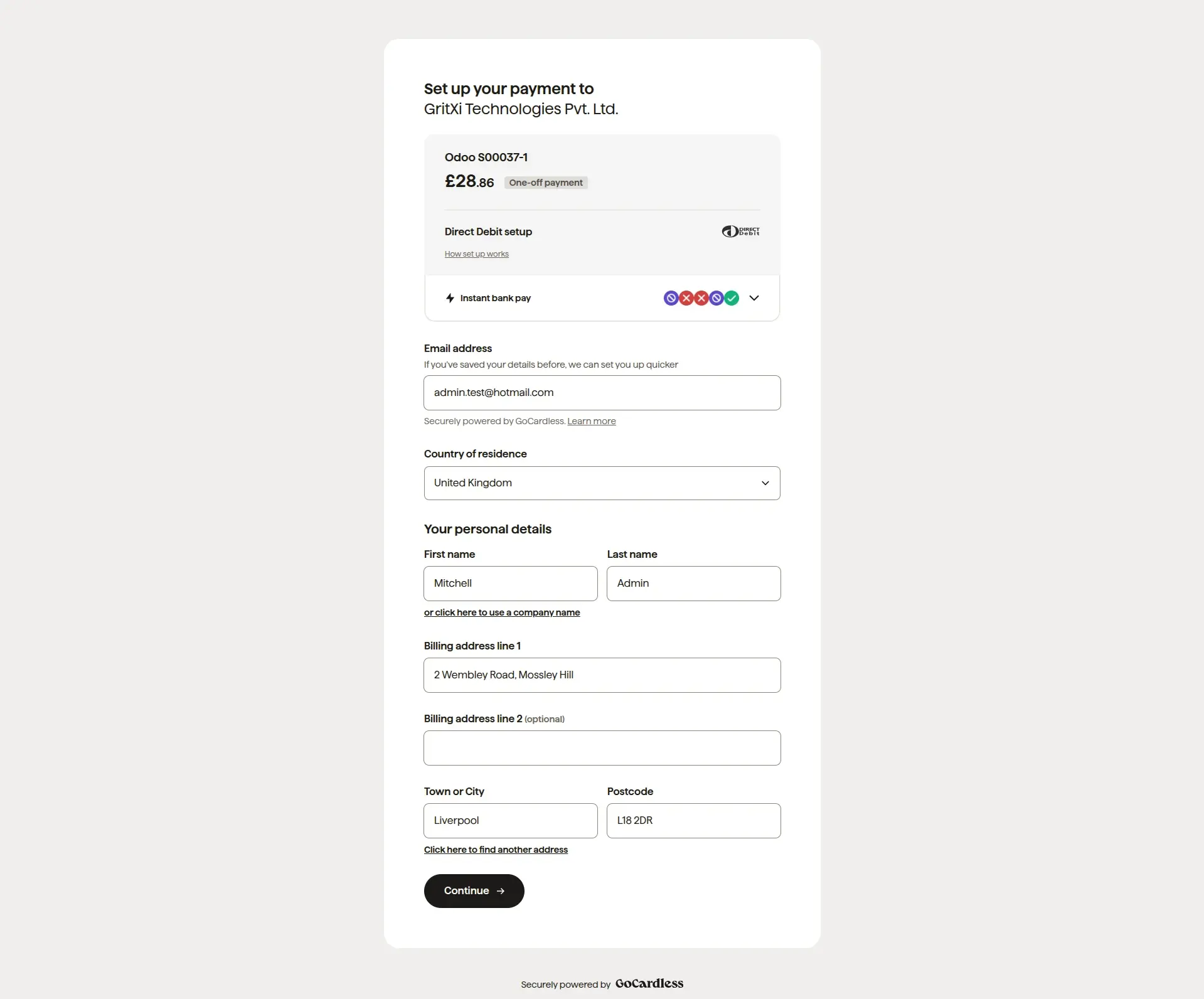
GoCardless Checkout Experience
Customers are redirected to the GoCardless hosted checkout page, where they securely enter their personal details and banking information to create a Direct Debit mandate.
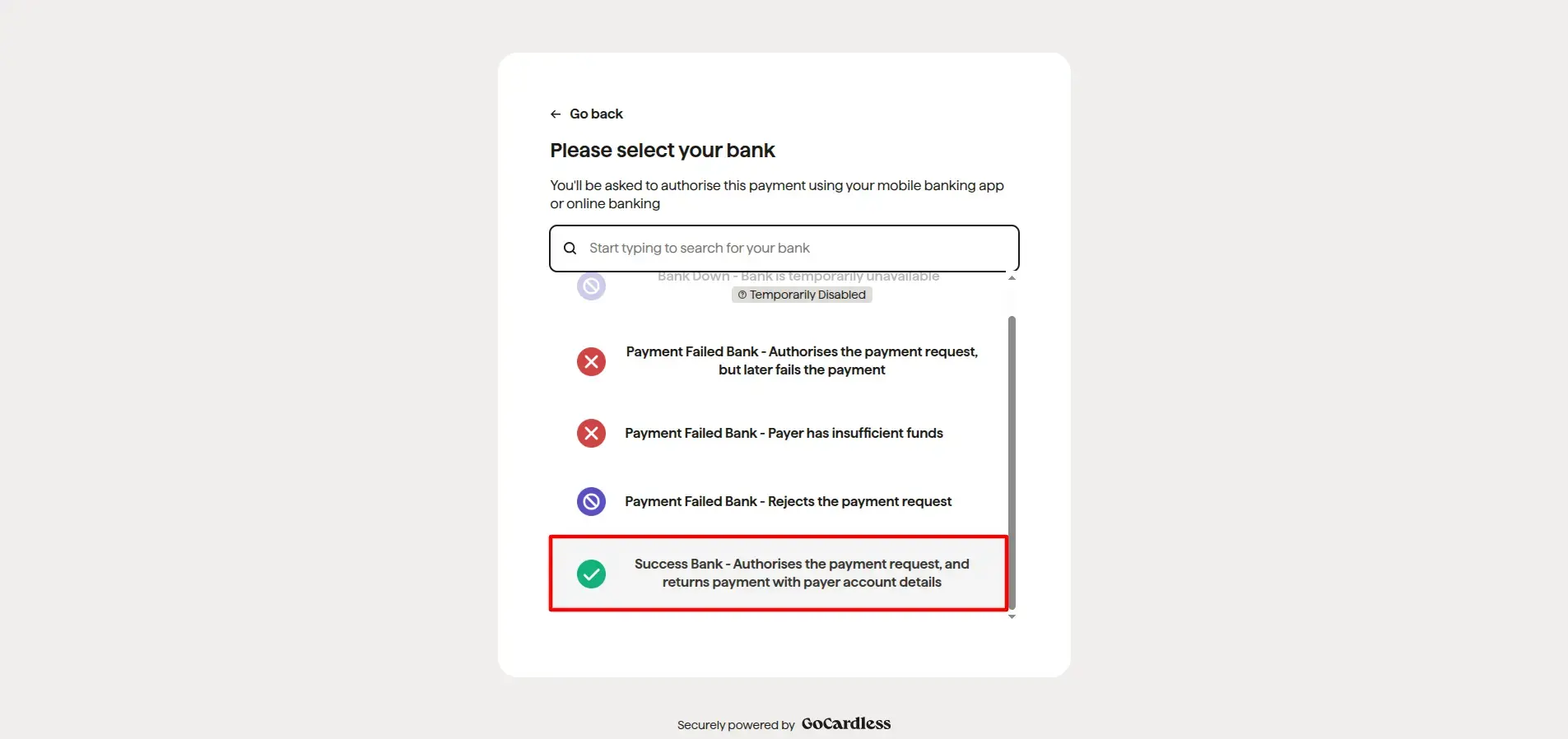
Bank Selection (Sandbox)
While testing in Sandbox mode, choose Success Bank to simulate a successful Direct Debit authorization and verify the complete payment workflow before deploying to production.
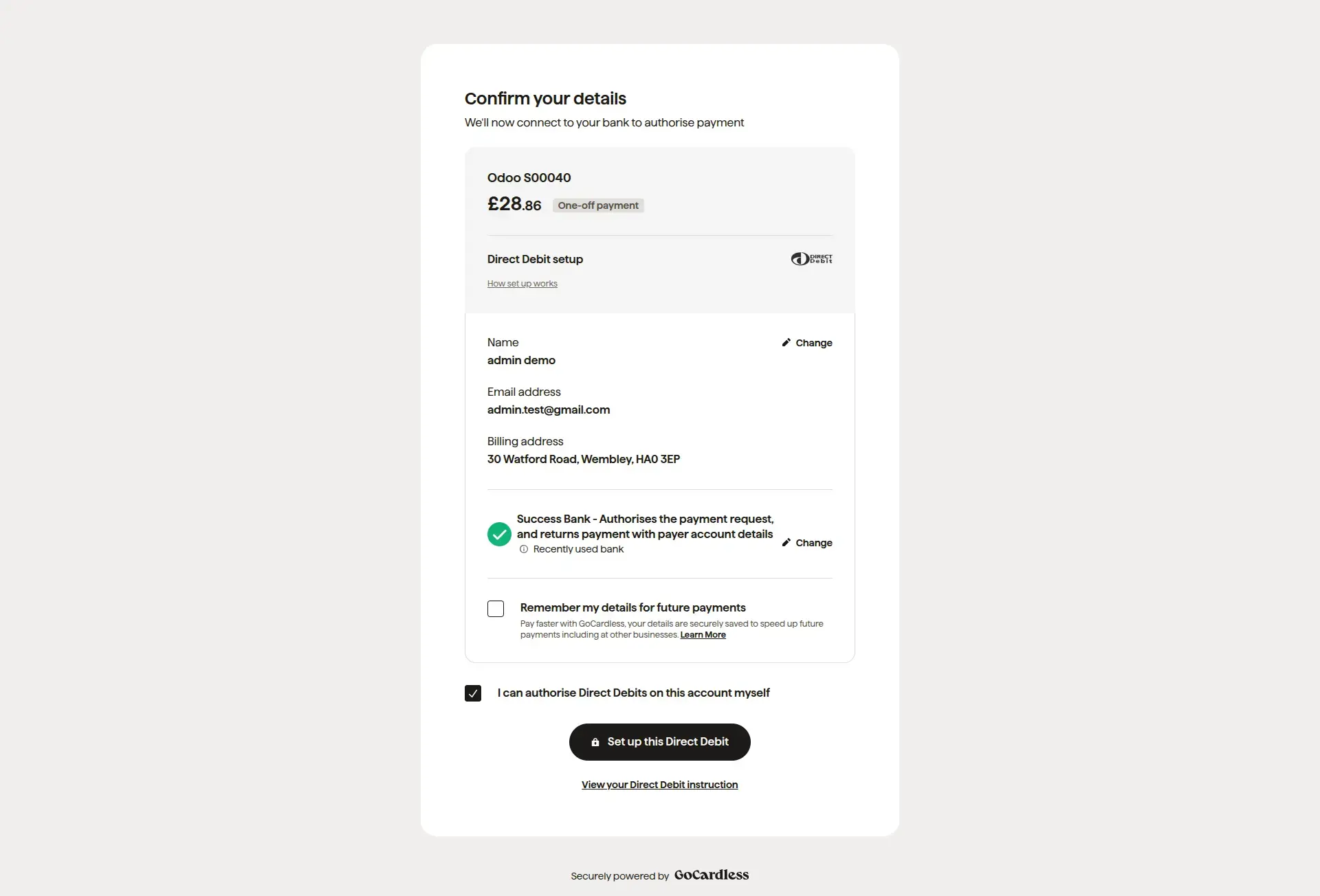
Review & Confirm Payment
Review the Direct Debit mandate details, customer information, and payment summary before confirming the authorization to proceed with the payment setup.
Authorize Direct Debit
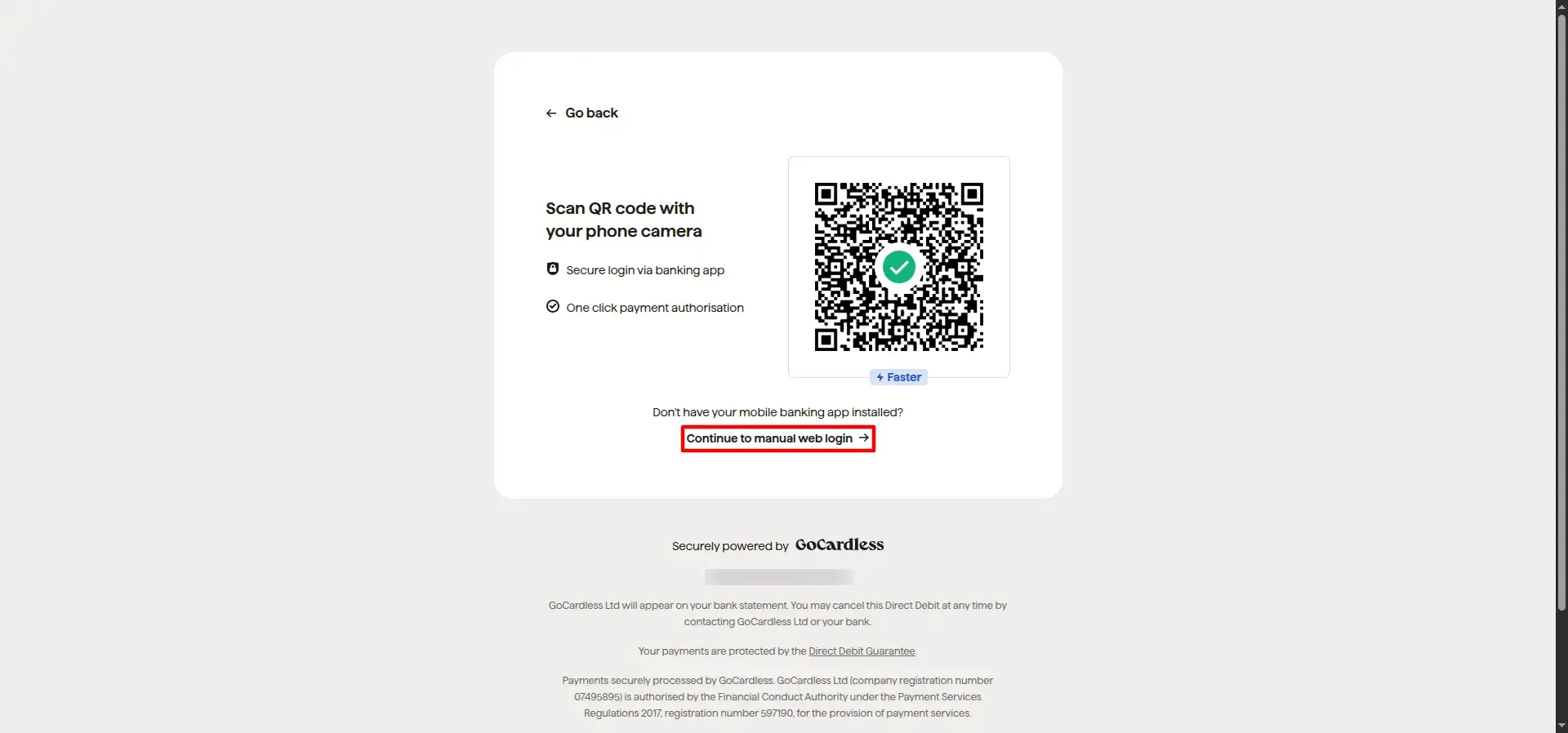
Customers securely authorize the Direct Debit by scanning the QR code or completing the authentication using their online banking credentials, depending on the supported banking method.
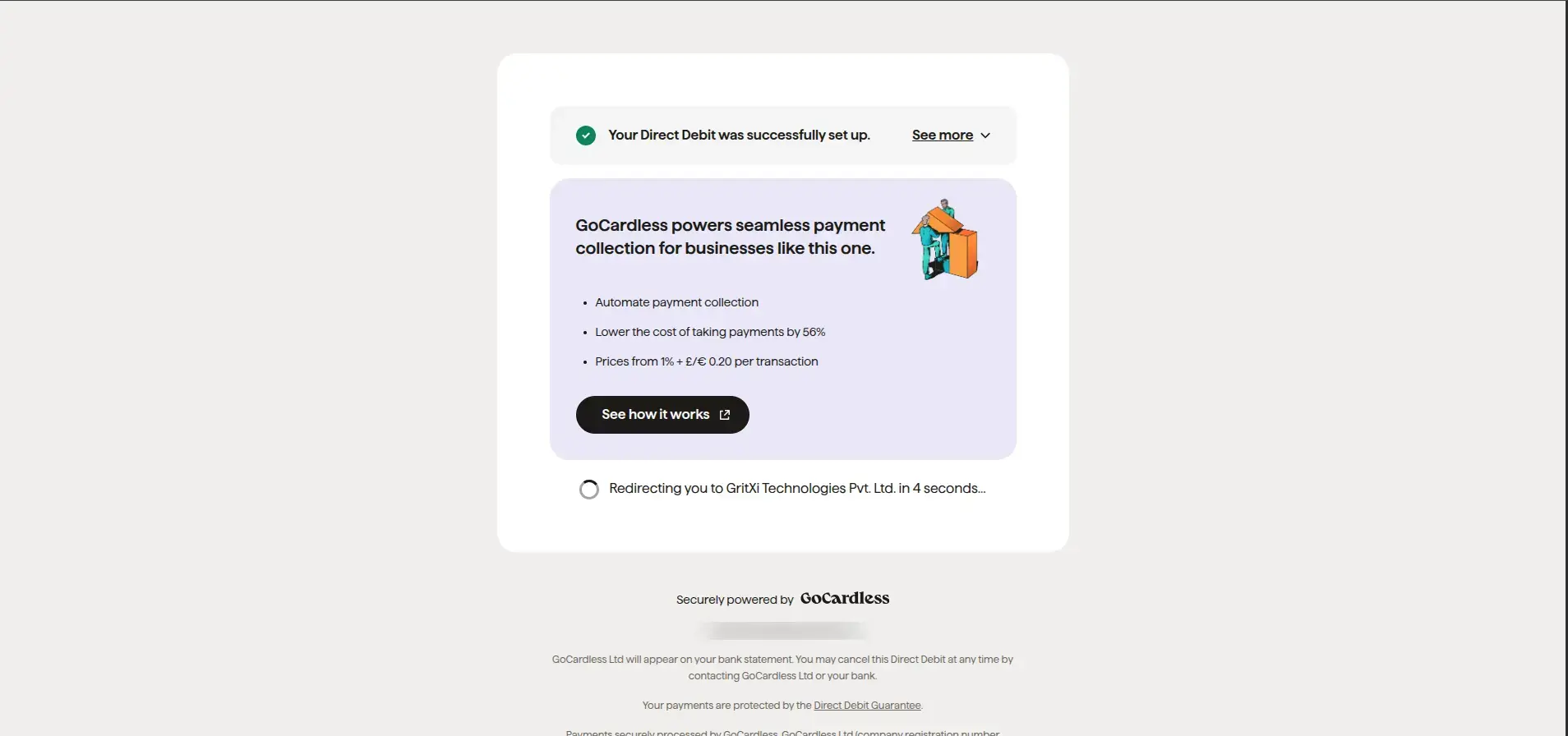
Payment Setup Successful
After successful authorization, GoCardless displays a confirmation page indicating that the Direct Debit mandate has been created successfully and automatically redirects the customer back to the Odoo website.
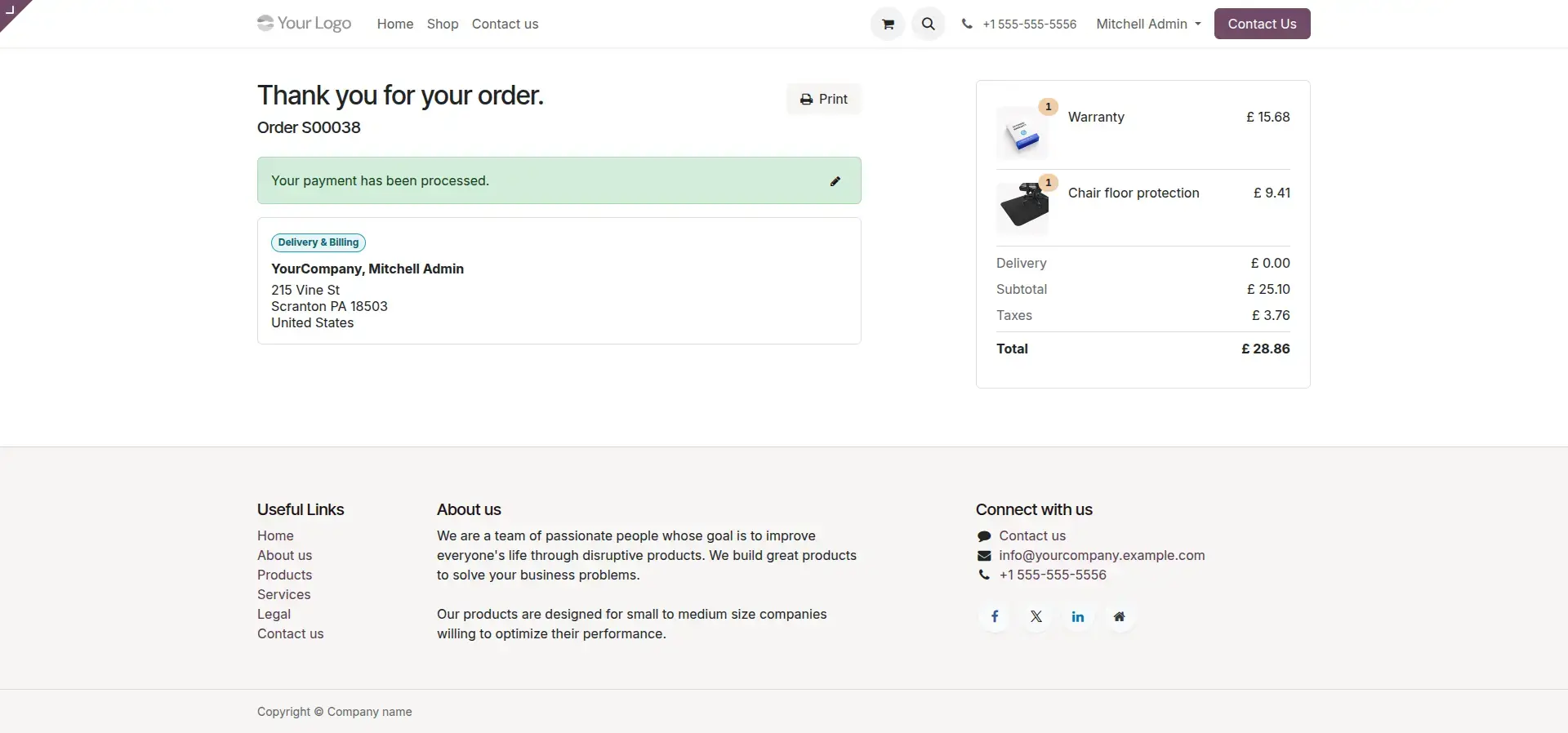
Odoo Order Confirmation
After the Direct Debit authorization is completed successfully, the customer is redirected back to Odoo where a confirmation page displays a Thank You message together with the confirmed order details and payment information.
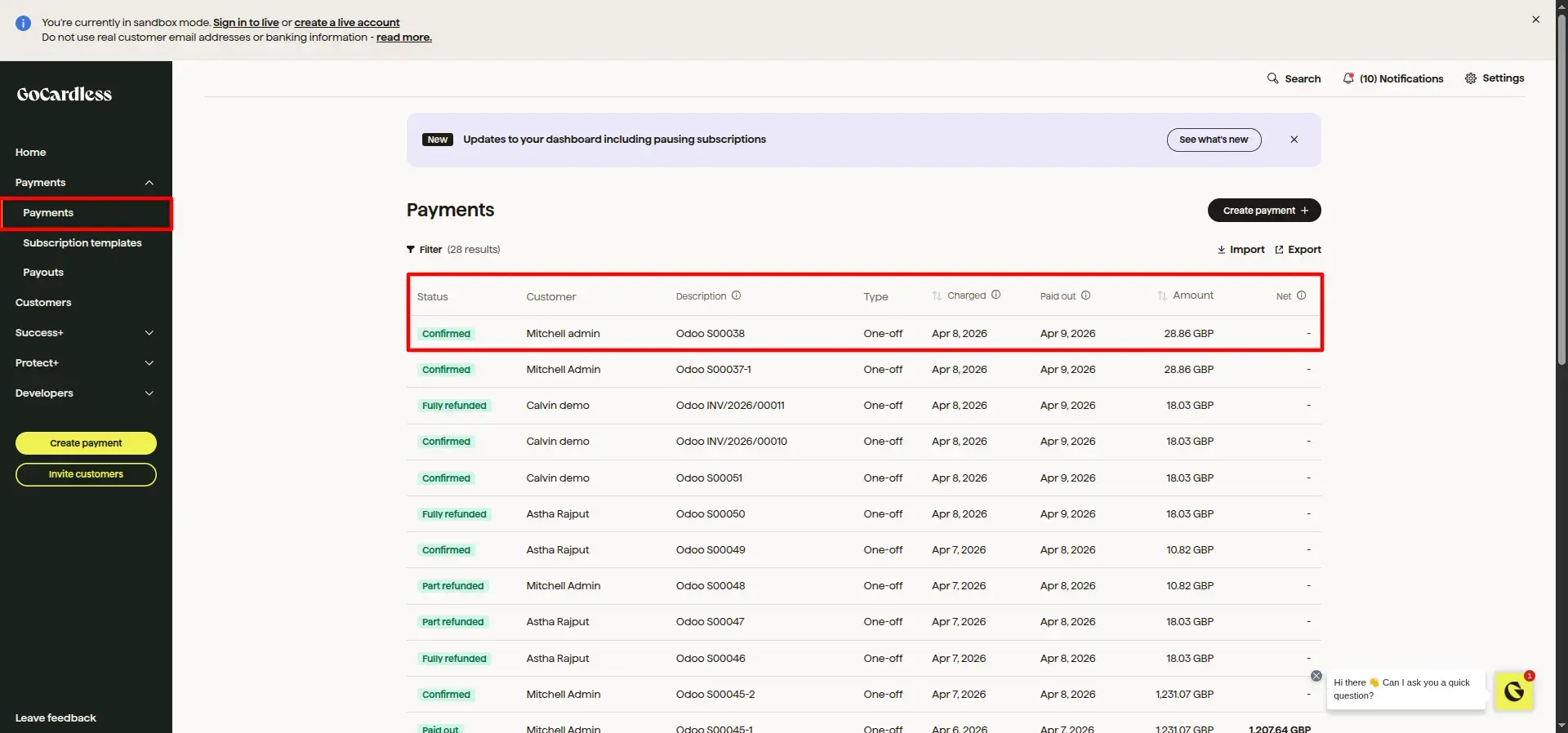
GoCardless Merchant Dashboard
Merchants can monitor all payment activities from the GoCardless Dashboard, including Direct Debit mandates, successful payments, pending transactions, refunds, and customer payment history.
Odoo Backend Transaction
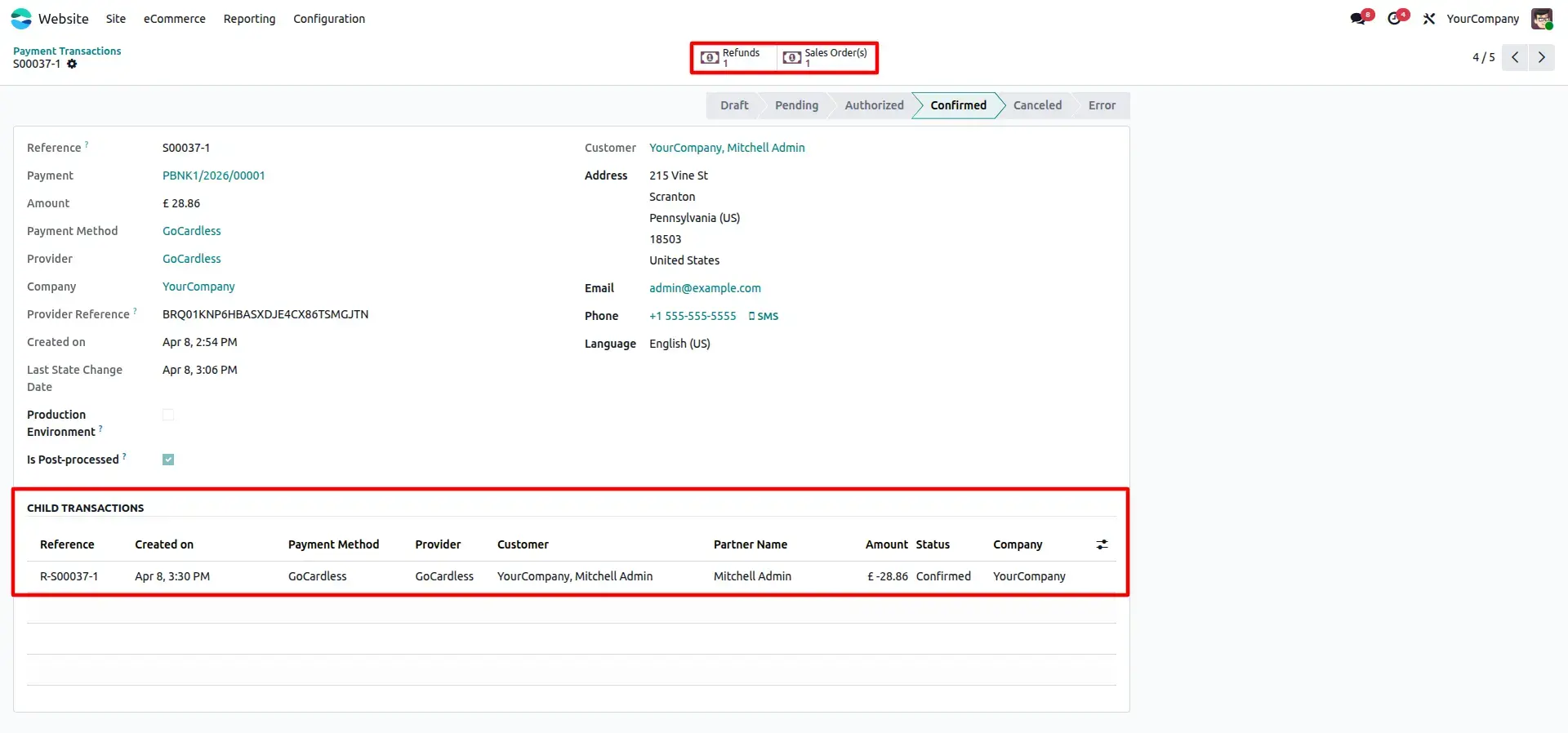
Odoo automatically updates the payment transaction after receiving the webhook from GoCardless. The transaction status changes to Confirmed, and all payment details are stored for accounting and reconciliation.
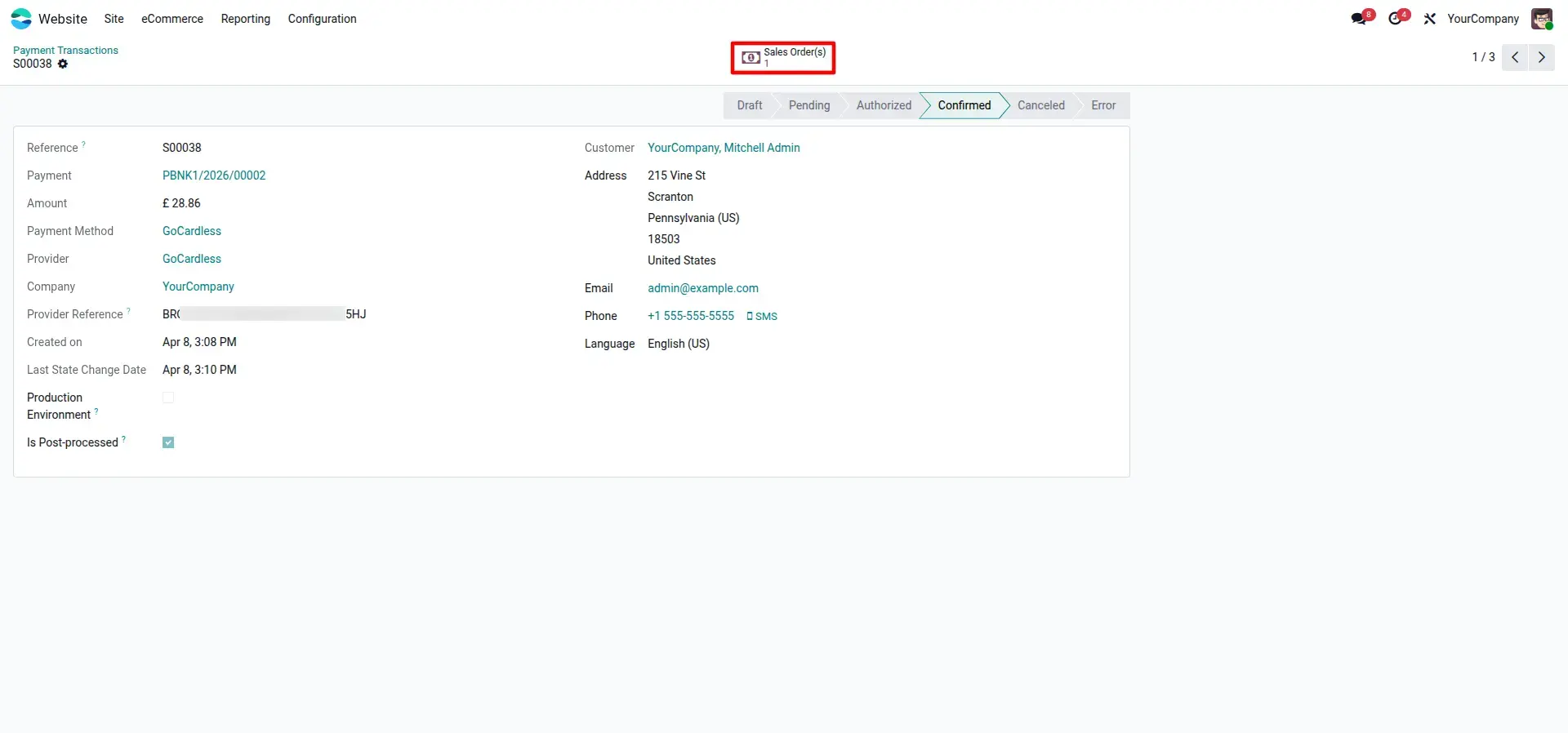
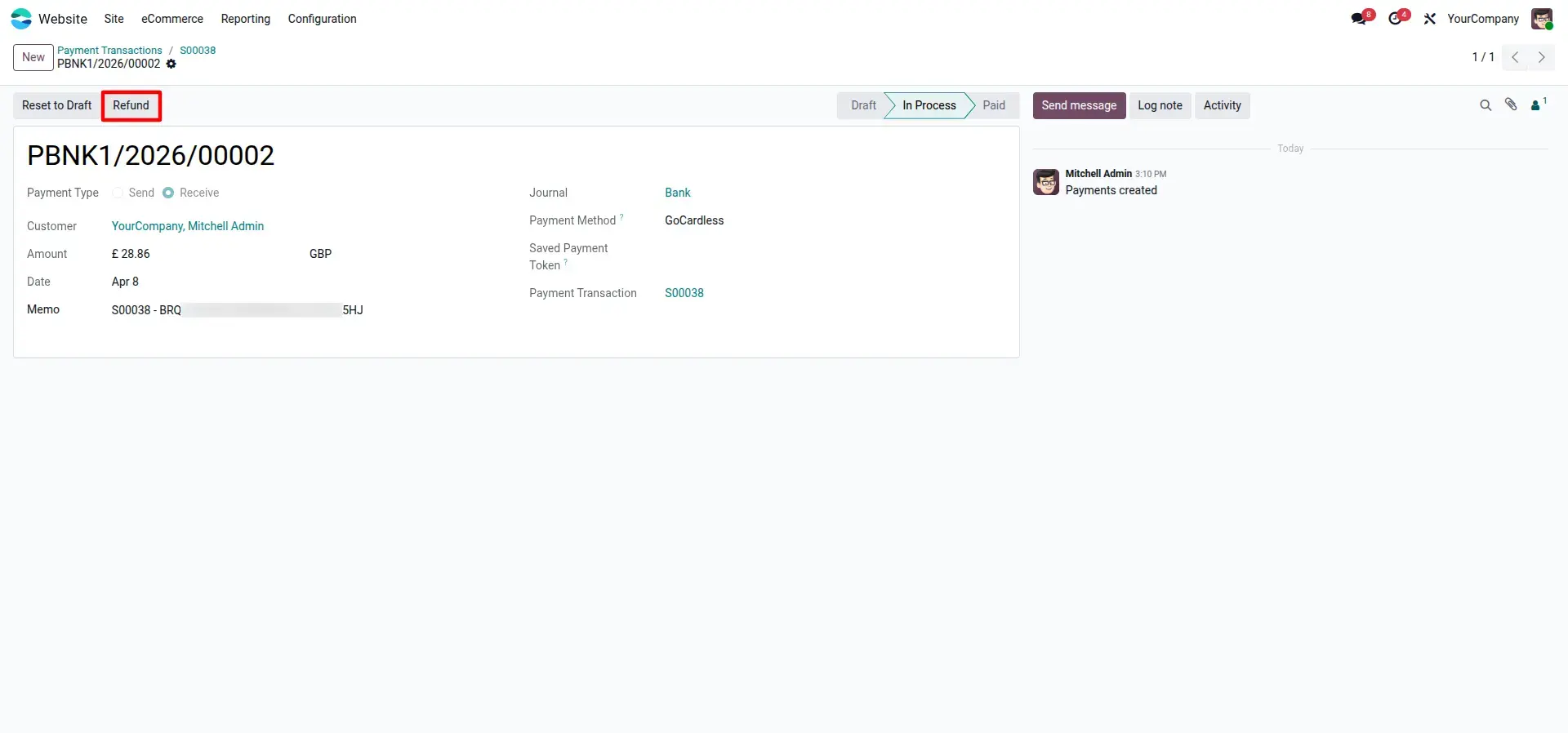
Manage Refunds in Odoo
Refunds can be initiated directly from the payment transaction record inside Odoo. This allows merchants to manage returns without logging into the GoCardless Dashboard.
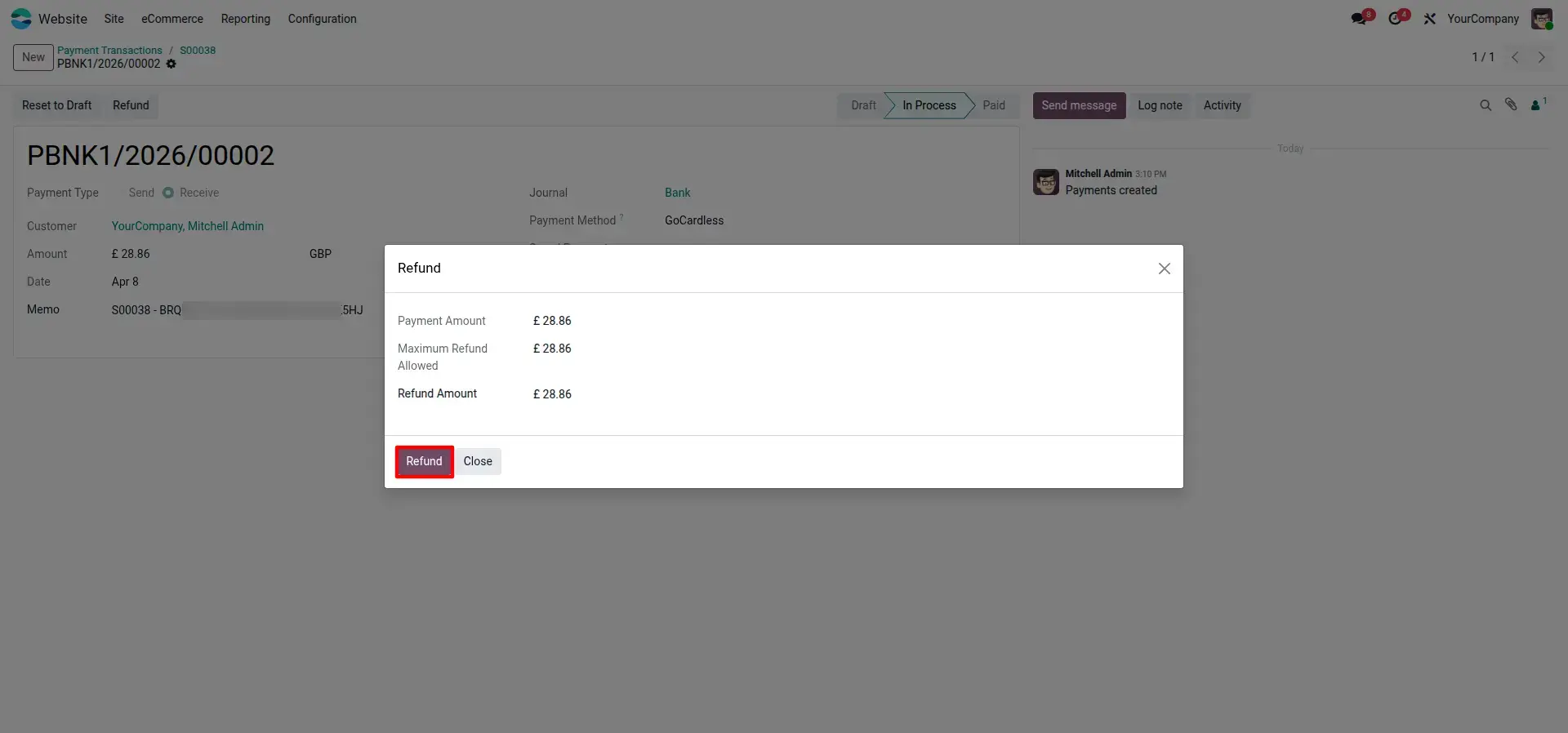
Refund Processing Wizard
A simple refund wizard enables merchants to specify the refund amount before submitting the request to GoCardless, making refund processing fast, accurate, and user-friendly.
Automated Status Tracking
Every payment and refund event received through GoCardless webhooks is automatically logged in the Odoo chatter, providing complete visibility into payment activities and keeping your team informed at every stage.
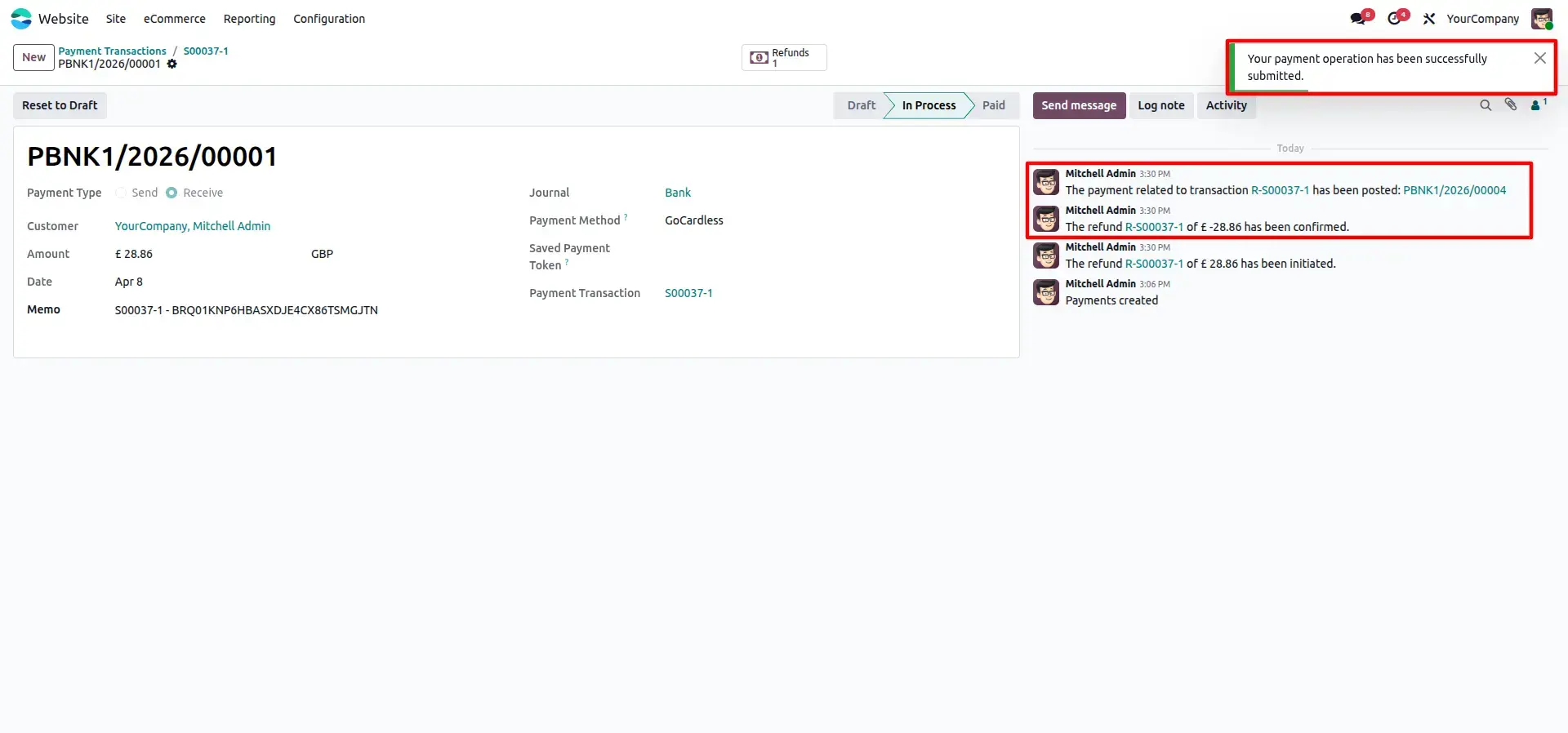
Transaction Lifecycle Management
Odoo maintains the complete payment lifecycle by linking child transactions such as refunds to the original payment. This provides accurate financial records, complete traceability, and simplified reconciliation for accounting teams.
Frequently Asked Questions
Technical Details
Dependencies
• Invoicing (account)
• eCommerce (website_sale)
• Discuss (mail)
• Website (website)
License
OPL-1
Need Assistance?
Email Support
contact@gritxi-tech.comHave Any Questions?
Have questions about this app?
Fill out the form below and our team will get back to you with more information.
Customer Reviews
Share your experience with this module.
Write a Review
Latest Reviews
No reviews yet. Be the first to share your thoughts!