
Payment Provider: Doku
Integrate DOKU payment gateway in Odoo with secure payment processing, hosted checkout redirection, and webhook support, enabling seamless online transactions, automated payment confirmations, multi-method payments, and efficient eCommerce and invoice payment management.
Payment Provider: Doku
Integrate your Odoo eCommerce and invoicing system directly with DOKU, expanding your reach across Indonesia securely with multiple trusted payment channels seamlessly synced.
App Overview

Introduction
The Payment Provider: DOKU module integrates your Odoo eCommerce and invoicing system with DOKU, a leading and trusted payment gateway in Indonesia. This app empowers businesses to securely accept online payments through multiple popular methods including credit and debit cards, e-wallets, virtual accounts, and over-the-counter transactions, all from within a single, unified Odoo interface.
With a seamless connection to Odoo's native checkout and accounting workflows, every transaction is automatically confirmed, recorded, and reconciled, eliminating manual data entry and reducing the risk of errors. Whether you are running a growing online store or managing invoices for enterprise clients, this module delivers a smooth and reliable customer payment experience while keeping your back-end operations fully synchronized with the DOKU merchant portal.

Purpose
The purpose of this module is to simplify and automate online payment processing within Odoo by connecting businesses directly to DOKU's secure and trusted payment ecosystem. It enables customers to pay using credit cards, debit cards, virtual accounts, e-wallets, installment plans, and over-the-counter payment channels while ensuring that payment statuses, order confirmations, and refund activities are automatically synchronized between DOKU and Odoo. By eliminating manual reconciliation, reducing operational overhead, and providing a seamless checkout experience, the module helps businesses improve payment efficiency, accelerate cash flow, and deliver a reliable customer experience across eCommerce and invoicing workflows.
Key Features

Multiple Payment Methods
Accept credit and debit cards, e-wallets, virtual accounts, and over-the-counter payments all through a single integrated DOKU gateway.

Saved Card Support
Customers can securely reuse previously saved card details for a faster and more convenient repeat checkout experience.

Installment Plans
Offer flexible installment options of 3, 6, or 12 months directly at checkout, enabling customers to complete higher-value purchases with ease.

Automated Order Confirmation
Orders are automatically confirmed in Odoo as soon as a successful payment notification is received via webhook, with no manual action required.
Refund Management
Initiate full or partial refunds directly from the Odoo backend, with refund statuses synchronized to the DOKU merchant portal in real time.

Dual Environment Support
Easily switch between sandbox and production environments for safe testing before going live with real transactions.
Configuration & Workflow
Walk through the comprehensive steps to configure DOKU, run checkout flows, and sync refund statuses optimally within Odoo's native architecture.
1. Payment Provider Settings & Webhook Configuration
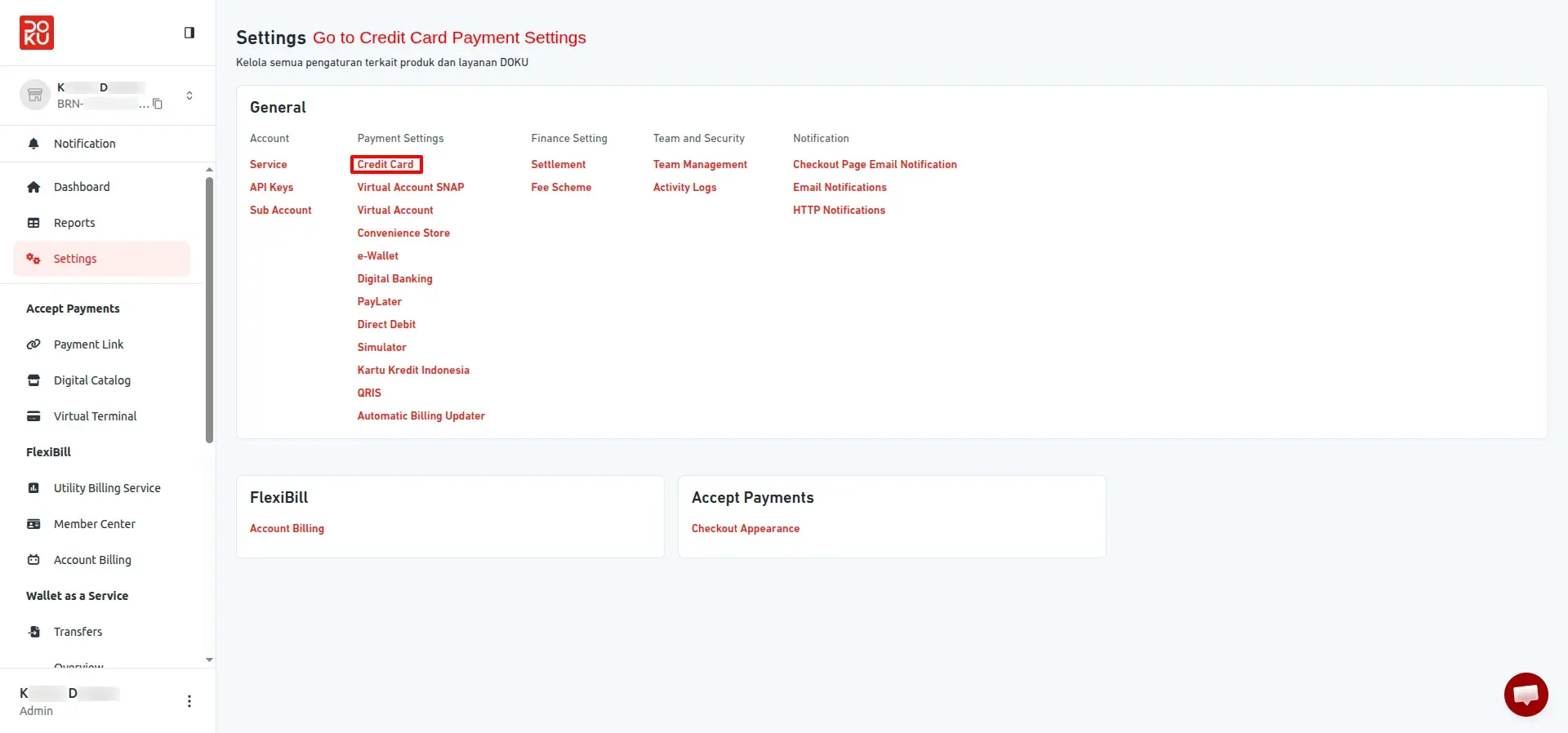
Credit Card Settings Panel
Manage card payment options and configure the webhook notification URL from within the payment settings panel.
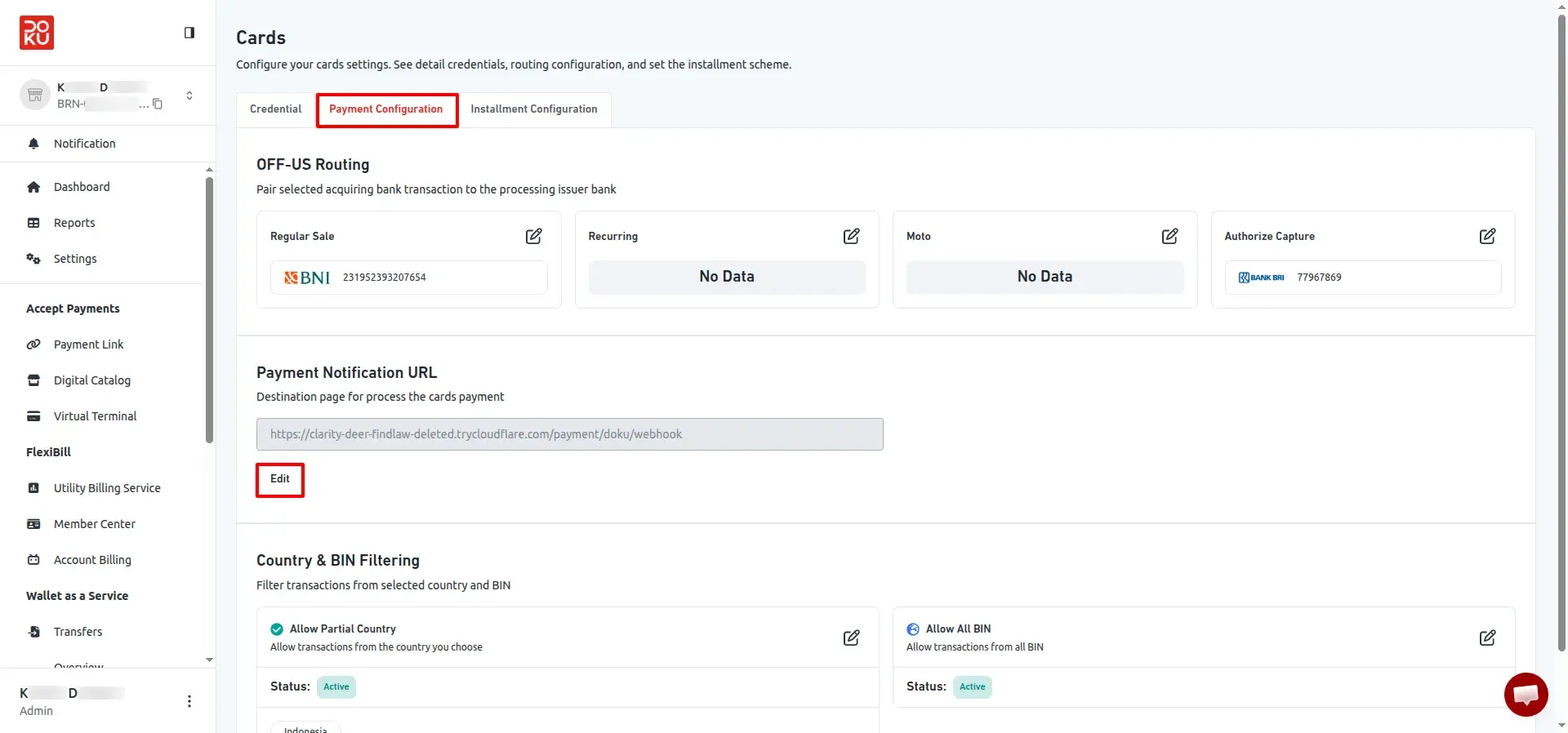
Payment Configuration Screen
Review routing options and prepare the Payment Notification URL needed to complete the webhook integration with DOKU.
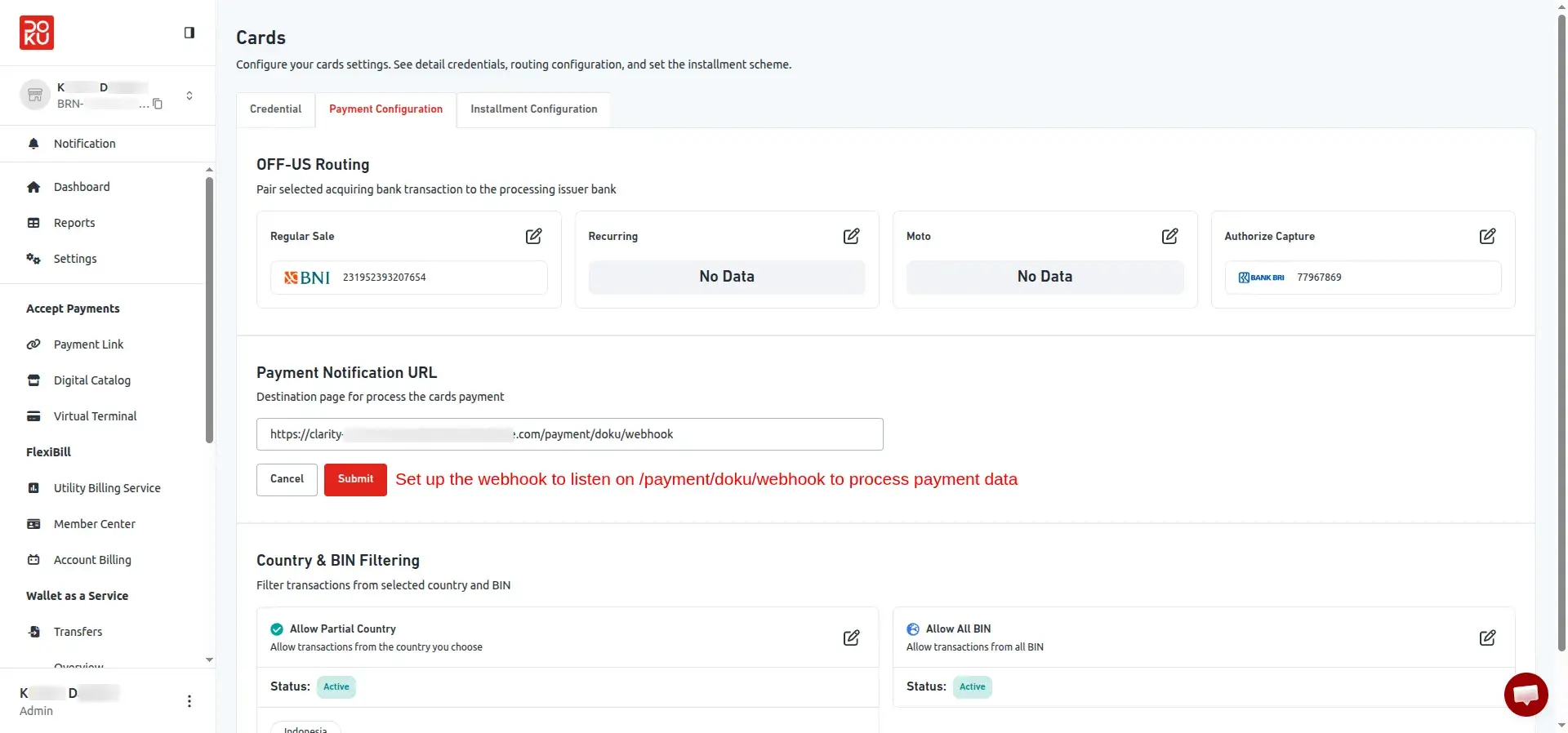
Webhook URL Submission
Enter and save the Payment Notification URL in the DOKU portal to activate real-time transaction data delivery to Odoo.
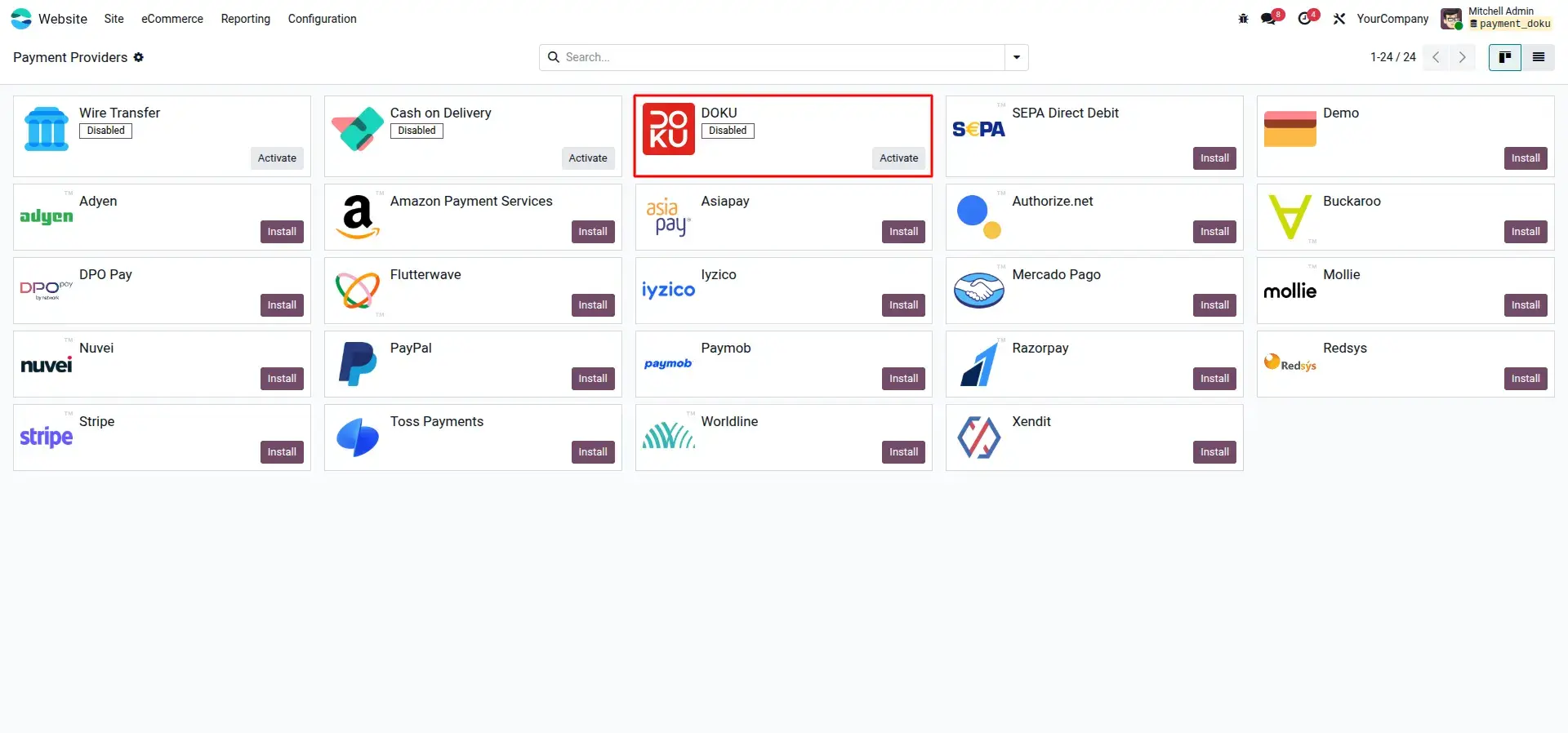
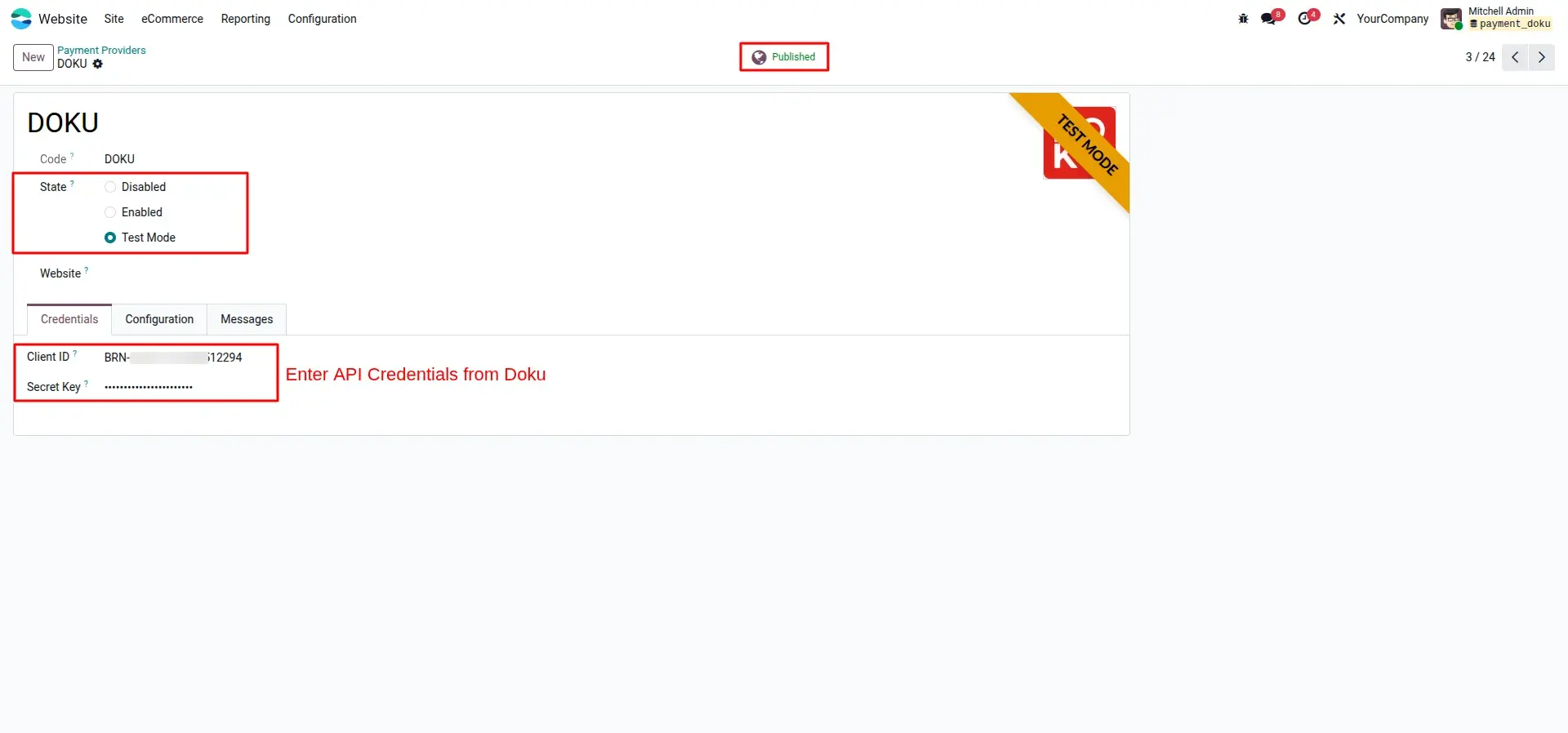
Enable DOKU Provider
Activate DOKU as an available payment provider from Odoo's payment configuration settings.
Client ID and Secret Key Entry
Enter your DOKU API credentials and select the active environment to complete the provider setup.
2. Customer Checkout Flow
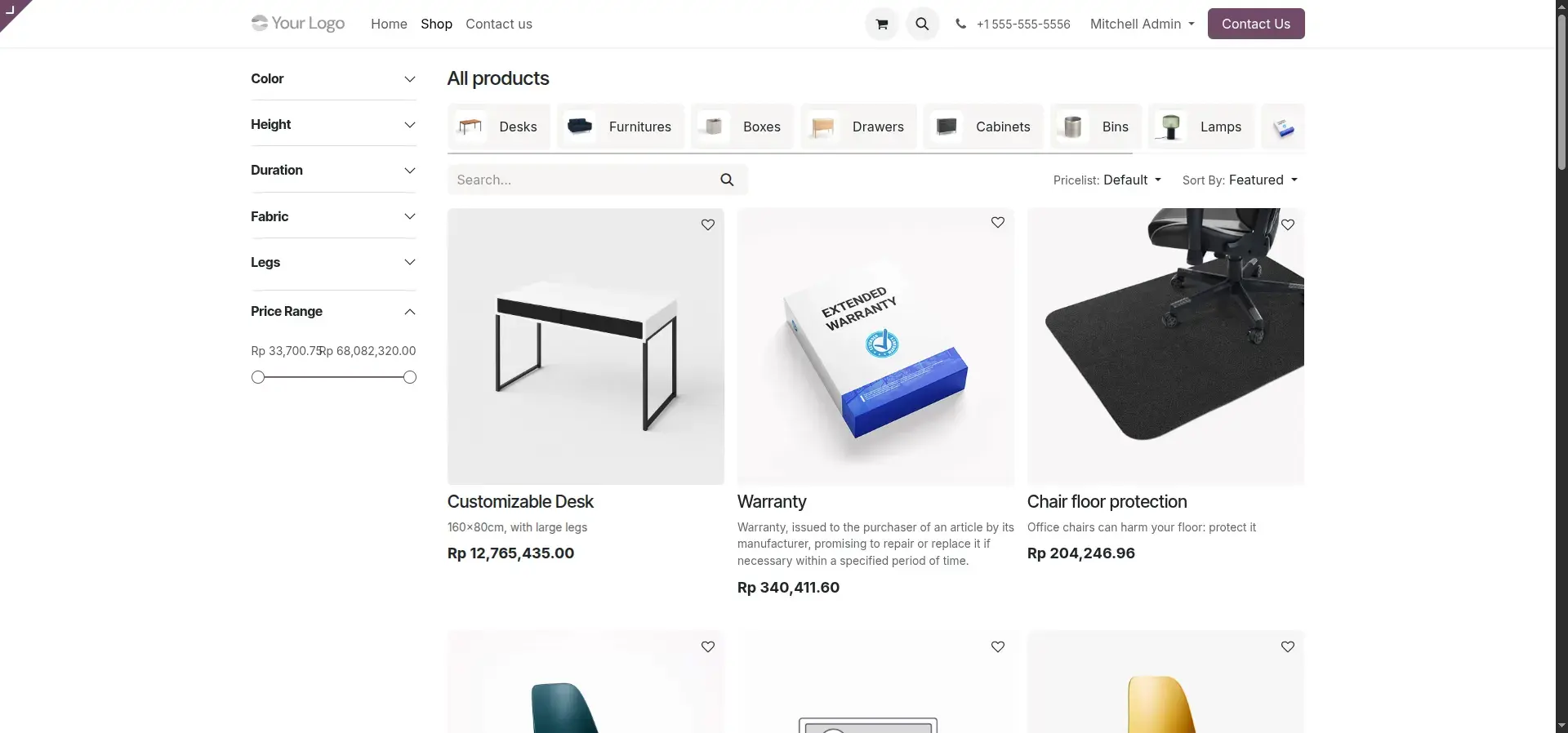
Product Browse and Add to Cart
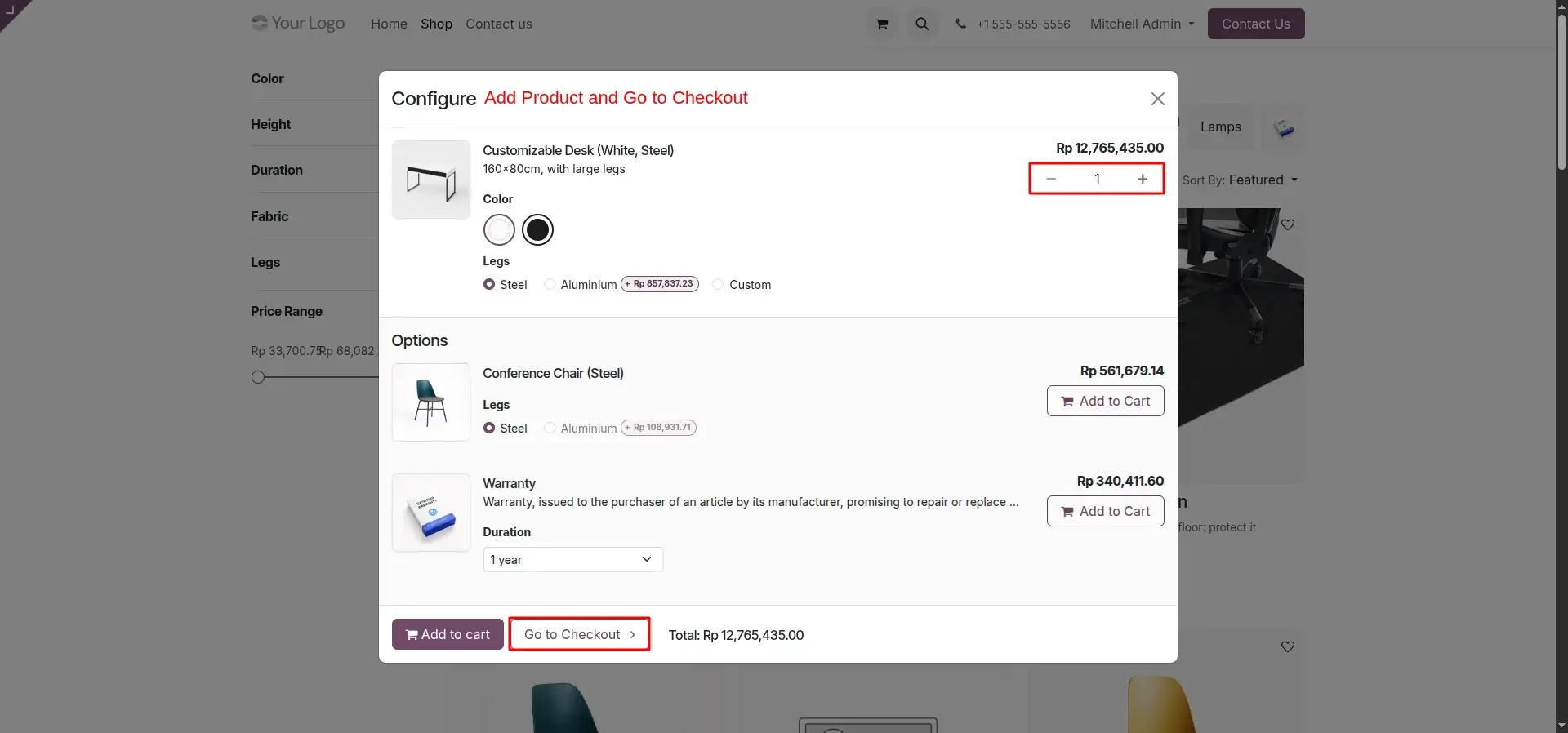
Customers browse and filter products on the Odoo eCommerce shop page and add desired items to their cart with a single click.
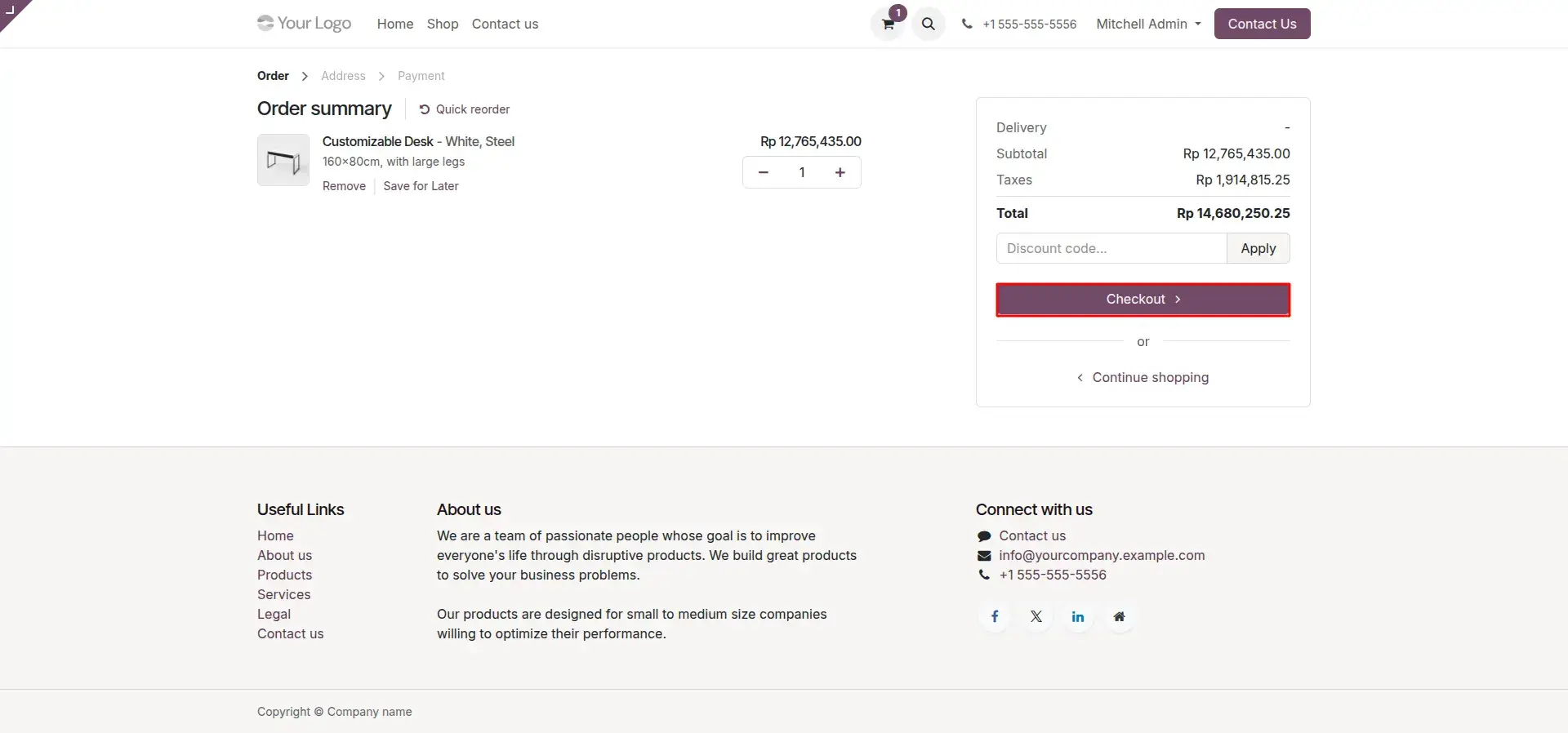
Order Review and Checkout
Customers review their cart totals and item summary, then proceed to checkout by clicking the Checkout button.
Address Selection
Delivery and billing addresses are selected or added at the checkout stage to ensure accurate shipping and invoicing.
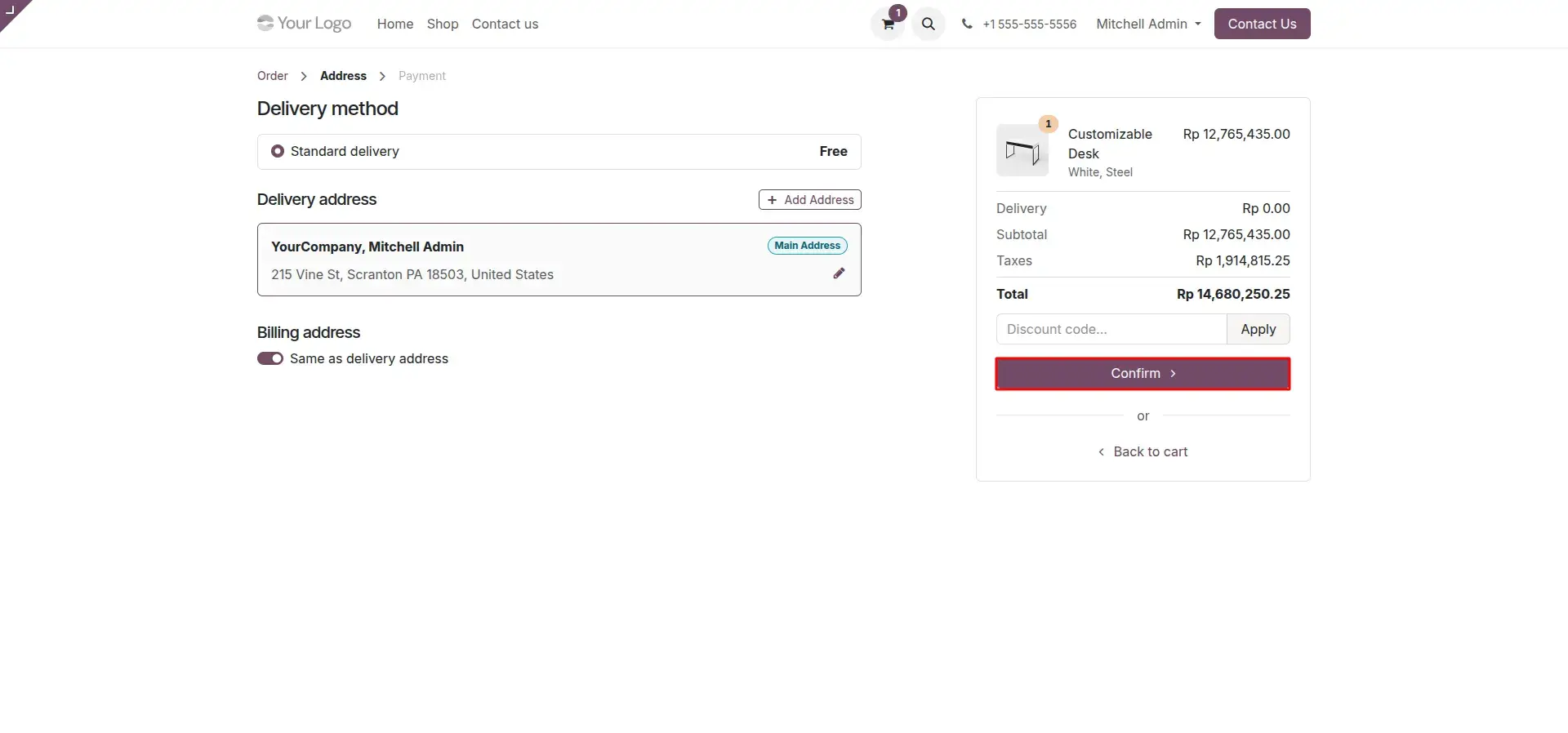
DOKU Payment Selection
DOKU is selected as the preferred payment method and the customer is securely redirected to the DOKU payment portal.
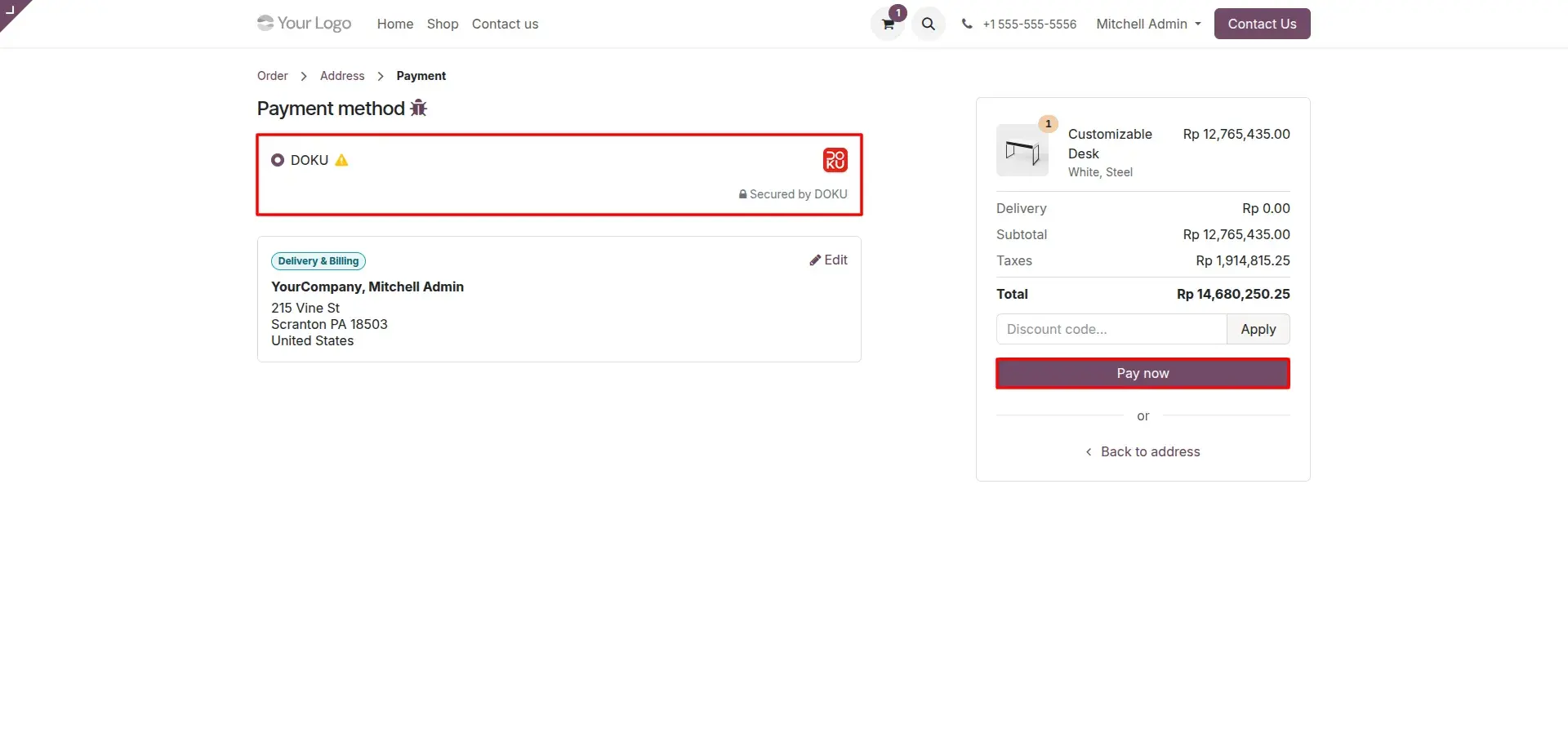
Payment Method Selection on DOKU Portal
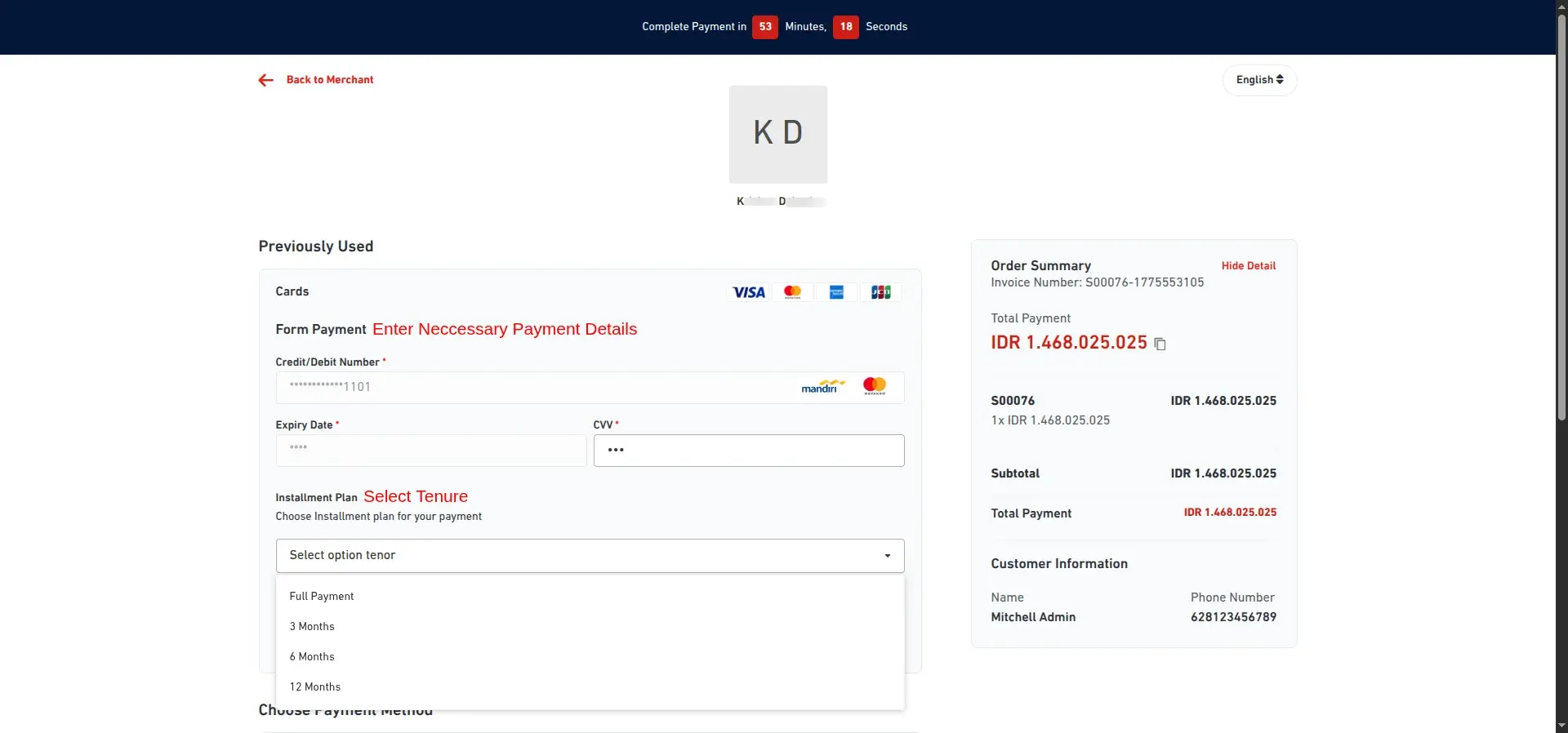
On the DOKU portal, customers choose from Credit/Debit Cards, Virtual Accounts, e-Wallets, or Over-the-Counter options.
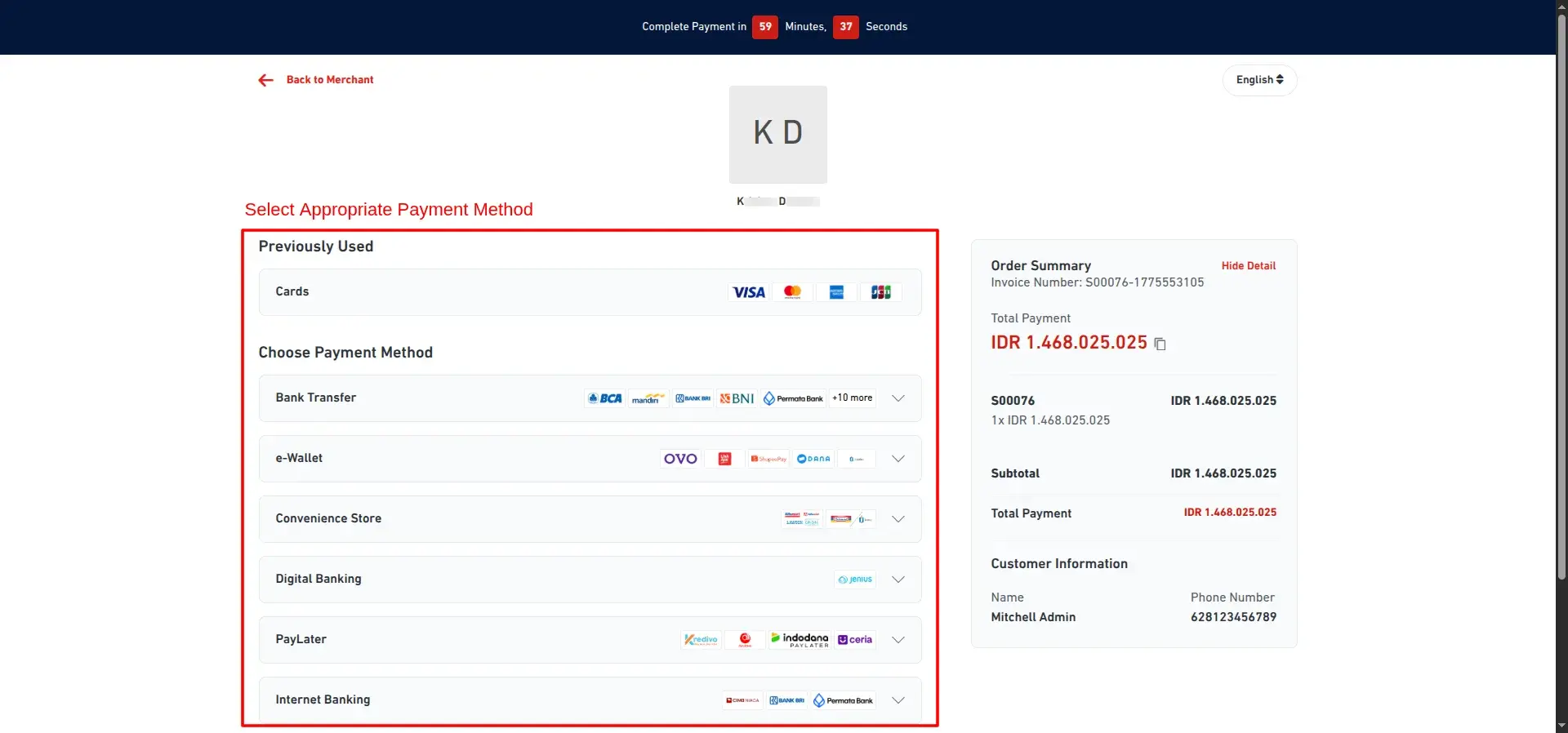
Saved Card and Installment Checkout
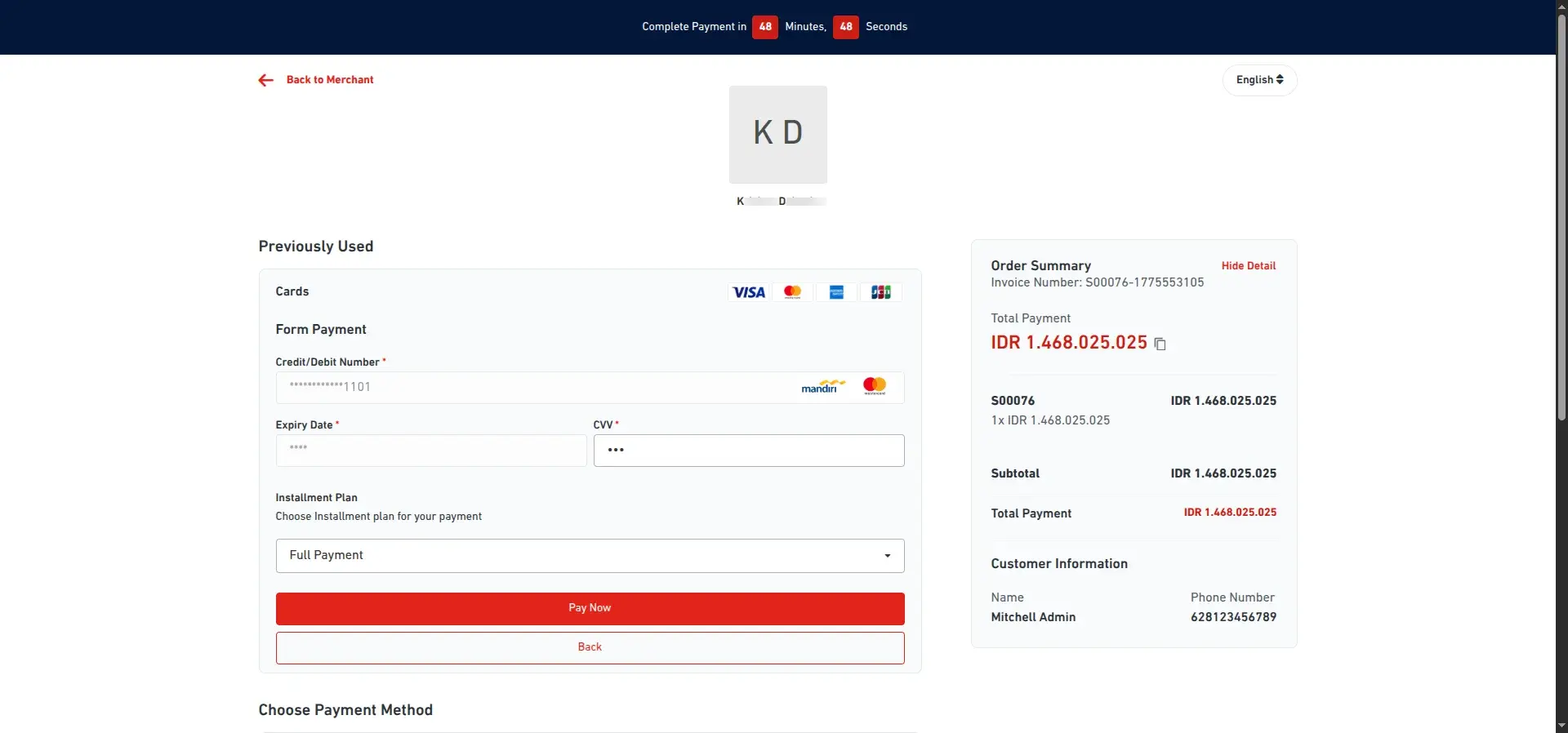
Returning customers use saved card details for faster checkout, while new customers enter card details and select an available installment plan.
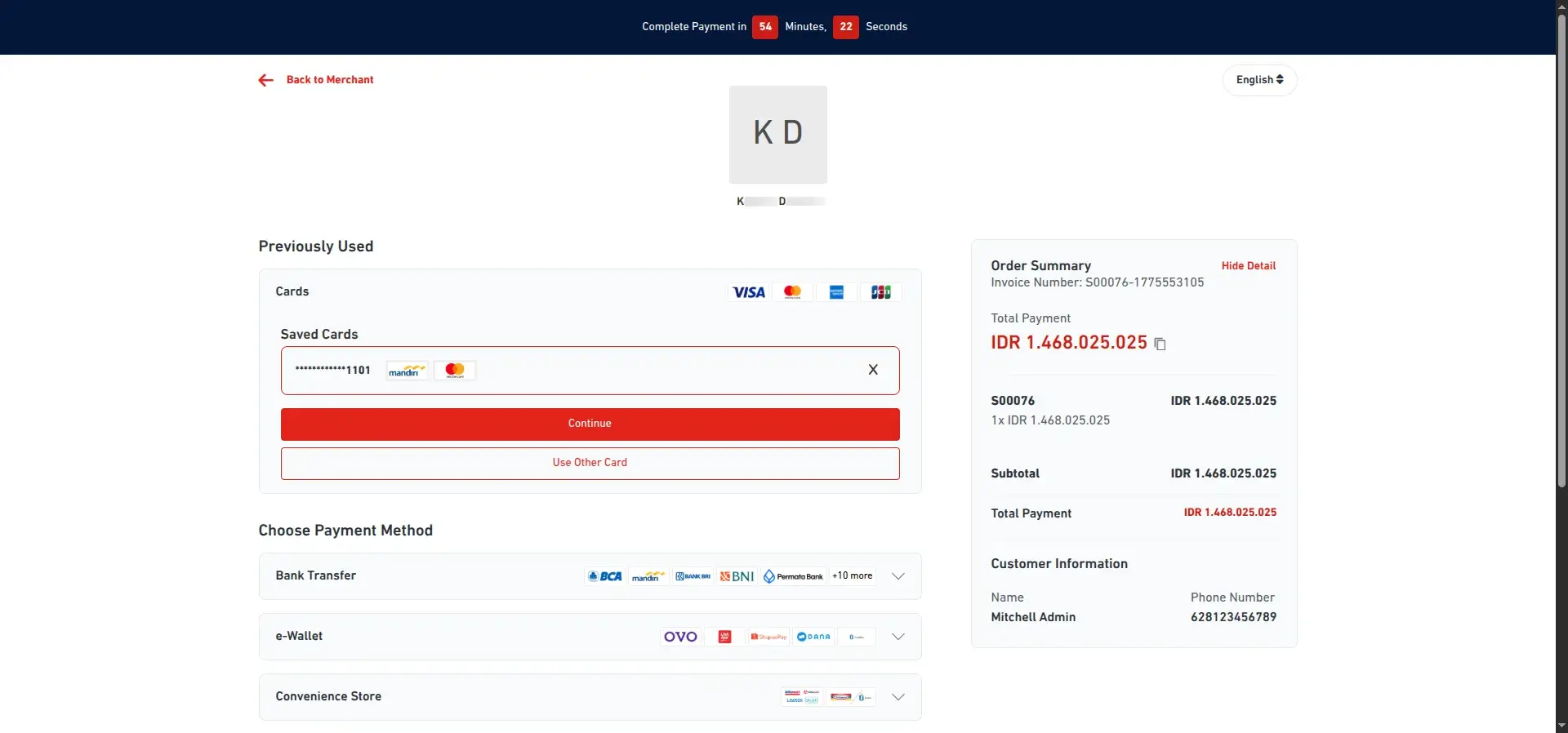
DOKU Payment Success and Odoo Confirmation
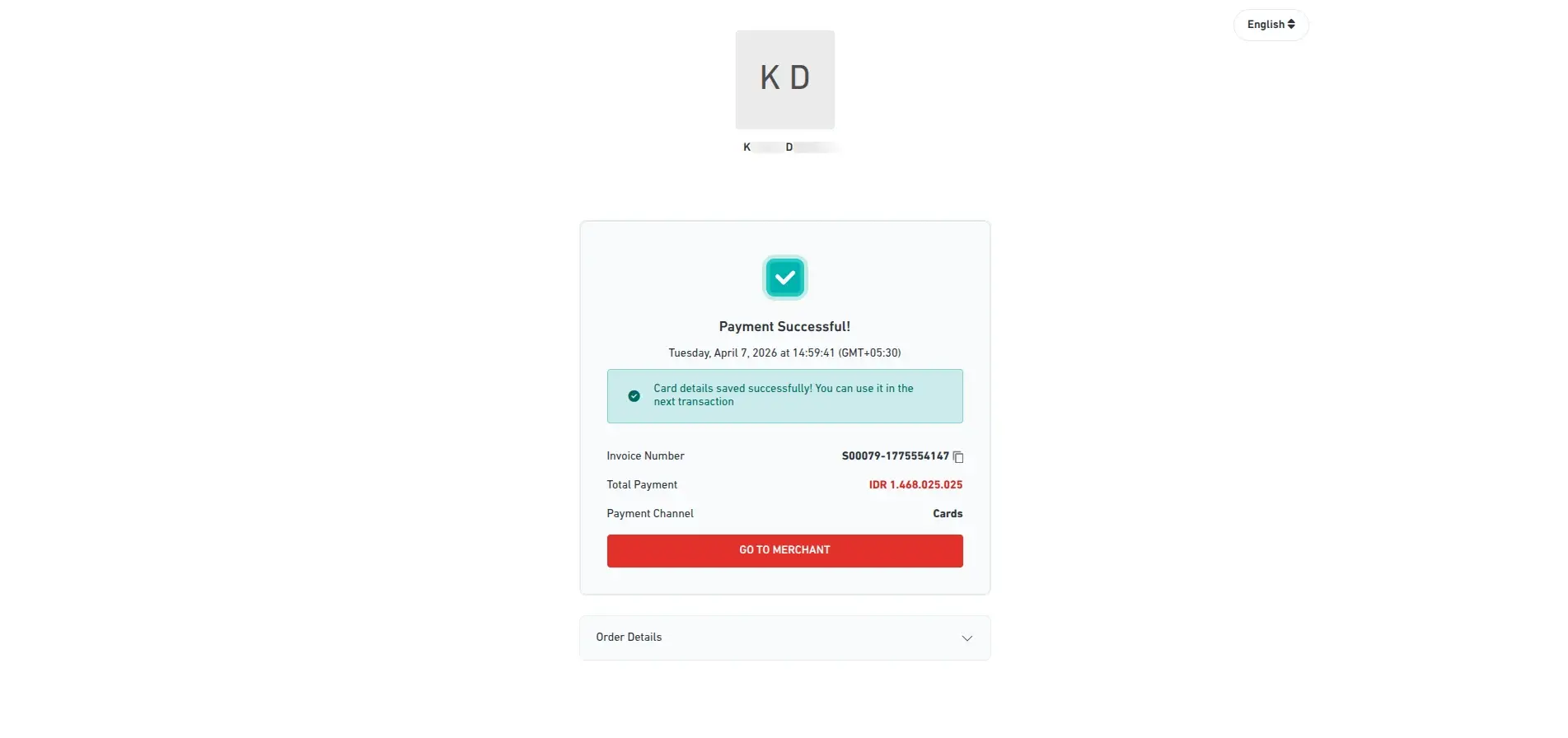
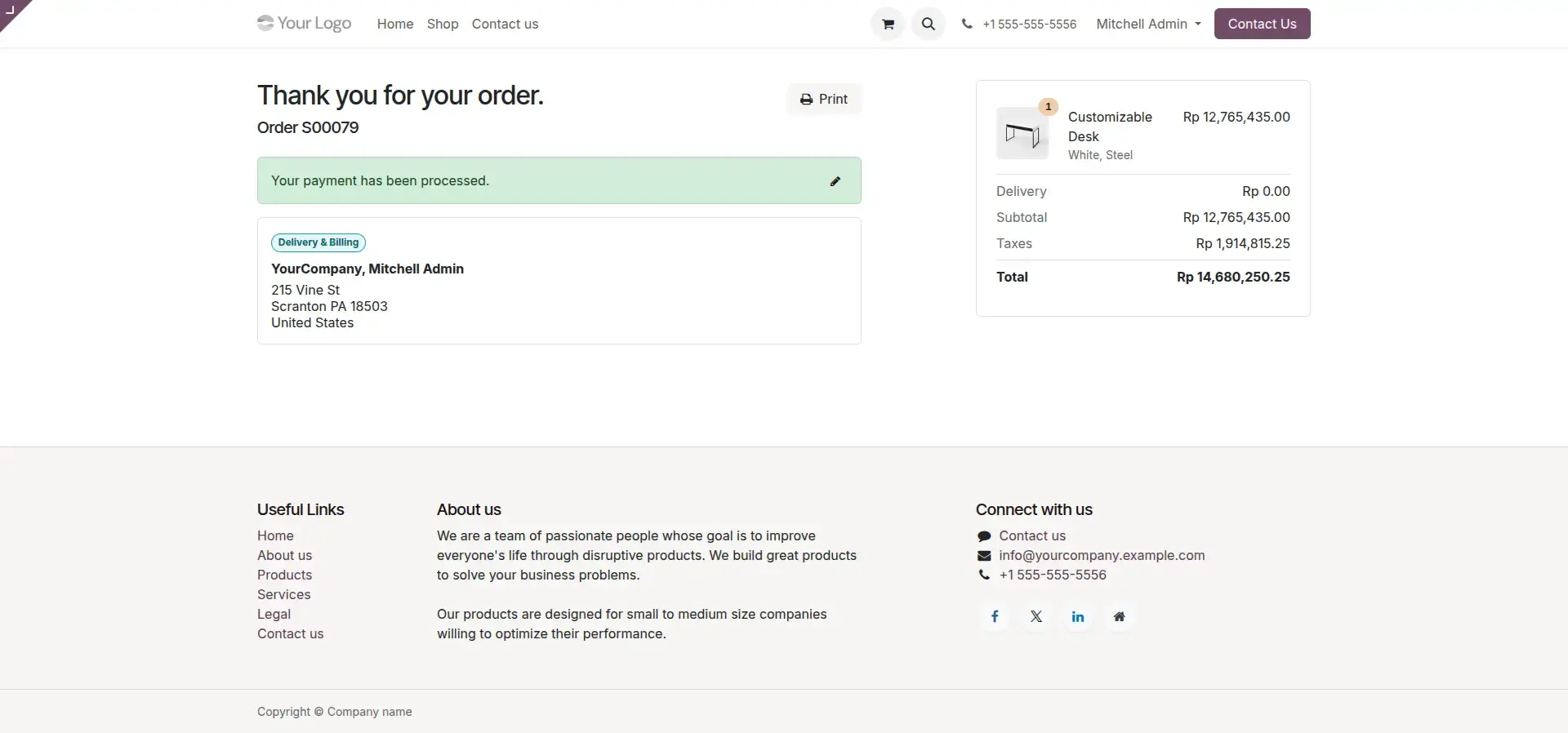
After a successful transaction, DOKU displays a confirmation screen and the customer is redirected to Odoo where the order is marked as confirmed.
3. Transaction Management and Refund Workflow
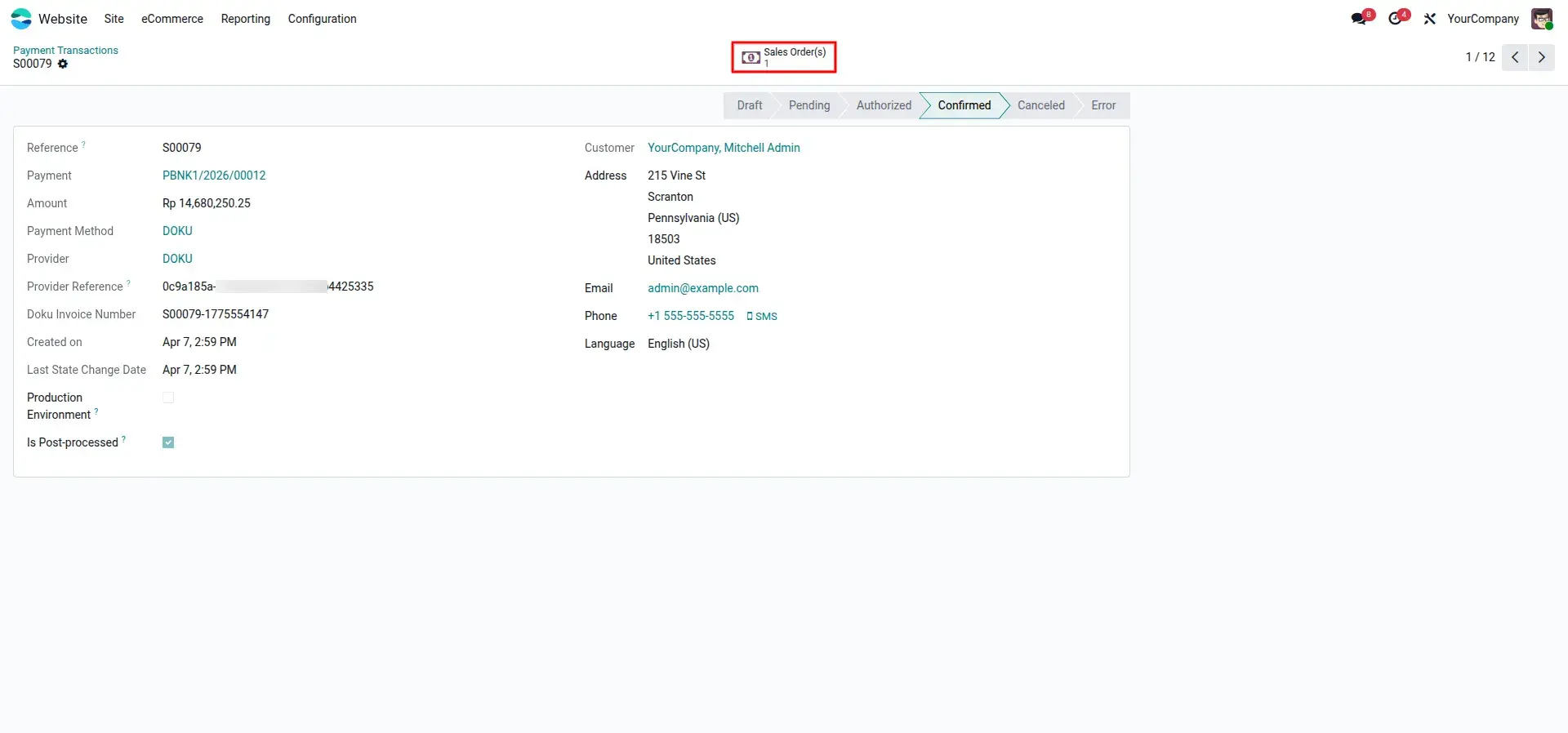
Transaction Tracking in Odoo Backend
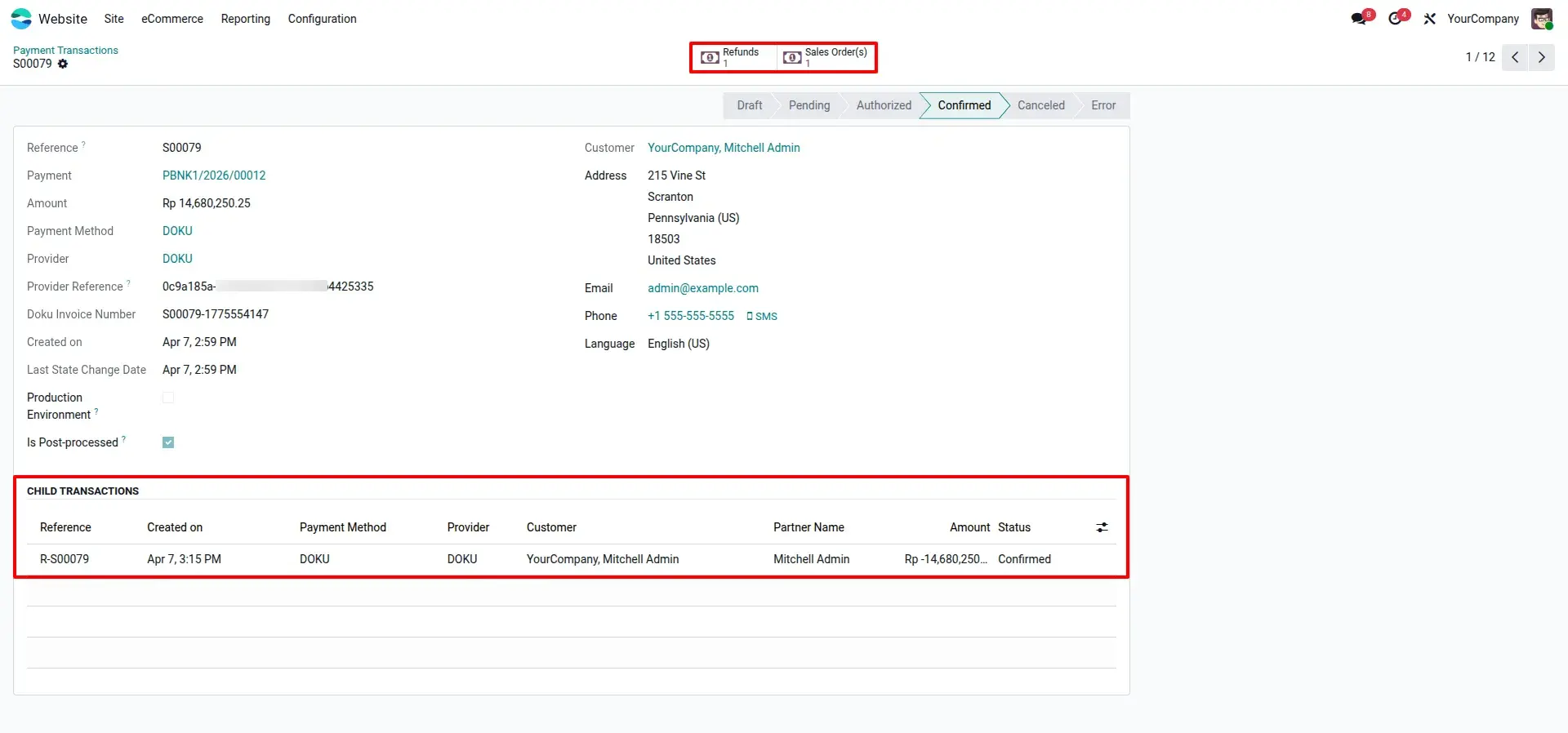
Payment records are automatically updated to the Confirmed state in Odoo upon receiving the webhook notification from DOKU.
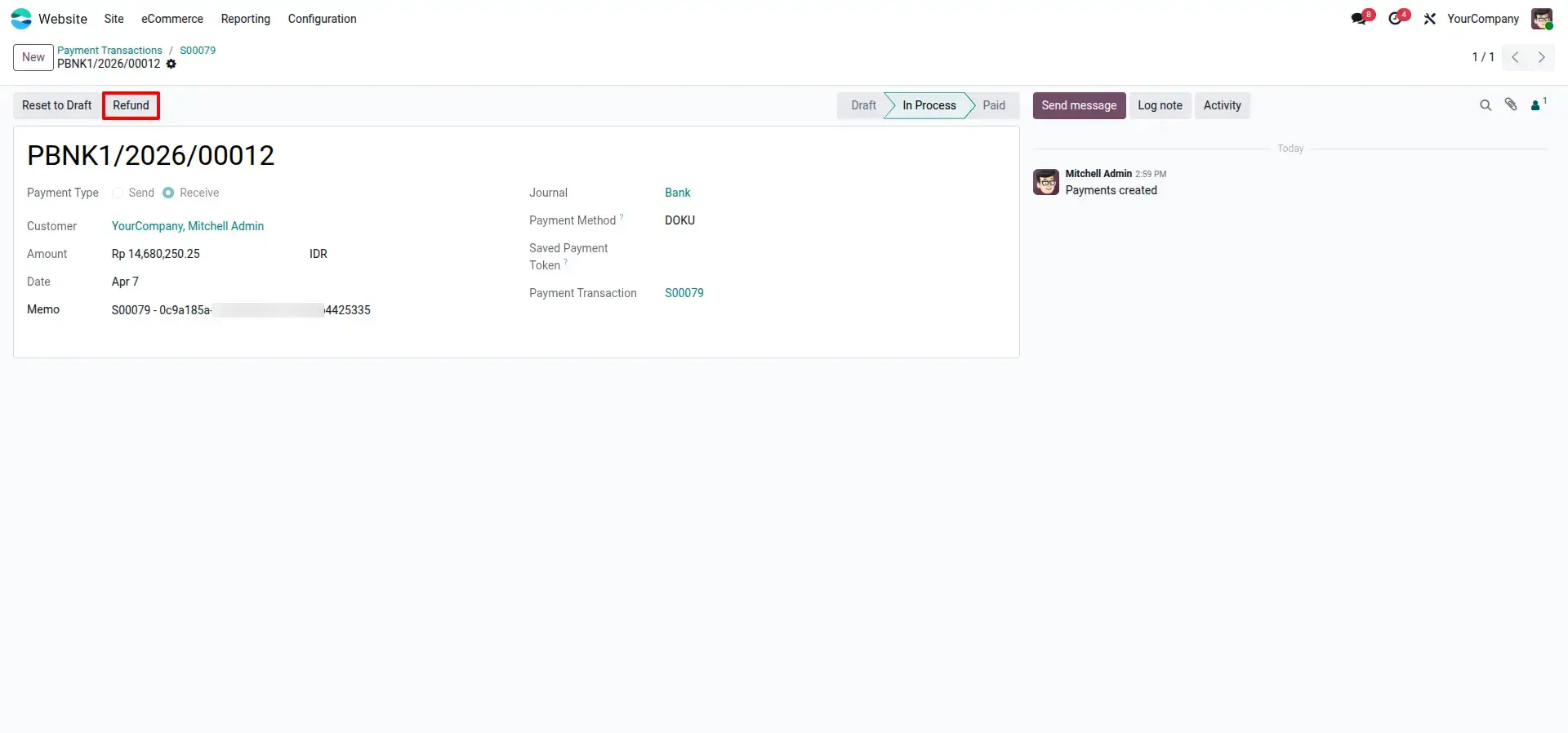
Initiate and Specify Refund
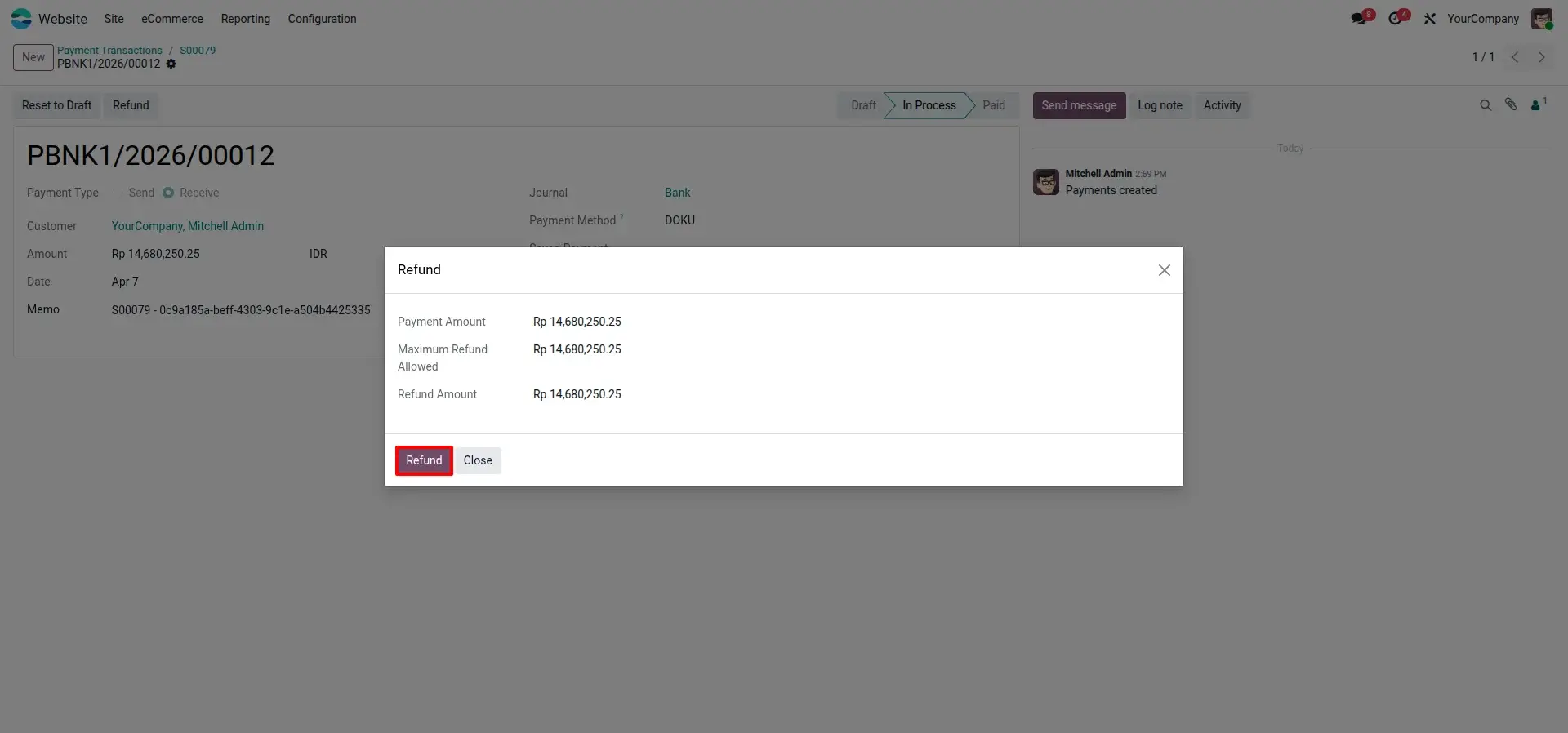
Partial or full refunds are initiated from the Odoo payment transaction record using a guided refund wizard that allows entry of the precise refund amount.
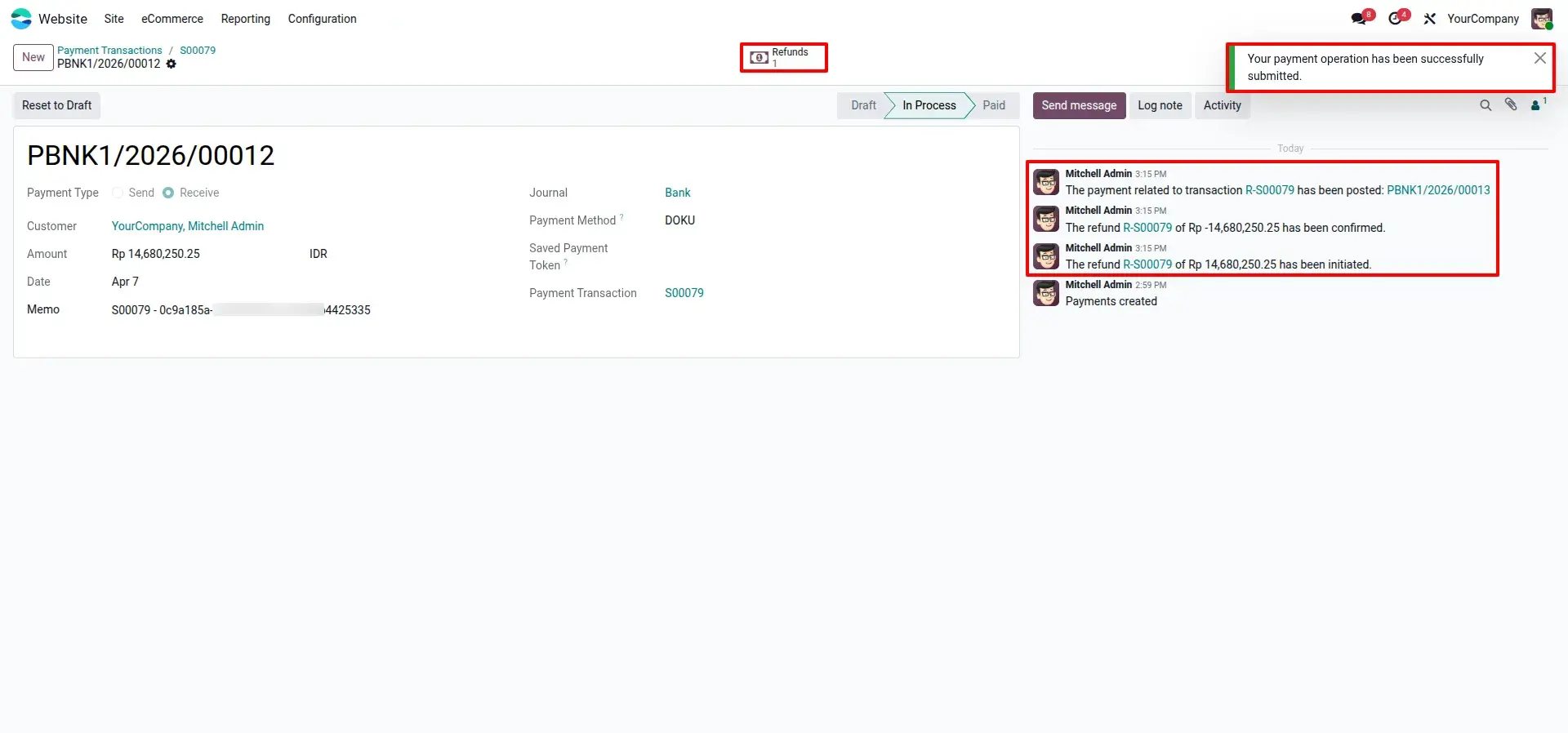
Refund Confirmation and Audit Log
Refund activity is immediately logged in the transaction's chatter and linked as a child record to the original payment, ensuring a complete and auditable transaction history.
Synchronized Gateway Status
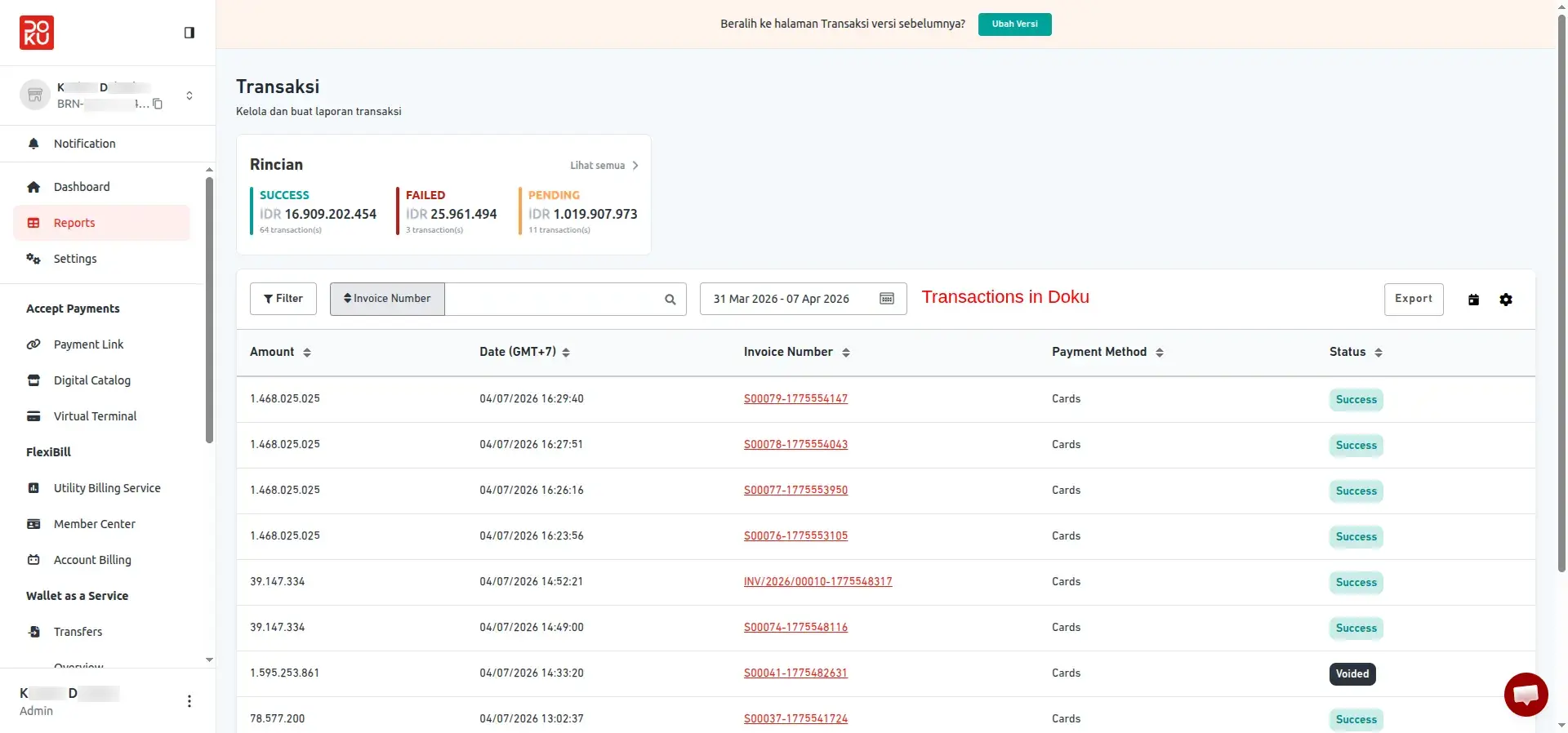
Transaction status is updated to Voided or Refunded in the DOKU portal, keeping both Odoo and DOKU perfectly in sync at all times.
Frequently Asked Questions
Technical Details
Dependencies
• Invoicing (account)
• eCommerce (website_sale)
• Discuss (mail)
• Website (website)
License
OPL-1
Need Assistance?
Email Support
contact@gritxi-tech.comAny Questions?
Have questions about this app?
Fill out the form below and our team will get back to you with more information.
Customer Reviews
Share your experience with this module.
Write a Review
Latest Reviews
No reviews yet. Be the first to share your thoughts!