
Payment Provider: Bambora
Integrate Bambora payment gateway in Odoo with secure online payment processing, hosted checkout redirection, webhook support, and seamless eCommerce and invoice payment management.
App Overview

Introduction
The Payment Provider: Bambora module seamlessly integrates Bambora, a globally trusted Worldline payment solution, directly into your Odoo eCommerce and invoicing workflows. It enables businesses to securely accept online payments via credit cards, debit cards, and other supported payment methods while automating order confirmation, transaction recording, and accounting reconciliation. The result is a smooth, customer-friendly checkout experience that reduces payment friction, eliminates manual intervention, and streamlines payment management across your organization.

Purpose
The Payment Provider: Bambora module is designed to simplify
and automate online payment processing within Odoo. By connecting Odoo with
Bambora, businesses can securely accept customer payments through eCommerce
stores, quotations, sales orders, and invoices without relying on external
workflows or manual payment tracking.
The module streamlines the complete payment lifecycle from customer checkout
and payment authorization to transaction synchronization, order confirmation,
and refund management while maintaining real time communication between Odoo
and Bambora. This reduces administrative workload, minimizes payment errors,
improves cash flow, and delivers a seamless payment experience for both
customers and internal teams.
Fully integrated with Odoo's native payment framework, the solution supports
automated transaction updates, secure payment processing, invoice settlement,
and refund tracking. Businesses benefit from accurate financial records,
streamlined operations, and a professional payment experience across all
customer interactions.

Business Use Cases

Online Retail and eCommerce
Retail businesses running Odoo eCommerce can offer Bambora as a trusted payment option at checkout. Customers browse products, add them to the cart, and complete payment through the secure Bambora portal, with orders confirmed and inventory updated in Odoo automatically upon successful payment.

B2B Invoice Collection
Businesses that invoice their clients through Odoo can use the Bambora integration to allow clients to pay outstanding invoices online via a secure payment link, eliminating the need for manual follow-up and accelerating cash flow without additional administrative effort.

Subscription & Service Businesses
Service-based businesses that issue recurring invoices through Odoo can leverage Bambora to enable quick, card-based payments from the customer portal, ensuring timely collection and full visibility of each transaction within the Odoo accounting module.
Key Features

Secure Online Payment Acceptance
Accept credit and debit card payments securely through the globally trusted Bambora payment gateway.

Automated Order Confirmation
Orders are automatically confirmed in Odoo as soon as a successful payment notification is received from Bambora.

Seamless Checkout Integration
Bambora appears as a selectable payment option at checkout, delivering a smooth and familiar payment experience for customers.

Invoice Payment via Bambora
Customers can pay outstanding invoices directly through the secure Bambora gateway without leaving the Odoo portal.
Partial and Full Refund Management
Initiate partial or full refunds directly from Odoo payment records using a guided refund wizard.

Automatic Transaction Sync
Payment and refund statuses are automatically synchronized between Odoo and the Bambora merchant portal in real time.

Linked Refund Audit Trail
Refund transactions are automatically linked to their original payments, maintaining a clear and complete audit trail for every transaction.
Configuration & Workflow
The following steps illustrate the end-to-end payment workflow powered by the Bambora Payment Provider module in Odoo.
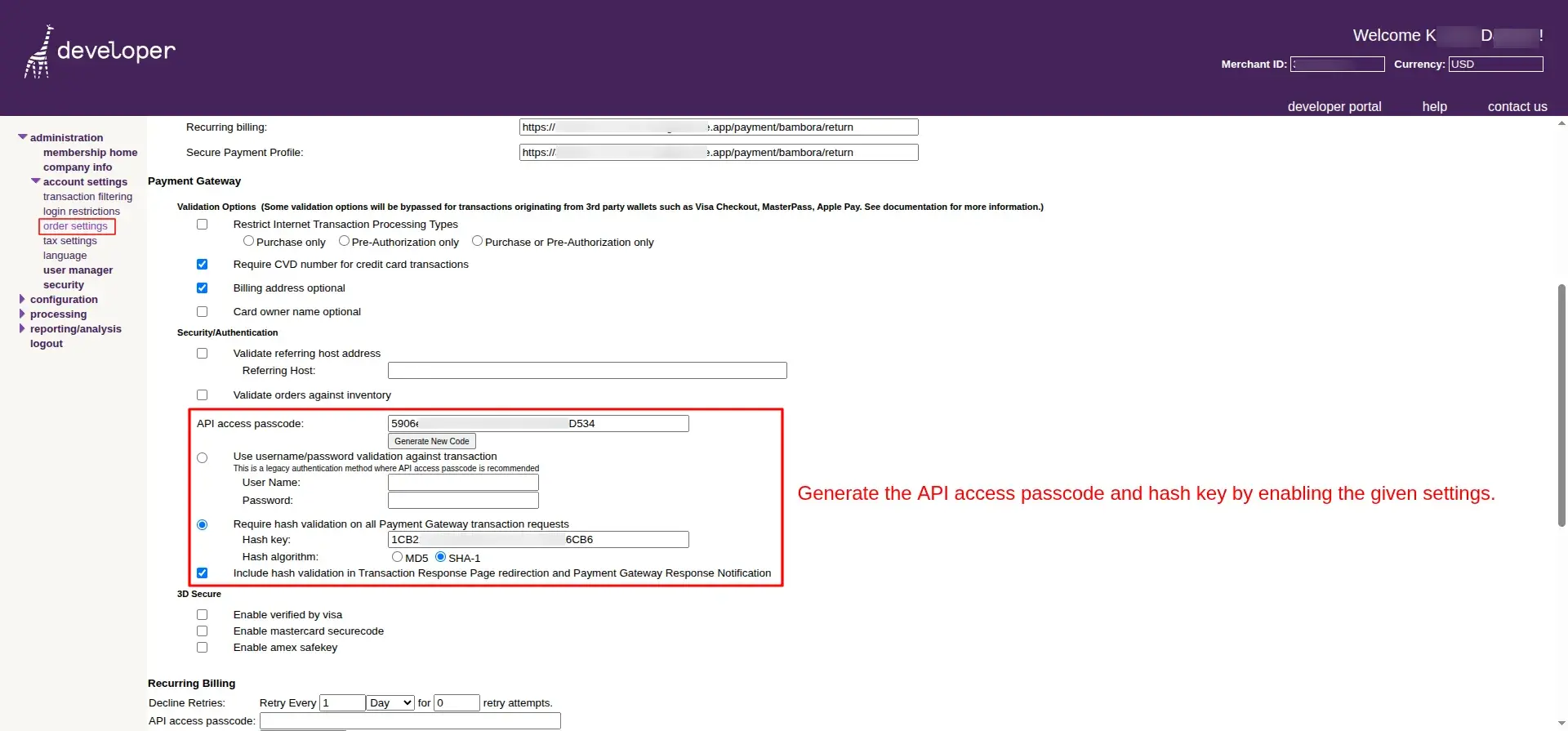
Redirect & Notification URL Configuration
The Bambora merchant dashboard where the administrator configures the payment return URL to point back to the Odoo instance for real-time payment notifications.
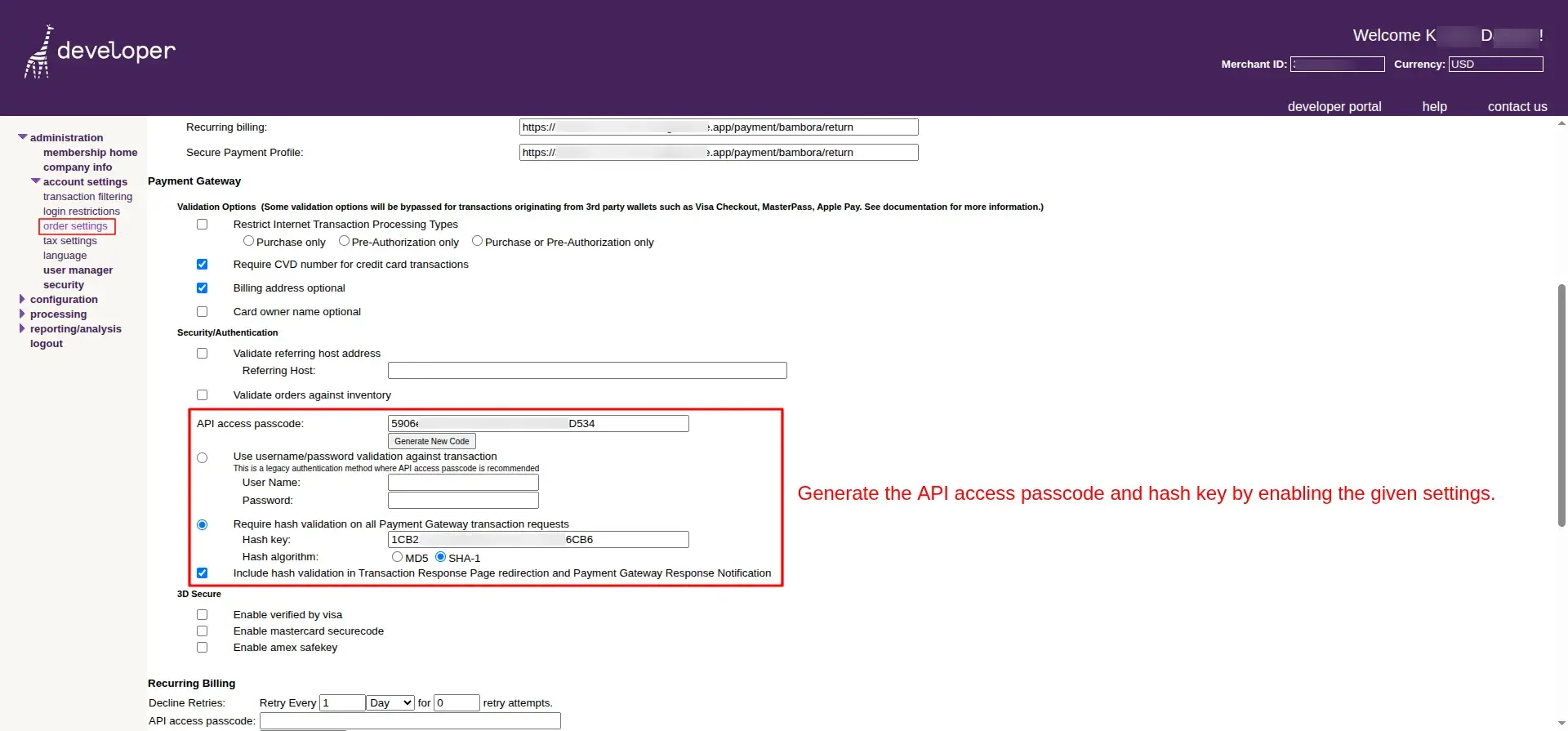
API Authentication Setup
The API and security settings screen in the Bambora portal where the Payment API Passcode and Hash Key are generated and enabled for integration.
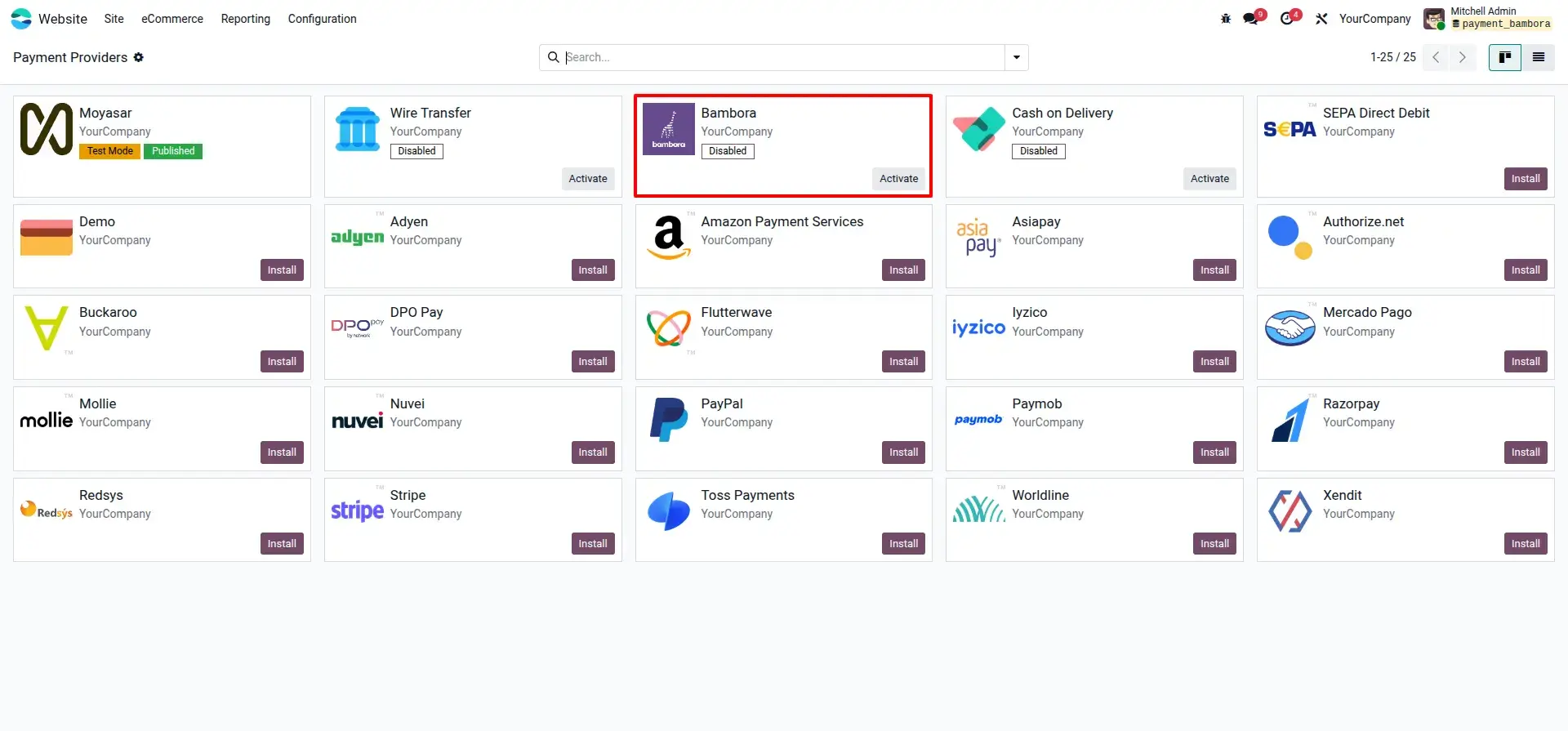
Activating the Bambora Provider
The Odoo payment providers list showing the Bambora provider with an Activate button ready to enable it for use across eCommerce and invoicing.
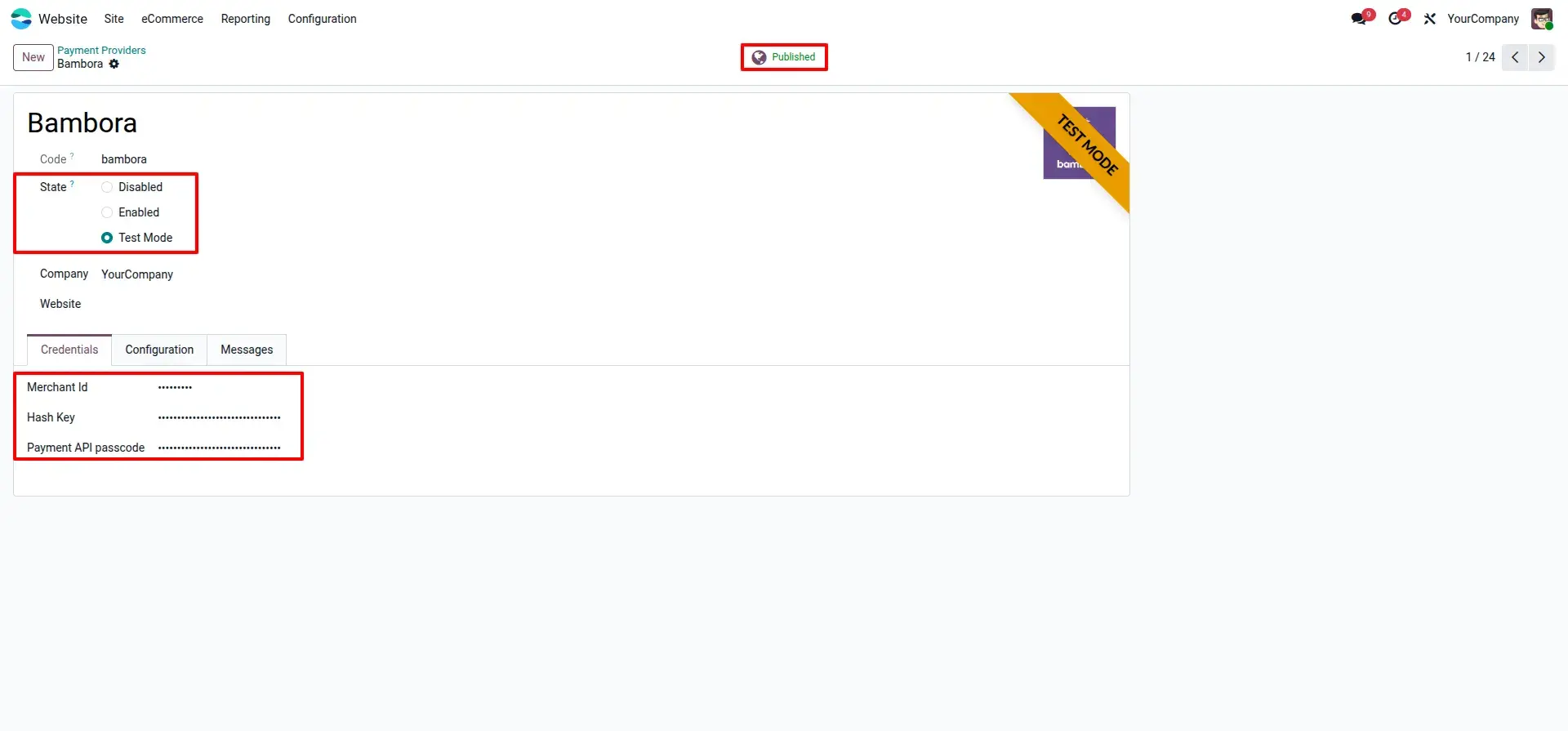
Credential Entry and Provider Publishing
The Bambora provider configuration form in Odoo where the Merchant ID, Hash Key, and API Passcode are entered, and the state is set to Published.
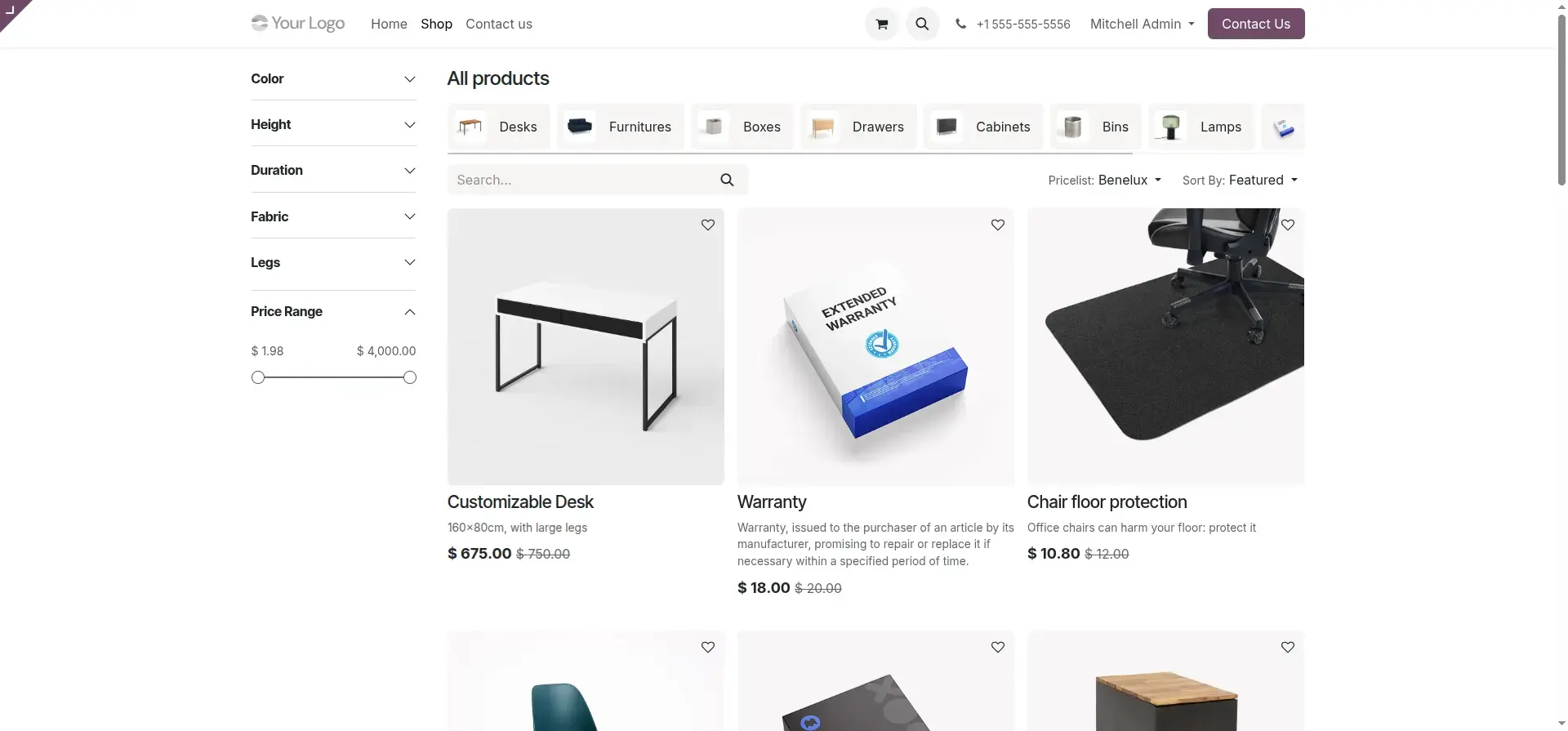
Product Selection and Add to Cart
The Odoo online shop displays products, allowing customers to browse, select items, and add them to the cart before proceeding to checkout.
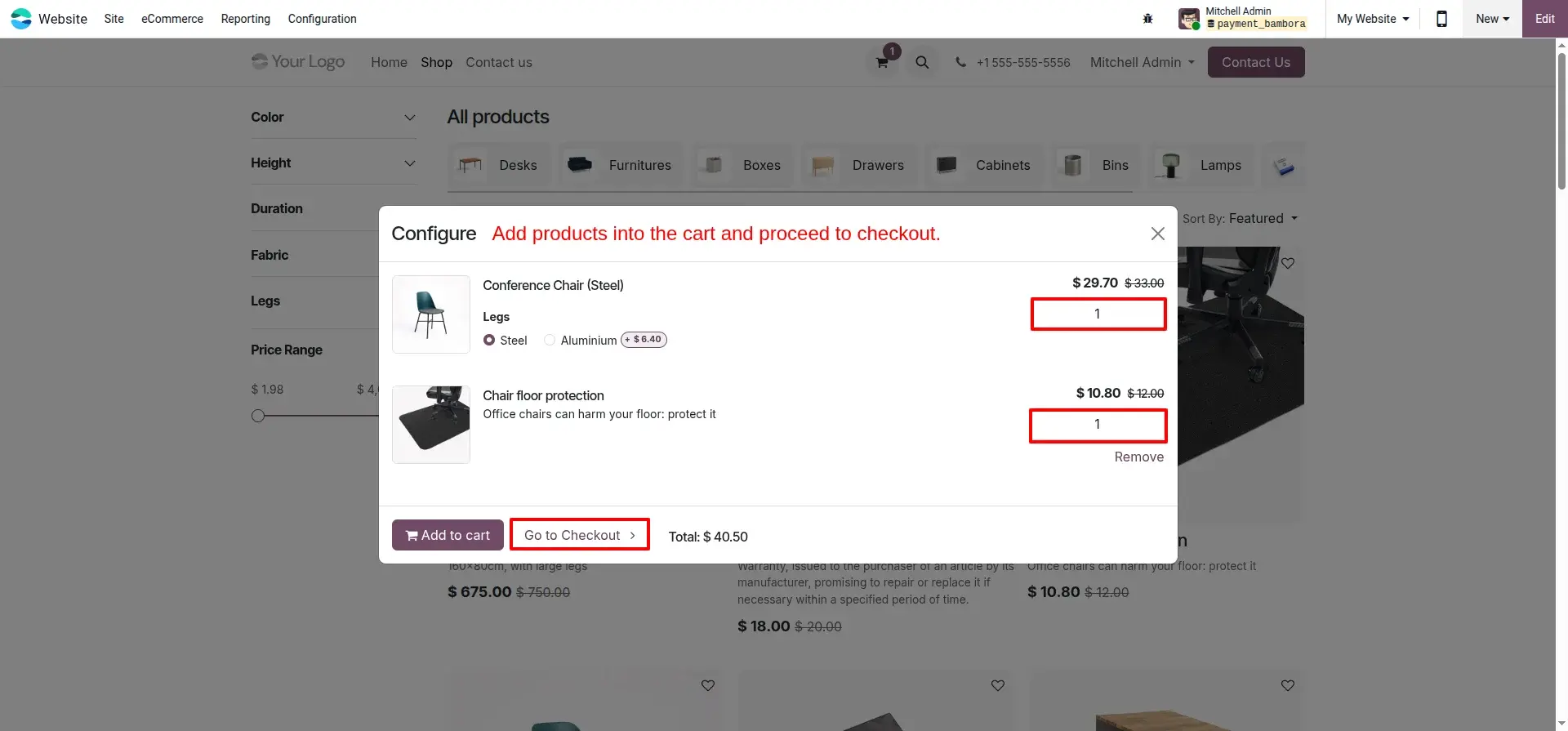
Cart Review and Checkout
The shopping cart summary page where customers review their selected products and totals before clicking Checkout to proceed.
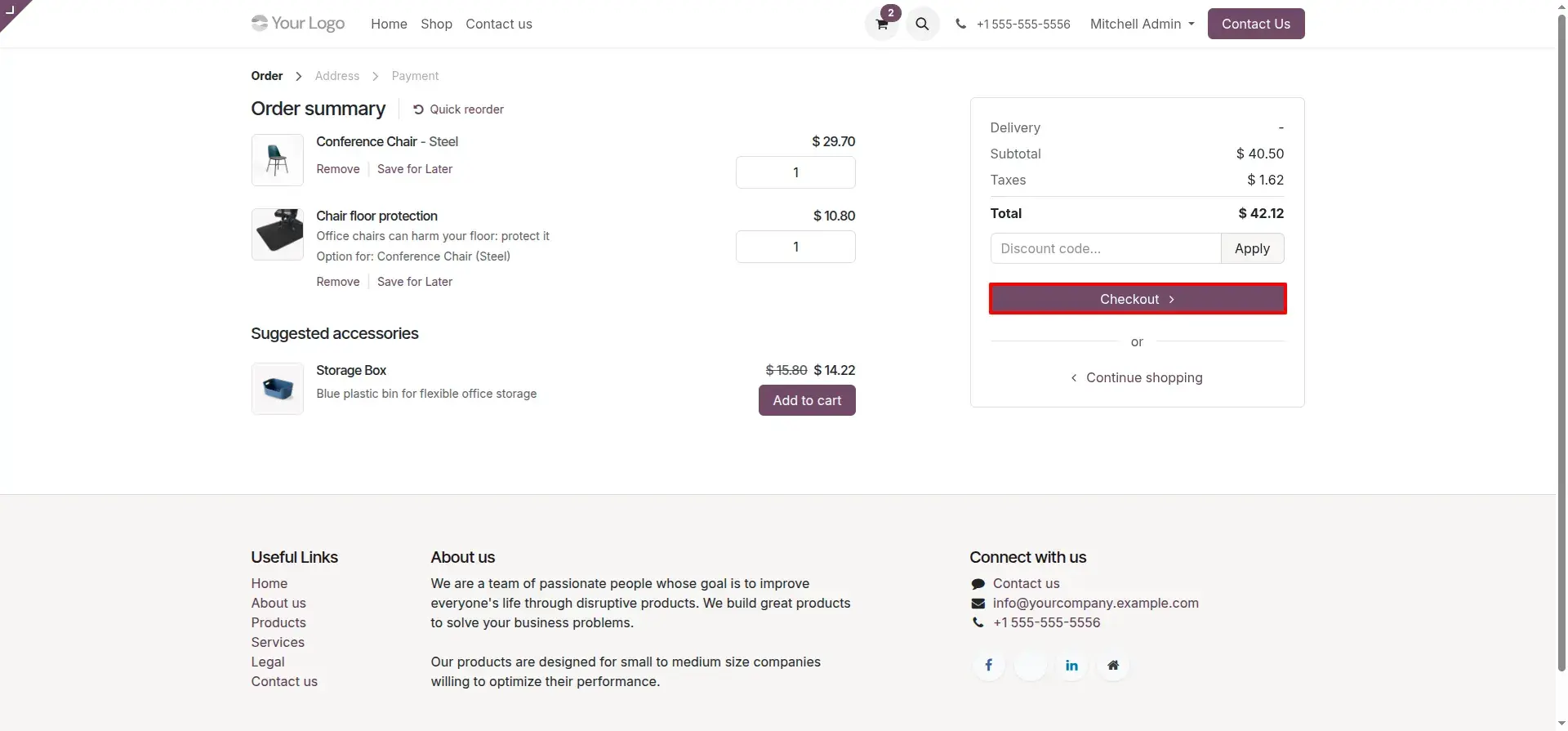
Delivery and Billing Address Selection
The address step during checkout where customers choose their delivery and billing addresses before selecting a payment method.
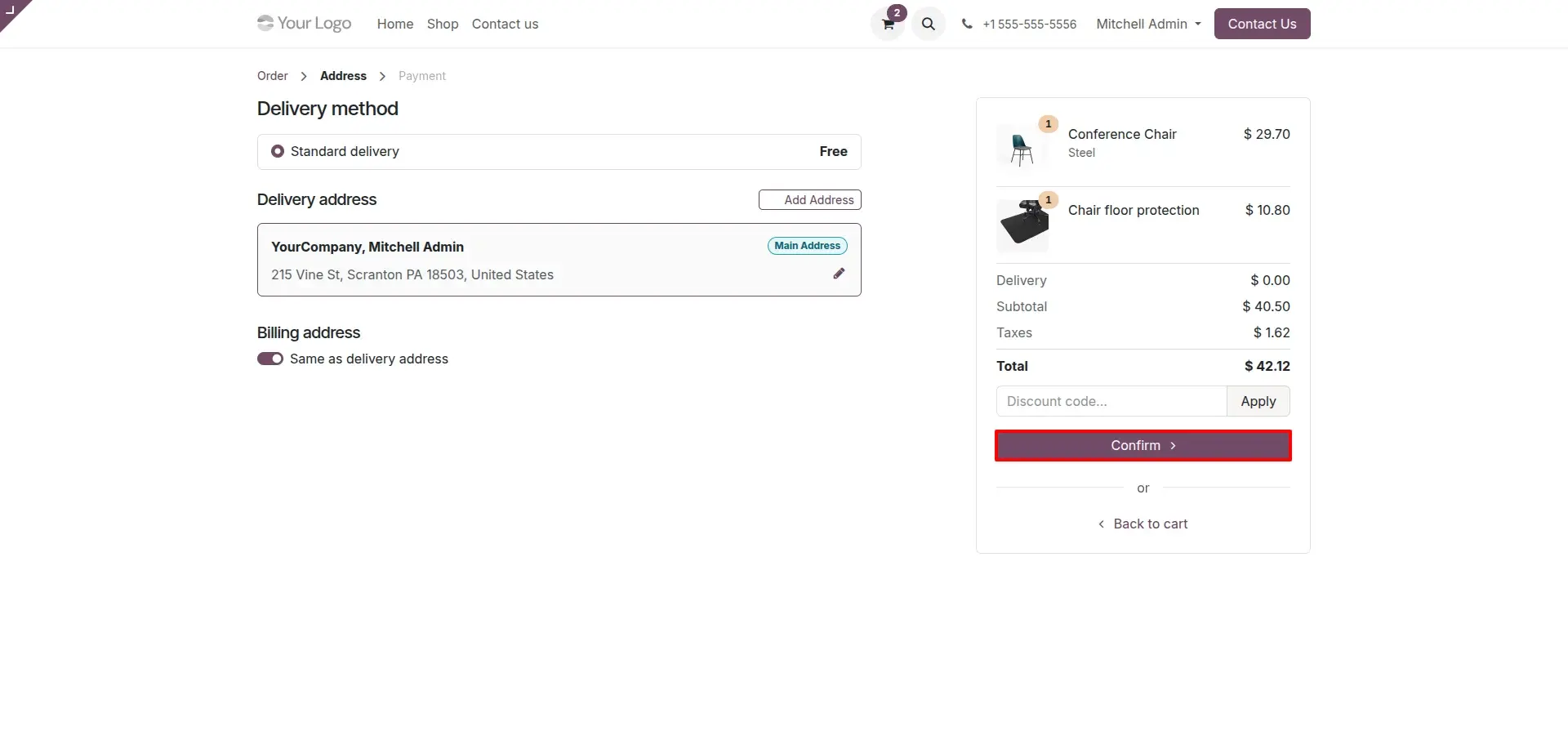
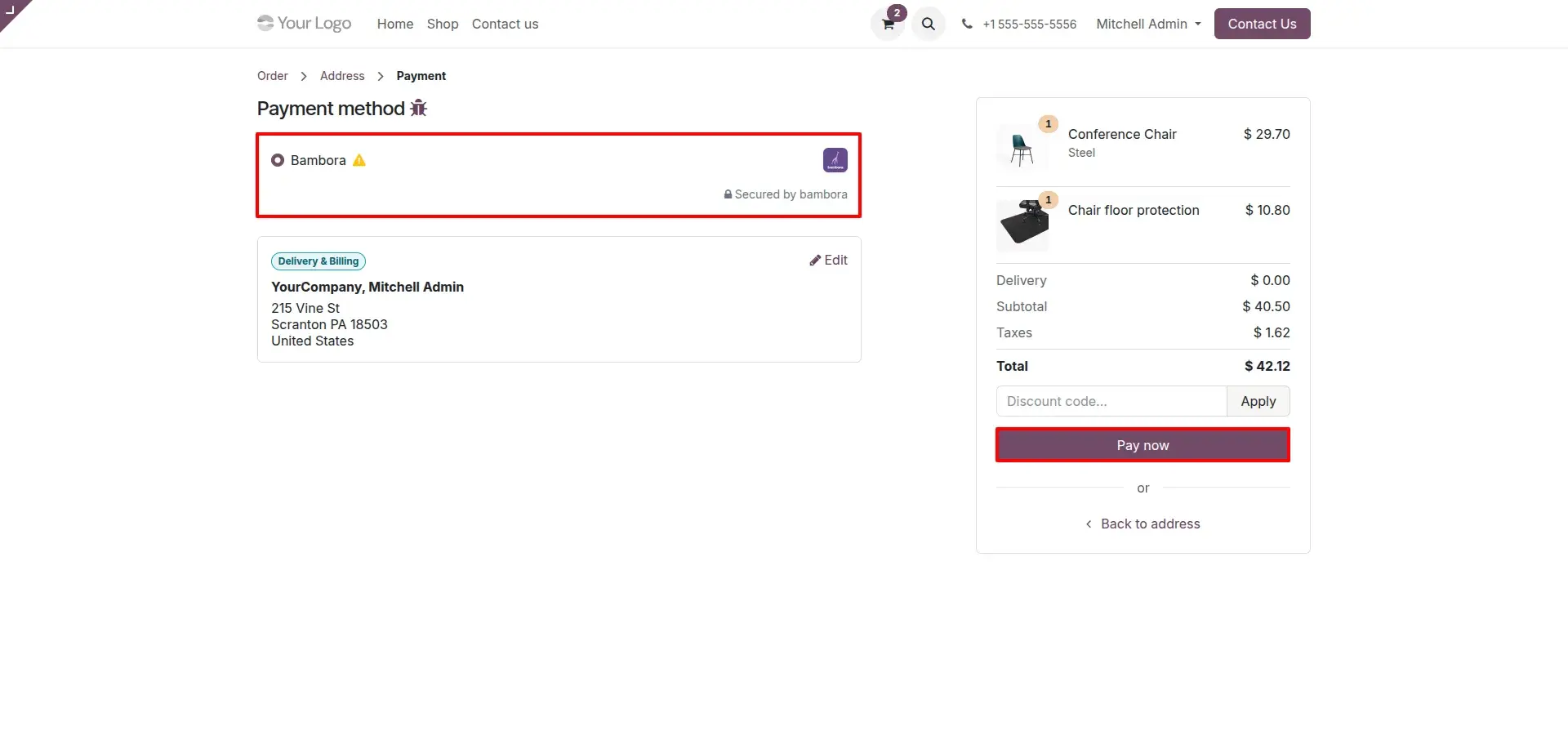
Bambora Selected as Payment Method
The payment method selection screen at checkout shows Bambora as an option, with a Pay Now button that redirects the customer to the secure Bambora payment portal.
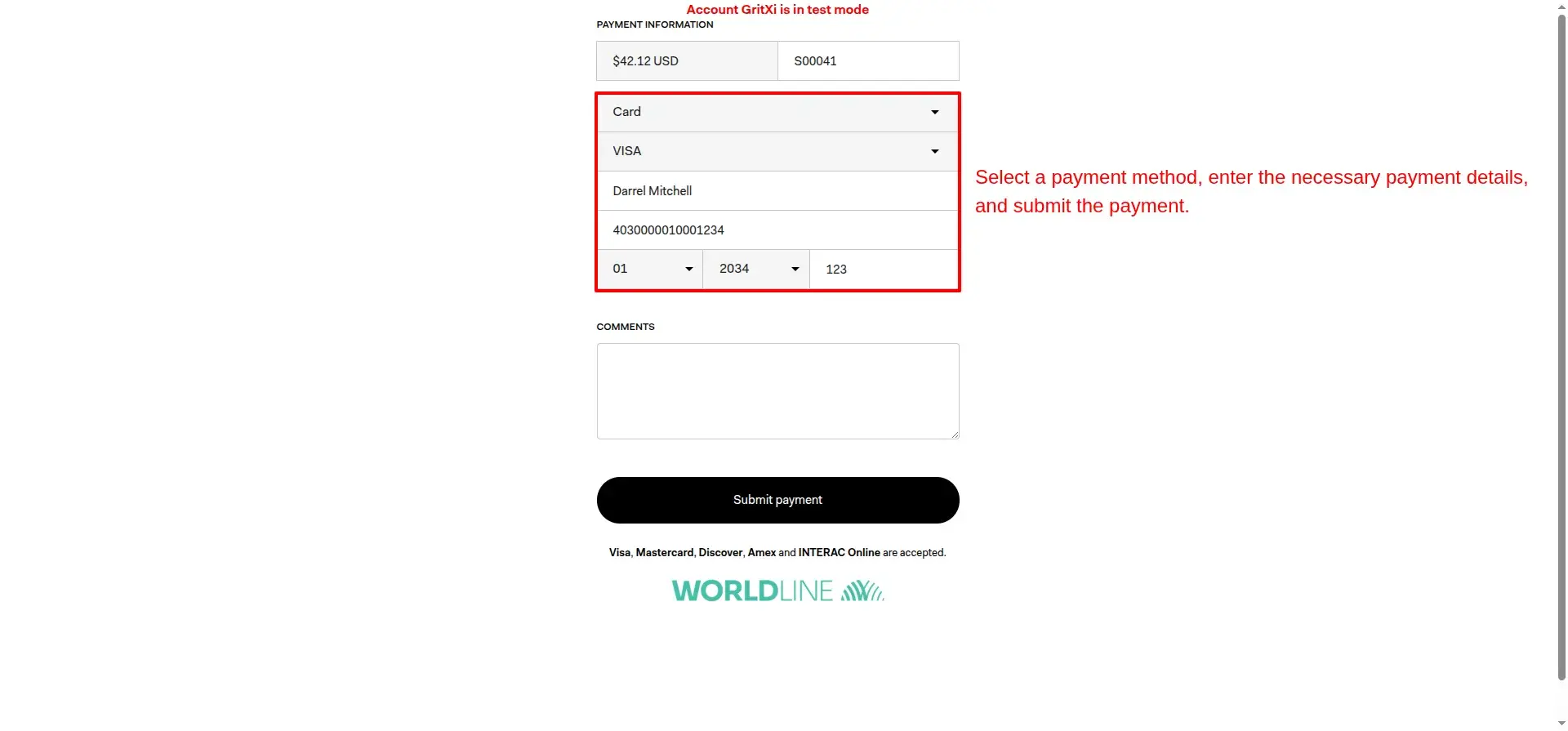
Bambora Selected as Payment Method
The payment method selection screen at checkout shows Bambora as an option, with a Pay Now button that redirects the customer to the secure Bambora payment portal.
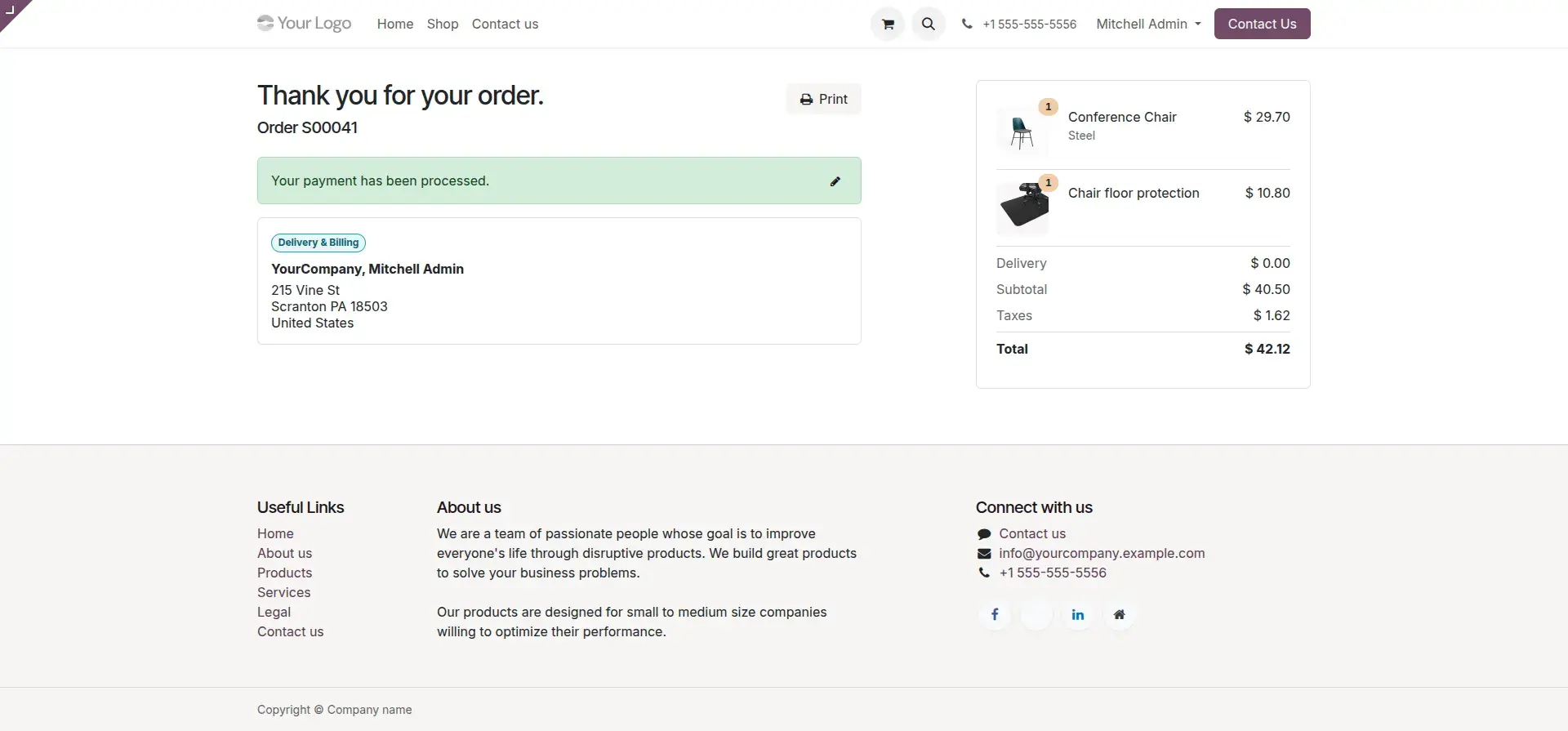
Order Confirmation Page
The thank-you confirmation page displayed in Odoo after a successful payment, showing the confirmed order summary and transaction details.
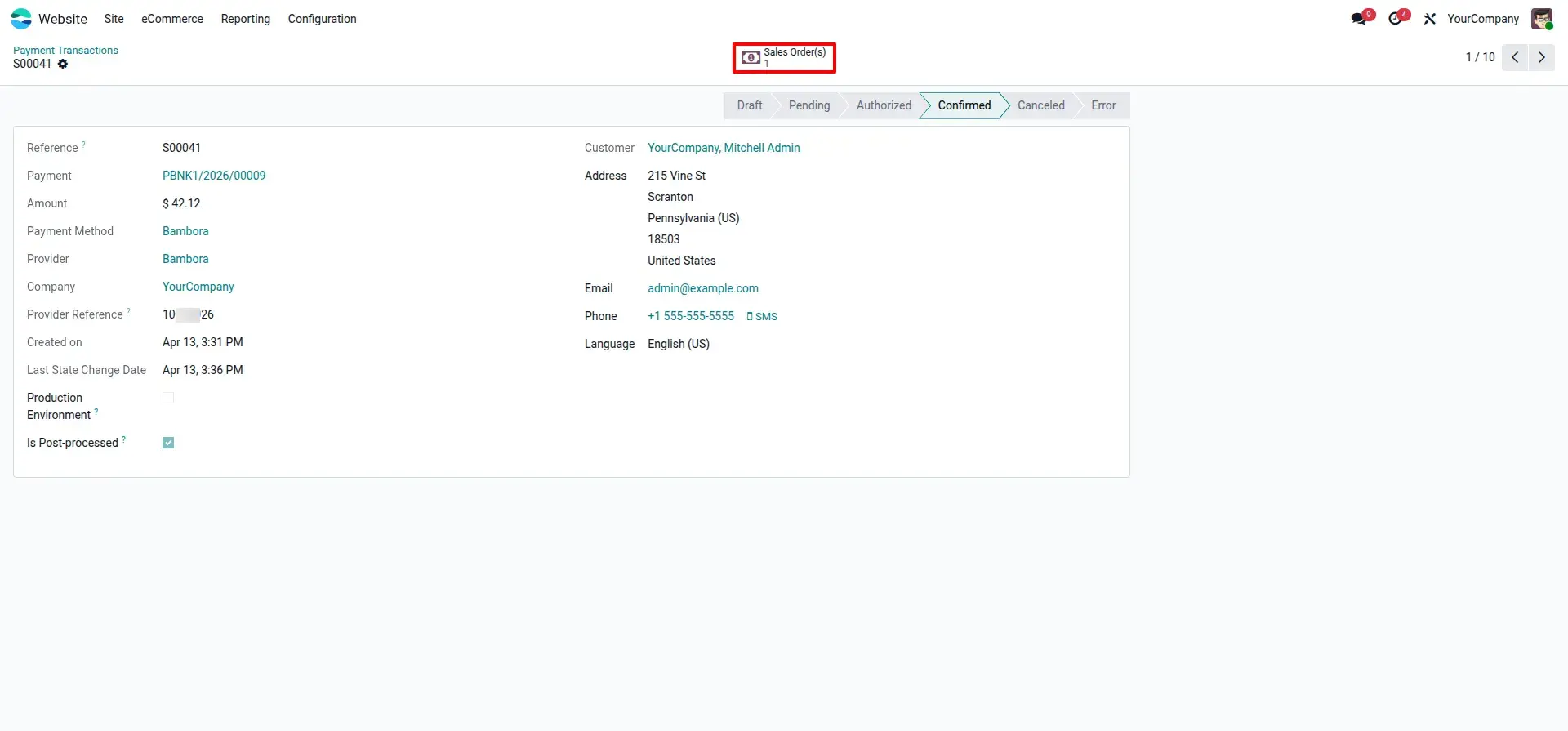
Automatic Payment Transaction Record
The payment transaction record in the Odoo backend automatically updated to the Confirmed state once Bambora sends the payment notification.
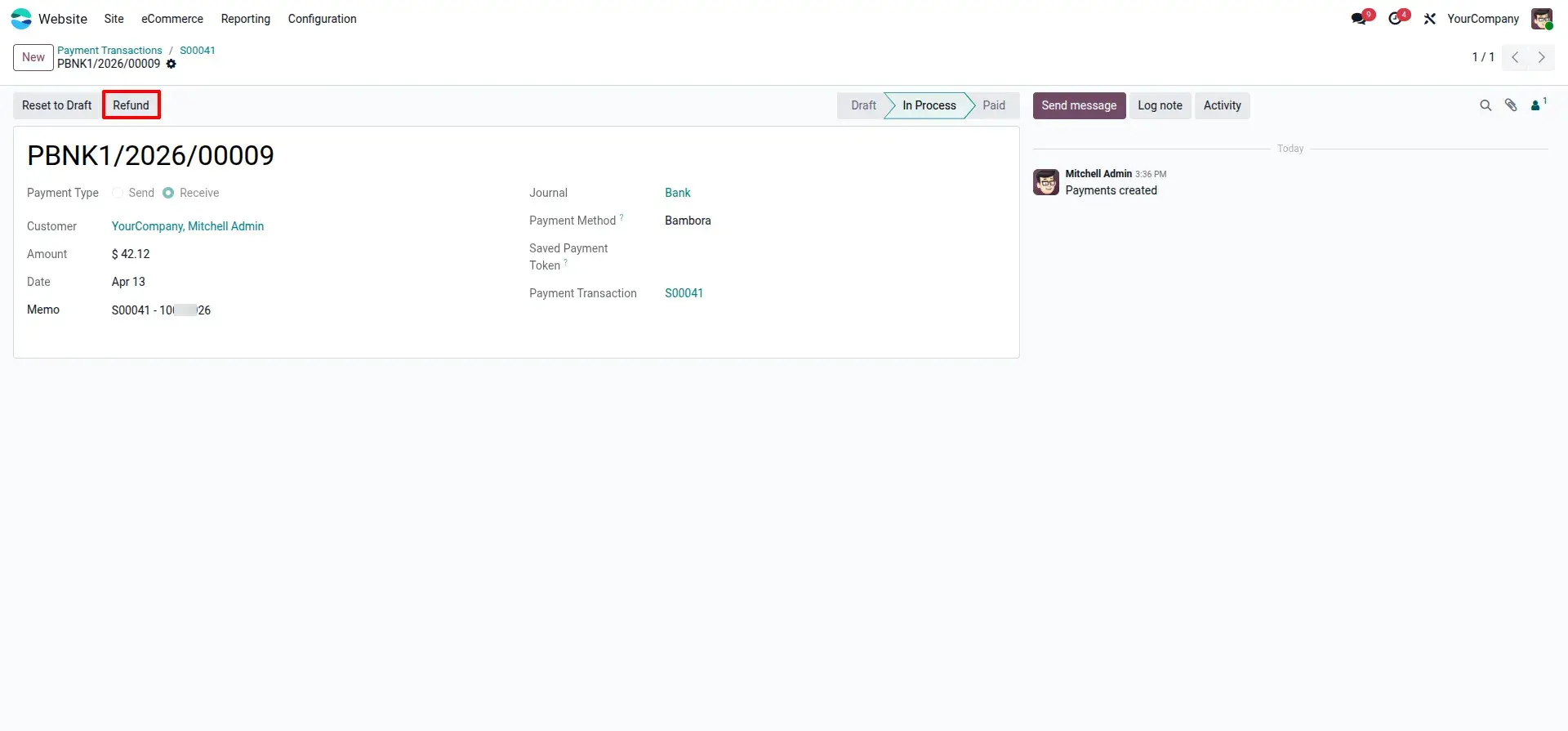
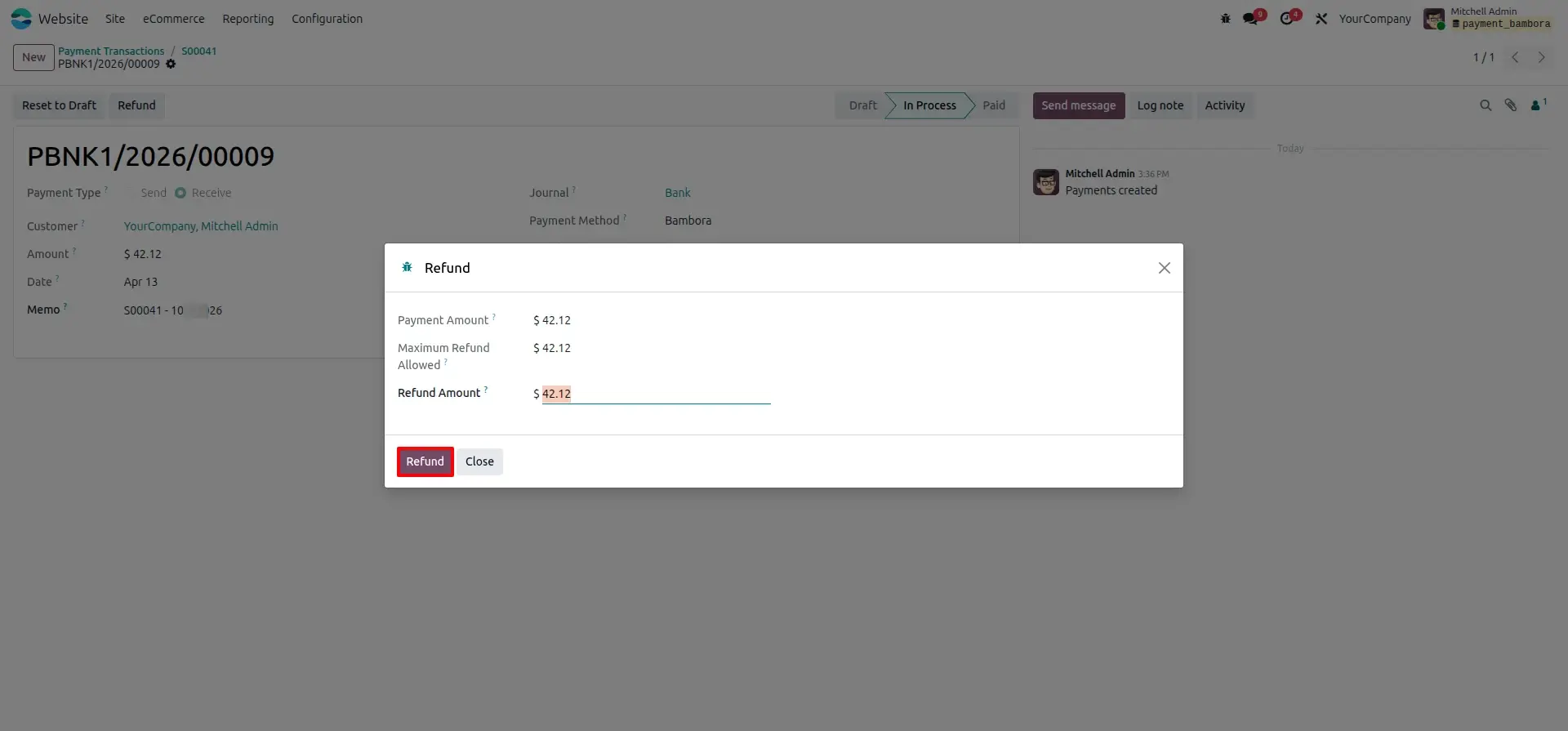
Refund Initiation and Partial Refund Wizard
The refund management screen in Odoo where administrators initiate a refund and enter the precise amount using the built-in refund wizard.
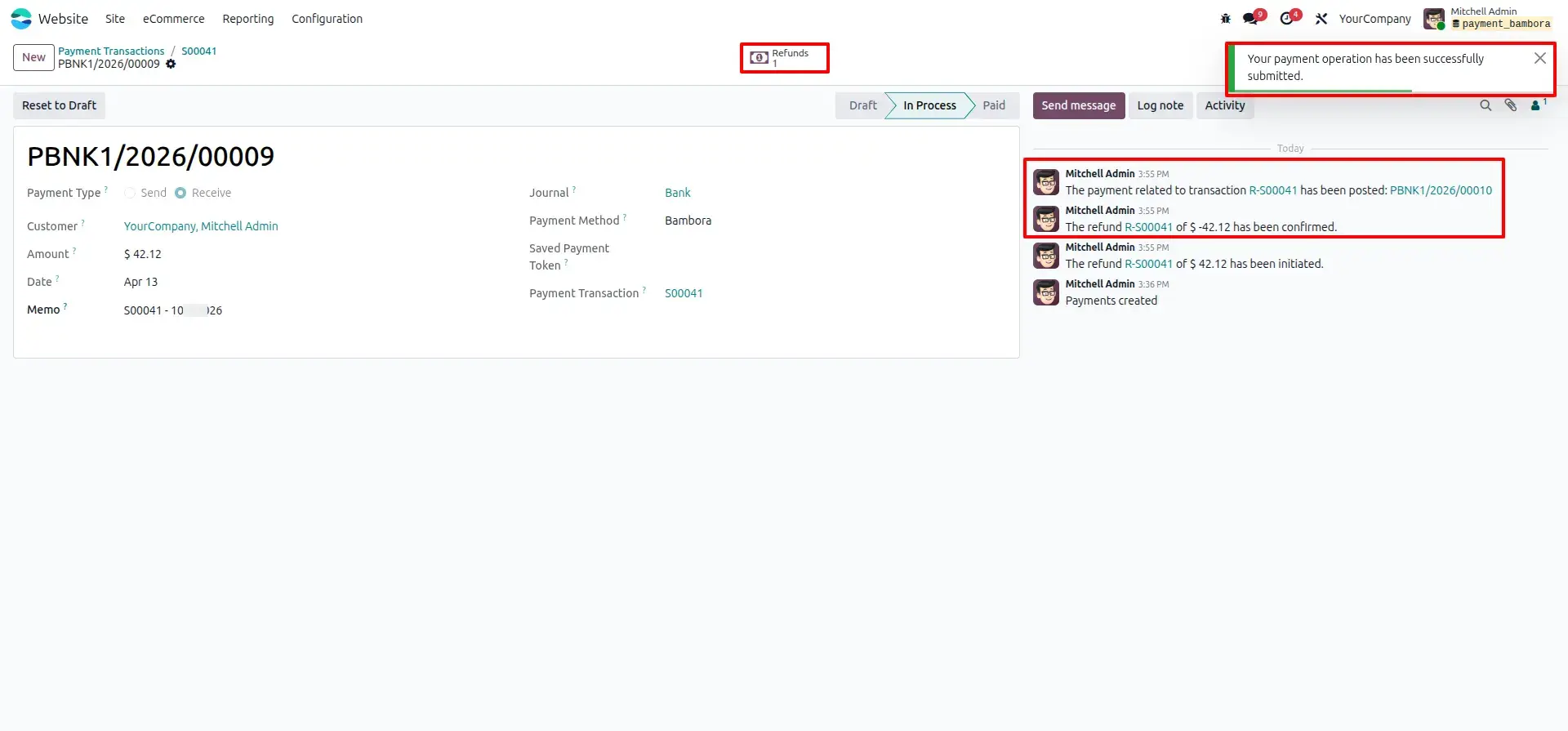
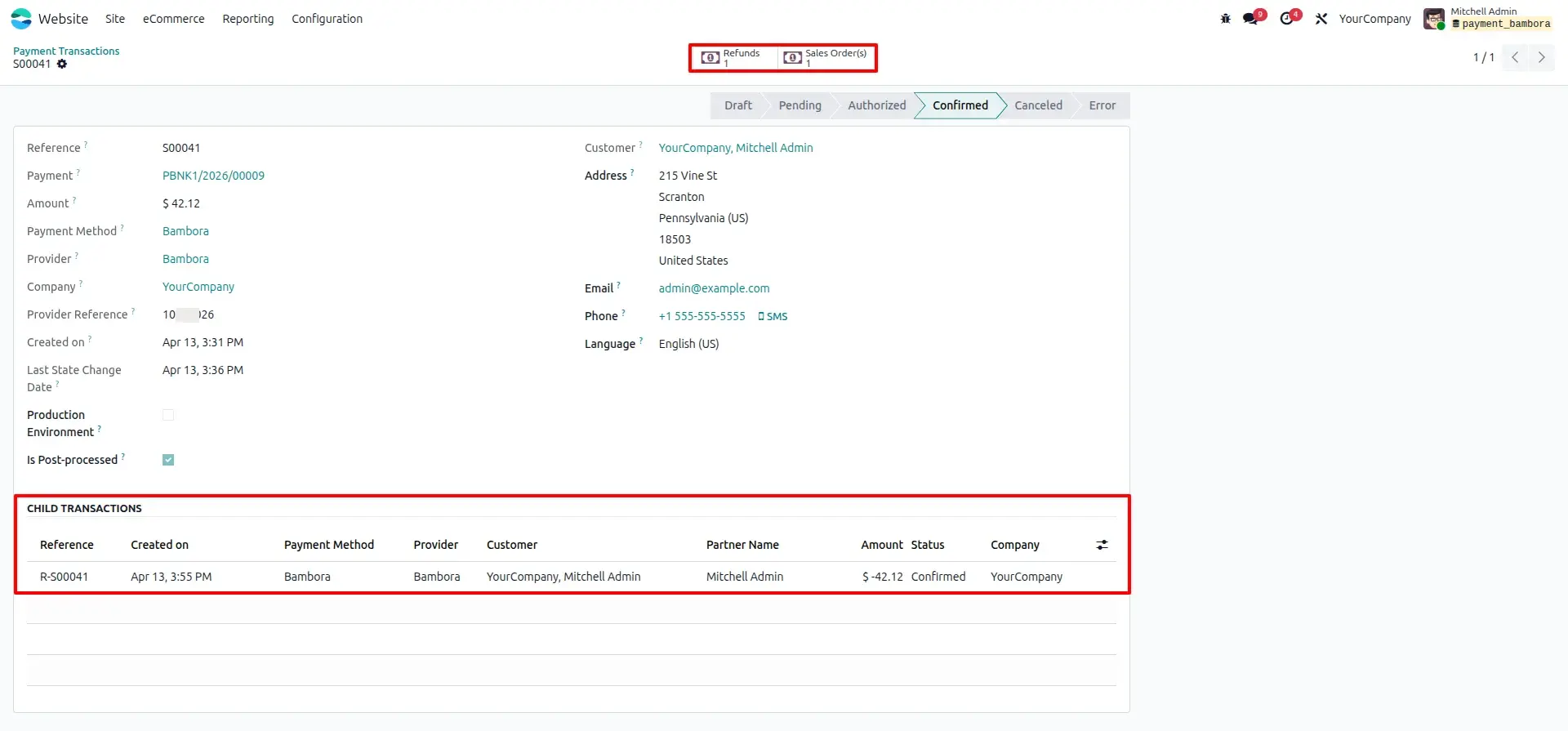
Linked Refund and Audit Trail
The payment record view showing the refund transaction linked as a child record under the original payment, maintaining a complete and traceable audit history.
Synchronized Refund Status
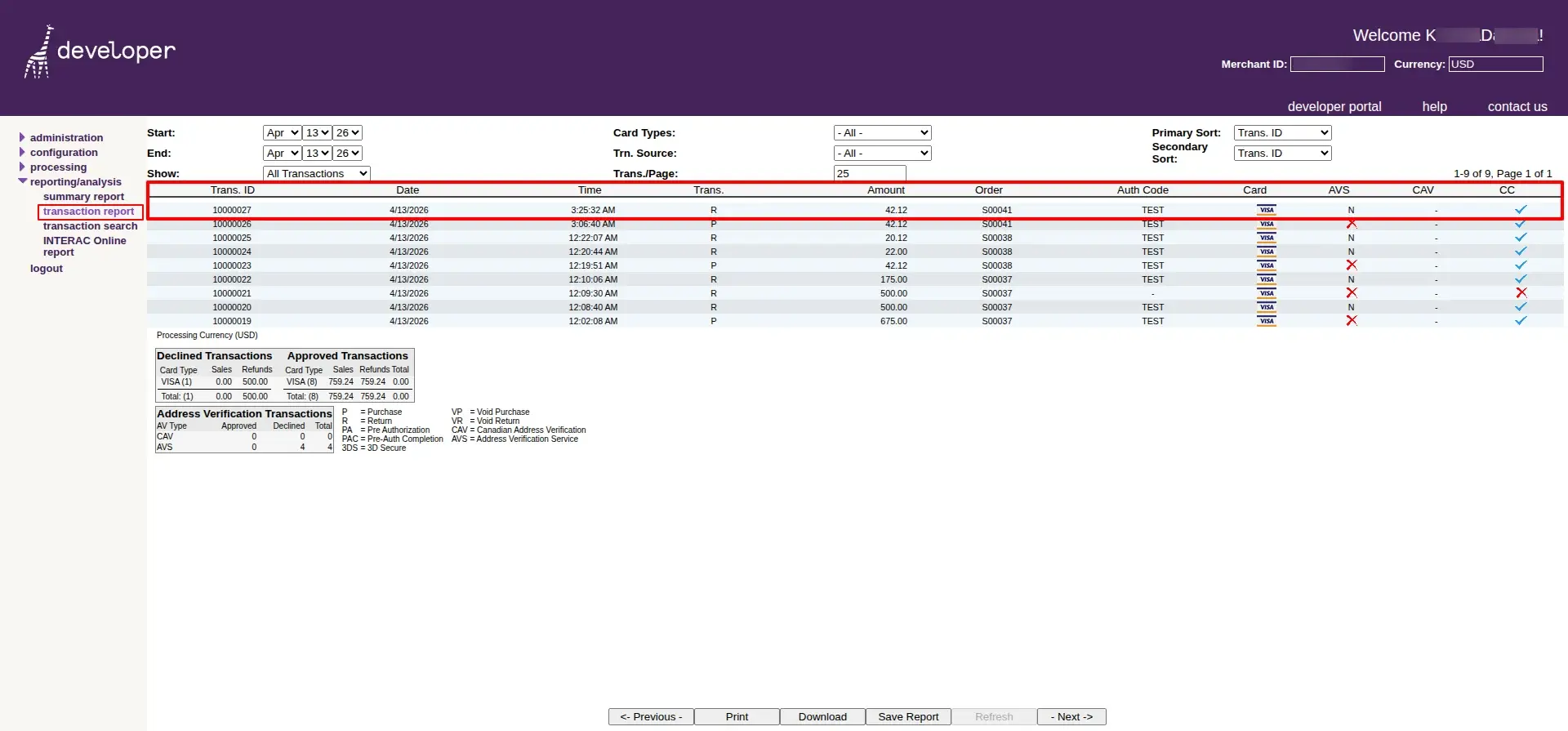
The Bambora merchant portal reflects the updated refund status in sync with the refund processed in Odoo, ensuring both systems remain consistent.
Frequently Asked Questions
Technical Details
Dependencies
• Invoicing (account)
• eCommerce (website_sale)
• Discuss (mail)
• Website (website)
License
OPL-1
Need Assistance?
Email Support
contact@gritxi-tech.comAny Questions?
Have questions about this app?
Fill out the form below and our team will get back to you with more information.
Customer Reviews
Share your experience with this module.
Write a Review
Latest Reviews
No reviews yet. Be the first to share your thoughts!