
Multiples of Quantity in Ecommerce Shop
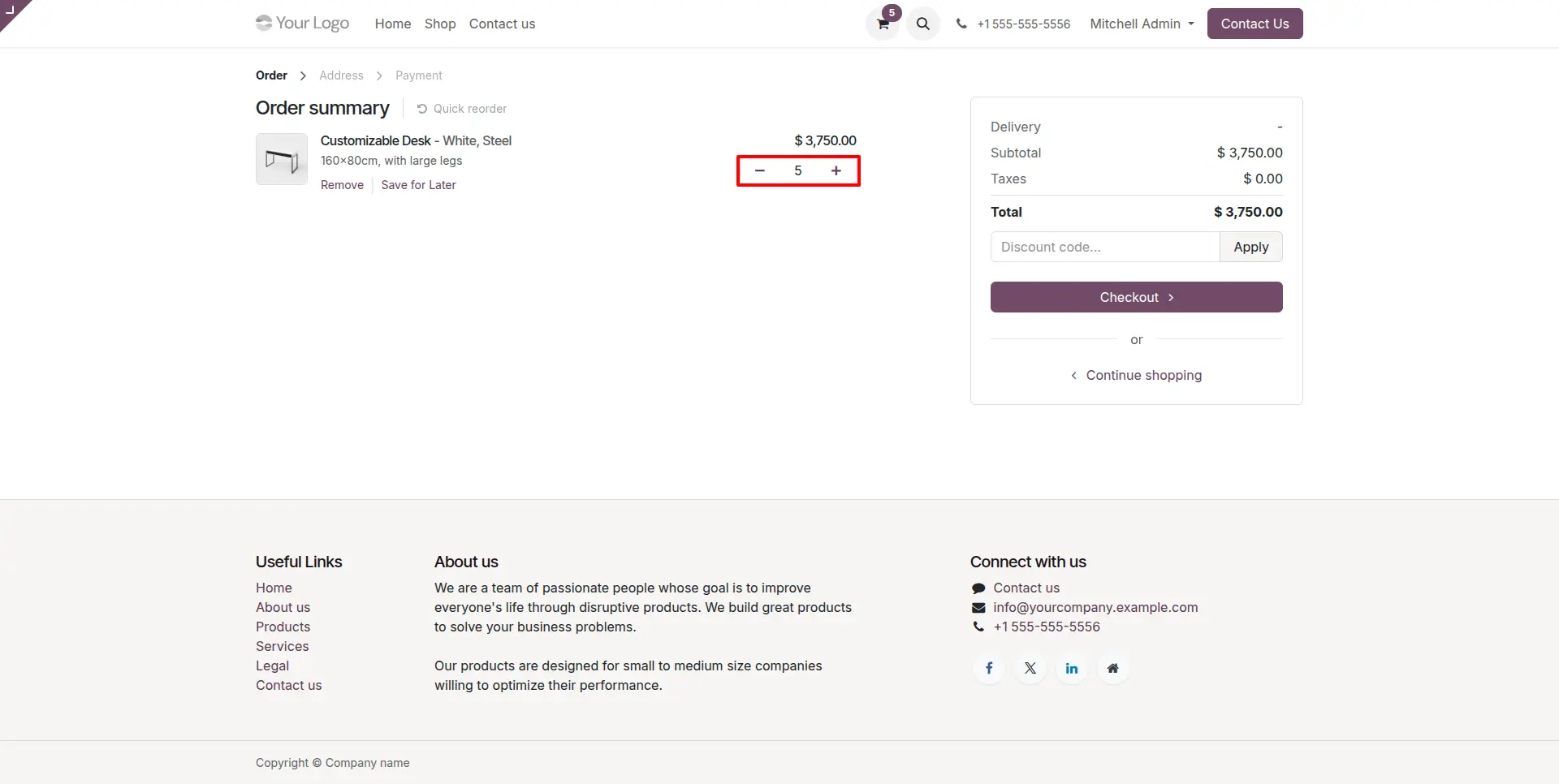
Customers can increase or decrease the quantity of products relative to default quantity in shop and cart.
Multiples of Quantity in Ecommerce Shop
Effortlessly adjust related product quantities in your cart using the pre-set multiplication value, providing a seamless shopping experience.
App Overview

Introduction
The Multiples of Quantity in Ecommerce Shop module helps businesses enforce fixed quantity groups such as packs, boxes, cartons, or wholesale units directly on the Odoo eCommerce website.
The app automatically rounds any entered quantity to the nearest configured multiple and governs how the quantity selector increments and decrements on the shop page. By default, Odoo has no built-in mechanism for this this module fills that gap with a lightweight, native integration.

Purpose
The purpose of the Multiples of Quantity in Ecommerce Shop module is to enforce product-specific purchase multiples on the Odoo eCommerce website, ensuring customers can order products only in predefined quantities such as packs, boxes, cartons, or wholesale units. By automatically validating and adjusting quantities, the module helps businesses standardize online ordering while maintaining accurate inventory and fulfillment processes.
Enforce product-specific purchase quantity multiples.
Prevent customers from ordering invalid quantities.
Automatically adjust entered quantities to the nearest valid multiple.
Standardize online ordering based on packaging and inventory rules.
Simplify wholesale and bulk purchasing workflows.
Reduce order corrections while improving inventory accuracy.
Deliver a seamless purchasing experience through native Odoo eCommerce integration.
Key Features
Quantity Multiple Configuration
Configure a quantity multiple for each product so customers can only purchase in valid increments such as 5, 10, 12, or 24 units.
Website Toggle
Enable or disable quantity-multiple validation independently for each website through a simple configuration option.
Automatic Quantity Rounding
Automatically adjusts manually entered quantities to the nearest valid multiple before updating the shopping cart.
Multiple-Aware Increment & Decrement
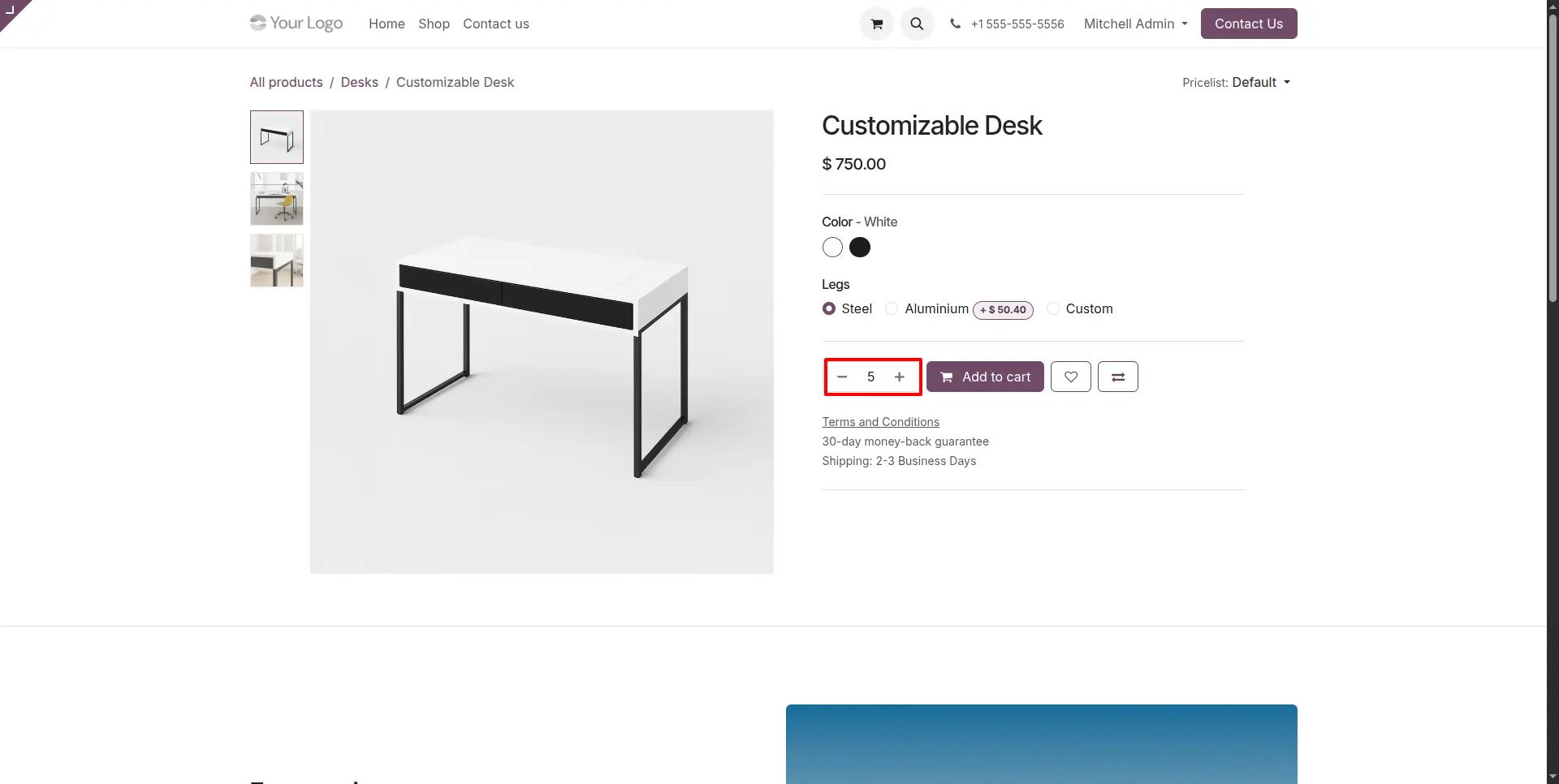
The quantity selector increases and decreases using the configured multiple, preventing customers from selecting invalid quantities.
Native eCommerce Integration
Integrates seamlessly with the standard Odoo website shop and shopping cart without requiring third-party modules or custom workflows.
Simple Backend Setup
Lightweight configuration with minimal setup, allowing businesses to start enforcing quantity multiples immediately after installation.
Configuration & Workflow
Website Quantity Enforcement
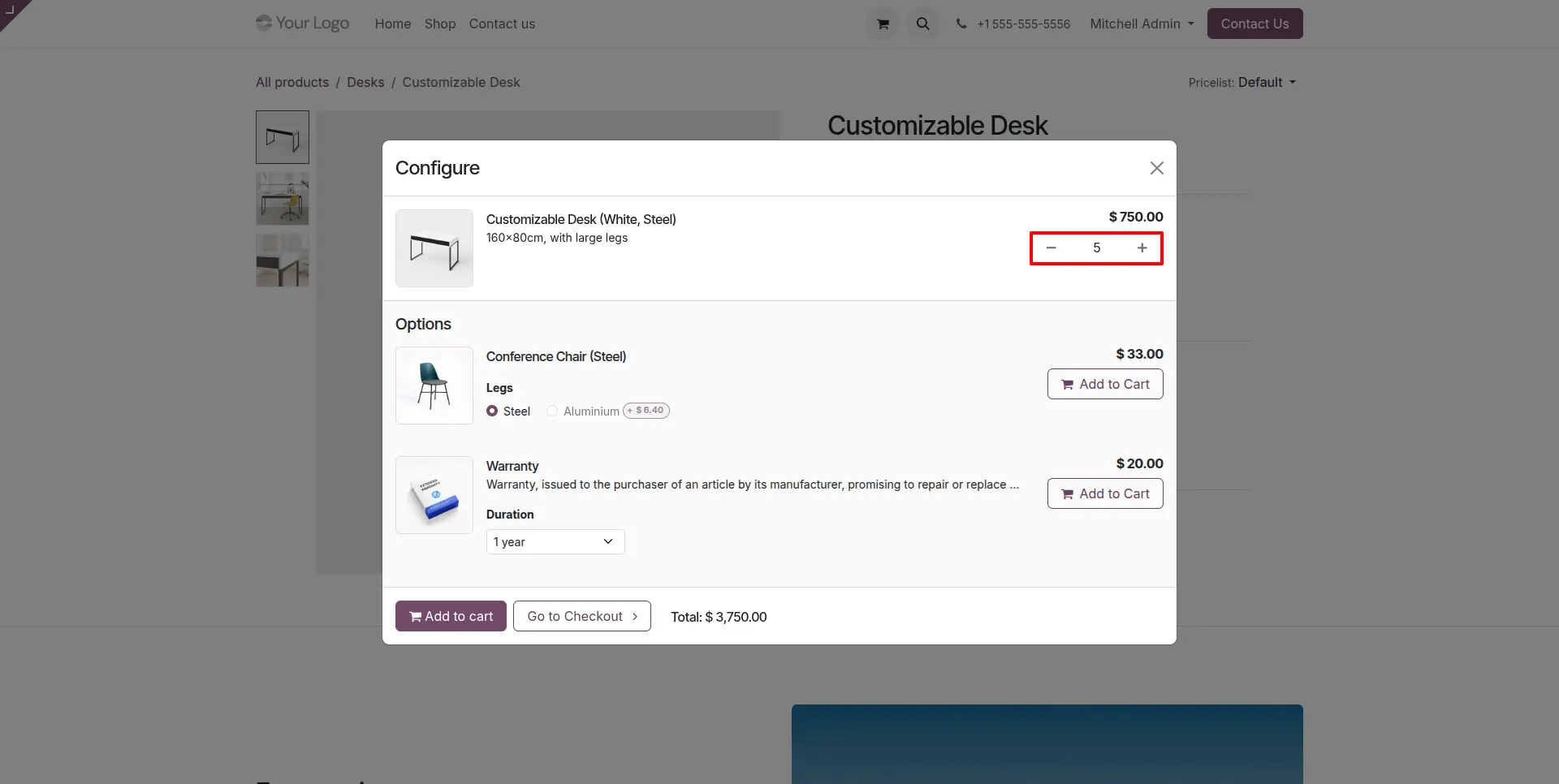
When a product is selected on the website, the configured Quantity Multiple controls the increment and decrement behavior of the quantity selector. Customers can purchase only in valid quantity multiples, ensuring every order follows your predefined business rules.
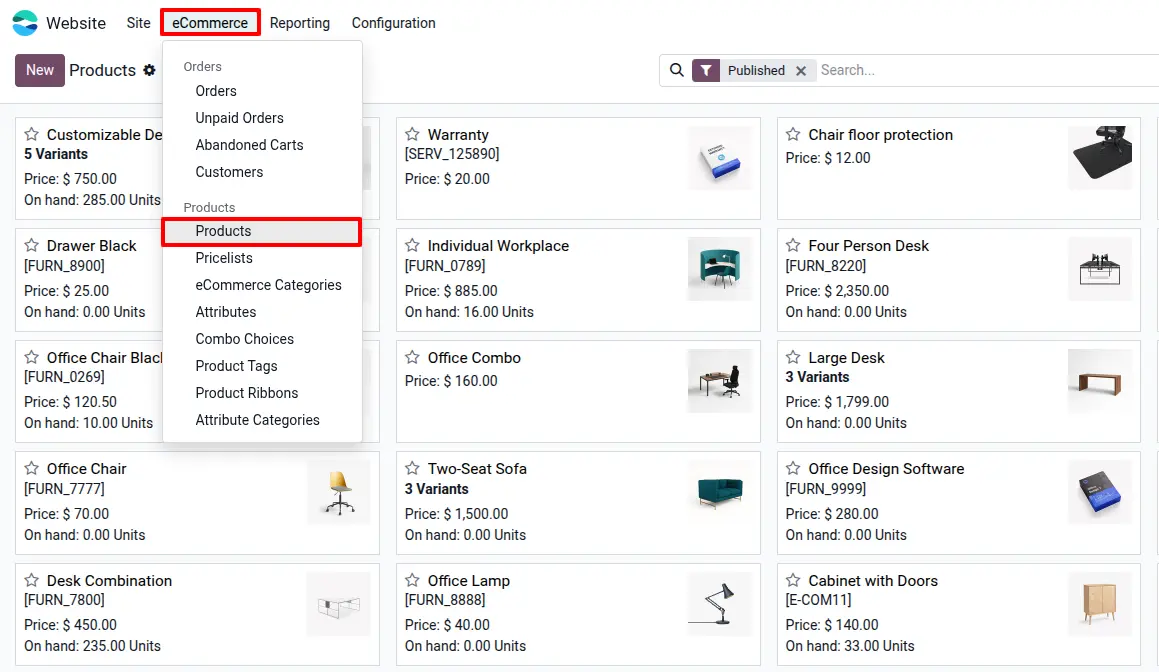
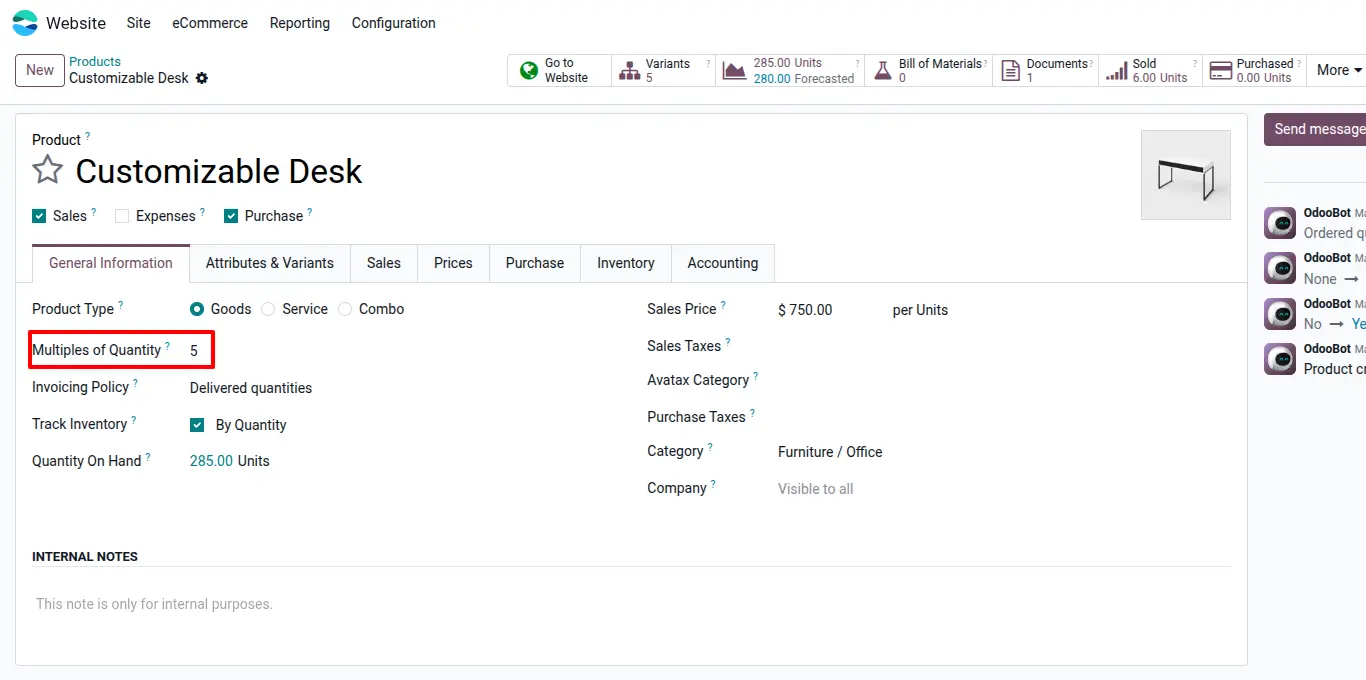
Product Level Configuration
Configure the Quantity Multiple directly on the Product Form. Each product can have its own purchase multiple, allowing complete flexibility for different product types and packaging rules.
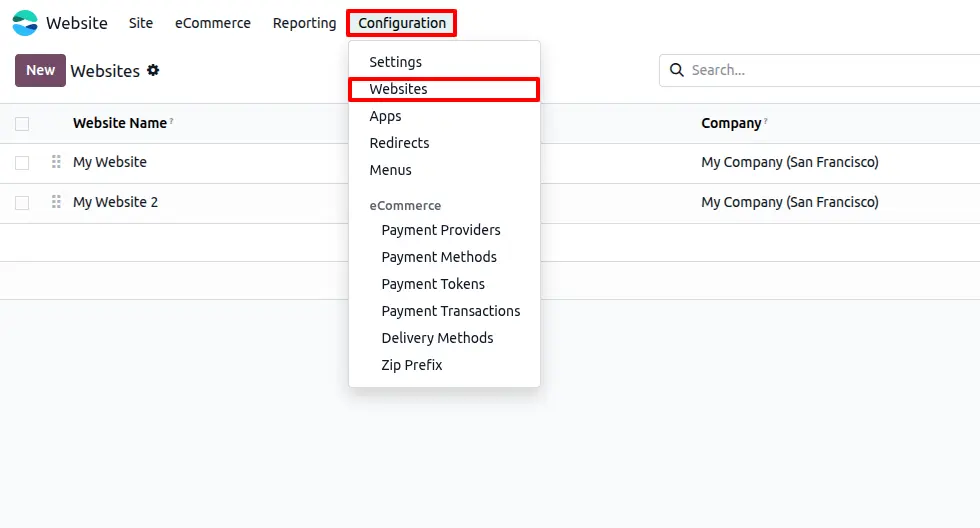
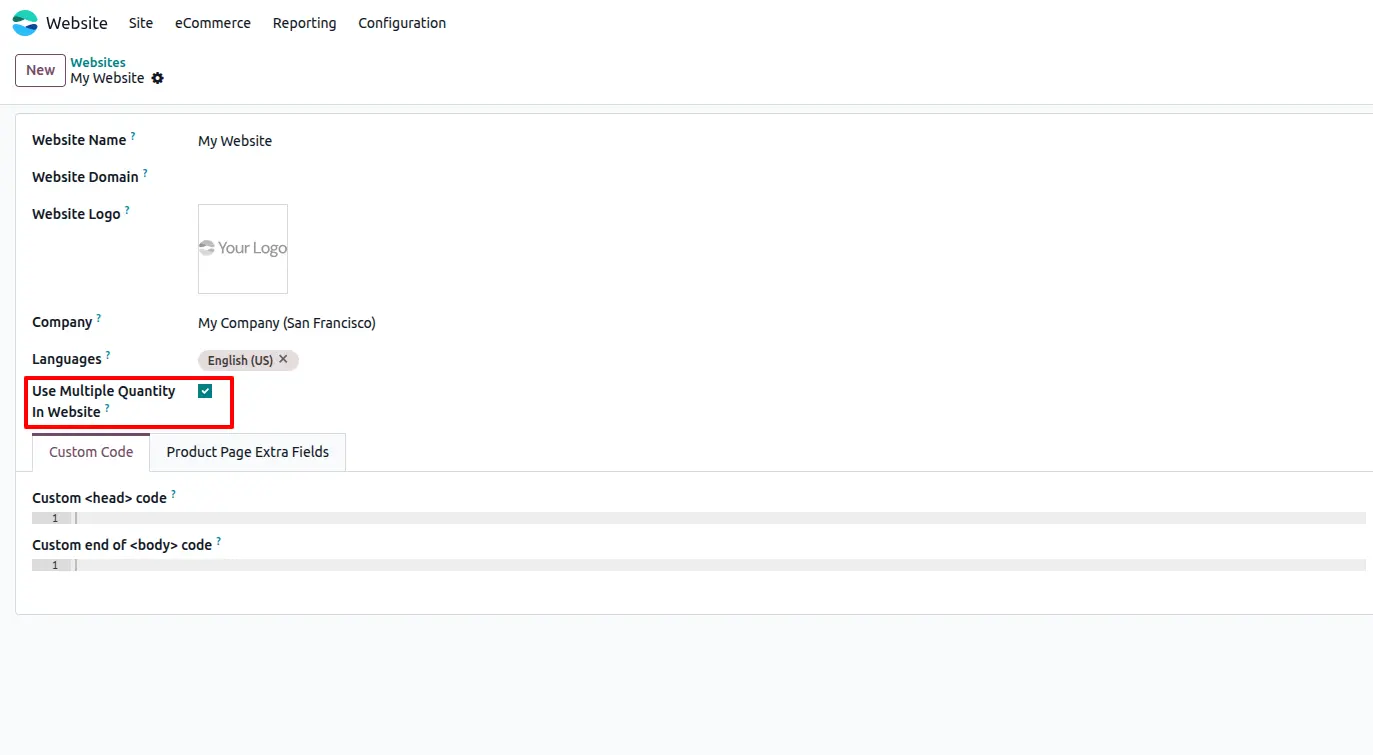
Website Level Activation
Enable or disable the feature independently for each website using the Use Multiple Quantity In Website option available in Website Configuration. This provides full control in multi-website environments.
Automatic Quantity Adjustment
Once the feature is enabled, any quantity entered by the customer is automatically adjusted to the nearest valid multiple before updating the shopping cart. This guarantees accurate order quantities while eliminating manual corrections.
Frequently Asked Questions
Technical Details
Dependencies
• eCommerce (website_sale)
• Website (website)
• Discuss (mail)
• Invoicing (account)
License
OPL-1
Need Assistance?
Email Support
contact@gritxi-tech.comAny Questions?
Have questions about this app?
Fill out the form below and our team will get back to you with more information.
Customer Reviews
Share your experience with this module.
Write a Review
Latest Reviews
No reviews yet. Be the first to share your thoughts!