
Invoice Policy Sale Order Line - Service
Control service invoicing at the Sale Order line level with flexible support for Fixed Price, Timesheets, Milestones, and Manual billing workflows.
Invoice Policy Sale Order Line – Service
Granular line-level invoice policy control for Fixed Price, Timesheets, Milestones, and Manual billing.
App Overview

Introduction
This custom Odoo module enhances the native sales workflow by allowing users to define the Invoice Policy at the Sale Order Line level specifically for Service products.
By default, Odoo sets the service invoicing policy globally on the Product template. This module provides granular, line-level control, empowering sales teams to mix different billing methods for services directly on each quotation or sales order line, ensuring maximum flexibility for complex service contracts.

Purpose
The purpose of the Invoice Policy Sale Order Line Service module is to provide flexible, line-level control over service invoicing within Sales Orders. Instead of relying on a single invoice policy configured at the product level, users can choose the most appropriate billing method for each individual service line, enabling more accurate invoicing for diverse service contracts while preserving Odoo's native Sales, Project, Timesheet, and Accounting workflows.
Configure invoice policies individually for every service line.
Support multiple billing methods within a single Sales Order.
Simplify billing for fixed-price, milestone, timesheet, and manual service projects.
Preserve data integrity by locking invoice policies after order confirmation.
Integrate seamlessly with Odoo Projects, Timesheets, Milestones, and Invoicing.
Improve flexibility for complex service contracts without modifying Odoo's core workflow.
Key Features
Line Level Flexibility
Introduces a Service Invoice Policy dropdown (service_invoice_policy) directly on sale order lines, decoupling invoice logic from the global product setup.
4 Comprehensive Service Workflows
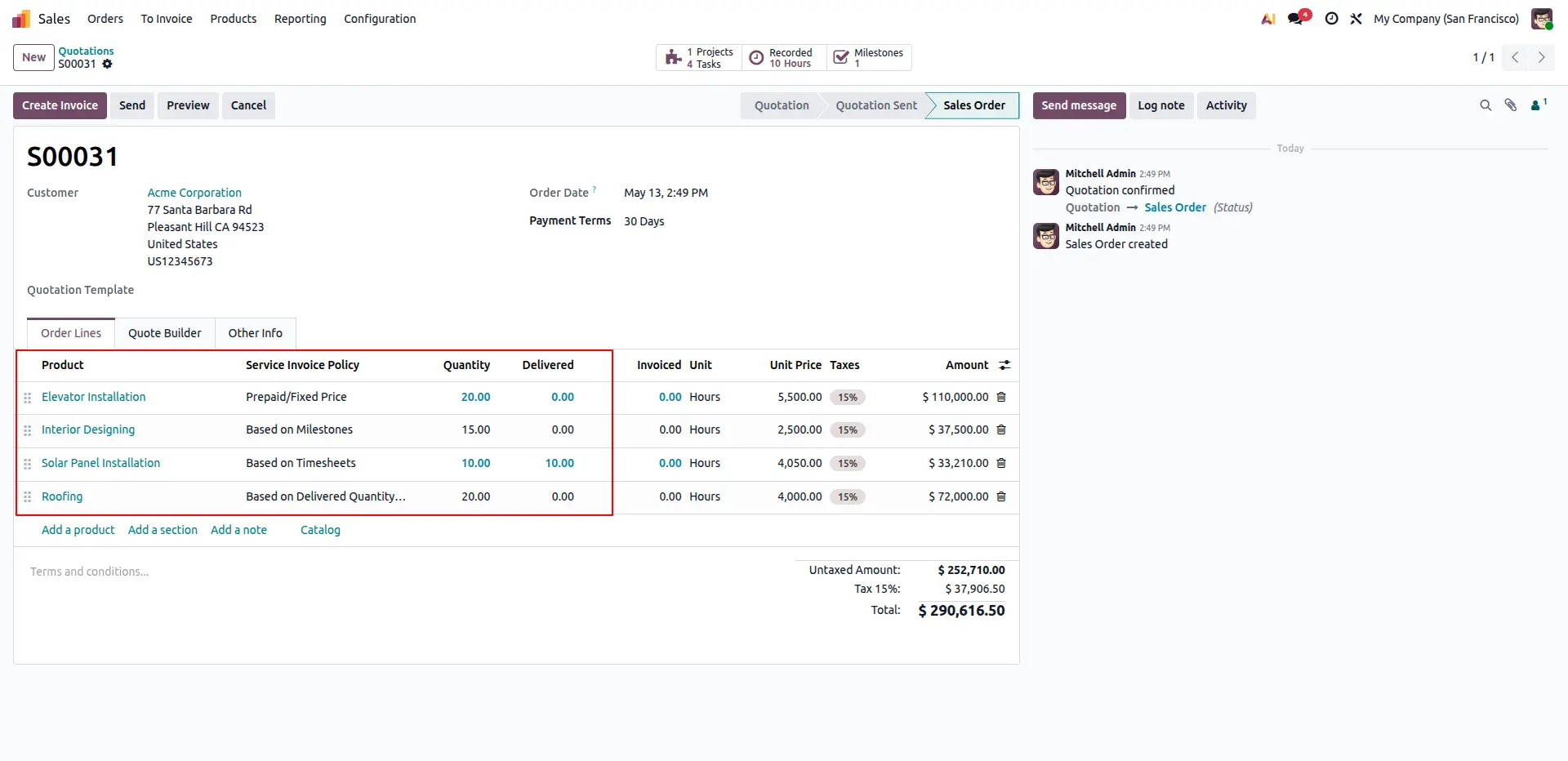
Fully supports Prepaid/Fixed Price, Based on Timesheets, Based on Milestones, and Based on Delivered Quantity (Manual) all configurable per line.
Smart Auto Population
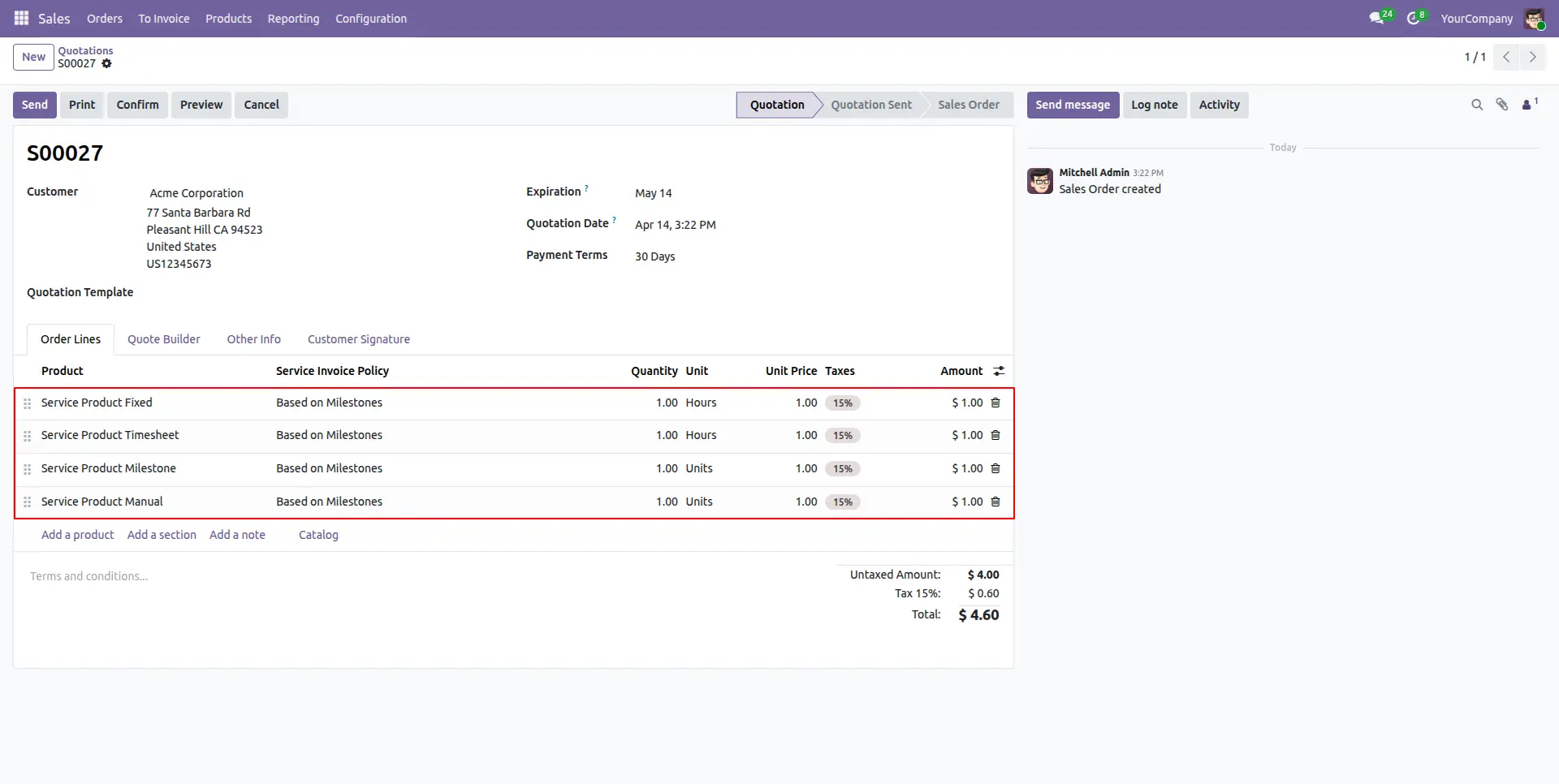
When a service product is added to an order line, the policy is automatically inherited from the product template and pre-filled, preserving native Odoo behavior until changed.
Intelligent UI Visibility
The Service Invoice Policy field is placed right before the Quantity column in the quotation view and intelligently auto-hides for physical goods, keeping the interface uncluttered.
State Protection
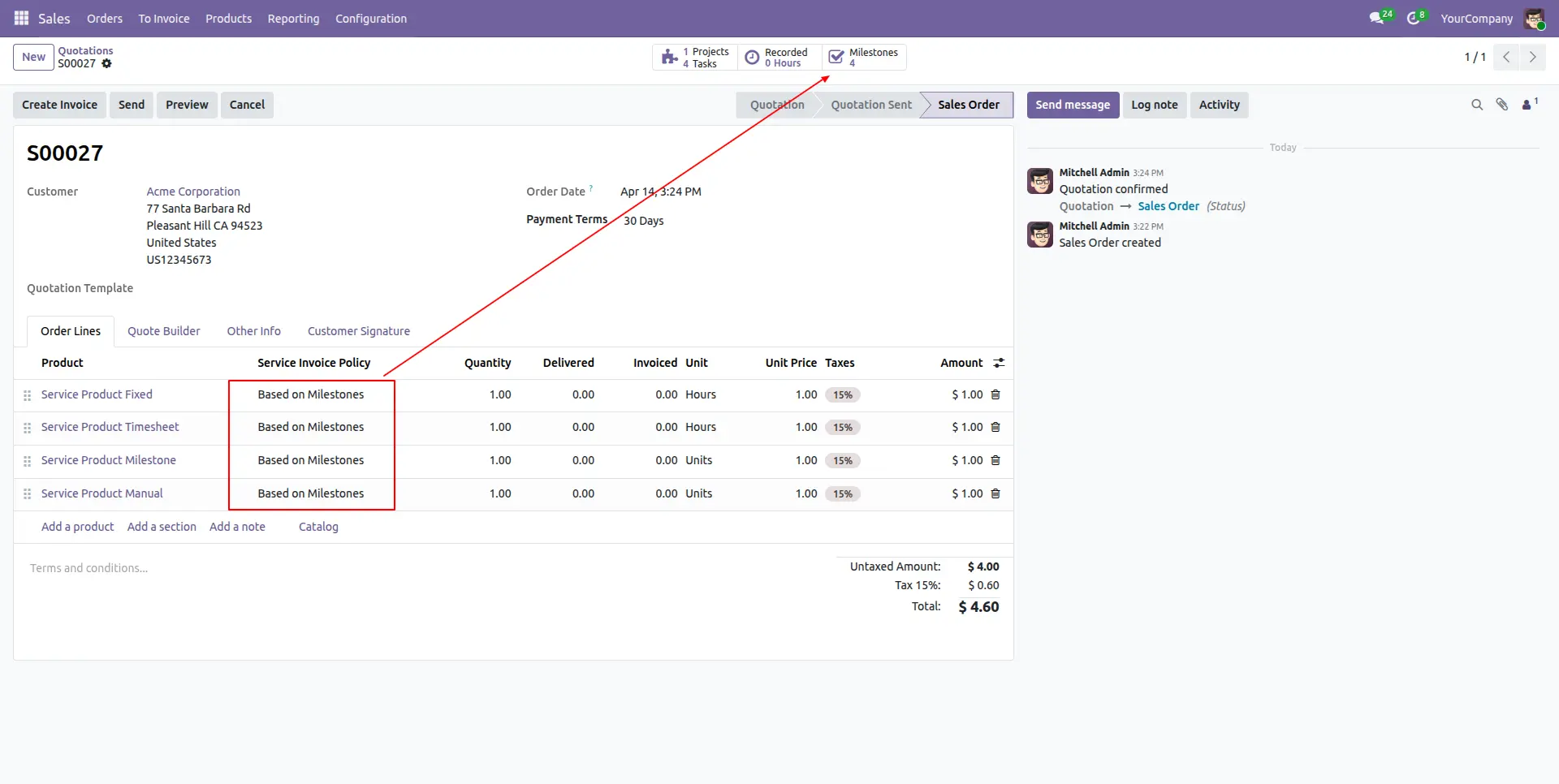
The policy field locks and becomes strictly read-only once the quotation is confirmed into a Sales Order, protecting data integrity across connected projects and timesheets.
Automated Milestone Generation
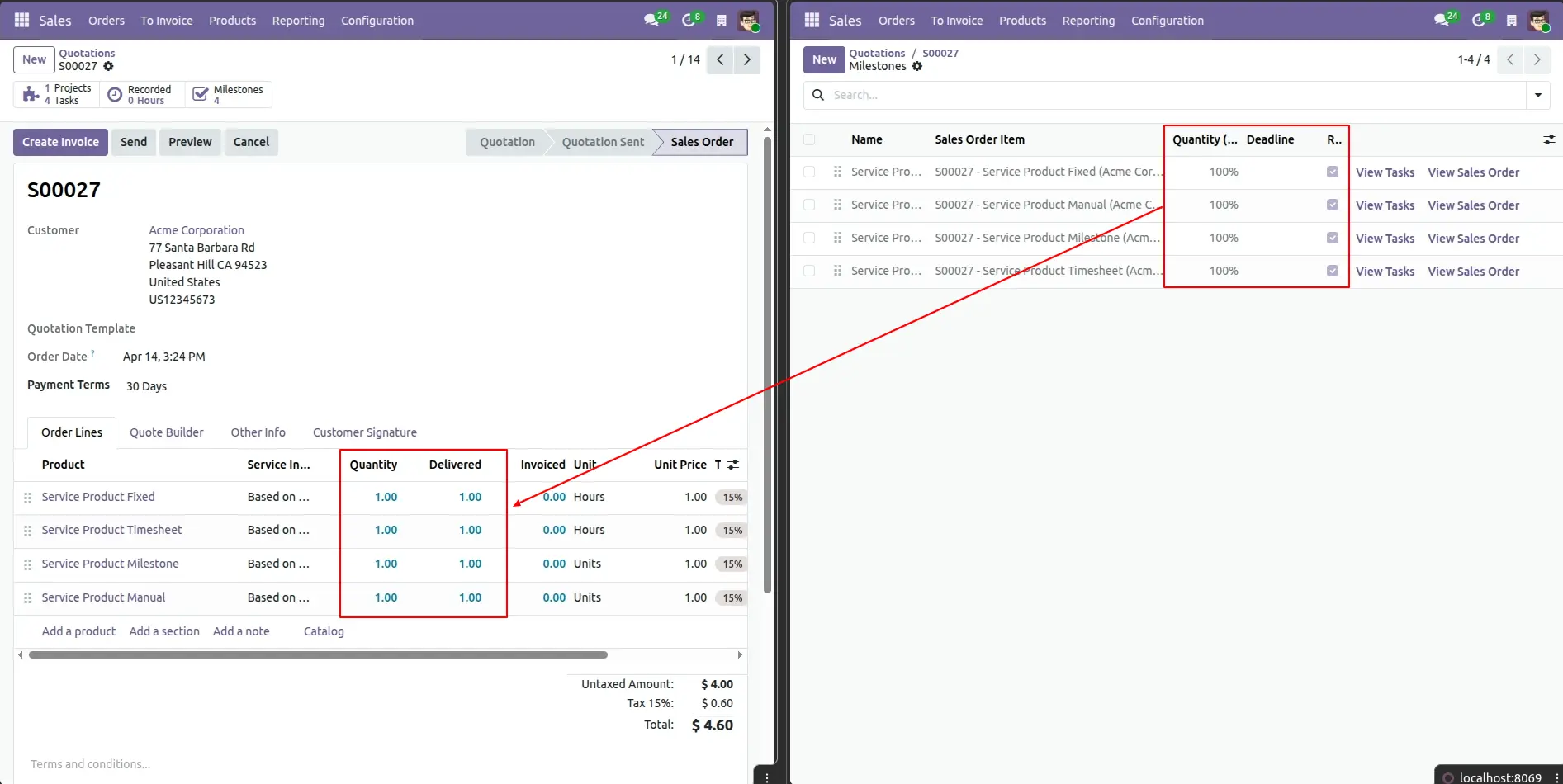
When a line is set to Based on Milestones, the system automatically creates the required project milestone upon order confirmation and links it to the order line and related tasks.
Native Integration
Deeply integrates with sale_timesheet and sale_project to ensure accurate computation of delivered quantities, invoice status, and invoicing amounts without modifying Odoo's standard workflow.
Configuration Steps
No additional configuration is required after installation. The module is ready to use immediately on new quotations and sales orders.
Automatic Policy Assignment
When a Service product is added to a Sale Order Line, the Service Invoice Policy field is automatically populated from the product template. Users can manually override the policy on any line before order confirmation to accommodate project-specific billing requirements.
Data Integrity Protection
Once the Sales Order is confirmed, the Service Invoice Policy field becomes read-only. This prevents accidental changes that could affect related projects, tasks, milestones, timesheets, deliveries, and accounting records.
Milestone Automation
When a service line is configured with the Based on Milestones policy, the module automatically creates a project milestone during order confirmation if none exists and links it to the related project, task, and sales order line.
Native Timesheet Integration
Selecting Based on Timesheets automatically routes delivered quantity calculations through Odoo's native timesheet engine, ensuring invoicing remains synchronized with approved timesheet entries.
Frequently Asked Questions
Technical Details
Dependencies
• Sales (sale_management)
• Discuss (mail)
• Invoicing (account)
• Project (project)
• Employees (hr)
License
OPL-1
Need Assistance?
Email Support
contact@gritxi-tech.comAny Questions?
Have questions about this app?
Fill out the form below and our team will get back to you with more information.
Customer Reviews
Share your experience with this module.
Write a Review
Latest Reviews
No reviews yet. Be the first to share your thoughts!