
Gt Task Mass Update
Update Assignees, Stages, Deadlines, Priorities, and More Across Multiple Tasks in One Click
GT Task Mass Update
A lightweight yet powerful Odoo module for the Project app that enables bulk updates for multiple tasks at once through a simple wizard interface.
App Overview

Introduction
The GT Task Mass Update is designed to eliminate the need for opening and editing tasks individually. Whether you are managing a small team or a large-scale project, this module significantly reduces the time and effort required for routine routine task administration in fast-paced environments.
By selecting multiple tasks from the list view, users can trigger a dedicated mass update wizard to modify key fields such as assigned users, project stages, priorities, deadlines, and kanban states all in a single operation. This ensures your project data remains accurate and up to date without the manual overhead.
Built natively on Odoo's Project and Discuss modules, it integrates seamlessly into your existing workflow. Every bulk change is automatically logged in each task's chatter, providing a full audit trail and ensuring complete transparency for the entire team.

Purpose
Standard Odoo Project management requires users to open and edit tasks individually to update information such as assignees, stages, or deadlines. This manual approach is time-consuming and inefficient for project managers and teams handling high volumes of tasks, leading to administrative bottlenecks and potential delays in routine project updates.
The GT Task Mass Update module solves this by providing a simple yet powerful bulk-editing workflow. By enabling a dedicated wizard in the list view, it allows users to update multiple fields simultaneously across any number of selected tasks. This streamlined process eliminates repetitive data entry, ensures project data remains current with minimal effort, and maintains full accountability through automated chatter logging for every change.
Key Features
Bulk Task Selection
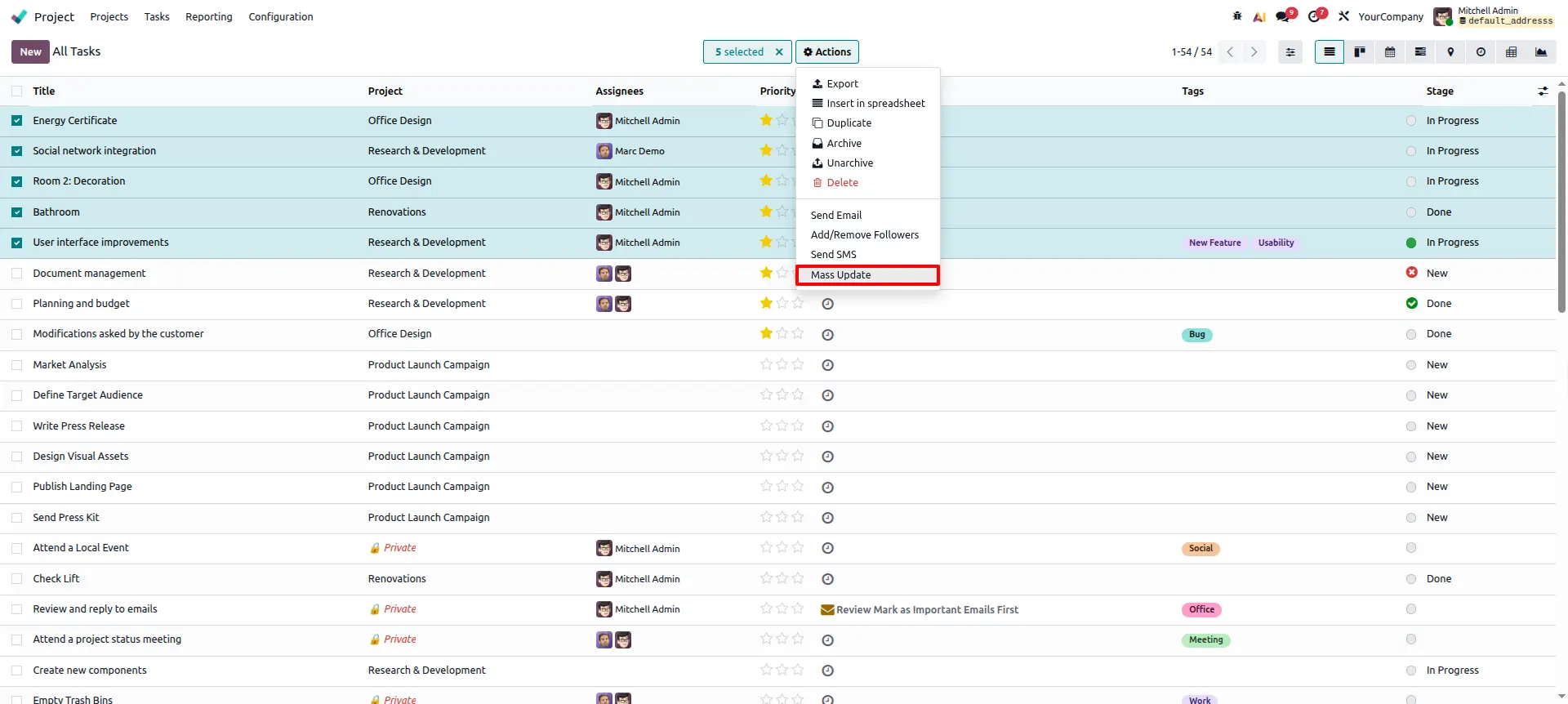
Select multiple tasks from the list view using standard checkboxes and trigger updates in one click from the Action menu.
Mass Update Wizard
A clean pop-up wizard guides users to choose fields and assign new values without opening individual tasks.
Multi-Field Update
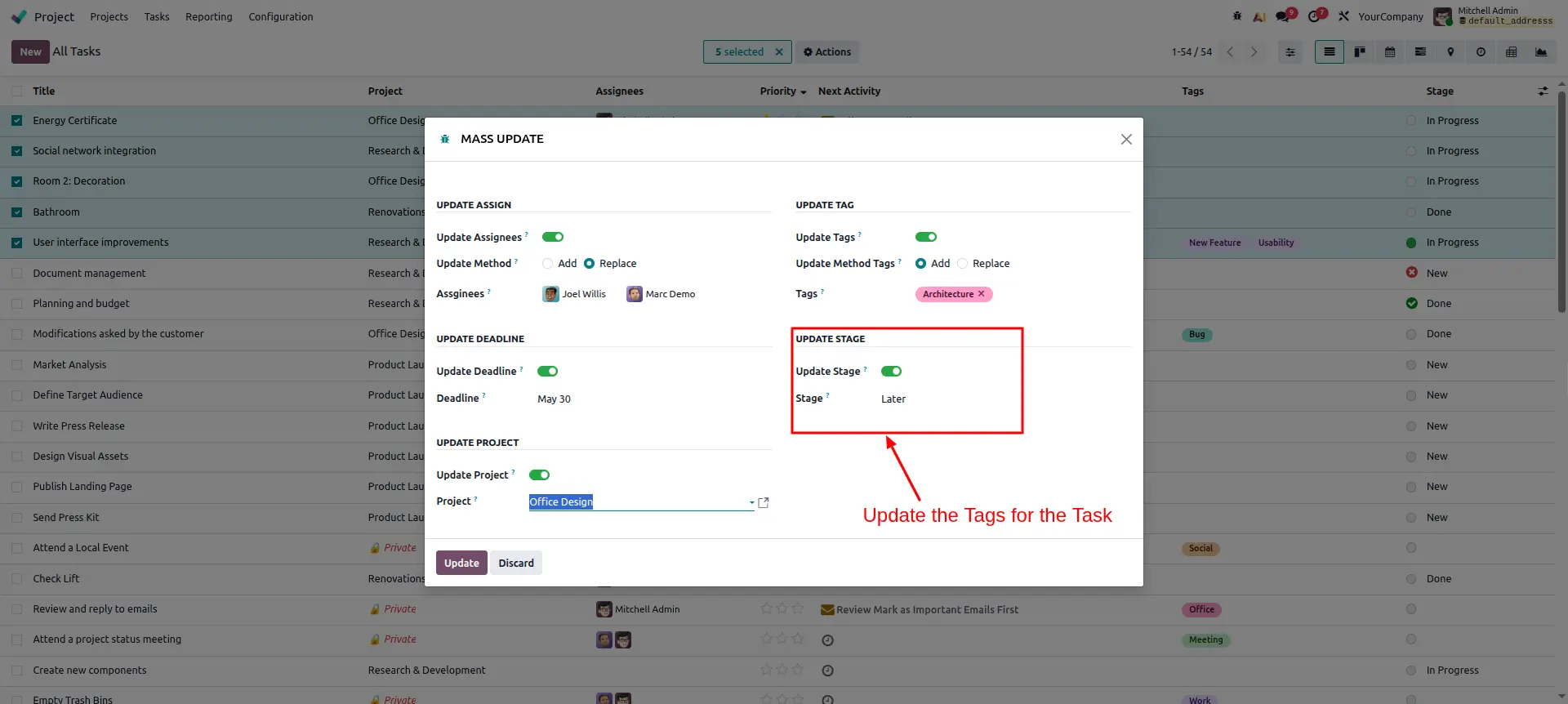
Update assigned user, stage, priority, deadline, and kanban state simultaneously across all selected tasks.
Selective Application
Only fields explicitly filled in the wizard are updated; blank fields leave existing task values untouched and safe.
Native Integration
Builds directly on Odoo's Project and Discuss modules, blending seamlessly with no extra configuration screens.
Chatter Logging
All mass update actions are recorded in each task's chatter, providing a clear and auditable history of changes.
Configuration Steps
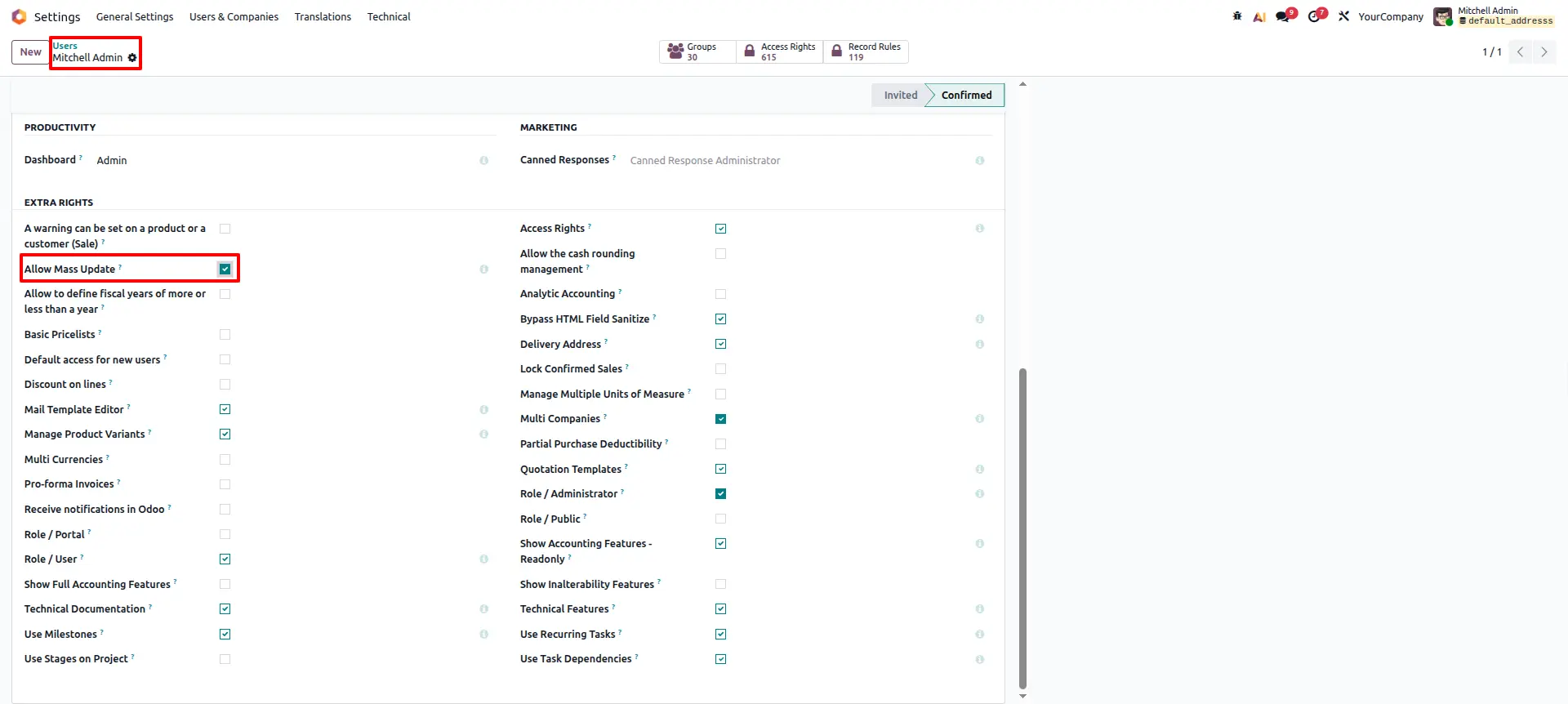
Enable User Permissions
Navigate to Settings > Users & Companies. Locate the Allow Mass Update security setting and enable it for the desired users.
Trigger Mass Update Action
Select multiple tasks in the List View. Open the Action menu and choose Mass Update to launch the specialized wizard.
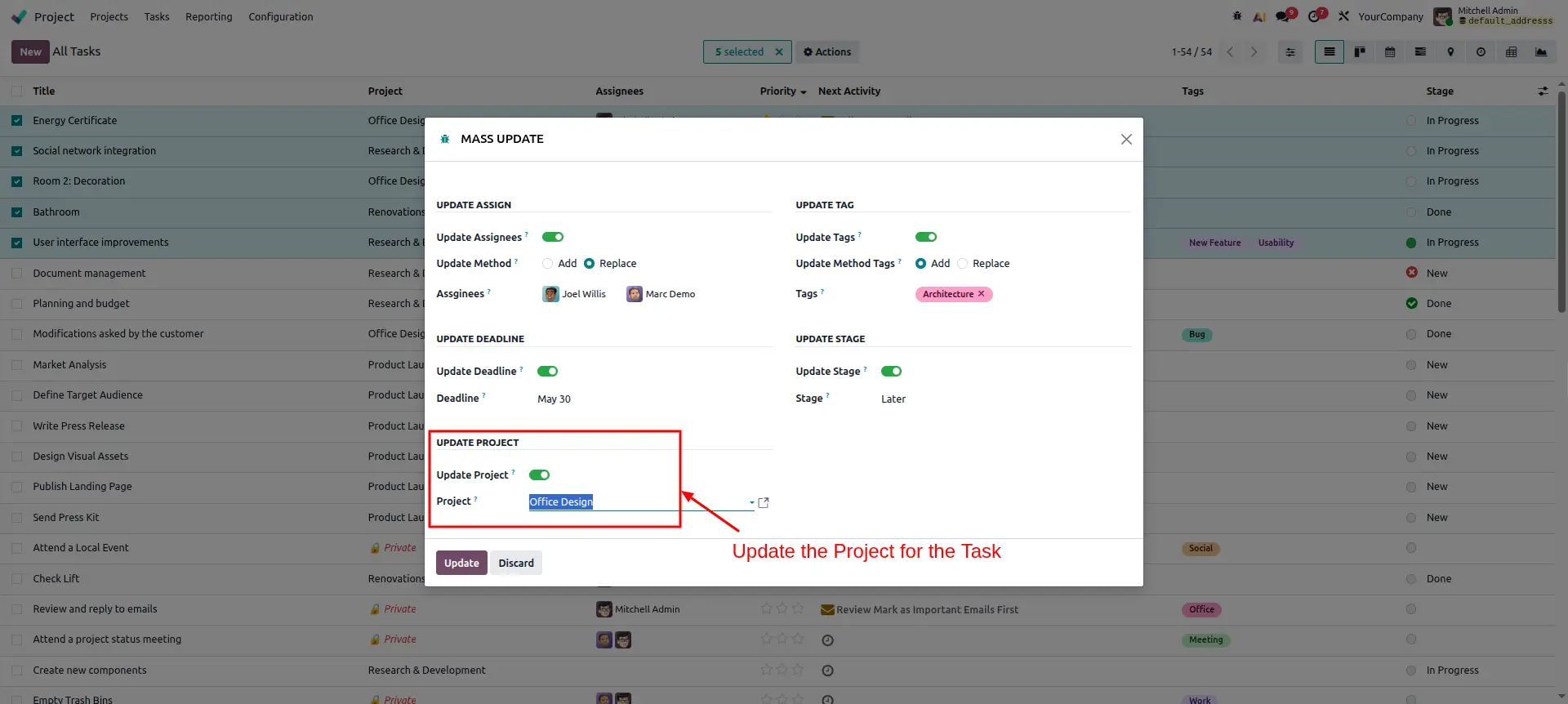
Bulk Project Migration
In the Update Project section of the wizard, toggle the setting and select the new destination project for all selected tasks.
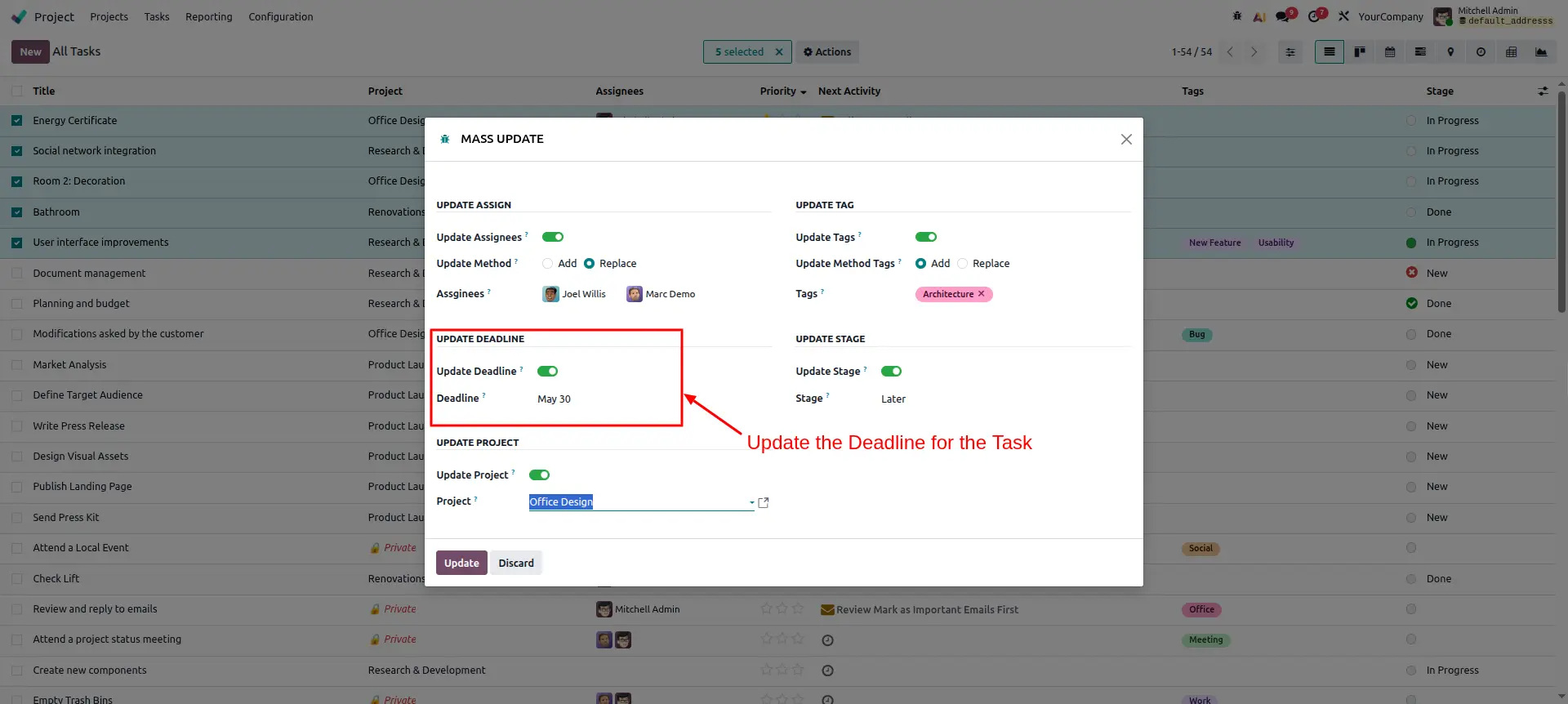
Synchronize Deadlines
If project dates shift, use the Update Deadline feature to set a uniform due date across all selected tasks simultaneously.
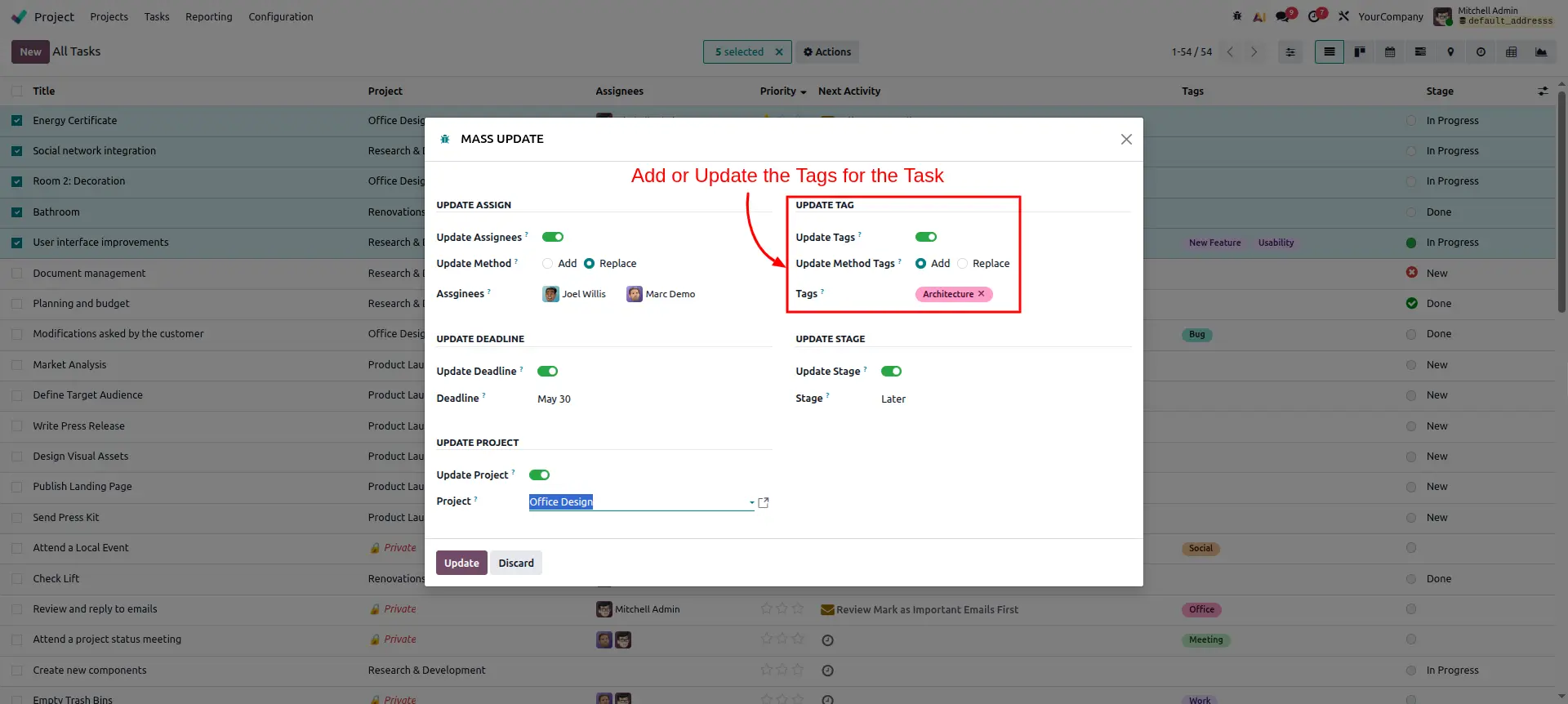
Apply Dynamic Tags
Categorize your tasks efficiently. Toggle Update Tags to add new identifying labels to every task in your selection.
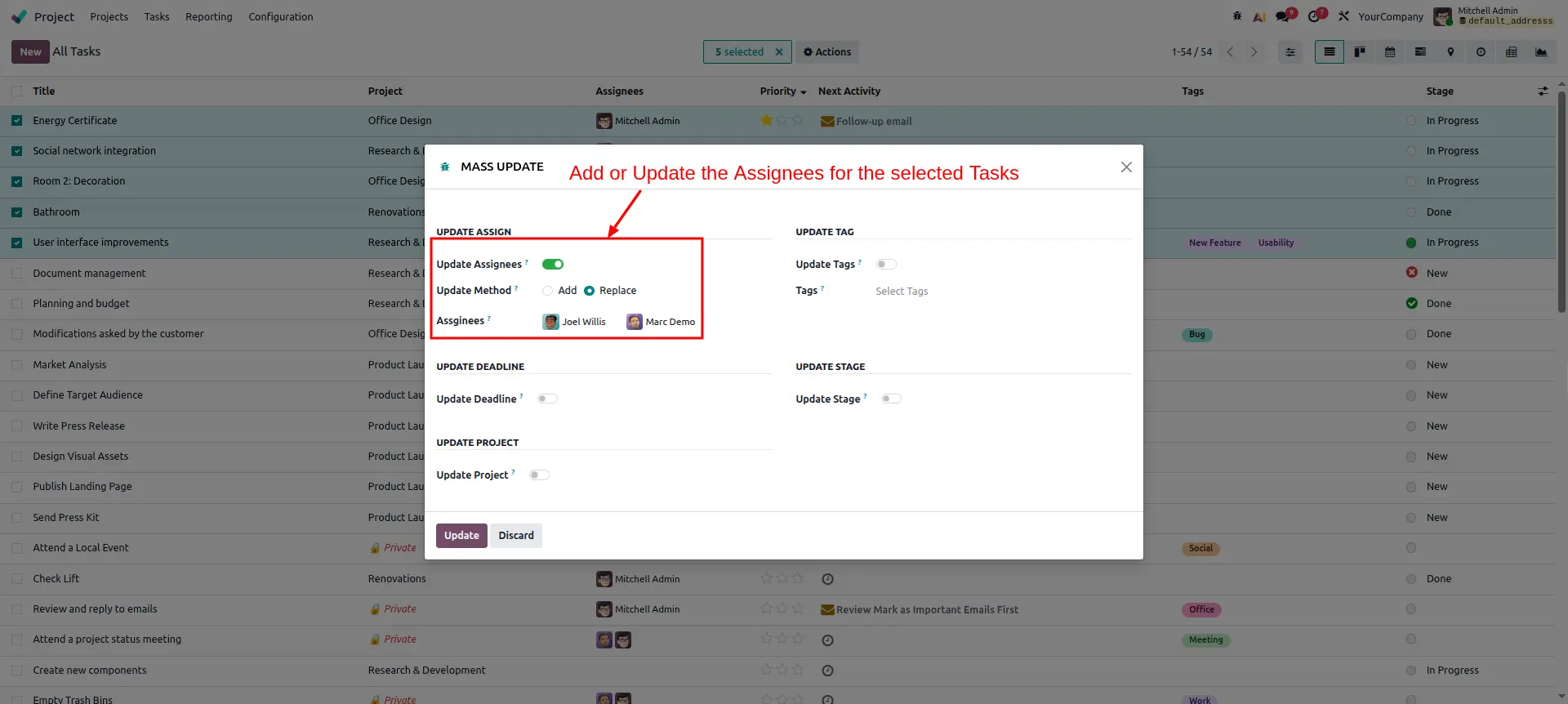
Team Resource Allocation
Quickly assign multiple users to your tasks. You can choose to Add new members or Replace the entire team assigned to the tasks.
Detail Tag Refinement
Fine-tune your categorization by adding specific architectural or technical tags to ensure better filtering and project tracking.
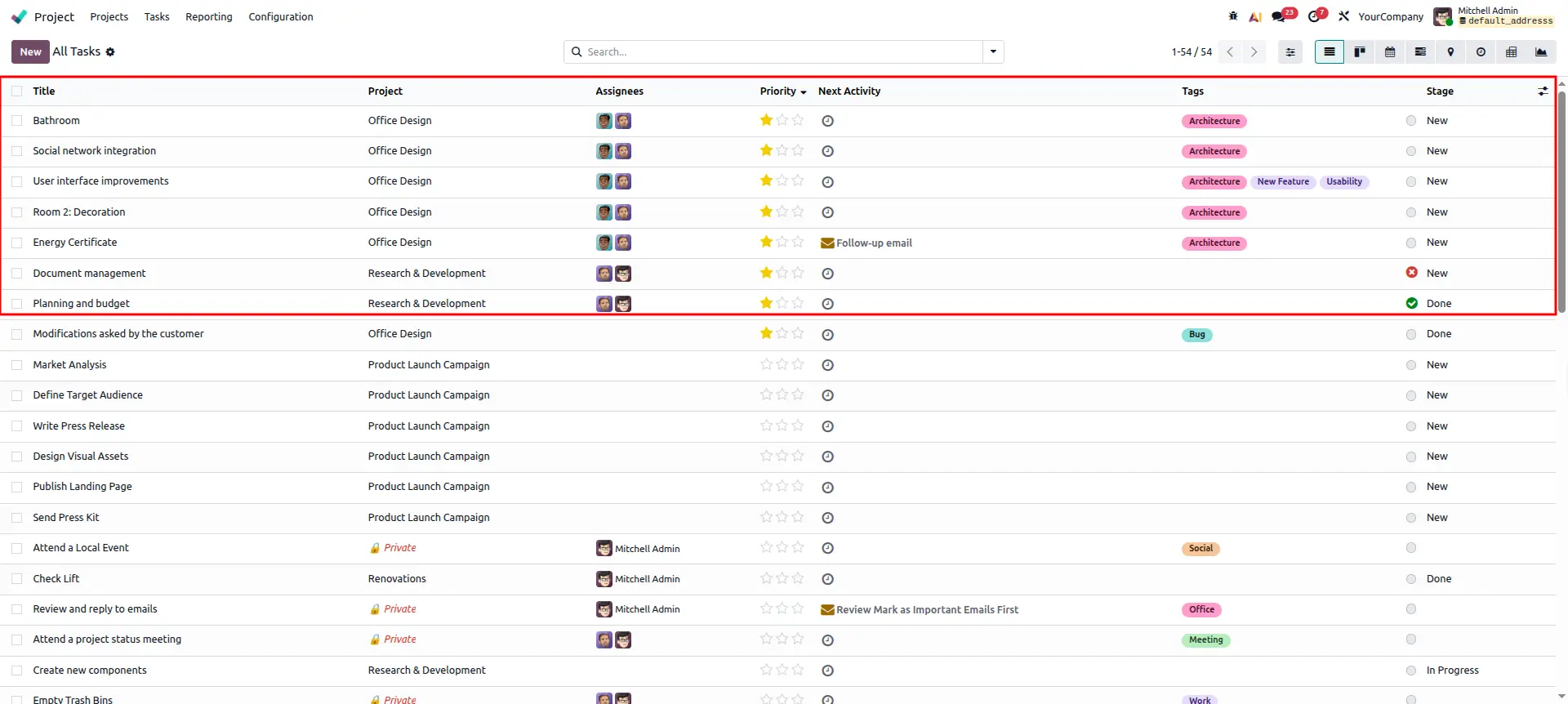
Instant Change Reflection
Return to the List View to see all modifications reflected instantly across all selected tasks. Your project board is now perfectly updated.
Frequently Asked Questions
Technical Details
Dependencies
• Project (project)
• Discuss (mail)
License
OPL-1
Need Assistance?
Email Support
contact@gritxi-tech.comAny Questions?
Have questions about this app?
Fill out the form below and our team will get back to you with more information.
Customer Reviews
Share your experience with this module.
Write a Review
Latest Reviews
No reviews yet. Be the first to share your thoughts!