
Filter Product By Vendor
Filter products in purchase based on vendor
Filter Product By Vendor
Automatically Filter Purchase Order Products Based on Selected Vendor and Prevent Incorrect Product Selection in Odoo Purchase Orders.
App Overview

Introduction
The Filter Product By Vendor module improves the Purchase workflow
in Odoo by automatically filtering products in Purchase Orders
according to the selected vendor.
In standard Odoo, users can select any purchasable product while
creating a Purchase Order, even when the product is not supplied by
the selected vendor. This can lead to purchasing mistakes,
incorrect RFQs, supplier mismatches, and inefficient procurement
processes.
This module solves the problem by automatically applying a vendor-based
domain filter on the Product field. Once a vendor is selected,
users can only see products configured within that vendor's Supplier
Information.

Purpose
The purpose of this module is to improve procurement accuracy, eliminate vendor-product mismatches, streamline Purchase Order creation, and ensure that buyers only purchase products from approved suppliers configured within Odoo Supplier Information.
Targeted Business Types
Manufacturing Companies
Purchase raw materials from vendor-specific suppliers with better procurement control.
Trading Businesses
Manage large vendor-specific product catalogs efficiently.
Retail Businesses
Prevent incorrect supplier product purchases and improve procurement accuracy.
Wholesale Companies
Speed up procurement and simplify supplier-specific ordering.
Multi Vendor Operations
Manage supplier-specific purchasing rules across multiple vendors and product categories.
Business Use Cases
Prevents Purchasing Errors
Eliminates vendor-product mismatches by displaying only products supplied by the selected vendor, reducing purchasing mistakes and incorrect RFQs.
Faster Purchase Order Creation
Speeds up procurement processes by reducing product search time and showing only relevant vendor-linked products.
Improves Data Accuracy
Ensures Purchase Orders follow Supplier Information configured in Odoo, improving procurement data consistency.
Better User Experience
Creates a cleaner and more intuitive purchasing workflow by removing unrelated products from product selection.
Reduces Training Effort
Works automatically without additional user actions, making the purchasing process easy for new employees to learn.
Key Features
Vendor-Based Product Filtering
Only products linked to the selected vendor appear in Purchase Order lines.
Prevent Wrong Product Selection
Reduces purchasing mistakes by restricting users to vendor-related products only.
Works in Order Line List View
Product filtering is applied directly inside editable Purchase Order line lists.
Works in Order Line Form View
Filtering also applies inside the detailed Purchase Order line form popup.
Automatic Product Domain
No manual filtering is required. Products are filtered automatically based on the selected vendor.
Zero Configuration Required
Install the module and start using it immediately without additional setup.
Configuration & Workflow
The following workflow demonstrates how vendor based product filtering automatically works inside Odoo Purchase Orders.
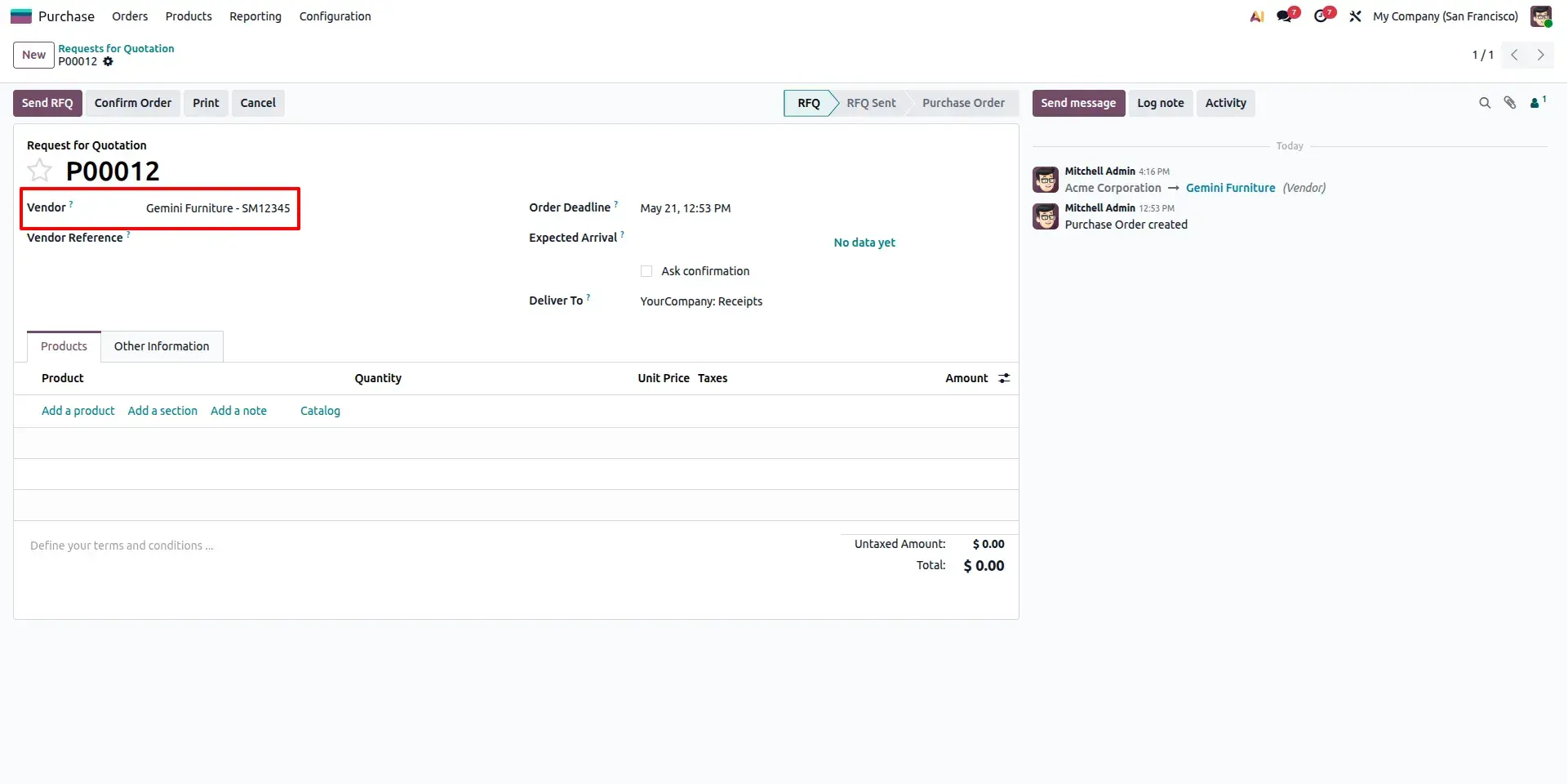
Purchase Order with Vendor
Select a vendor while creating a Purchase Order. Once the vendor is selected, the module automatically prepares the Product field to show only products linked with that vendor through Supplier Information.
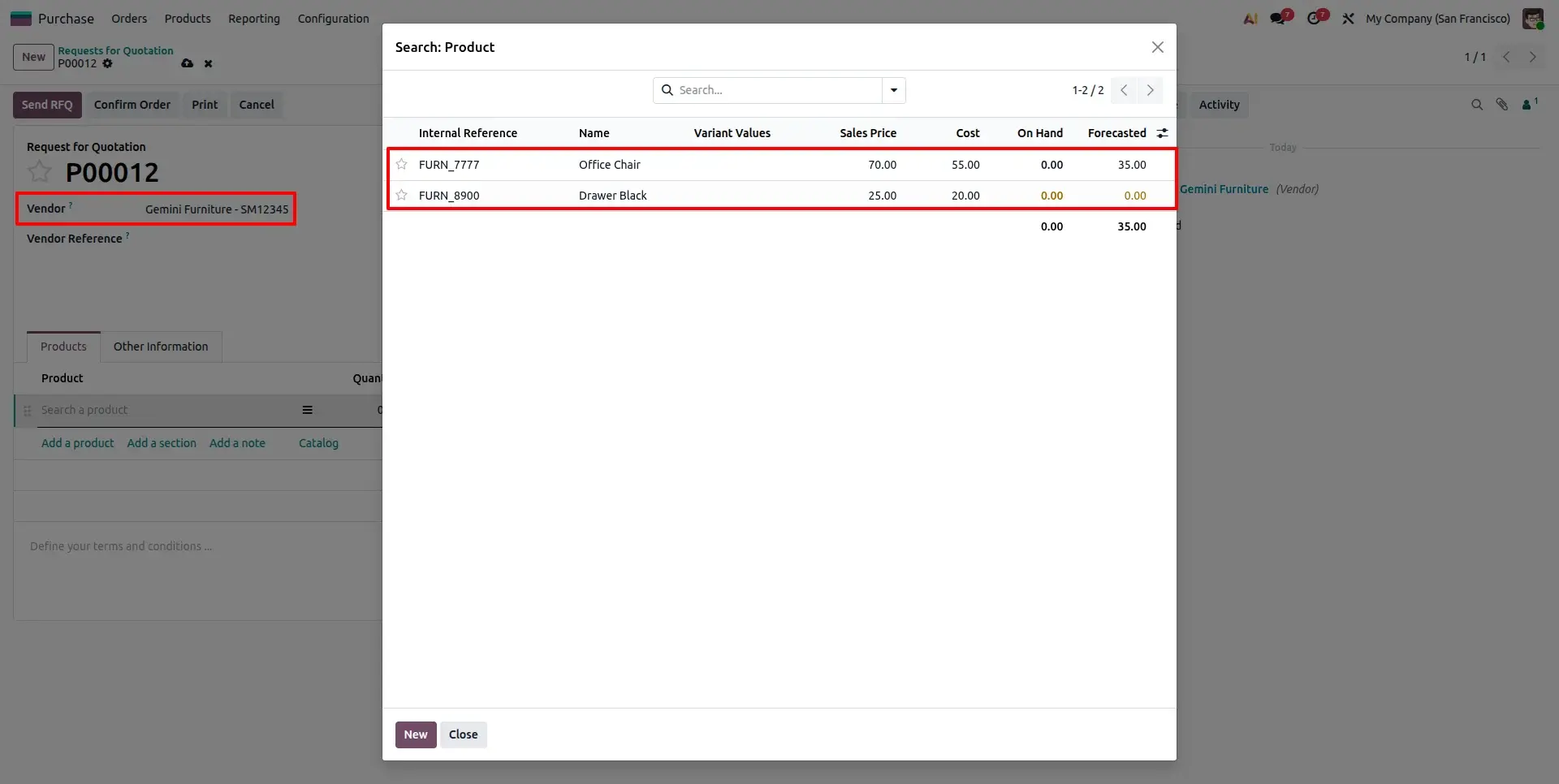
Filtered Product Dropdown
The Product field displays only products associated with the selected vendor. Unrelated products are hidden automatically, helping users choose the correct items faster.
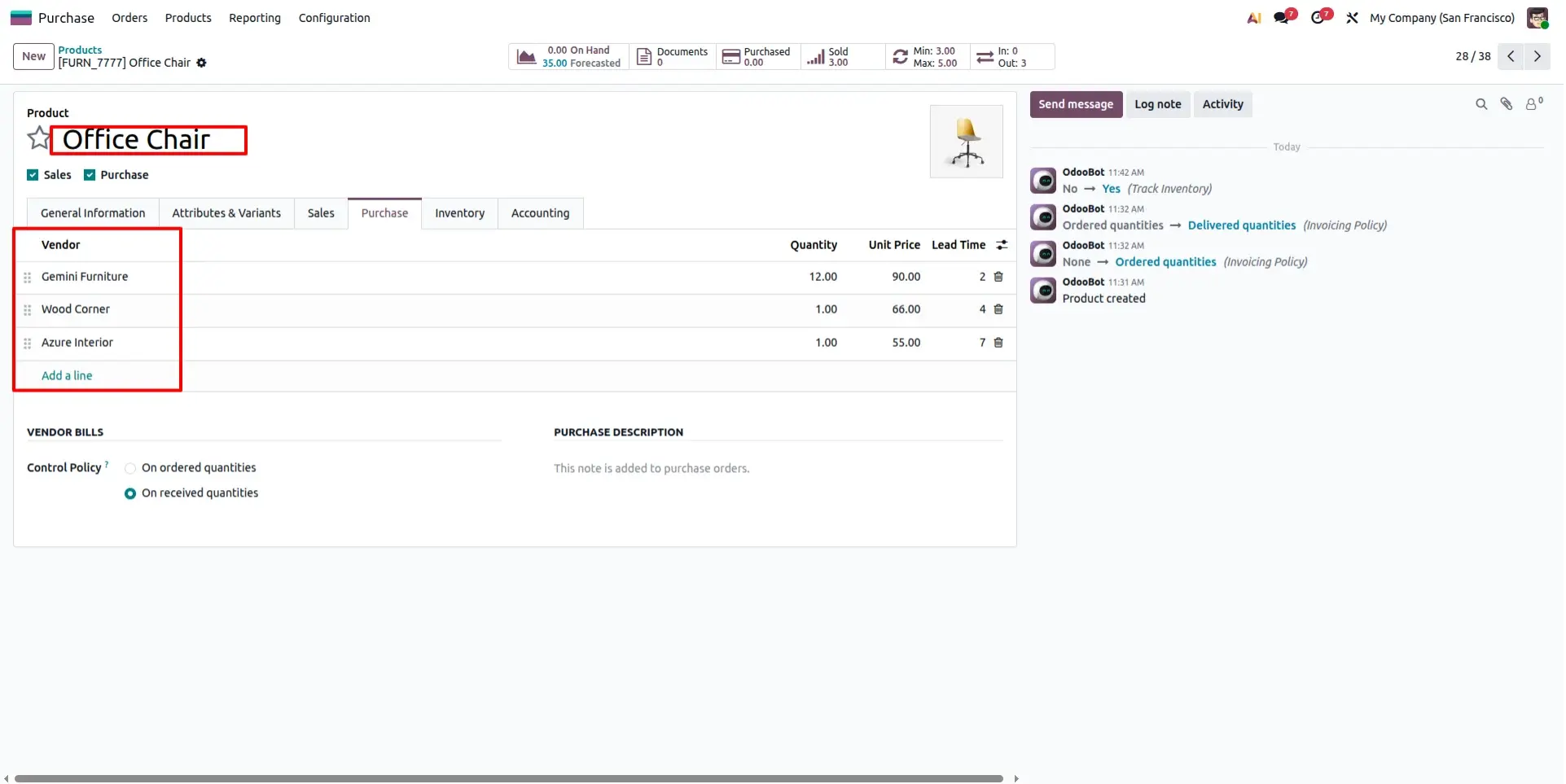
Supplier Information on Product
Products become available for vendor based filtering through Supplier Information configured under the Purchase tab of the Product form.
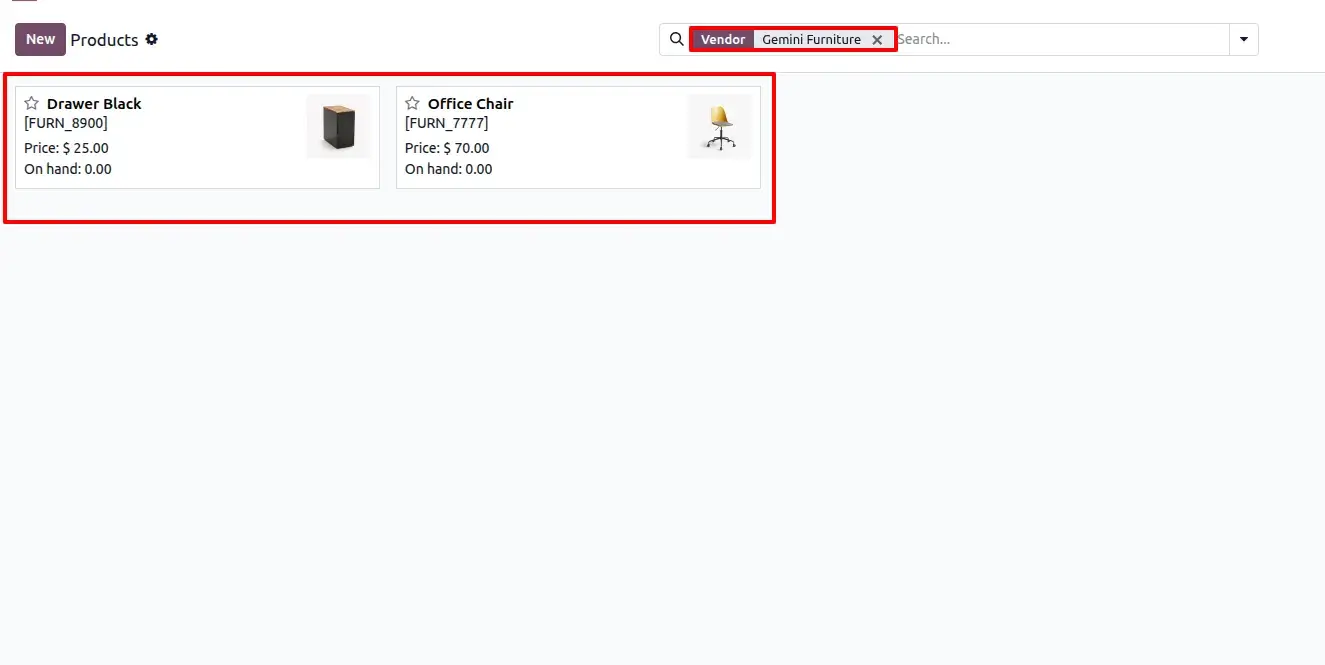
Supplier Information on Product list
Administrators can review and manage vendor-product relationships through Supplier Information records, ensuring procurement data remains accurate and organized.
Frequently Asked Questions
Technical Details
Dependencies
• Contacts (contacts)
• Discuss (mail)
• Purchase (purchase)
• Invoicing (account)
• Inventory (stock)
License
OPL-1
Need Assistance?
Email Support
contact@gritxi-tech.comAny Questions?
Have questions about this app?
Fill out the form below and our team will get back to you with more information.
Customer Reviews
Share your experience with this module.
Write a Review
Latest Reviews
No reviews yet. Be the first to share your thoughts!