
Duplicate Record(s) Confirmation
Introducing a confirmation popup for record duplication in Odoo. It enhances data integrity by preventing unintended duplicate entries in both form and list views.
Duplicate Record(s) Confirmation
Duplicate with confidence. Require user confirmation before creating copies and prevent unwanted records from disrupting your business processes.
App Overview

Introduction
Odoo’s Duplicate button is convenient perhaps too convenient. A single misclick in a form view or an accidental confirmation in the list view’s Action menu is all it takes to create an unwanted duplicate record.
Cleaning up accidental duplicates wastes time, clutters reports, and can cause downstream issues in linked documents. The Duplicate Record(s) Confirmation module adds a simple, one-step safety net: a confirmation dialog that appears every time a user clicks Duplicate, in both form and list views.
The duplication only proceeds if the user actively confirms their intent. If they clicked by mistake, a single No, keep it dismisses the dialog with zero changes made to your data.

Purpose
The purpose of this module is to prevent accidental data duplication and provide an
additional layer of user validation before duplicate records are created in Odoo.
By introducing a confirmation dialog for both single-record and multi-record duplicate
actions, the module helps organizations maintain cleaner databases, reduce manual cleanup
efforts, and avoid unintended duplication of business documents such as quotations,
sales orders, invoices, CRM opportunities, inventory records, and custom models.
The solution enhances operational accuracy without altering standard workflows, ensuring
users consciously confirm duplication requests while preserving Odoo’s native functionality
across the entire backend.
Key Features
Accidental Prevention
Intercepts all duplicate actions and requires explicit user confirmation.
Form View Coverage
Patches Odoo Form Controller to intercept the native duplicate Record method.
List View Coverage
Intercepts duplicate actions in the list view action menu for multi record selections.
Context Aware Dialog
Message adjusts based on whether you are duplicating one record or massive selections.
Back end Wide Coverage
Targets core OWL controllers, works in Sales, CRM, Inventory, HR, and custom models.
Zero Performance Impact
Uses Odoo native client-side Confirmation Dialog. No extra RPC calls or server load.
Minimal Footprint
Ultra lightweight JS patch. No Python, No XML, No database migrations needed.
Configuration & Workflow
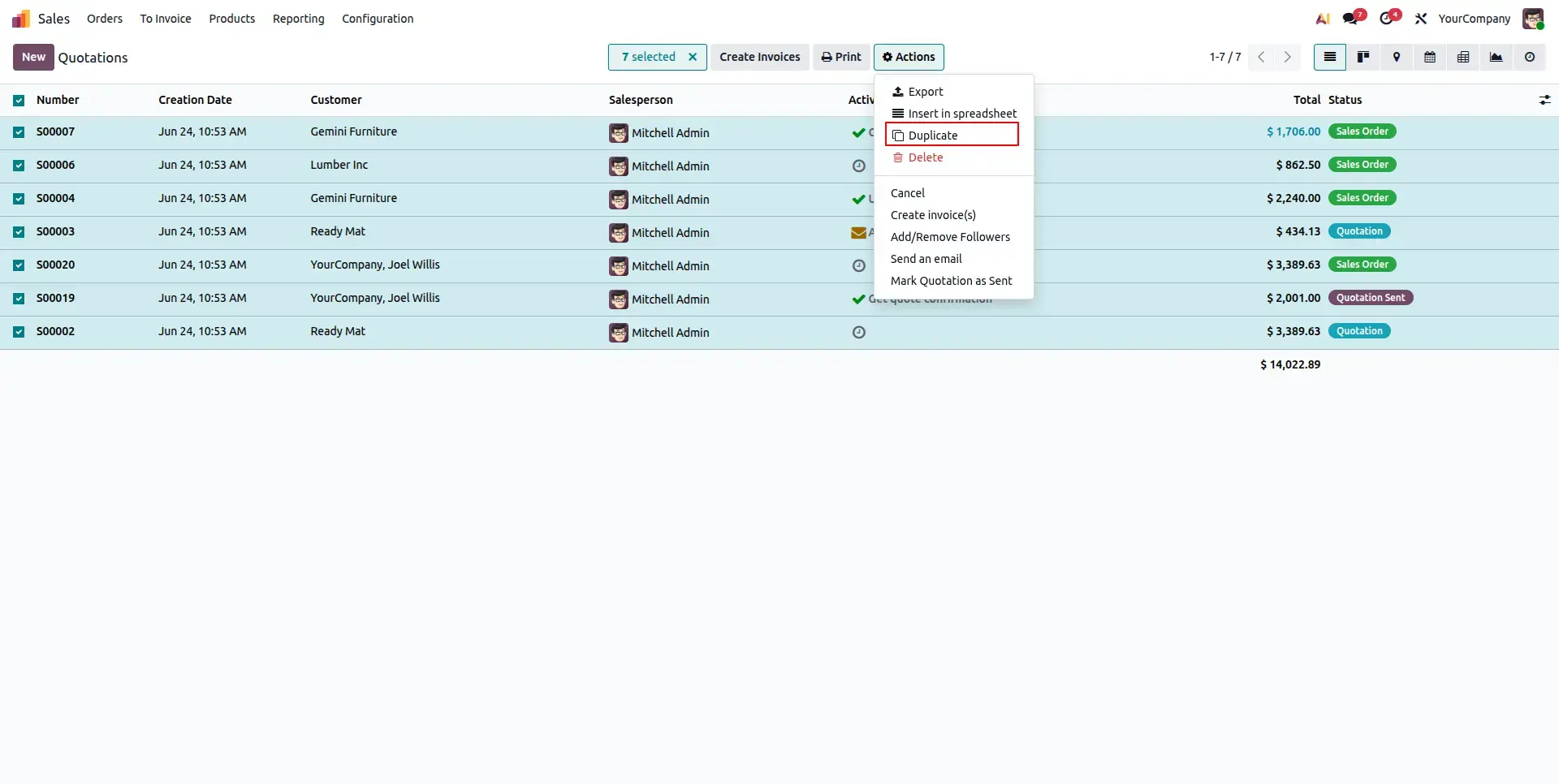
Select Multiple Quotations
Open the Sales Quotations list view and select multiple quotations using the standard Odoo check boxes. Once the records are selected, access the Actions menu to view available bulk operations such as Duplicate, Confirm, Cancel, and other supported mass actions.
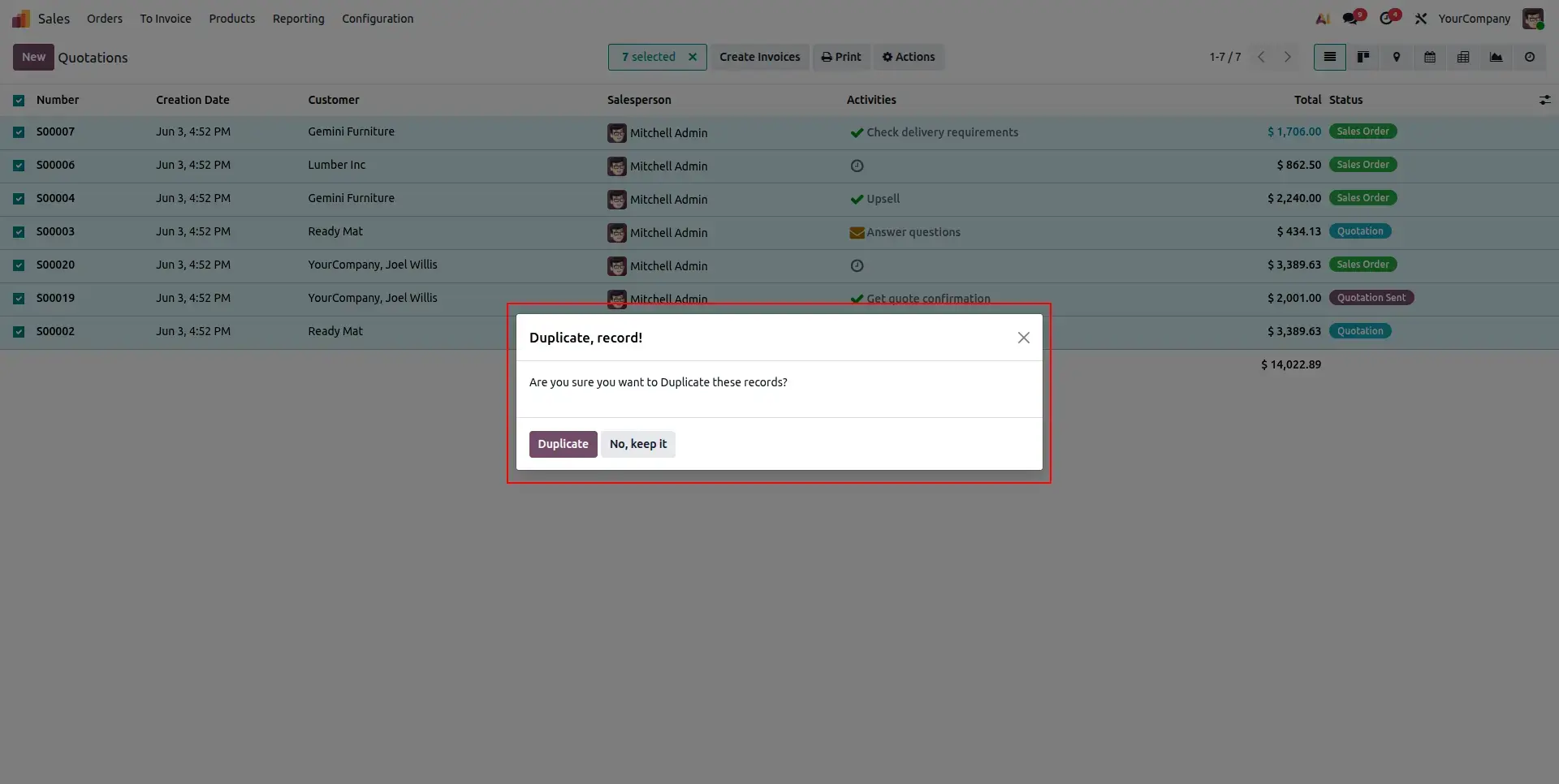
Confirm Bulk Action
When a bulk operation is selected, the system displays a confirmation dialog before executing the action. This additional validation step helps prevent accidental updates and ensures users have complete control over mass processing activities.
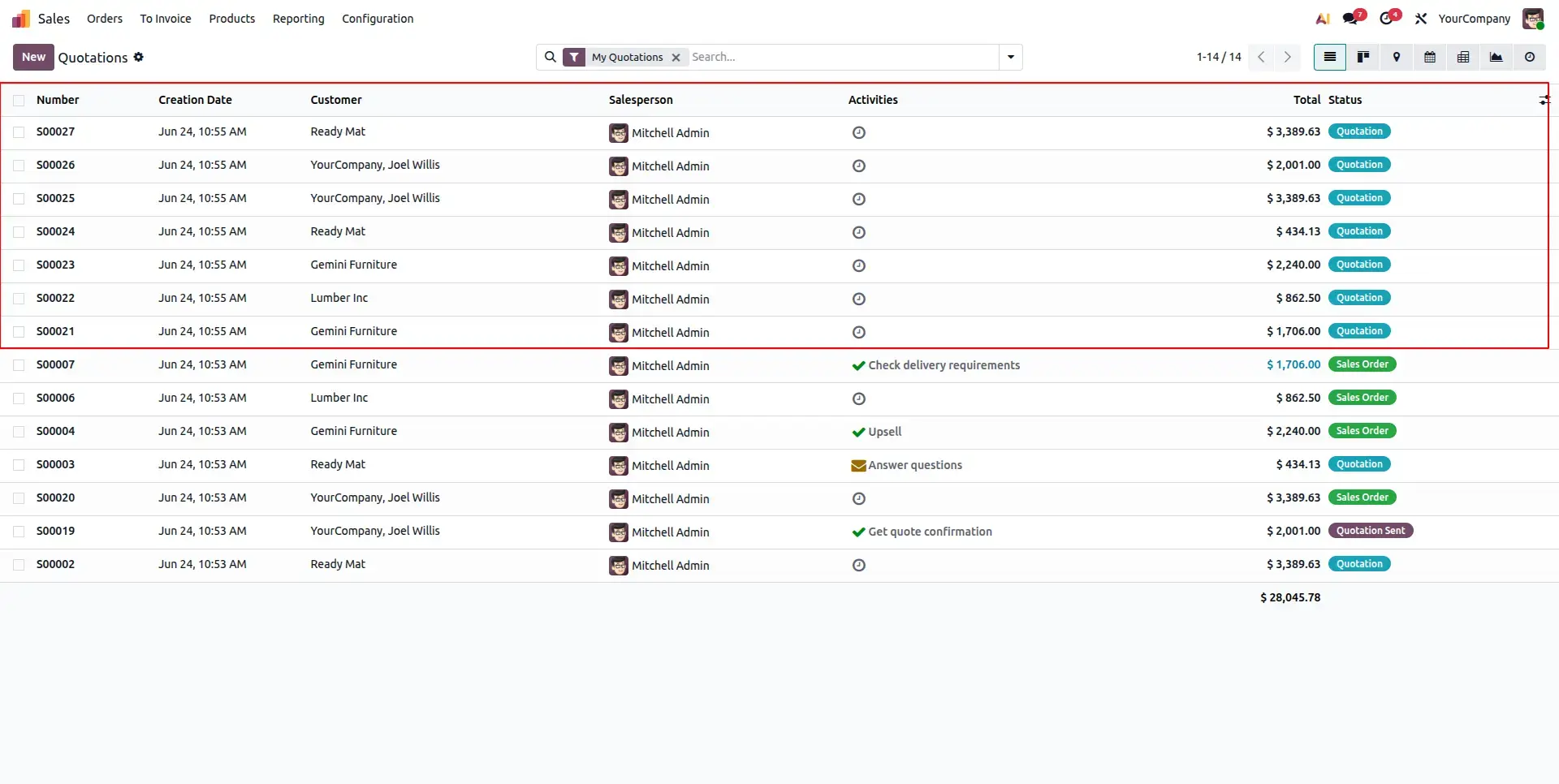
Instant Record Processing
After confirmation, the selected quotations or sales orders are processed immediately. All changes are reflected directly in the list view, allowing sales teams to manage large volumes of records efficiently without opening documents individually.
Frequently Asked Questions
Technical Details
Dependencies
• Web (web)
License
OPL-1
Need Assistance?
Email Support
contact@gritxi-tech.comAny Questions?
Have questions about this app?
Fill out the form below and our team will get back to you with more information.
Customer Reviews
Share your experience with this module.
Write a Review
Latest Reviews
No reviews yet. Be the first to share your thoughts!