
Default Followers
Automate follower management across Odoo and keep key stakeholders informed from the moment records are created.
Default Followers
Automate the addition of followers to any Odoo model, ensuring that the right stakeholders are always notified when new records are created.


Targeted Business Type
Sales Organizations
Automatically subscribe sales managers and operations teams to customer orders for better visibility.
Procurement Companies
Ensure procurement managers automatically monitor purchase orders and supplier communications.
Service & Helpdesk Teams
Supervisors can automatically follow support tickets and customer service activities.
Manufacturing Businesses
Production managers can automatically track manufacturing orders and inventory operations.
Accounting & Finance Teams
Finance managers receive automatic updates on invoices, payments, and accounting records.
HR & Recruitment Teams
HR managers can automatically follow employee records, recruitment activities, and hiring updates.
ERP Implementation Companies
Consultants and project managers can monitor client activities and project records automatically.
Any Odoo Business
Any organization using Odoo chatter can improve collaboration, transparency, and communication.
Business Use Cases
Sales Team Notification
Context: A company wants the Sales Manager and Operations Team to automatically follow every Sales Order without requiring manual follower assignment.
2. Sales Manager and Operations partners are added as followers.
3. A salesperson creates a new Sales Order.
4. The configured users are subscribed automatically.
5. Both teams receive all order communication updates instantly.
Purchase Approval Monitoring
Context: Procurement managers must monitor all Purchase Orders automatically to ensure timely approvals and complete visibility.
2. Procurement Manager is added as a default follower.
3. Buyers create new Purchase Orders.
4. The Procurement Manager is subscribed automatically.
5. Approval communication becomes centralized in chatter.
CRM Opportunity Supervision
Context: A Sales Director wants automatic visibility into every new CRM opportunity without relying on manual subscriptions.
2. Sales Director partner is selected.
3. New opportunities are created by the sales team.
4. The Sales Director becomes a follower automatically.
5. All discussions and updates become visible in real time.
Key Features
Automatic Default Followers
Automatically adds predefined followers when records are created in selected Odoo models.
Universal Model Support
Works with any chatter-enabled Odoo model including Sales, CRM, Purchase, Inventory, Accounting, HR, Projects, Helpdesk and custom modules.
Instant Notification Management
Ensures important users receive chatter notifications and message updates automatically without manual follower addition.
Centralized Configuration
Administrators manage all default follower rules from a single configuration screen.
Department Level Visibility
Keeps managers, supervisors or department heads automatically informed about business operations.
No Manual User Intervention
Eliminates repetitive manual addition of followers on every document creation.
Real Time Auto Subscription
Followers are subscribed immediately during the record creation workflow.
Better Communication Tracking
Ensures communication history and document discussions are visible to all required stakeholders.
Configuration & Workflow
The following screenshots demonstrate the configuration and functionality of the Default Followers module within the Odoo environment.
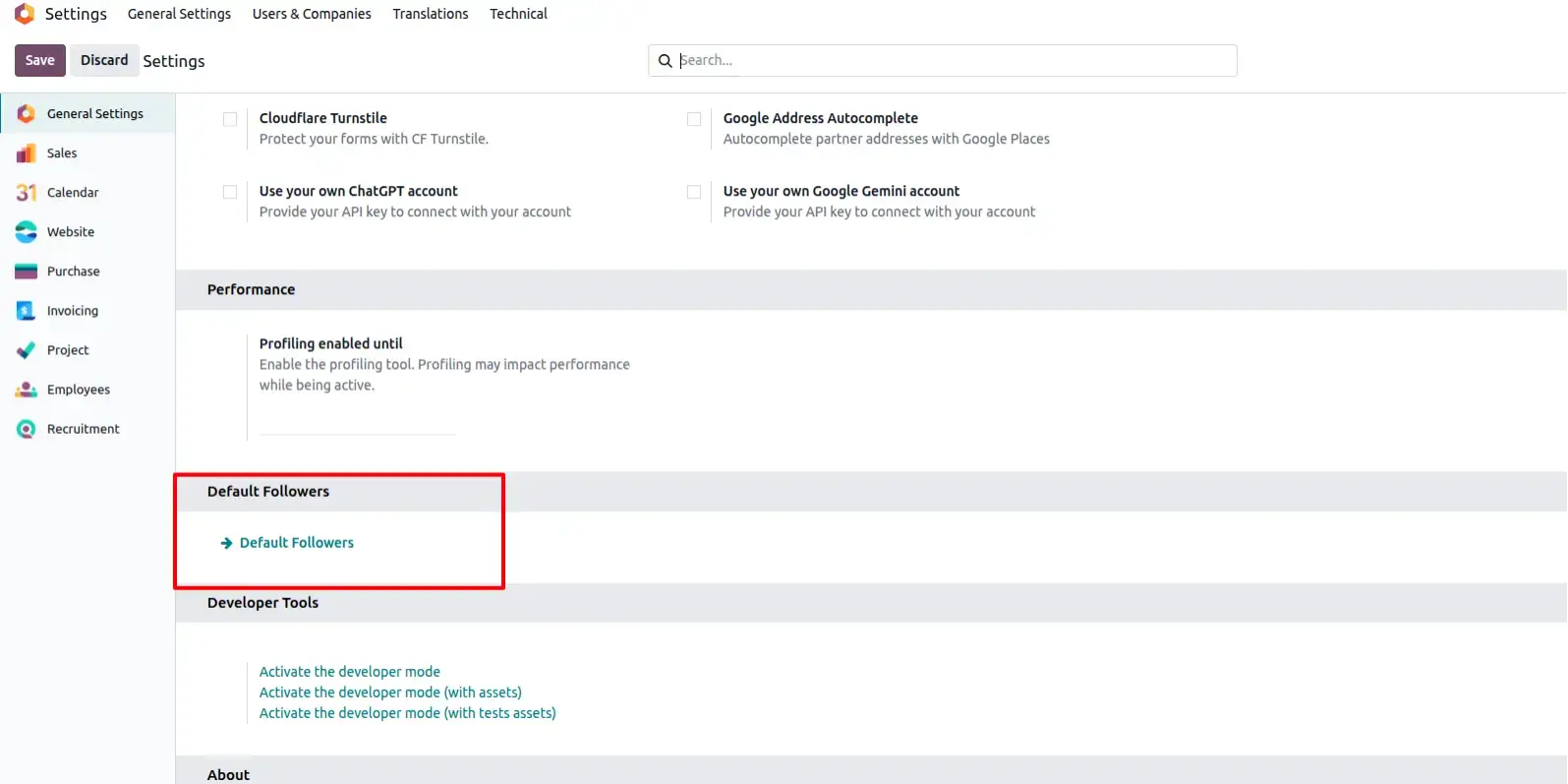
Default Followers Menu
Displays the Default Followers configuration menu available inside Odoo Settings where administrators manage automatic follower rules.
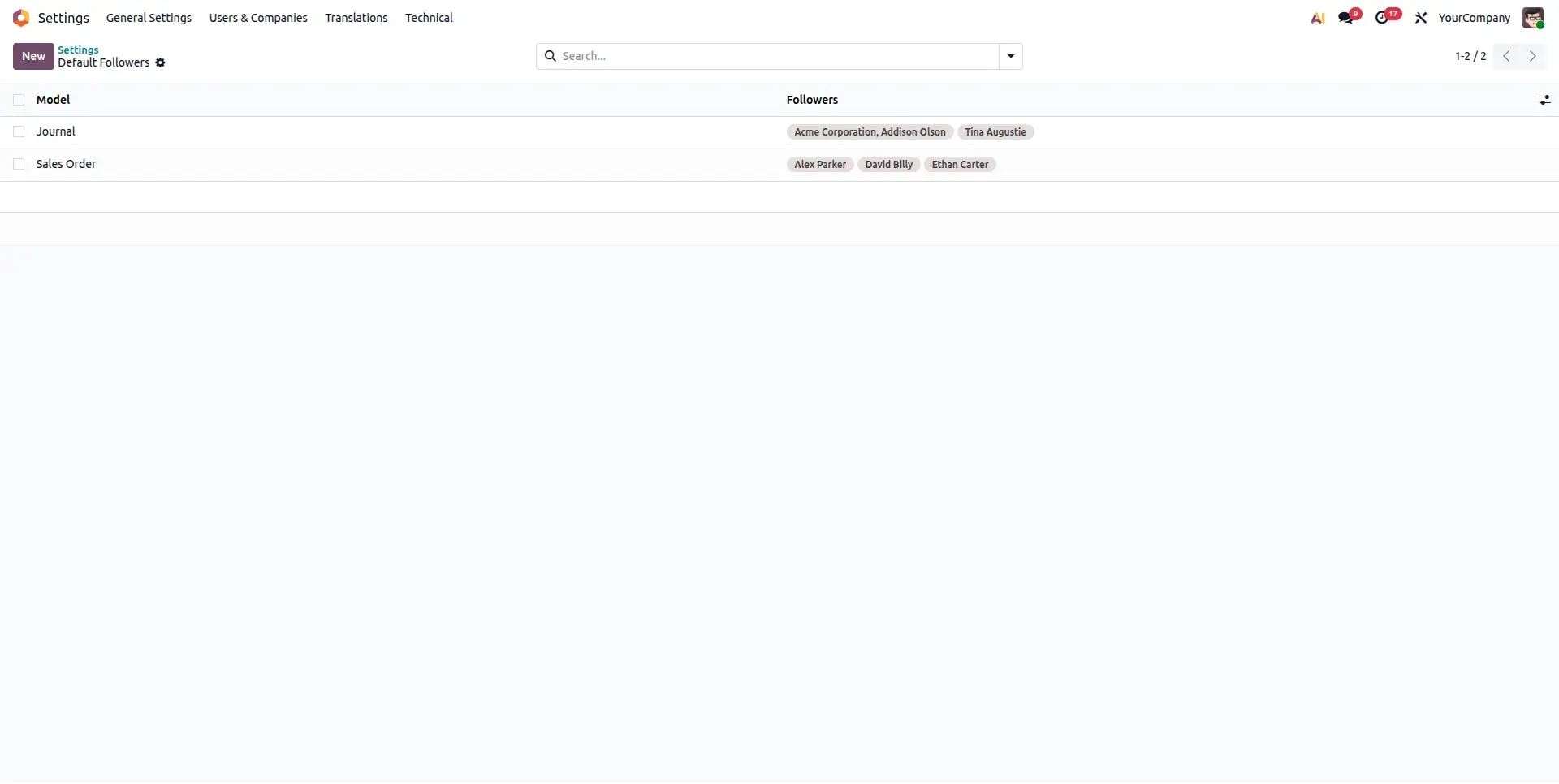
Default Followers List View
Shows all configured follower rules for different Odoo business models including Sales, CRM, Purchase and custom applications. Demonstrates the configuration form used to create a new automatic follower rule.
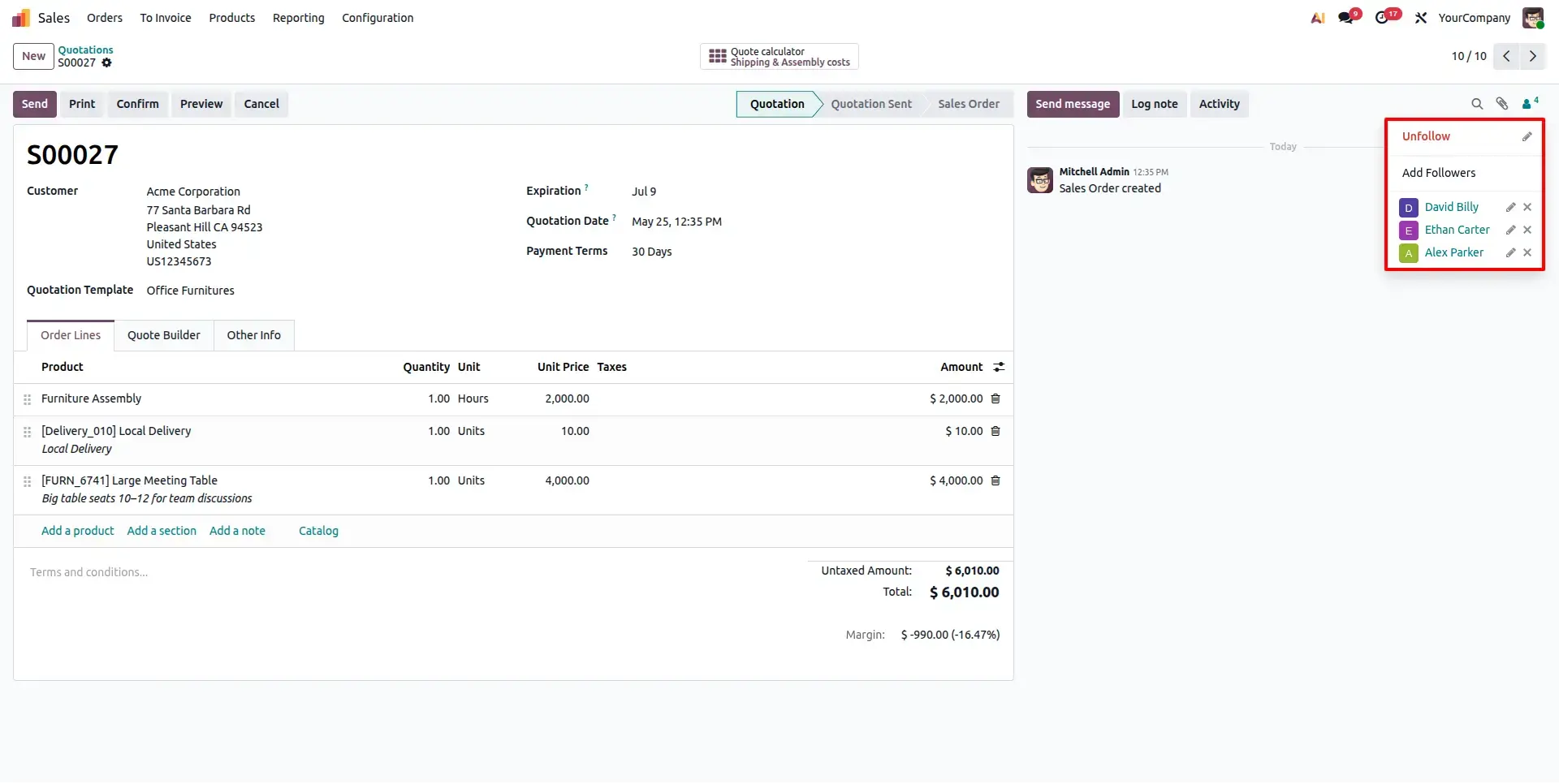
Sales Order Auto Followers
Followers are automatically added when a new Sales Order is created.
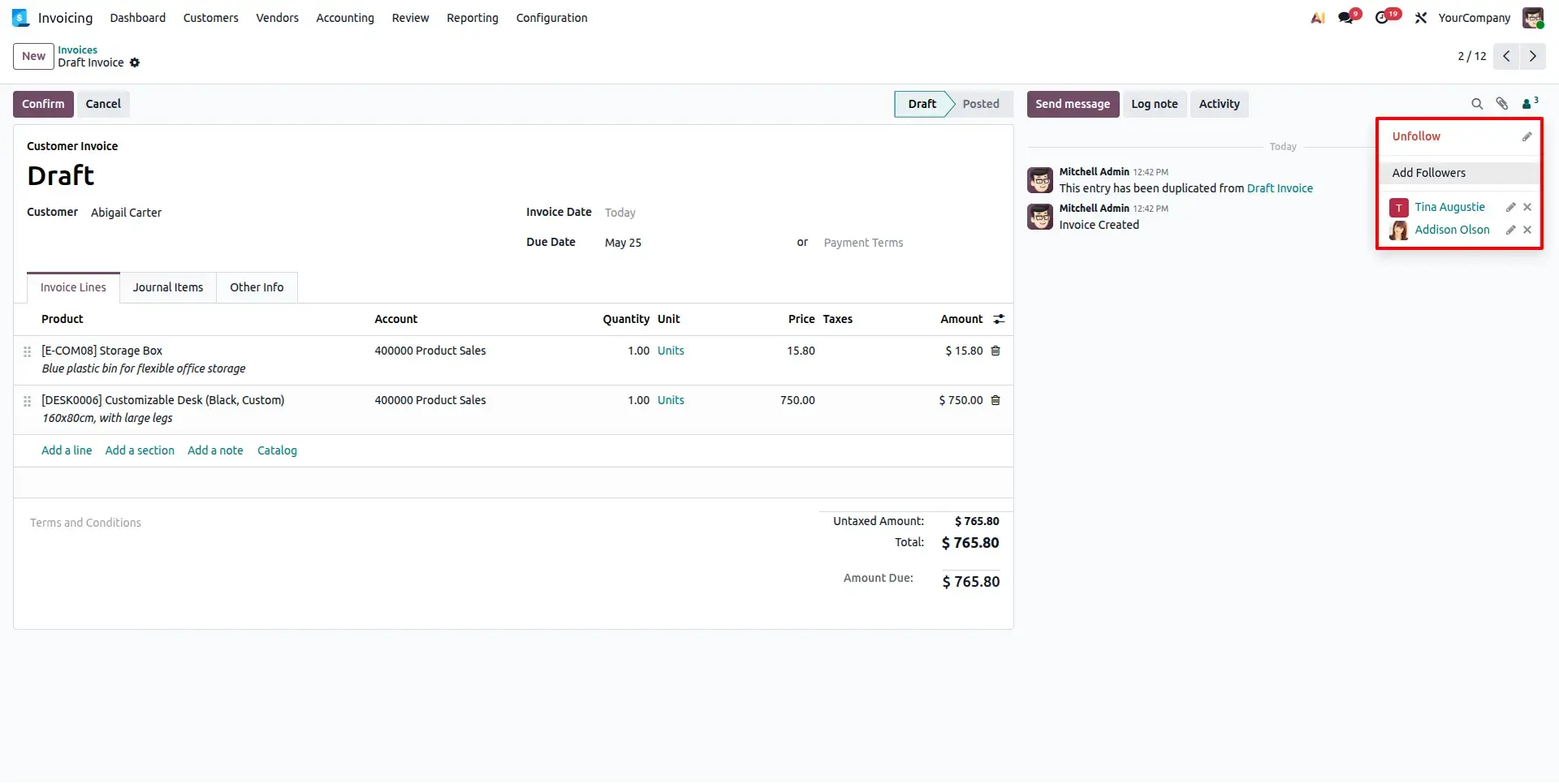
Invoice Auto Followers
Sales managers automatically follow newly created Invoice.
Frequently Asked Questions
Technical Details
Dependencies
• Discuss (mail)
License
OPL-1
Need Assistance?
Email Support
contact@gritxi-tech.comAny Questions?
Have questions about this app?
Fill out the form below and our team will get back to you with more information.
Customer Reviews
Share your experience with this module.
Write a Review
Latest Reviews
No reviews yet. Be the first to share your thoughts!