
Custom Variant Creation
Create Single Variants Manually Bypassing Auto Generation
Custom Variant Creation
Stop Odoo from generating thousands of unwanted variants. Take full control of your product catalogue with on-demand variant generation and smart attribute management.
App Overview

Introduction
By default, Odoo automatically generates product variants using a cartesian product of all attribute values. For a product with 3 colours, 4 sizes, and 3 materials, Odoo creates 36 variants instantly most of which may never exist or be sold.
The Custom Variant Creation module disables this automatic generation and hands full control back to the user. A dedicated wizard lets you select precisely which attribute combination to create, generating only the variants your business actually offers.

Purpose
This is ideal for fashion, manufacturing, custom-order businesses, or any catalogue where not every theoretical combination is a real, sellable product. Large automated catalogues crash performance and confuse users; this module ensures your database remains light and your product lists stay clean.
Beyond simple creation, the module manages attribute consistency automatically using N/A placeholders, ensuring your eCommerce storefront and website_sale functions remain perfectly compatible with your custom SKU structure.
Key Features
Disable Auto Generation
A per-product toggle bypasses Odoo's automatic cartesian variant generation, giving you complete control over when variants are created.
On Demand Wizard
Select only the required attribute combinations through an easy wizard and generate precisely the product variants you need.
N/A Backfill Mechanism
Automatically fills existing variants with temporary N/A values whenever new attributes are introduced, preserving database consistency.
Smart Variant Upgrade
Reuses and upgrades N/A-padded variants into valid combinations instead of generating duplicate product variants.
Duplicate Guard
Automatically detects existing attribute combinations and skips duplicate variant creation to keep your catalog clean.
Website Compatibility
Fully compatible with Odoo eCommerce, ensuring variant selection and combination logic work seamlessly on your website.
Automatic Cleanup
Removes unused attribute values and attribute lines automatically when obsolete variants are archived or deleted.
Locked Attribute Lines
Prevents accidental manual modifications to attribute lines, ensuring all variant creation follows the controlled wizard workflow.
Configuration Steps
Easy Configuration
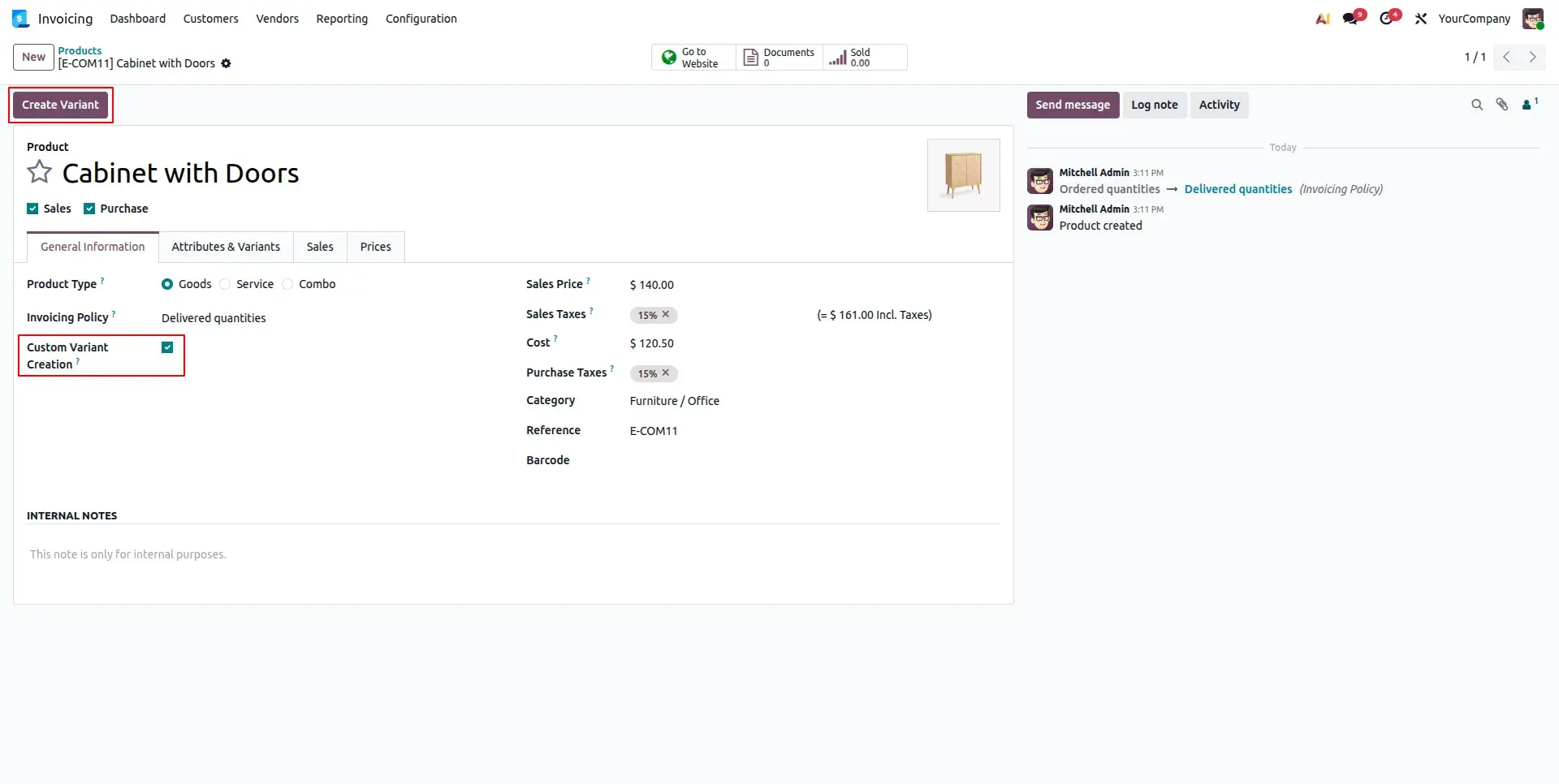
Enable "Custom Variant Creation" on the product template. This toggle disables automatic cartesian generation and unlocks the dynamic variant creation button in the header.
Open Variant Wizard
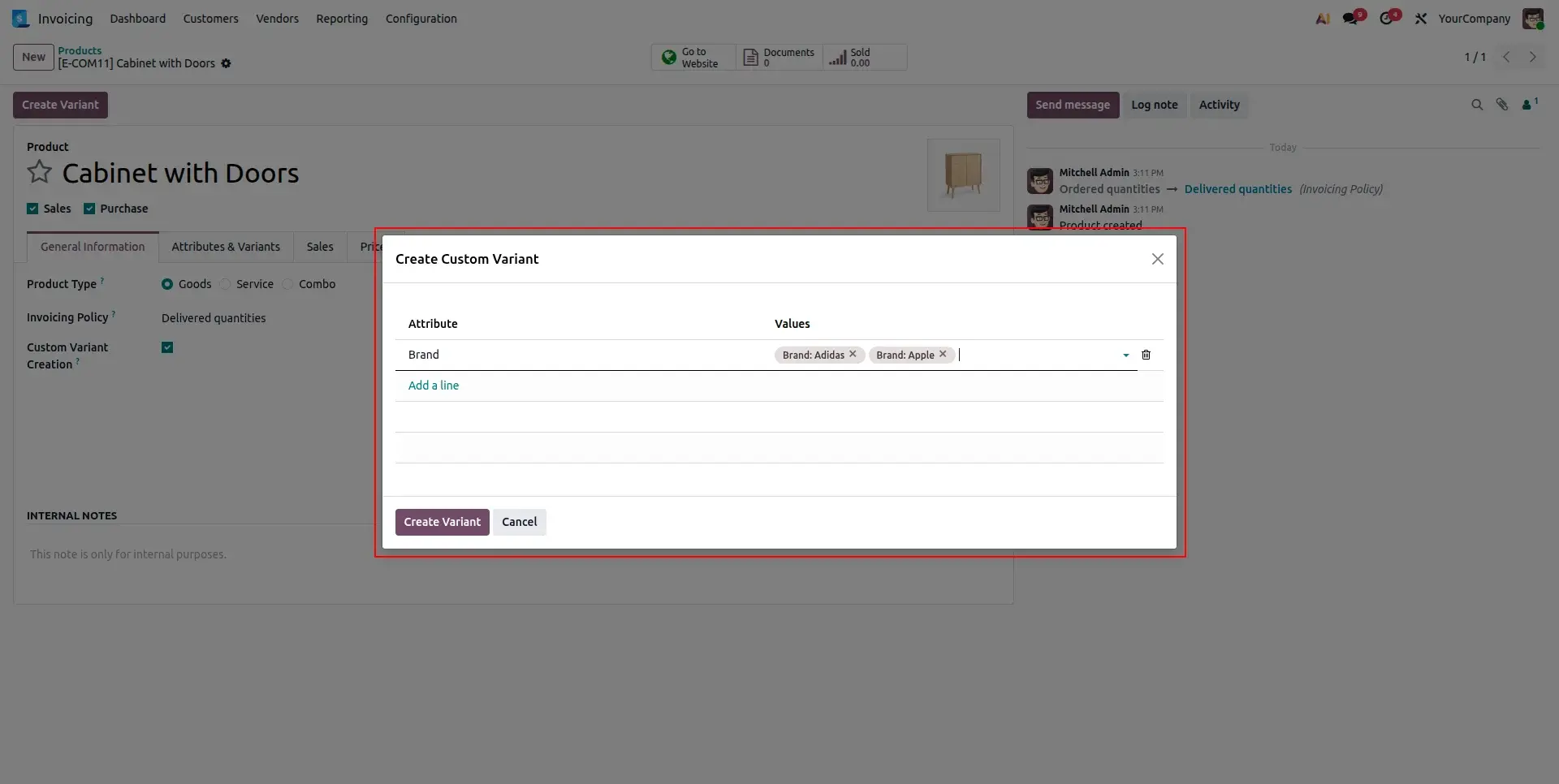
Click the Create Variant button in the product form header. The wizard opens in a dialog with the product template pre-filled, ready for your attribute selection.
Efficient Variant Management
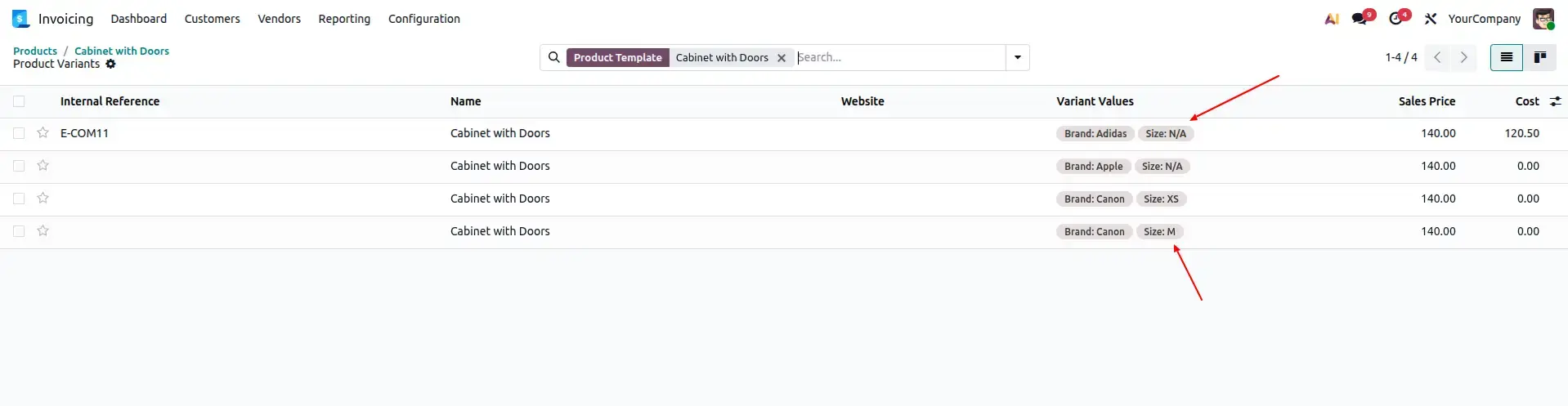
Manage all generated variants in a clean, organized list view. You can easily track internal references, barcodes, and specific pricing for each custom-created combination.
eCommerce Ready
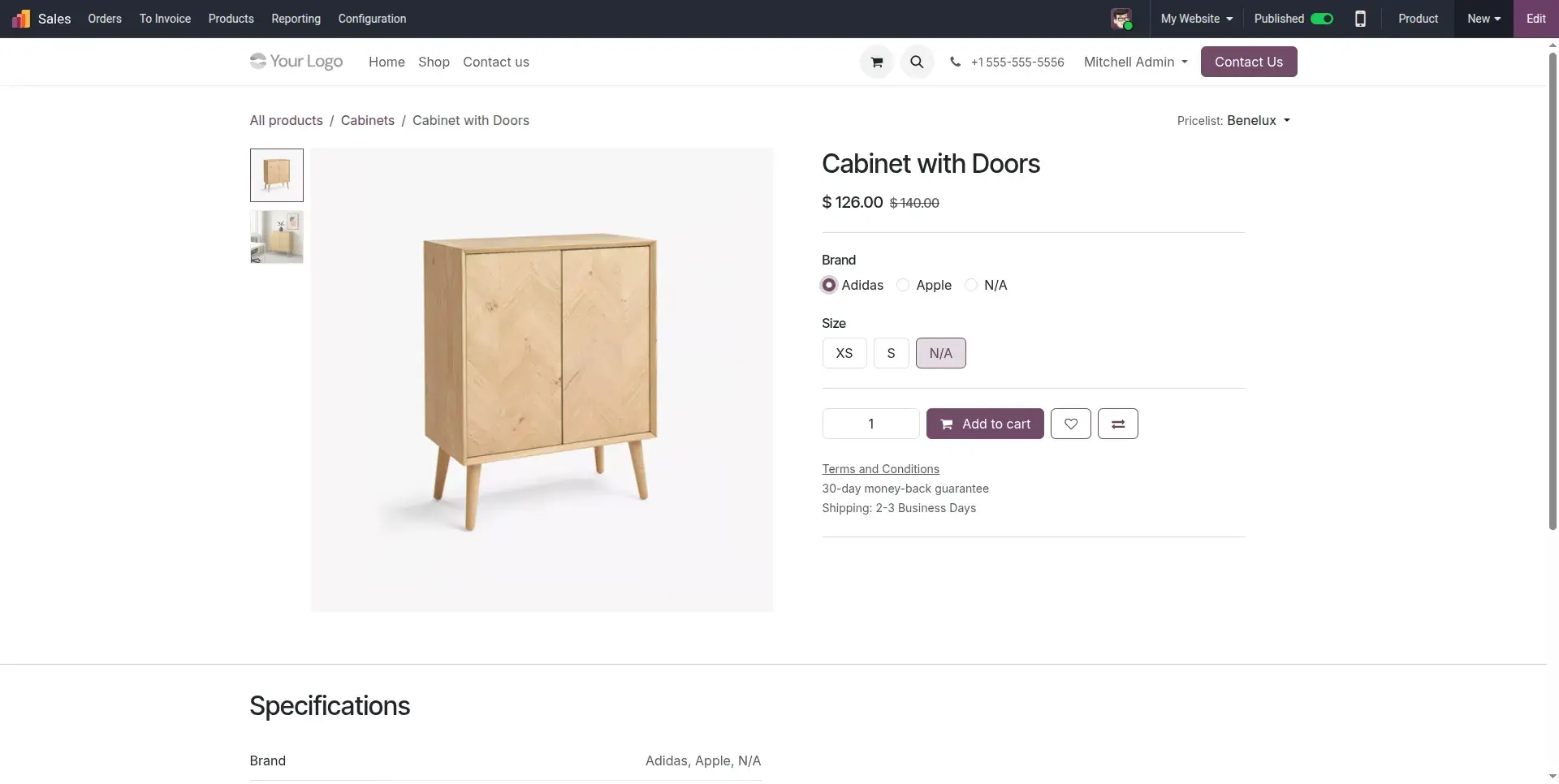
Your custom variants are automatically synchronized with your Odoo eCommerce website. Customers can select and purchase only the real, existing combinations you have created.
Frequently Asked Questions
Technical Details
Dependencies
• eCommerce (website_sale)
• Discuss (mail)
• Website (website)
• Invoicing (account)
License
OPL-1
Need Assistance?
Email Support
contact@gritxi-tech.comAny Questions?
Have questions about this app?
Fill out the form below and our team will get back to you with more information.
Customer Reviews
Share your experience with this module.
Write a Review
Latest Reviews
No reviews yet. Be the first to share your thoughts!