
CRM Access
Separate CRM access from Sales permissions and secure your customer pipeline with advanced role-based visibility controls.
CRM Access
Empower your business with complete control over CRM security by separating CRM access rights from standard Sales permissions.
App Overview

Introduction
The CRM Access module gives businesses complete control over CRM security and user permissions by separating CRM access rights from standard Sales access rights in Odoo. By default, Odoo tightly connects CRM and Sales permissions, which often creates unnecessary access exposure for employees who should only work with CRM records or only require limited CRM visibility.
This module introduces dedicated CRM-specific security groups, independent access rules, and custom visibility controls that allow administrators to manage CRM users separately from Sales users. Businesses can define who can create, edit, manage or only view CRM leads without affecting broader Sales permissions.
The module improves data privacy, reduces accidental access to sensitive customer information, and provides a more structured security model for organizations with multiple departments and different operational roles.

Purpose
The purpose of this module is to provide organizations with complete control over CRM security by separating CRM access rights from standard Sales permissions in Odoo.
By introducing dedicated CRM-specific user groups, independent security rules, and role-based visibility controls, the module helps businesses protect sensitive customer information, restrict unauthorized access to leads and opportunities, and establish clear operational boundaries between departments.
It enables administrators to define exactly who can view, create, edit, or manage CRM records while maintaining a secure and structured working environment. This improves data confidentiality, strengthens internal governance, and ensures that employees only access the CRM information required for their responsibilities.
Business Use Cases
Separate CRM from Sales
A company wants CRM employees to manage leads and opportunities without giving them full Sales access. administrators can assign CRM-only permissions while keeping Sales operations restricted.
Secure Customer Leads
A business handles sensitive customer data and wants only assigned salespersons to view specific leads. CRM Users can only access their own leads, improving data privacy and security.
Multi Department Access
Restrict CRM visibility to authorized employees only, preventing unnecessary access to customer pipelines across different internal departments.
Manager Monitoring
Sales managers need visibility of all opportunities. CRM Managers receive full access to monitor pipeline activities and team performance effectively.
Support Team Access
Support employees may need limited CRM visibility for tickets without full Sales permissions, enabled via controlled access roles.
Key Features
Independent User Groups
Dedicated CRM User & Manager groups separate from Sales.
Separate Security Control
Configure CRM independently without relying on defaults.
Role Based Visibility
Users see assigned leads; Managers see all records.
Restricted Sales Access
View related orders without full management rights.
Enhanced Data Security
Prevents exposure of sensitive lead & opportunity data.
Custom Menu Visibility
Menus become visible only for authorized CRM roles.
No Core Modification
Built using security rules and XML, no core file hacks.
Flexible User Management
Assign responsibilities based on operational needs.
Configuration & Workflow
The following steps demonstrate the configuration and hierarchical security flow within the CRM Access module.
User Group Configuration
Displays the CRM selection menu inside the User configuration screen where administrators assign specific security groups.
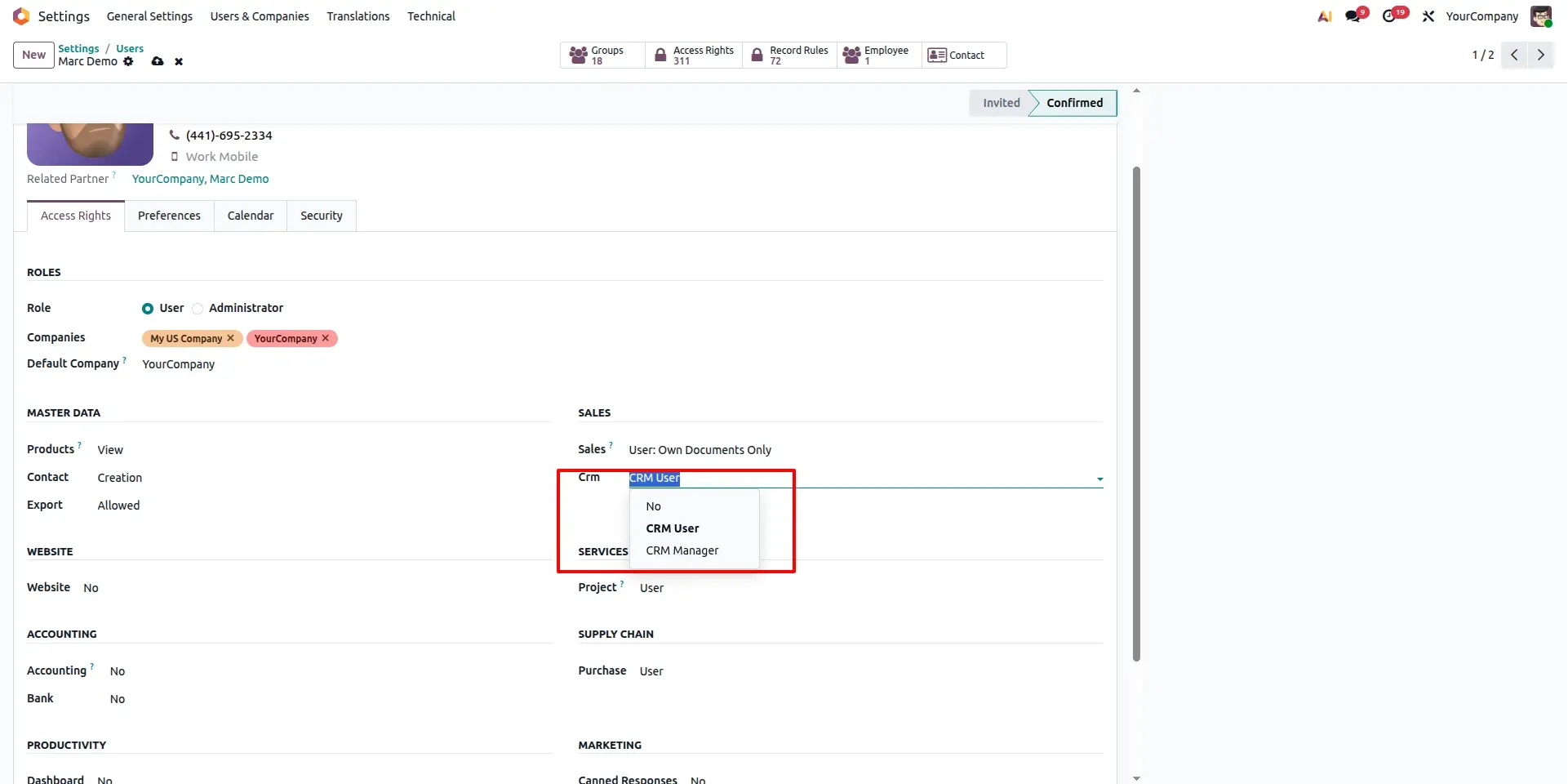
CRM User Configuration
Shows the restricted CRM configuration for a user assigned to the "CRM User" group, defining specific record-level access.
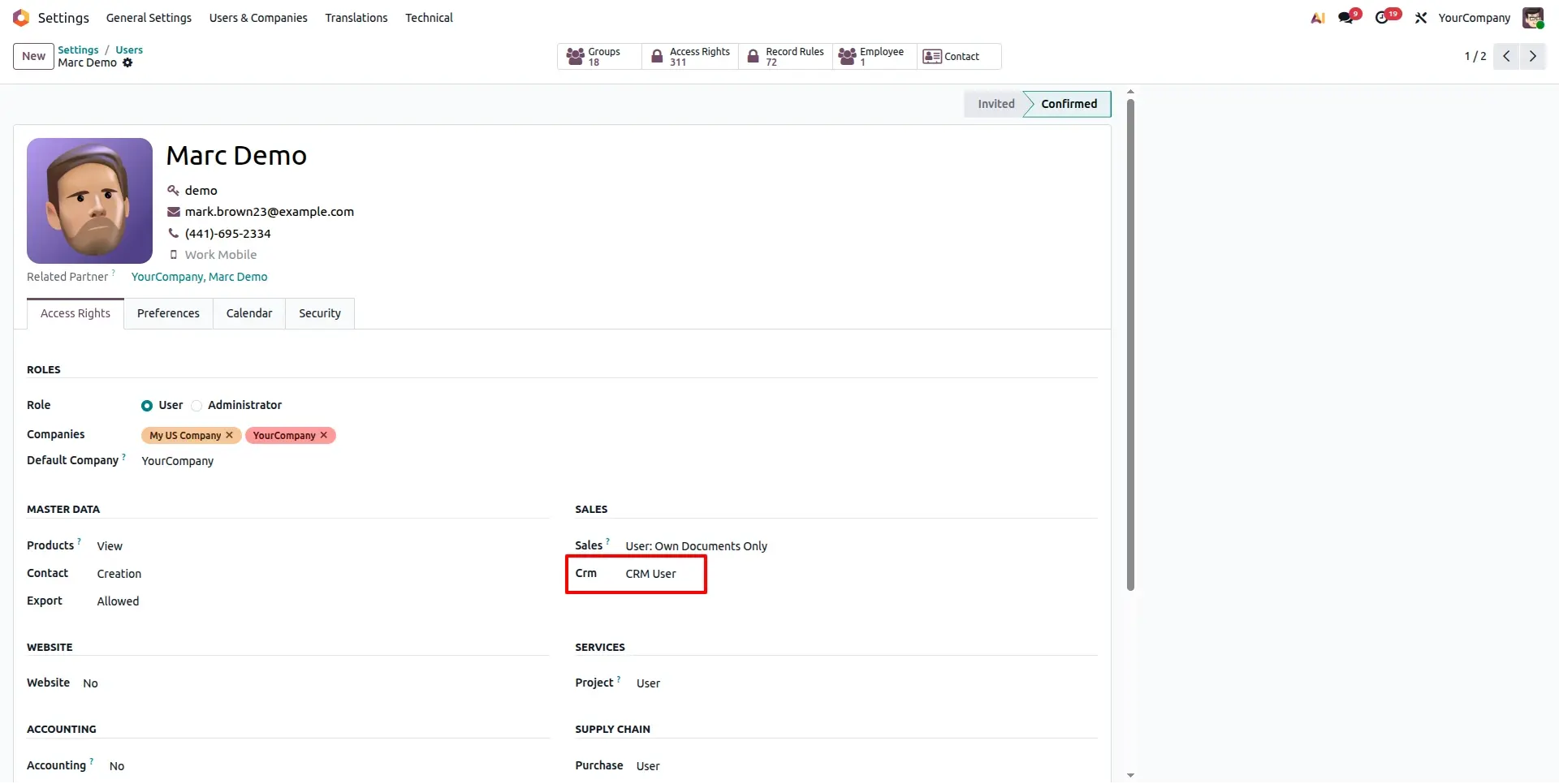
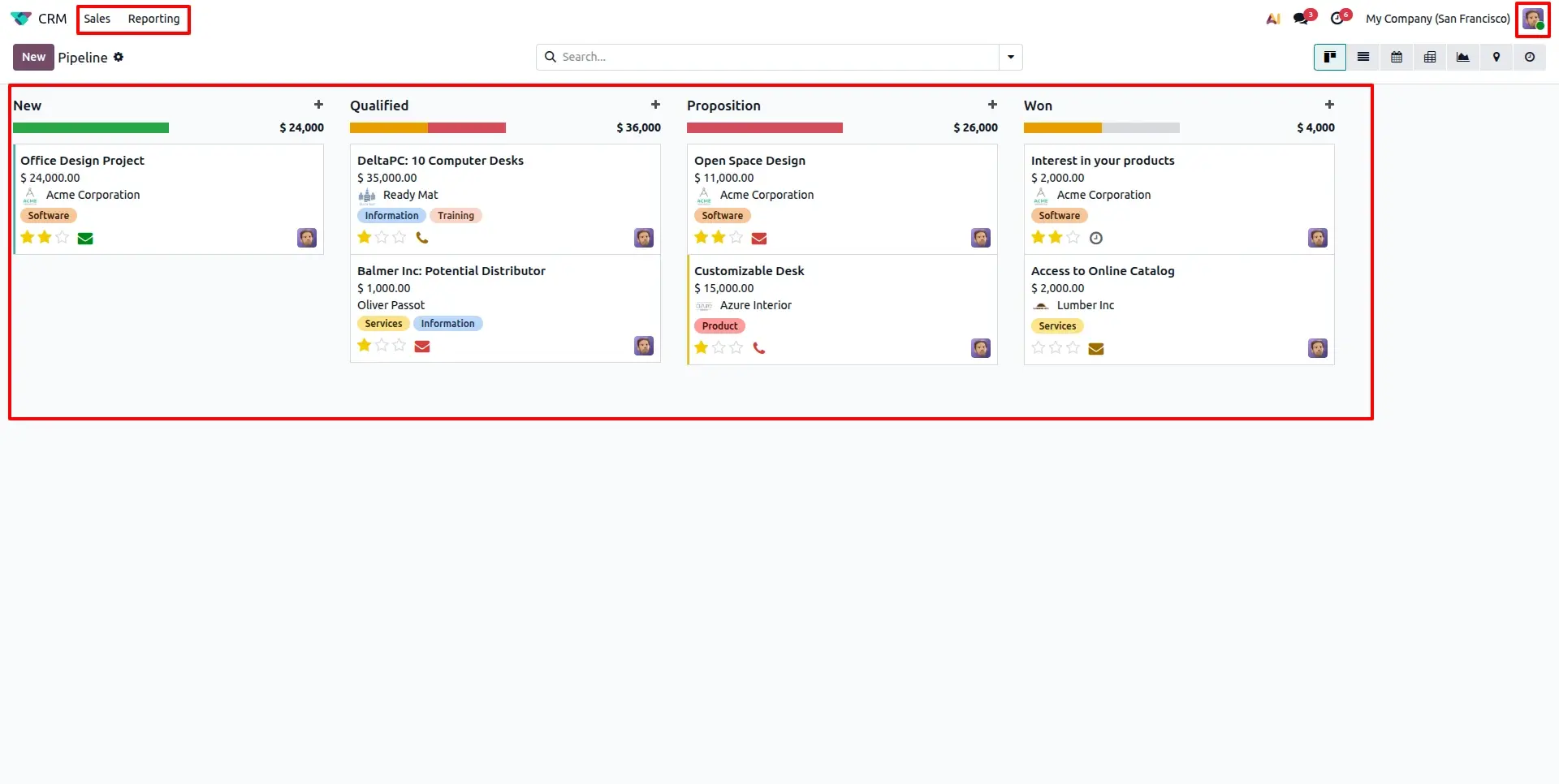
CRM User Restricted View
Demonstrates the actual user interface where the CRM User can only view their own assigned leads and opportunities.
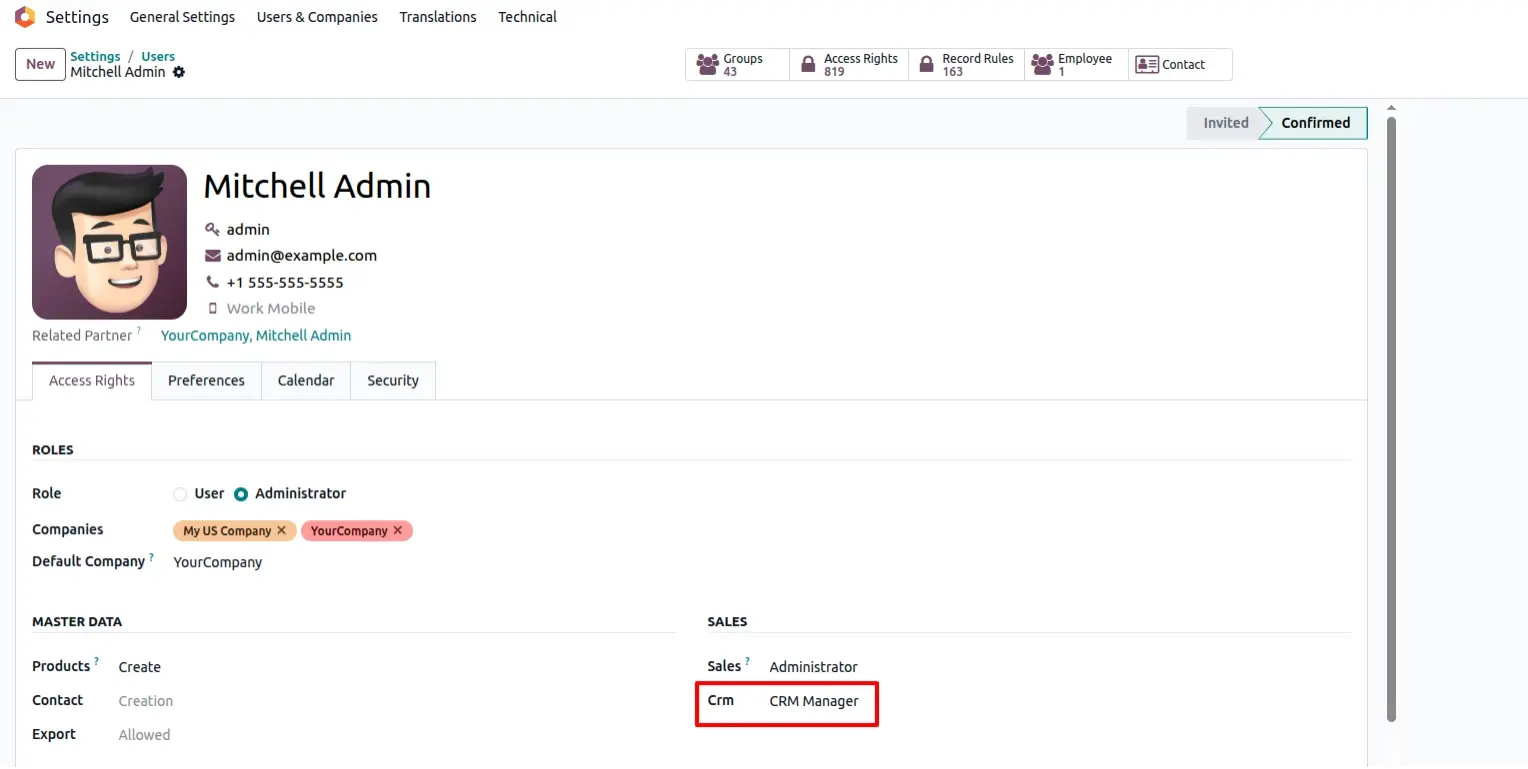
CRM Manager Configuration
Demonstrates the administrative setup for a "CRM Manager" to enable department-wide visibility across all salespersons.
CRM Manager Oversight View
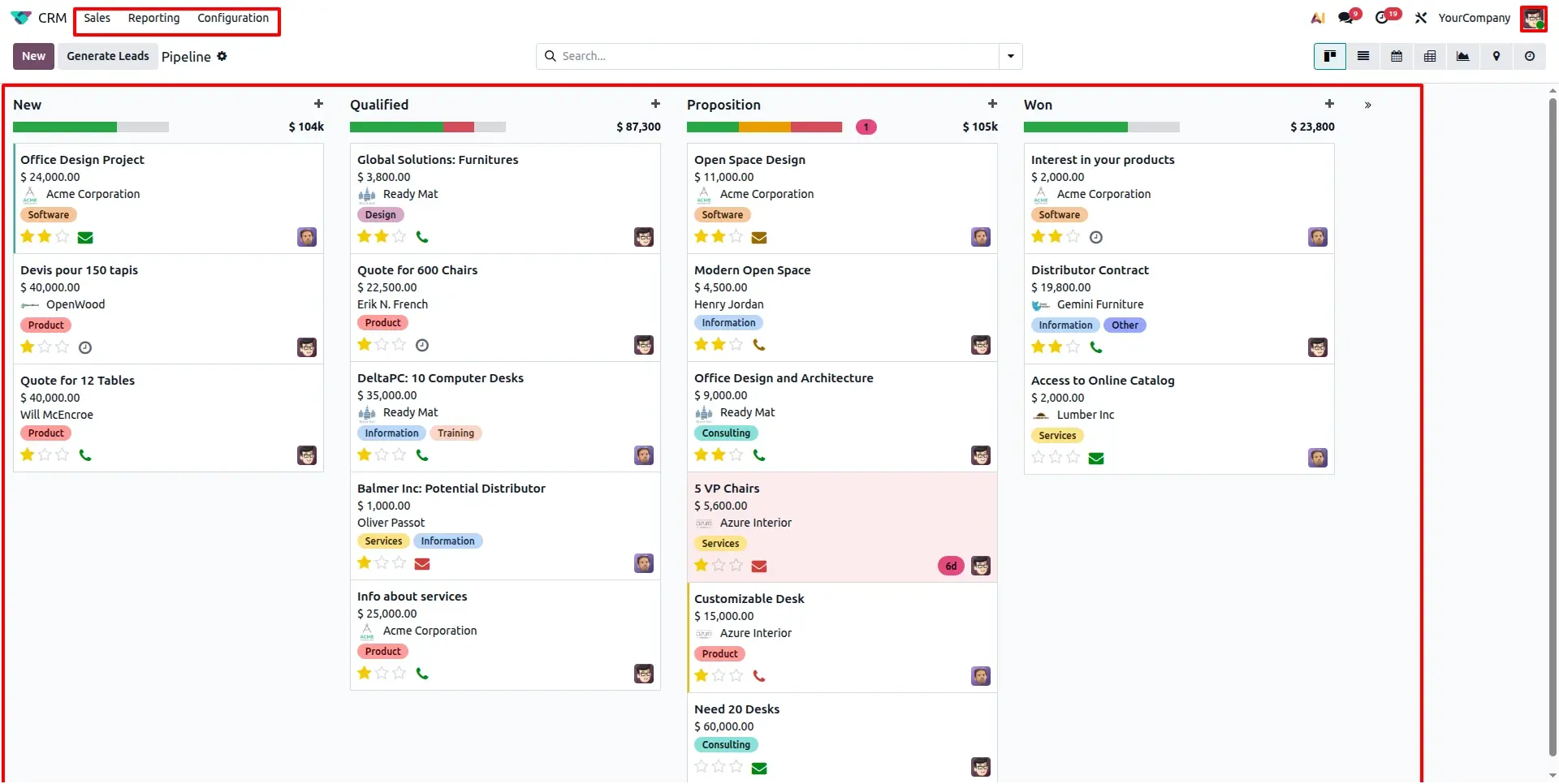
The unrestricted pipeline view for managers where all leads across the entire company are visible and manageable.
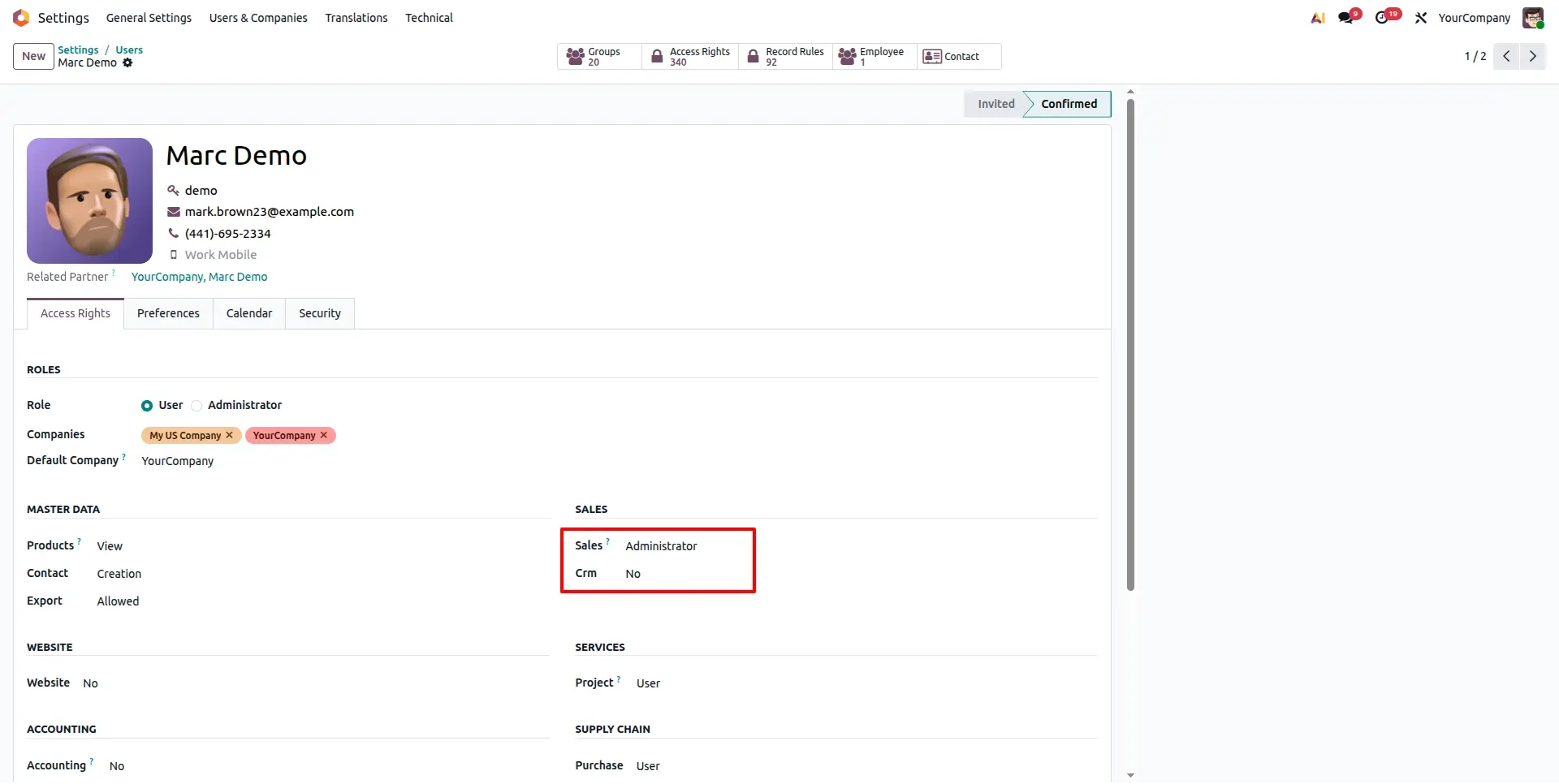
CRM No Access Enforcement
Ensures that users without assigned roles cannot access sensitive CRM data even if they have Sales app permissions.
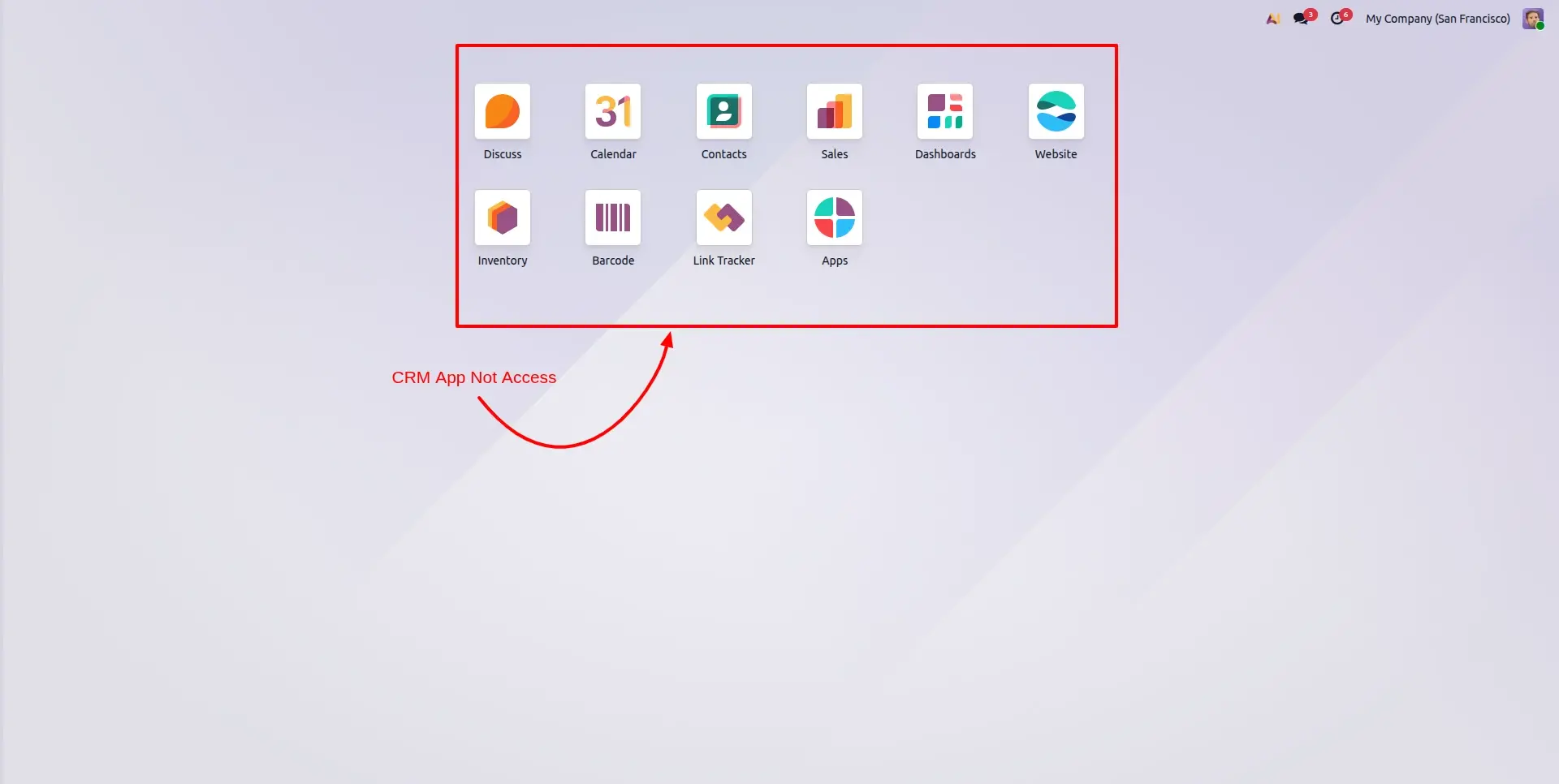
Access Restriction on Dashboard
Demonstrates how specific CRM statistics and buttons are hidden from the dashboard for unauthorized users to prevent data leakage.
Frequently Asked Questions
Technical Details
Dependencies
• CRM (crm)
• Sales (sale_management)
• Calendar (calendar)
• Contacts (contacts)
• Discuss (mail)
• Invoicing (account)
License
OPL-1
Need Assistance?
Email Support
contact@gritxi-tech.comAny Questions?
Have questions about this app?
Fill out the form below and our team will get back to you with more information.
Customer Reviews
Share your experience with this module.
Write a Review
Latest Reviews
No reviews yet. Be the first to share your thoughts!