
Multi Early Payment Discount Management
Multi-level early payment discounts with dynamic calculations
Early Payment Multiple Discount
Break free from Odoo's single-discount limit. Implement unlimited tiered early payment incentives with automated logic and country-smart tax handling.
App Overview

Introduction
Odoo’s native Payment Terms support only a single early payment discount tier. This means businesses are forced to choose one fixed percentage and one deadline, leaving no room for graduated incentive structures.
The Early Payment Multiple Discount module removes this limitation entirely. It extends Payment Terms to support an unlimited number of tiered discount rules each with its own deadline, percentage, and tax reduction enabling sophisticated early payment incentive programmes directly in Odoo.

Purpose
When managing receivables, a one-size-fits-all discount rarely motivates every customer. Manual evaluation of multi-tier discounts is error-prone and consumes valuable administrative time during payment registration and bank reconciliation.
This module streamlines the workflow by automatically selecting the best applicable discount tier based on the actual payment date. It synchronizes perfectly with the payment register and bank widget, ensuring the correct reward is applied without manual intervention, while correctly handling complex multi-currency exchange differences.
Key Features
Unlimited Discount Tiers
Add as many discount lines as needed. Each line includes its own Discount Days, Discount Percentage, and Tax Reduction method.
Smart Tier Selection
Automatically calculates elapsed payment days and applies the most beneficial discount tier when the payment is registered.
Three Tax Reduction Modes
Configure tax discounts independently using On Early Payment, Never, or Always to match your accounting requirements.
Country-Aware Defaults
Tax reduction behavior is automatically initialized based on country-specific accounting practices.
Live Configuration Preview
Instantly preview how payment term tiers behave while configuring discount rules, making setup faster and easier.
Register Payment Integration
Integrates directly with the Register Payment wizard and Bank Matching widget to evaluate discount eligibility accurately.
Multi-Currency Support
Automatically manages discount balances, currency conversions, and exchange difference entries in multi-currency environments.
Configuration Steps
Set up unlimited early payment discount tiers in 5 simple steps to automate your collection incentives.
Enable Multi-Tier Rules
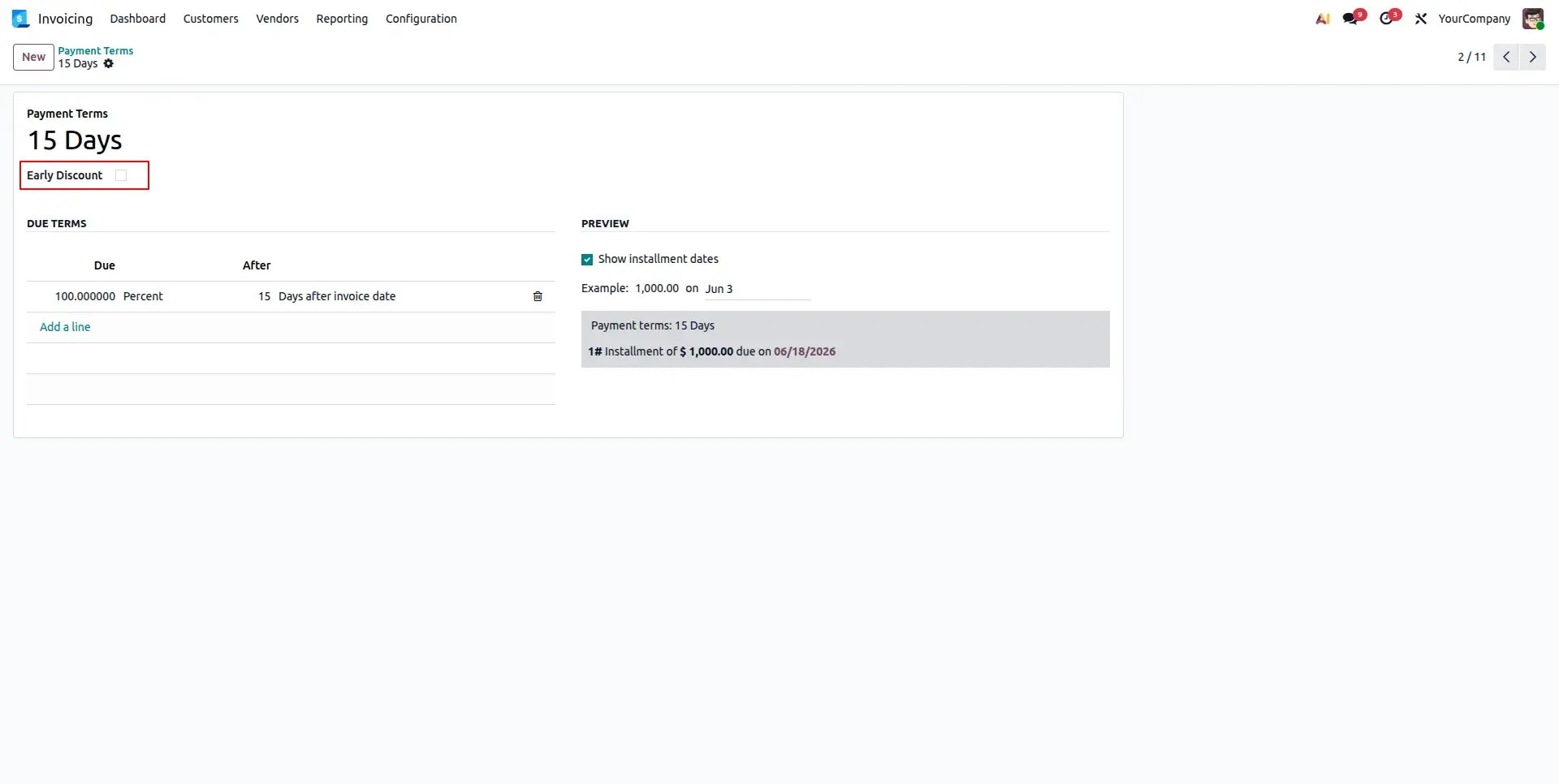
Navigate to Accounting > Configuration > Payment Terms. Create or open a term and toggle the "Early Discount" switch to reveal the advanced rules configuration board.
Configure Discount Tiers
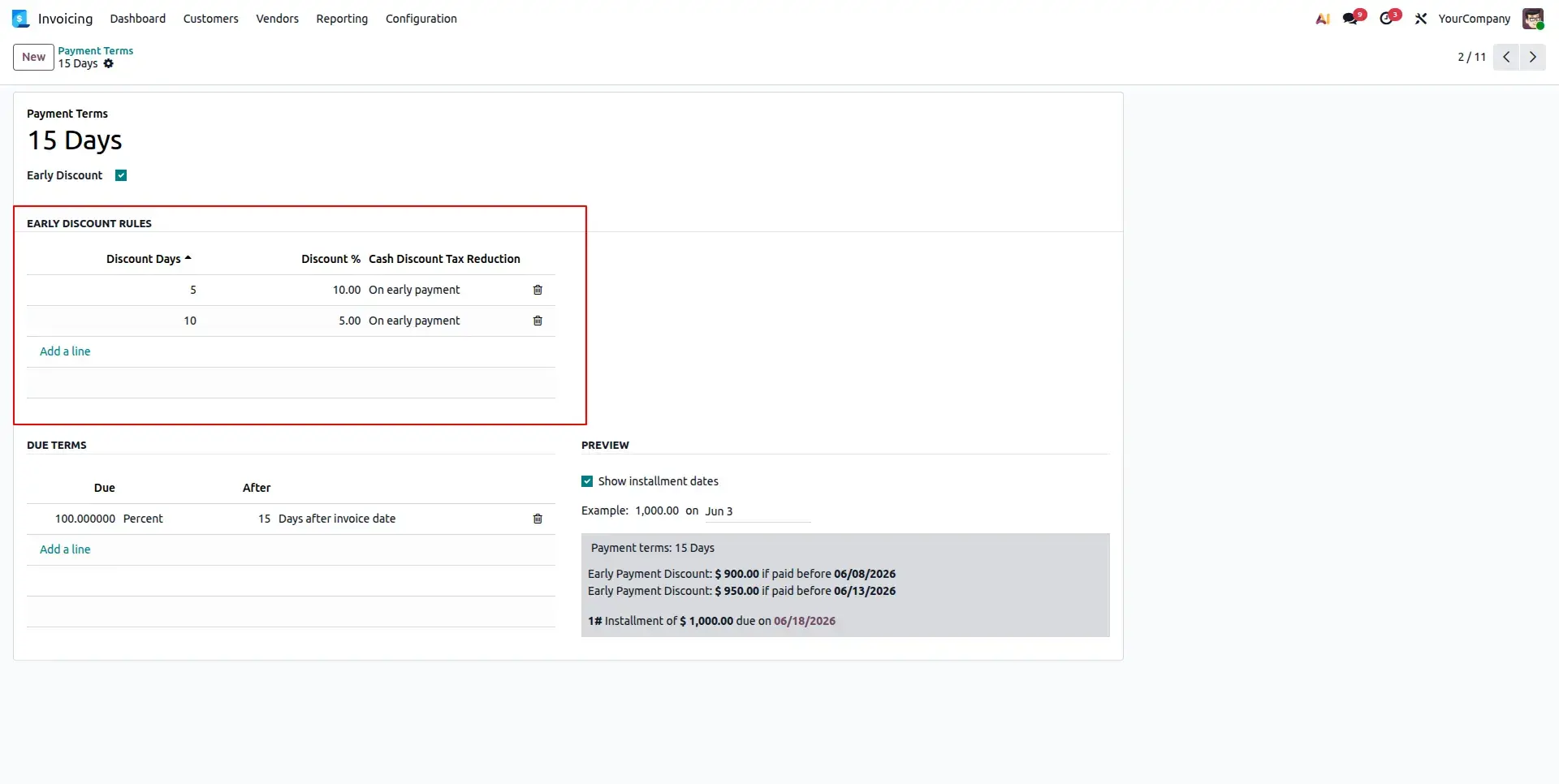
Add multiple lines to the Early Discount Rules table. Specify the deadline in days, the discount percentage, and choose the tax reduction method (e.g., On early payment).
Real-Time Preview
As you add tiers, the Preview section at the bottom of the form updates instantly. It visually confirms the discount amounts and deadlines that will be applied to your invoices.
Link to Customer Invoices
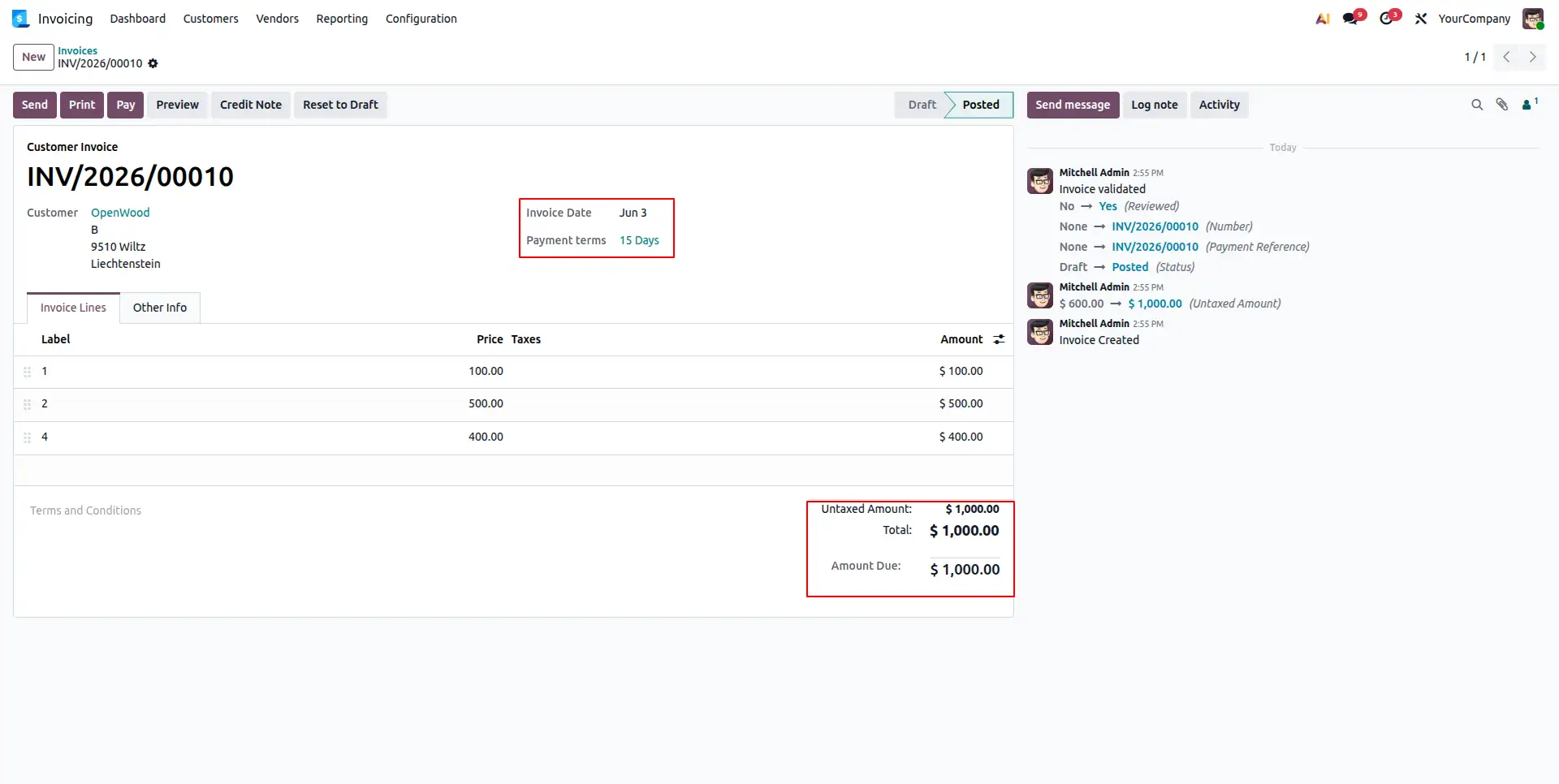
Save the Payment Term and assign it to your customer invoices. Odoo's engine will now monitor this invoice for any early payment activity based on your custom rules.
Register & Reconcile
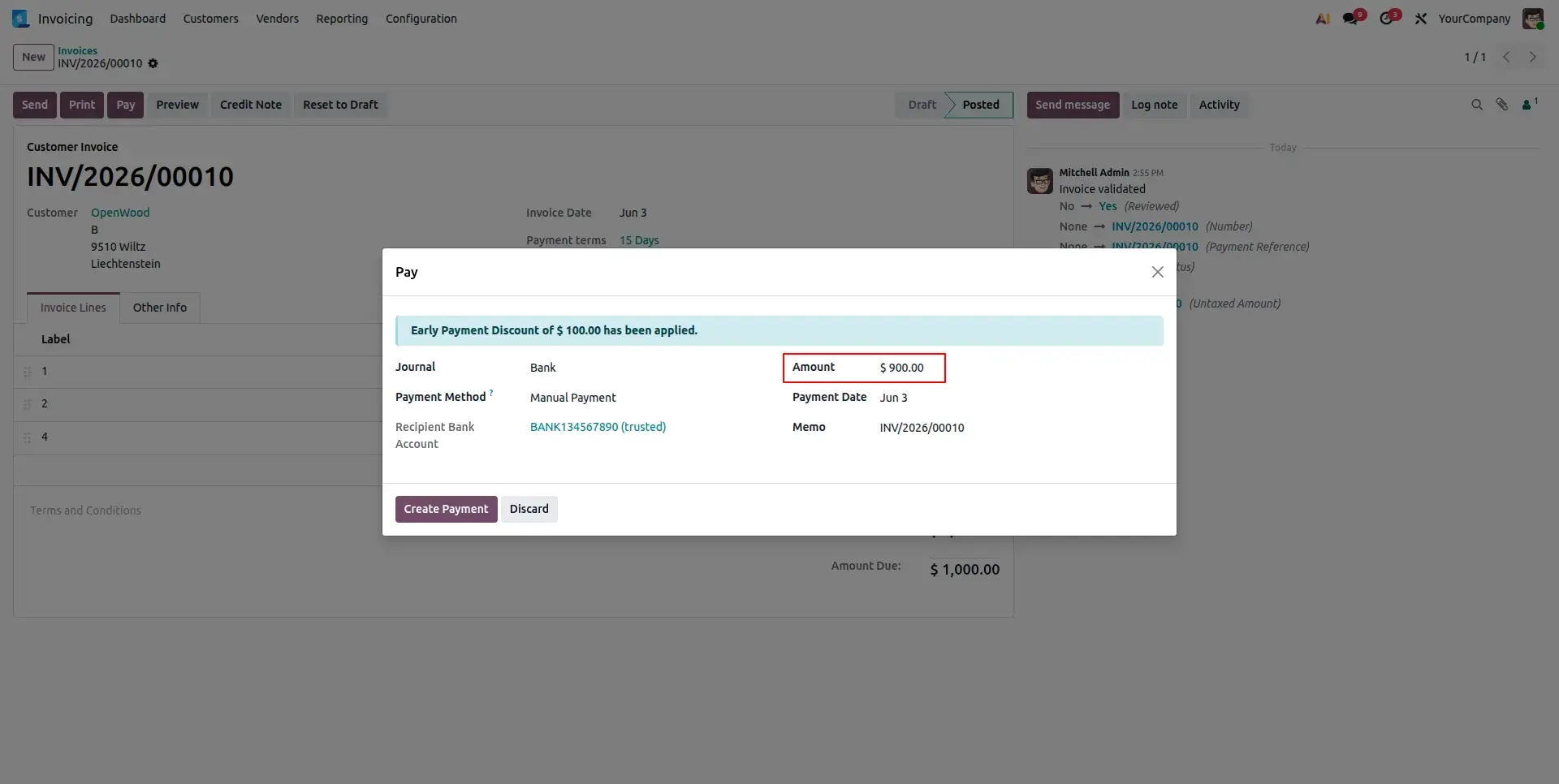
When registering payment, the system automatically detects the current applicable discount tier. It records the discounted net amount and completes reconciliation in one step.
Frequently Asked Questions
Technical Details
Dependencies
• Invoicing (account)
• Discuss (mail)
License
OPL-1
Need Assistance?
Email Support
contact@gritxi-tech.comAny Questions?
Have questions about this app?
Fill out the form below and our team will get back to you with more information.
Customer Reviews
Share your experience with this module.
Write a Review
Latest Reviews (0)
No reviews yet. Be the first to share your thoughts!